
There’s a moment every older laptop owner knows: you press the power button, go make coffee, and come back to a machine that’s still waking up. If your laptop shipped with a mechanical hard drive, a solid-state upgrade is the single most transformative fix you can make. Swapping a spinning 5400 RPM drive for even a modest SATA SSD typically cuts boot times from a minute or more to under 20 seconds, makes file copies feel instant, and drops operating temperatures and power draw in the process. And because virtually every laptop made in the last 15 years uses the same 2.5-inch SATA bay, the upgrade path is simple, cheap, and nearly universal.
The catch is that the budget SATA market is crowded with drives that look identical on a shelf but differ wildly in endurance, real-world speed, and support. We sorted through the current field to find drives that deliver a genuine upgrade for older machines without demanding premium prices — including one wildcard accessory that makes cloning your old drive painless. Here’s how the field stacks up heading into 2026.
As an Amazon Associate we earn from qualifying purchases at no extra cost to you. Product prices and availability are accurate as of the date shown and are subject to change.



Top 3 picks at a glance
Quick Picks
| Product | Best for | Price |
|---|---|---|
| PNY CS900 250GB 2.5″ SATA III Internal SSD | Best overall value | $48.73 |
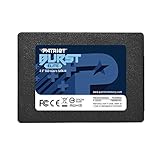
| Patriot Burst Elite 120GB SATA 3 2.5 Inch SSD | Cheapest usable upgrade | $26.99 |
| PNY CS900 500GB 2.5″ SATA III Internal SSD | Balanced capacity on a budget | $89.99 |
| fanxiang S101 128GB SSD 2.5″ SATA III | Light-use backups and basic laptops | $29.99 |
| SATA to USB 3.0 Adapter Cable for 2.5″ SSD HDD, 6Gbps | Cloning your old drive | $6.99 |
| SAMSUNG 870 EVO SATA SSD 500GB | Best build quality and support | $224 |
| Samsung SSD 870 EVO SATA III 2.5″ 1TB | Long-term reliability at capacity | $323.99 |
| KingSpec 1TB 2.5 SSD SATA III Internal | Most affordable 1TB option | $129.59 |
How We Picked
Every drive here uses the standard 2.5-inch, 7mm-thick form factor and a SATA III (6Gbps) interface, which means it will physically fit and function in nearly any laptop from the last decade and a half — including older MacBook Pros and ultrabooks that use a slim bay. We prioritized drives priced within reach of a budget refresh, capped the field at drives under $325, and weighted our selection toward capacity tiers that make sense for aging machines: 120GB for basic web-and-email laptops, 250GB to 500GB for everyday use, and 1TB for anyone keeping photos, videos, or a large game library on board.
We also considered the full upgrade experience, not just the drive itself. That’s why a $6.99 USB adapter earns a slot: the hardest part of an SSD swap for most people isn’t the hardware, it’s migrating Windows and files. Cloning your existing drive over USB before the swap turns the whole job into a 30-minute, screwdriver-only project with no reinstall required. Finally, we looked at endurance ratings, controller quality, and brand track record — because a budget drive that dies in year two is no bargain.
The 8 Best Picks
1. PNY CS900 250GB 2.5″ SATA III Internal SSD — Best Overall Value
At $48.73, the CS900 250GB hits the sweet spot for the average older-laptop refresh: enough space for Windows, your applications, and a reasonable amount of documents, at a price that feels like a rounding error next to buying a new machine. It’s a TLC drive in the standard 2.5-inch, 7mm form factor, and it’s backed by a three-year limited warranty. For a 2012–2016 era laptop currently limping on a hard drive, this is the upgrade we’d recommend to family.
- Excellent price-per-gigabyte at the most useful budget capacity
- Simple drop-in 2.5-inch install in nearly any laptop bay
- 250GB fills up fast if you store lots of photos or videos locally
Skip it if you’re replacing a drive in a machine you use for video editing or large game libraries — go straight to 500GB or 1TB instead.
2. Patriot Burst Elite 120GB — Cheapest Usable Upgrade
The Patriot Burst Elite at $26.99 is the drive you buy when the laptop itself is nearly worthless and the goal is simply to make it usable again. A 120GB drive comfortably holds Windows or a lightweight Linux install plus a browser and office suite. The Burst Elite uses 3D NAND and SATA III speeds, so it delivers the same dramatic responsiveness jump as any SSD — the trade-off is capacity, and you’ll need to lean on cloud storage or an external drive for anything else. It’s the least risky $27 you can spend on an aging machine.
- Lowest entry price of any internal drive in this roundup
- 3D NAND and a five-year limited warranty from a known brand
- 120GB leaves almost no room for media or large applications
Skip it if you keep more than a few gigabytes of files locally — you’ll outgrow it within months.
3. PNY CS900 500GB — Balanced Capacity on a Budget
If the 250GB CS900 is the value pick, the 500GB version at $89.99 is the “buy it once and stop thinking about storage” pick for typical users. Doubling capacity means breathing room for a photo library, a modest Steam collection, or years of accumulated documents without resorting to external drives. You get the same 2.5-inch 7mm chassis, the same SATA III interface, and the same three-year warranty as its smaller sibling. For most everyday laptops, this is the capacity tier where budget drives stop feeling like compromises.
- 500GB handles a full everyday workload without constant cleanup
- Same proven CS900 platform with a three-year warranty
- Slower sustained writes than premium-tier drives under heavy load
Skip it if budget is the absolute priority and you can live with 250GB, or if you need a full terabyte for under $130 — the KingSpec below covers that.
4. fanxiang S101 128GB — Light Use and Secondary Machines
The fanxiang S101 at $29.99 sits in the same territory as the Patriot but with a bit more headroom: 128GB with advertised read speeds up to 500MB/s, which is essentially the practical ceiling of the SATA III interface. It’s a sensible choice for a secondary laptop, a kid’s homework machine, or a media-streaming laptop where the operating system and a handful of apps are all that live on the drive. Installation is the standard 2.5-inch drop-in, and the drive runs cool and silent with no moving parts.
- 500MB/s-class reads squeeze maximum performance from SATA
- Slightly more usable space than 120GB drives at a similar price
- 128GB is still tight for anyone storing media locally
Skip it if your file library exceeds roughly 80GB after accounting for Windows — a 250GB or 500GB drive will serve you better long-term.
5. SATA to USB 3.0 Adapter Cable (6Gbps) — The Essential Upgrade Tool
This $6.99 accessory is not an SSD, but it may be the most valuable item in this roundup. It connects any 2.5-inch SATA drive to a USB 3.0 port at up to 6Gbps, letting you plug your new SSD into your laptop, clone the old drive onto it, and then swap them — no reinstalling Windows, no hunting for license keys, no data loss. It works with 2.5-inch drives of any capacity and requires no external power, since USB 3.0 supplies enough for 2.5-inch mechanical drives. If you’ve never done an SSD upgrade before, buy this first.
- Turns a full OS reinstall into a one-hour clone-and-swap job
- Works with any 2.5-inch SSD or hard drive, any brand
- 3.5-inch desktop drives need separate power, which this can’t provide
Skip it only if you’re doing a clean Windows install anyway or already own a SATA dock or enclosure.
6. Samsung 870 EVO 500GB — Best Build Quality and Support
The Samsung 870 EVO at $224 for 500GB is priced well above the budget field, but it earns mention as the benchmark the others are measured against. Samsung’s in-house controller and TLC NAND deliver sustained read speeds up to 560MB/s, class-leading endurance ratings, and a five-year limited warranty with strong firmware support — the kind of long-term backing that matters if this drive is going into a machine you rely on daily. The drive is the standard 2.5-inch, 7mm form factor with a matte black metal-look chassis.
- Industry-leading endurance and a five-year warranty
- Consistent sustained performance under heavy workloads
- At $224, you’re paying several times the budget tier for the same interface speeds
Skip it for a genuinely old laptop — a $49 budget drive delivers nearly identical felt performance in that context, and the money is better saved.
7. Samsung 870 EVO 1TB — Premium Reliability at Capacity
The 1TB 870 EVO at $323.99 is the “buy once, cry once” option: a full terabyte with read speeds up to 560MB/s, Samsung’s top-tier endurance ratings, and a five-year warranty. This is the right pick for an older laptop that’s still a daily workhorse — a creator’s machine, a home-office PC, or a laptop you plan to keep running for another five years. If your budget laptop upgrade is really a “make this machine last indefinitely” project, the 870 EVO is the drive that outlives the rest of the hardware.
- Full 1TB capacity with premium endurance ratings
- Five-year warranty and excellent long-term software support
- More than double the cost of budget 1TB alternatives
Skip it if the laptop itself has less than a few years of life left — a $129.59 KingSpec 1TB makes more financial sense there.
8. KingSpec 1TB 2.5″ SATA III — Most Affordable Terabyte
The KingSpec at $129.59 is the standout for capacity-per-dollar: a full 1TB of 3D NAND storage in the standard 2.5-inch SATA III form factor, with advertised speeds of 550MB/s read and 520MB/s write — right at the ceiling of what the SATA interface can deliver. For under $130, you can turn an old laptop into a genuine media machine with room for a large music or photo library, or consolidate files that have been scattered across external drives. It’s a newer brand than PNY or Samsung, so check the warranty terms at purchase.
- 1TB capacity for roughly 60% less than Samsung’s equivalent
- Speeds at the practical maximum of the SATA III interface
- Brand track record and warranty support are less established
Skip it if maximum reliability matters more than capacity — spend up for the Samsung 870 EVO 1TB instead.
Buying Guide
Capacity: Buy for the Files You Actually Have
The biggest budget mistake is undersizing. Windows alone consumes 30–50GB, and updates push that higher. As a rule: 120–128GB ($27–$30) works only for basic browsing and email machines; 250GB ($48.73 in this roundup) suits everyday users who stream most media; 500GB ($89.99–$224) is the comfortable target for most people; and 1TB ($129.59–$323.99) makes sense for local photo, video, or game libraries. Check your current drive usage before buying — if you’re already above 150GB, skip the 120GB tier entirely.
Compatibility: The 2.5-Inch, 7mm Standard
Nearly every laptop with a hard drive uses a 2.5-inch SATA bay, but older ultrabooks sometimes shipped with 7mm-only slots while desktop-class machines used 9.5mm drives. Every drive in this roundup is 7mm or thinner, so it fits anywhere a 2.5-inch drive goes. Your laptop needs a SATA connector — anything from roughly 2009 onward qualifies. One caveat for ancient machines: pre-SATA III laptops will run these drives at SATA II speeds (about 300MB/s theoretical), which still transforms responsiveness. And budget $7 for a USB adapter cable to clone your drive — it’s the difference between a one-hour swap and an afternoon reinstalling everything.
Speed and Endurance: Don’t Overpay for Numbers
Every SATA III drive tops out around 550–560MB/s reads — that’s the interface limit, not the drive’s. A $27 Patriot and a $324 Samsung will feel nearly identical booting a 2013 laptop. Where premium drives earn their price is sustained writes under heavy load, endurance ratings (TBW — terabytes written before wear-out), and warranty length: PNY covers the CS900 for three years, Samsung covers the 870 EVO for five. For typical laptop use of 10–20GB written per day, even budget drives will outlast the machine they’re installed in.
Our Verdict
For most older laptops, buy the PNY CS900 250GB at $48.73 plus the $6.99 SATA-to-USB adapter: under $56 total for a machine that boots in seconds and feels years younger. If you need more room, the PNY CS900 500GB at $89.99 is the better everyday choice, and the KingSpec 1TB at $129.59 is the value play for media hoarders. Reserve the Samsung 870 EVO for machines you plan to keep for many years — its five-year warranty and endurance are excellent, but its $224–$323.99 prices buy performance your old laptop can’t fully exploit.
FAQ
Will an SSD really speed up my old laptop?
Yes — dramatically, in most cases. A mechanical hard drive’s moving platters typically deliver 80–120MB/s in real-world use; even a budget SATA SSD delivers 500MB/s-plus on reads and, more importantly, near-instant random access. The result is boot times dropping from 60+ seconds to under 20, applications opening in a second or two instead of ten, and the whole system feeling snappy instead of sluggish. For laptops older than roughly 2015 with spinning drives, an SSD upgrade delivers a bigger felt improvement than any other component change.
How do I move Windows to my new SSD without reinstalling?
Use the cloning method. Connect the new SSD to your laptop with a SATA-to-USB 3.0 adapter cable (the $6.99 pick above), then run free cloning software — Macrium Reflect Free or the free tier of most drive manufacturers’ tools — to copy your existing drive to the SSD. Once complete, swap the drives: remove the old hard drive (usually one or two screws on the bottom panel), install the SSD in its place, and boot. Your laptop starts exactly as it left off, with all files, programs, and settings intact.
Is a cheap SSD brand risky for my data?
Less risky than it used to be, but brand still matters. Established budget names like PNY, Patriot, and fanxiang use legitimate 3D NAND and stand behind three- to five-year warranties. The bigger practical risk with ultra-budget drives is capacity — a 120GB drive fills up fast, and SSDs slow down and wear faster when kept near full. Keep your drive below about 80% capacity and maintain a backup of important files regardless of brand, which is wise advice for any storage device at any price.
How long will a budget SSD last in an older laptop?
Longer than the laptop, in most cases. SSD endurance is measured in terabytes written (TBW), and typical budget drives handle hundreds of TBW. A normal laptop user writes perhaps 5–20GB per day, meaning a decade of typical use stays well within a budget drive’s endurance rating. The realistic failure modes are controller defects rather than NAND wear, which is why the three-year PNY warranty and five-year Samsung coverage matter. For a laptop that’s already 8–10 years old, any drive in this roundup will almost certainly outlive it.


