
How to Run LLMs Locally: Hardware Guide (2026)
To run large language models locally, the single most important spec is memory: the model...
We research everything we recommend. When you buy through our links, we may earn a commission. As an Amazon Associate we earn from qualifying purchases.
GPU Guides is the explainer shelf for understanding and maintaining graphics cards, separate from the buying-guide rankings found under Graphics Cards, covering benchmark literacy, installation, thermal management, and power requirements. Readers here are usually trying to interpret a number rather than choose a product: what a 1% low actually measures compared to an average FPS figure, whether a given VRAM capacity will hold up as game texture pools grow, or whether a GPU’s reported temperature under load is within a safe range for its cooler design. Undervolting shows up as a recurring topic because it’s one of the few free performance levers left once a card is purchased, trading a small clock reduction for a meaningful drop in temperature and fan noise. Power supply compatibility is a frequent stumbling block too, since a card’s rated TDP doesn’t account for transient spikes that can trip an undersized or lower-quality PSU even when the average draw looks fine on paper. Installation questions matter for first-time builders concerned about PCIe slot seating, riser cable clearance, or case airflow direction. Start with the benchmark-literacy pieces if evaluating a purchase, then move to the maintenance guides once the card is installed. GPU Benchmark Numbers Explained and 1% Lows Vs Average FPS cover how to read the numbers, while How Much VRAM Do You Need For Gaming addresses the capacity question directly.
To run large language models locally, the single most important spec is memory: the model...

If you’re comparing the GTX 1660 Super vs RX 6500 XT for a budget 1080p...

The Arc B570 is usually the better value for new 1080p and entry-level 1440p gaming,...
The RTX 5090 is the faster and more capable 4K card, while the RX 7900...
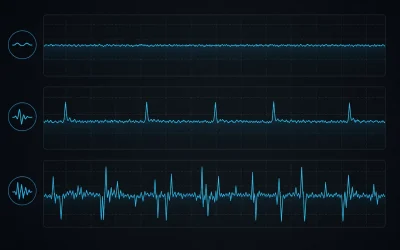
Understand average FPS, 1% lows and frame-time spikes, then learn how to run a repeatable gaming performance test without misreading outliers.
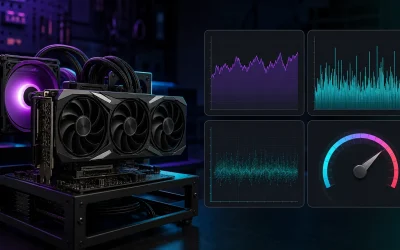
GPU benchmark numbers explained: average vs 1% low FPS, synthetic scores, and how to read charts without getting misled by test conditions.
Undervolt a GPU for lower temps and quieter fans with a step-by-step curve method, real stability testing, and the mistakes that cause crashes.
Check GPU temperature safely with the right free tools, real safe-range numbers by GPU maker, and what to do if readings run hot.
GPU power needs range from 350W to 1000W system wattage — this guide covers connectors, headroom math and 6 real card examples.
Installing a graphics card takes about 20 minutes — this step-by-step guide covers all 8 steps plus 5 common post-install problems.