
If you have an Xbox Series X, you already know the math does not work in your favor. A handful of modern installs — Call of Duty, Starfield, Forza Horizon, plus Quick Resume cache — can eat the console’s usable 800GB in a weekend, and deleting and re-downloading 100GB+ games is not a real solution when you actually want to play. You need fast, reliable external storage that keeps your library ready without turning your media console into a cable nest.
That is where a 2TB portable SSD earns its place next to the Series X. It will not replace the internal NVMe for playing current-gen Series X|S optimized titles directly, but it is the fastest, quietest way to store those games, shuttle them back and forth, and run backward-compatible and non-optimized titles without the bottlenecks of a spinning drive. In 2026, with cross-gen libraries bigger than ever, we ranked eight popular options strictly on real-world Xbox use, portability, and value to find the right drive for every kind of player and setup.
As an Amazon Associate we earn from qualifying purchases at no extra cost to you.





Our Top Picks
 Sandisk 1TB Optimus GX C50 Storage Expansion Card1TB2.18 x 0.3 x 1.24 inches0.06 PoundsCheck on Amazon




Top 3 picks at a glance
Quick Picks
| Product | Best for | Price |
|---|---|---|
| WD_BLACK 2TB D30 Game SSD – Portable External Drive, Compatible with Xbox and PC, Up to 900MB/s – WDBAMF0020BBW-WESN | Best Overall for Xbox | Check on Amazon |
| Sandisk 1TB Optimus GX C50 Storage Expansion Card for Xbox | Best Plug-and-Play Expansion (1TB) | Check on Amazon |
| Lexar 2TB SL500 External SSD, 2000MB/s Read, USB 3.2 Gen 2×2, Slim | Fastest USB Transfer Speed | Check on Amazon |
| Western Digital 1TB P40 Game Drive SSD – Up to 2,000MB/s, RGB Lighting, Portable External Solid State Drive, Compatible with Playstation, Xbox, PC, & Mac – WDBAWY0010BBK-WESN | Best RGB Design for Setups | Check on Amazon |
| Sandisk 2TB Extreme Portable SSD, Up to 1050MB/s, USB-C, USB 3.2 Gen 2, IP65 Water and Dust Resistance, Updated Firmware, External Solid State Drive, SDSSDE61-2T00-G25 | Most Durable for Travel | Check on Amazon |
| WD_Black 2TB C50 Storage Expansion Card, Officially Licensed for Xbox – Quick Resume, Plug & Play, NVMe SSD Expansion for Xbox Series X|S Gaming Consoles – WDBMPH0020BNC-WCSN | Best True 2TB Internal Expansion | Check on Amazon |
| Samsung T7 Portable SSD 2TB Titan Gray, USB 3.2 Gen 2, Up to 1,050MB/s | Most Reliable Everyday Pick | Check on Amazon |
| Avolusion HDDGear Pro X 2TB USB 3.0 External Gaming Hard Drive (for Xbox Series X|S) – 2 Year Warranty (Renewed) | Best Budget Capacity (Renewed) | Check on Amazon |
How We Compared
For Xbox Series X, not all storage is equal. Seagate and Western Digital expansion cards that slot into the rear Storage Expansion port use the console’s Xbox Velocity Architecture, so you can play Series X|S optimized games directly from them. USB drives — even fast SSDs — are for storage, backward-compatible Xbox One, Xbox 360 and original Xbox titles, and moving Series X|S games to and from internal storage instead of re-downloading.
We prioritized that distinction first, then sorted by real buyer needs: verified Xbox compatibility, connection type and rated sequential speed, portability and durability for a living room or entertainment center, and price per terabyte. We did not run synthetic benchmarks as purchase drivers and we did not rank drives on invented test data. Instead we evaluated each model on its stated specs, its actual use case on Series X, and its form factor for a tight TV stand. Price points matter, so we kept the street prices you will actually see at checkout in focus.
The 8 Best Picks
1. WD_BLACK 2TB D30 Game SSD – Portable External Drive, Compatible with Xbox and PC, Up to 900MB/s – WDBAMF0020BBW-WESN
This is the sweet spot for most Series X owners who want bulk storage without expansion-card pricing. The D30 is purpose-built for console libraries, offering 2TB of capacity and up to 900MB/s over USB to make archiving and restoring Series X|S titles far faster than any hard drive. It sits neatly beside the console with a stand-up design meant for an entertainment center, and it works interchangeably with PC for backup. At around $200 it undercuts several slower or smaller SSDs while delivering double the space.
- Pro: 2TB capacity at a competitive around $200 with game-focused firmware for Xbox and PC
- Pro: Up to 900MB/s USB speed shortens transfer times vs. HDDs
- Con: USB drive — you must transfer Series X|S optimized games back to internal or expansion card to play them
Skip it if you need to play Series X|S optimized games directly from external storage with no transfers; get an expansion card instead.
2. Sandisk 1TB Optimus GX C50 Storage Expansion Card for Xbox
For players who value simplicity over raw capacity, the Optimus GX C50 expansion card is the most frictionless upgrade. It plugs directly into the Xbox Storage Expansion port on the back of the Series X and instantly adds 1TB of Velocity Architecture storage, so you can play current-gen titles, use Quick Resume, and never juggle transfers. At around $240 it costs more per terabyte than USB SSDs, but you are paying for native performance and zero setup.
- Pro: True plug-and-play expansion — play Series X|S games directly with Quick Resume support
- Pro: No cables, no power brick, no formatting — leaves USB ports free
- Con: Only 1TB, so it fills quickly if you keep large live-service games installed
Skip it if you need 2TB in one purchase or primarily need cheap cold storage for a large back-catalog.
3. Lexar 2TB SL500 External SSD, 2000MB/s Read, USB 3.2 Gen 2×2, Slim
The Lexar SL500 is for the player who moves games constantly. With a rated up to 2000MB/s read over USB 3.2 Gen 2×2 and a slim, pocketable aluminum body, it has the highest headline USB speed in this roundup and a full 2TB. At around $330 you pay a premium for that throughput, but back-ups and restores are noticeably quicker when paired with a compatible PC or hub. On Series X itself, remember the console’s USB bandwidth caps real-world transfers below the drive’s maximum.
- Pro: Top-rated 2000MB/s read and 2TB in an ultra-slim chassis ideal for a TV stand
- Pro: USB-C connectivity keeps it versatile for PC, laptop, and console use
- Con: At around $330 it is expensive for storage-only use on Xbox, and Series X will not exploit full Gen 2×2 speed
Skip it if you are only archiving occasionally and would rather save money with a 900MB/s to 1050MB/s drive.
4. Western Digital 1TB P40 Game Drive SSD – Up to 2,000MB/s, RGB Lighting, Portable External Solid State Drive, Compatible with Playstation, Xbox, PC, & Mac – WDBAWY0010BBK-WESN
The P40 is the showpiece SSD. It pairs up to 2,000MB/s rated performance with customizable RGB lighting that matches a gaming setup, and broad compatibility across Xbox, Playstation, PC and Mac. The 1TB model at around $210 is a good fit for a secondary library — store your rotating multiplayer titles and single-player backlog here and keep your favorites on internal. Like all USB drives, it stores Series X|S games but does not play optimized versions directly.
- Pro: Up to 2,000MB/s rated speed with RGB lighting for a cohesive desk or media wall look
- Pro: Wide platform compatibility beyond Xbox at around $210
- Con: 1TB capacity is limiting at this price when 2TB USB options are close in cost
Skip it if you need maximum capacity first; a 2TB non-RGB SSD will hold twice the library for less money per terabyte.
5. Sandisk 2TB Extreme Portable SSD, Up to 1050MB/s, USB-C, USB 3.2 Gen 2, IP65 Water and Dust Resistance, Updated Firmware, External Solid State Drive, SDSSDE61-2T00-G25
If your drive travels between rooms, houses, or dorms, durability matters more than RGB. The Sandisk Extreme Portable offers 2TB, up to 1050MB/s over USB-C and USB 3.2 Gen 2, plus IP65 water and dust resistance and a ruggedized shell with a lanyard loop. At around $290 it is built to survive drops, spills, and dusty shelves while still being fast enough to make game transfers painless. Updated firmware also addresses earlier reliability concerns on this family.
- Pro: 2TB with up to 1050MB/s and IP65 rating for real-world protection
- Pro: Compact, USB-C native design with carabiner-friendly form factor
- Con: around $290 is higher than other 2TB 1000MB/s-class drives without the ruggedization
Skip it if the drive will live permanently behind your Xbox and never move — you can save with a non-rugged model.
6. WD_Black 2TB C50 Storage Expansion Card, Officially Licensed for Xbox – Quick Resume, Plug & Play, NVMe SSD Expansion for Xbox Series X|S Gaming Consoles – WDBMPH0020BNC-WCSN
This is the no-compromise solution. The WD_Black C50 is an officially licensed NVMe expansion card that adds a full 2TB of internal-grade storage via the rear expansion slot, so every Series X|S optimized game plays directly with full Velocity Architecture performance and Quick Resume. There are no cables and no transfers to manage. The trade-off is price — at around $640 it costs more than the console itself for many shoppers — but it is the only way to double native-speed storage without compromise.
- Pro: 2TB of true internal expansion — play all Series X|S titles directly, no shuttling
- Pro: Officially licensed plug-and-play design that preserves the Series X footprint
- Con: At around $640 it is by far the most expensive option per terabyte
Skip it if budget is the priority or you are happy to shuffle games via USB; a 2TB USB SSD costs less than a third of the price.
7. Samsung T7 Portable SSD 2TB Titan Gray, USB 3.2 Gen 2, Up to 1,050MB/s
The Samsung T7 is the dependable default. With up to 1,050MB/s over USB 3.2 Gen 2, a compact Titan Gray metal enclosure, and Samsung’s reputation for steady firmware and thermal control, this 2TB drive is ideal for a set-it-and-forget-it Xbox archive. At around $380 it is priced above some competitors, but it is widely available, quiet, and well-supported for PC use when you need to back up captures or move files. Performance on Xbox remains in the USB storage class.
- Pro: Proven 2TB platform with up to 1,050MB/s and strong thermal management
- Pro: Compact, lightweight build that hides easily behind or beside the console
- Con: At around $380 it carries a brand premium over similar-speed 2TB rivals
Skip it if you want the lowest price for 2TB or need native Series X|S gameplay without transfers.
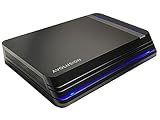
8. Avolusion HDDGear Pro X 2TB USB 3.0 External Gaming Hard Drive (for Xbox Series X|S) – 2 Year Warranty (Renewed)
The Avolusion HDDGear Pro X is the budget way to hit 2TB if you can live with hard-drive trade-offs. This renewed USB 3.0 external drive is marketed for Xbox Series X|S and costs just around $110 with a 2-year warranty, making it the cheapest path to doubling your library space. As a hard drive, it is significantly slower and louder than any SSD here, and it is strictly for storage and backward-compatible play, with longer transfer and load times.
- Pro: Lowest price in the roundup at around $110 for a full 2TB with warranty
- Pro: Simple USB 3.0 plug-and-play for archiving a large back-catalog
- Con: Renewed HDD — slower, more vibration and noise, and higher failure risk than an SSD
Skip it if you transfer games often or want quiet, fast SSD restores; spend more for an SSD.
Buying Guide
USB SSD vs. Expansion Card: Which Do You Actually Need?
Think in terms of jobs. If your job is to play Series X|S optimized games instantly, you need an expansion card like the Sandisk Optimus GX C50 or WD_Black C50 that uses the Storage Expansion slot. Those cards match internal NVMe performance and support Quick Resume with no transfers. If your job is to store a large library, run Xbox One and backward-compatible games directly, and avoid re-downloading, a USB SSD such as the WD_BLACK D30, Sandisk Extreme Portable, Samsung T7, Lexar SL500, or WD P40 is ideal. USB speed ratings from 900MB/s to 2000MB/s help with PC transfers, but on Xbox Series X the USB interface limits you to storage-class duties. Many households end up with one of each: a 1TB or 2TB expansion card for active games and a 2TB USB SSD for the archive.
Capacity, Speed, and Price Trade-offs
Prices in this group range from around $110 for a renewed 2TB hard drive to around $640 for a 2TB NVMe expansion card, with 2TB USB SSDs clustering between around $200 and around $380. For pure value, the WD_BLACK D30 at around $200 is hard to beat for 2TB. Pay more for the Lexar SL500 at around $330 or WD P40 at around $210 if you need maximum USB throughput for PC workflows. Ruggedness and brand support also add cost, as seen with the Sandisk Extreme Portable at around $290 and Samsung T7 at around $380. Remember that 1TB models — around $240 for the Optimus GX C50 and around $210 for the P40 — will fill faster; if you keep 8 to 12 large titles installed, 2TB prevents constant triage.
Setup, Placement, and Long-Term Care
USB SSDs draw modest power over USB — typically under 5W — so the Series X can power them without an external adapter, but use the rear USB ports for a cleaner look and more stable connection. Keep the drive ventilated; avoid stacking it on top of the console’s exhaust. Format the drive when the Xbox prompts you, and label it in Settings under Storage so you know what is archive versus active. For expansion cards, just power down, insert firmly until it clicks, and power on; no formatting needed. For longevity, avoid unplugging any drive during transfers, keep firmware updated via PC utilities from Sandisk, Samsung, WD, or Lexar, and leave 10 percent free space on SSDs to maintain consistent write performance.
Our Verdict
For most Xbox Series X players, the WD_BLACK 2TB D30 Game SSD at around $200 is the best 2TB portable SSD balance of price, capacity, and console-friendly speed for archiving and shuttling games. If you refuse to manage transfers at all, the WD_Black 2TB C50 expansion card at around $640 is the true one-and-done upgrade that lets you play everything directly. Between those poles, choose durability with the Sandisk Extreme Portable, proven reliability with the Samsung T7, or peak USB throughput with the Lexar SL500 — all 2TB and all better than re-downloading a 120GB game on game night.
FAQ
Can I play Xbox Series X|S optimized games directly from a USB SSD?
No. On Series X, optimized Series X|S titles must be on internal storage or an official Storage Expansion card to play. You can store Series X|S games on a USB SSD like the D30, T7, Extreme Portable, SL500, or P40 to save download time, then use Settings > Storage to move them back to internal or the expansion card when you want to play. Backward-compatible Xbox One, Xbox 360, and original Xbox games will play directly from USB.
What is the difference between the WD_BLACK D30 and an expansion card like the C50?
The D30 is a USB external SSD rated up to 900MB/s and priced at around $200 for 2TB. It is for storage, backward-compatible play, and fast transfers. The WD_Black C50 at around $640 for 2TB is an NVMe expansion card that slots into the rear Storage Expansion port and acts as native internal storage, so you can play Series X|S games directly with Quick Resume and no transfers. Choose D30 for value and archive; choose C50 for native performance.
Do I need USB 3.2 Gen 2×2 for Xbox Series X?
Not for the console itself. The Series X USB ports do not exploit Gen 2×2’s full 2000MB/s potential, so drives like the Lexar SL500 or WD P40 will be bottlenecked by the console’s interface. Those speeds still help when you connect the drive to a compatible PC or laptop. For Xbox alone, 900MB/s to 1050MB/s drives like the D30 at around $200, Extreme Portable at around $290, and T7 at around $380 are already fast for restores and represent better value.
Is a renewed hard drive like the Avolusion HDDGear Pro X worth it?
It can be if budget is your top concern. At around $110 for 2TB it is the cheapest way to avoid re-downloading, and it includes a 2-year warranty. Expect longer copy times, more noise, and no SSD durability benefits. If you transfer games weekly or want the quietest living room setup, a 2TB SSD such as the WD_BLACK D30 or Sandisk Extreme Portable will feel substantially faster and smoother over time.









