
Photographers rarely run out of creativity before they run out of storage. A single wedding shoot can dump 80 to 120 gigabytes of RAW files onto your cards, and a year of client work plus family archives can push even a tidy Lightroom catalog past 4 terabytes. When your internal SSD is full and cloud subscriptions keep climbing, a dedicated 8TB archive drive on your desk or in your NAS becomes the quiet workhorse that keeps everything accessible without juggling a stack of smaller drives.
The problem is that not every 8TB drive is built for the same job. Some are plug-and-play desktop externals meant to live beside your iMac, others are bare internal drives designed to be installed in a tower or enclosure for long-term cold storage. Picking the wrong type means slower backups, unnecessary software, or a drive that is not rated for how you actually use it. We sorted through the current field to find the best 8TB archive hard drive for photo backup based on capacity, connection type, intended use case, and value, so you can match a drive to your workflow instead of the other way around. Our lineup reflects what is widely available going into 2026.
As an Amazon Associate we earn from qualifying purchases at no extra cost to you.



Our Top Picks
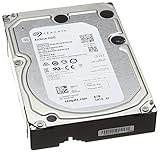
 Seagate STEL8000100 Backup Plus Hub 8TB External Desktop8TB4.65 x 1.61 x 7.8 inches2.34 PoundsCheck on Amazon
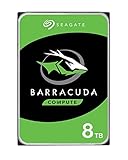
 Seagate BarraCuda Internal Hard Drive 8TB SATA 6Gb/s8TB5.8 x 4.01 x 1 inches1.4 PoundsCheck on Amazon
 Seagate STHP5000400 Backup Plus 5TB External Hard Drive5TB4.54 x 3.15 x 0.82 inches0.3 PoundsCheck on Amazon


Top 3 picks at a glance
Quick Picks
| Product | Best for | Price |
|---|---|---|
| Seagate STEL8000100 Backup Plus Hub 8TB External Desktop Hard Drive Storage | Best Overall Desktop Hub for Photo Archiving | $339 |
| WD 6TB My Passport, Portable External Hard Drive, Black, Backup Software with Defense Against ransomware, and Password Protection, USB 3.1/USB 3.0 Compatible – WDBR9S0060BBK-WESN | Best Portable Option for Smaller Libraries | $265 |
| Western Digital 8TB EASYSTORE External HDD (WDBCKA0080HBK-NESN) | Best Plug-and-Play 8TB External for Simple Backups | Check on Amazon |
| Seagate Archive HDD 8TB SATA 6GBps 128MB Cache SATA Hard Drive (ST8000AS0002) (Renewed) | Best Internal Archive Drive for Cold Storage (Renewed) | n/a |
| Seagate BarraCuda Internal Hard Drive 8TB SATA 6Gb/s 256MB Cache 3.5-Inch (ST8000DM004),Mechanical Hard Disk | Best Internal Drive for Active Photo Libraries | n/a |
| Seagate STHP5000400 Backup Plus 5TB External Hard Drive Portable HDD – Black USB 3.0 for PC Laptop and Mac, 1 Year MylioCreate, 2 Months Adobe CC Photography, 2-Year Rescue Service | Best Compact Portable for Travel Backups | n/a |
How We Compared
We focused on how photographers actually archive. Capacity was the first filter, prioritizing true 8TB models for long-term RAW and TIFF storage, with a couple of slightly smaller portable options included for shooters who need mobility over maximum space. We then weighed form factor and interface. Desktop externals with their own power supply are ideal for always-on backup stations, while 2.5-inch portables run bus-powered for field use, and 3.5-inch internal SATA drives are best when you are building a NAS, desktop tower, or enclosure-based archive.
Reliability and intended workload mattered more than claimed speeds. Archive-rated drives are tuned for write-once, read-occasionally use, while standard desktop internal drives handle more frequent access. We also considered bundled software, hardware encryption and password protection, hub features like extra USB ports, and warranty and rescue services that add real value for irreplaceable photos. Price was compared at current retail levels, noting where pricing was not available at the time of writing, so you can balance cost per terabyte against convenience.
The 6 Best Picks
1. Seagate STEL8000100 Backup Plus Hub 8TB External Desktop Hard Drive Storage
This is the set-it-and-forget-it archive for a home studio. The Backup Plus Hub is a 3.5-inch desktop external that sits beside your computer with its own power adapter and connects over USB 3.0, with two integrated USB 3.0 ports on the front so it doubles as a hub for a card reader or second drive. At $339 it hits a sensible middle ground for 8TB of powered desktop storage without paying a premium. It is formatted for easy use with both Windows and Mac and works well as a Time Machine or File History target for nightly photo backups.
- Pro: Integrated USB hub adds practical convenience on a cluttered desk.
- Pro: 8TB desktop capacity is well suited to multi-year Lightroom archives at a moderate price.
- Con: Requires external power and is not bus-powered, so it is not portable.
When to skip: If you need a drive to toss in a camera bag or run without an outlet, choose a portable instead.
2. WD 6TB My Passport, Portable External Hard Drive, Black, Backup Software with Defense Against ransomware, and Password Protection, USB 3.1/USB 3.0 Compatible – WDBR9S0060BBK-WESN
For photographers who prioritize portability, the My Passport makes a compact off-site copy easy. This 2.5-inch drive is bus-powered, so it draws power directly from your laptop’s USB 3.1/USB 3.0 port with no brick to carry, and at $265 for 6TB it keeps cost per terabyte competitive for a portable. WD includes backup software with ransomware defense and hardware-based password protection and 256-bit encryption, which adds peace of mind when the drive leaves the studio. It is ideal as a second copy you rotate to a safe location or bring on location.
- Pro: Truly portable and bus-powered for field backups and off-site rotation.
- Pro: Built-in password protection and backup software add security for client files.
- Con: 6TB is less than a true 8TB archive, so large libraries will fill it faster.
When to skip: If your archive already exceeds 5 to 6TB or you want a stationary desktop hub, go with an 8TB desktop model.
3. Western Digital 8TB EASYSTORE External HDD (WDBCKA0080HBK-NESN)
The Easystore is Western Digital’s straightforward take on high-capacity desktop backup. Like other 8TB 3.5-inch externals, it is an AC-powered desktop unit that connects via USB 3.0 and is ready to use for drag-and-drop archiving or with WD’s backup utilities. At around $420 it is priced above the Seagate hub, but you get the full 8TB in a single volume for photographers who want to consolidate several older drives into one archive. Keep it on your desk as your primary photo vault and pair it with a second copy elsewhere.
- Pro: Full 8TB in one external volume simplifies consolidation of large photo libraries.
- Pro: Simple USB plug-and-play setup for Windows and Mac without installing internal hardware.
- Con: Higher price than competing 8TB desktop externals with similar capacity.
When to skip: If budget is tight or you want built-in hub ports, the Backup Plus Hub delivers similar capacity for less.
4. Seagate Archive HDD 8TB SATA 6GBps 128MB Cache SATA Hard Drive (ST8000AS0002) (Renewed)
This is a bare internal SATA drive built specifically for archiving. The ST8000AS0002 uses Shingled Magnetic Recording to maximize capacity at 8TB with a SATA 6Gb/s interface and 128MB cache, tuned for write-once, read-occasionally cold storage rather than constant rewriting. As a renewed unit, price was not available at the time of writing and will vary by seller and condition. It is a good fit for a NAS, second internal bay, or USB enclosure where you want inexpensive deep storage for finished shoots you rarely touch.
- Pro: Archive-tuned design is efficient for long-term retention of finished RAW libraries.
- Pro: Internal SATA form factor is ideal for NAS or enclosure-based cold storage.
- Con: Renewed status means limited warranty and unknown prior use compared to new retail drives.
When to skip: If you need a ready-to-use external or a drive rated for heavy daily rewrites, choose a standard desktop internal or external instead.
5. Seagate BarraCuda Internal Hard Drive 8TB SATA 6Gb/s 256MB Cache 3.5-Inch (ST8000DM004),Mechanical Hard Disk
The BarraCuda ST8000DM004 is the versatile internal option for photographers who keep their archive inside their workstation. This 3.5-inch mechanical hard disk also offers 8TB over SATA 6Gb/s but with a larger 256MB cache and firmware tuned for more general desktop use than a dedicated archive drive, so it handles browsing, editing off the drive, and frequent file moves more comfortably. Price was not available at the time of writing. You will need to install it in a desktop tower, NAS, or powered enclosure, which makes it less convenient than an external but more flexible long term.
- Pro: Larger cache and desktop-tuned firmware handle active libraries better than archive-only models.
- Pro: 8TB internal capacity works well for expanding a tower or NAS without extra desk clutter.
- Con: Bare drive requires installation and a separate enclosure or bay, no plug-and-play.
When to skip: If you want a simple USB external you can use without opening your computer, pick a desktop external model.
6. Seagate STHP5000400 Backup Plus 5TB External Hard Drive Portable HDD – Black USB 3.0 for PC Laptop and Mac, 1 Year MylioCreate, 2 Months Adobe CC Photography, 2-Year Rescue Service
This 5TB portable is about mobility and bundled value. The Backup Plus portable is a 2.5-inch bus-powered drive that connects over USB 3.0 and works with both PC and Mac, so you can back up on location without carrying a power brick. Price was not available at the time of writing, but the bundle includes one year of Mylio Create, two months of Adobe Creative Cloud Photography, and two years of Seagate Rescue Data Recovery Services, which is meaningful for irreplaceable images. While not an 8TB archive, it excels as a travel backup or secondary off-site copy.
- Pro: Compact, bus-powered design is ideal for travel and on-location backups.
- Pro: Includes Rescue recovery service and creative software trials that add real value.
- Con: 5TB capacity is substantially smaller than a dedicated 8TB archive.
When to skip: If your goal is a single, long-term 8TB vault for your entire library, choose one of the 8TB desktop or internal options.
Buying Guide
Desktop External vs. Portable vs. Internal
Match the form factor to where the drive will live. Desktop externals like the 8TB Backup Plus Hub and Easystore are 3.5-inch drives with their own power supply, meant to stay on your desk as a primary archive or Time Machine destination. Portables like the 6TB My Passport and 5TB Backup Plus are 2.5-inch bus-powered drives you can carry for field backups and off-site rotation. Internal SATA drives like the Archive HDD and BarraCuda must be installed in a tower, NAS, or powered enclosure and make sense if you are building expandable storage. For most photo studios, the best setup is one powered desktop 8TB for the main archive plus a portable for the off-site copy.
How Much Space and What Speed Do You Really Need
Estimate your growth, not just your current library. If you shoot 2,000 RAW files a month at roughly 30 to 50 megabytes per file, you will add 60 to 100 gigabytes monthly before edits and exports, so an 8TB drive holds several years of finished work while a 5TB or 6TB portable fills sooner. For photo archiving, sustained USB 3.0 or SATA 6Gb/s throughput is more than enough, since you are moving large batches infrequently rather than editing 8K video. Instead of chasing peak speed claims, confirm the interface matches your computer, leave at least 15 to 20 percent free space for healthy operation, and plan for two copies in two locations rather than one faster drive.
Reliability, Software, and Protection
Archive drives prioritize retention over constant rewriting, while standard desktop drives like the BarraCuda tolerate more frequent access. Whichever you choose, treat any single drive as one copy, not a backup. Look for helpful extras: WD’s password protection and ransomware defense on the My Passport, or Seagate’s two-year Rescue Service bundled with the 5TB Backup Plus, can be decisive for client work. Check warranty length, whether the drive includes backup software you will actually use, and if the retailer clearly lists power requirements and file system compatibility so you are not surprised by reformatting needs.
Our Verdict
For most photographers building a dedicated photo vault, the Seagate STEL8000100 Backup Plus Hub 8TB at $339 remains the most balanced choice. You get a full 8TB in a powered desktop design with useful hub ports for your workflow, at a price that undercuts the around $420 WD Easystore while still delivering simple USB storage. If you need mobility, the WD 6TB My Passport at $265 is a strong portable complement for off-site rotation, and the Seagate 5TB Backup Plus portable adds valuable Rescue coverage for travel. Choose an internal BarraCuda or Archive HDD only if you have a tower, NAS, or enclosure ready and prefer internal expansion for long-term cold storage.
FAQ
Is an 8TB external drive enough for a photo archive?
For many enthusiasts and part-time professionals, yes. An 8TB volume can hold roughly 160,000 to 260,000 RAW files at 30 to 50 megabytes each, plus catalogs and JPEG exports, which covers several years of shooting. If you already have more than 6TB of data or shoot high-volume events weekly, plan for either two 8TB drives or a NAS where you can add capacity later.
Should I choose an archive-rated drive or a standard desktop drive?
Choose based on access pattern. Archive-rated models like the Seagate Archive HDD are optimized for infrequent writes and long-term retention, making them efficient cold storage for finished jobs. A standard desktop drive like the BarraCuda handles more frequent reads and writes, so it is better if you regularly browse, reorganize, or edit directly from the archive.
Can I use these drives with both Mac and Windows?
Most externals come preformatted for Windows and can be reformatted to APFS or HFS+ for Mac, or to exFAT if you need cross-platform use. Internals will need to be formatted after installation. Always reformat before migrating your library and keep your Lightroom or Capture One catalog backups consistent with the drive’s file system.
How should I protect photos stored on a single 8TB drive?
Follow a two-copy minimum. Keep one desktop 8TB as your primary archive and a second copy on a portable drive stored off-site or in a different room, plus consider cloud backup for your most critical selects. Enable password protection where available, safely eject the drive before unplugging, and leave free space rather than filling the drive to 100 percent.









