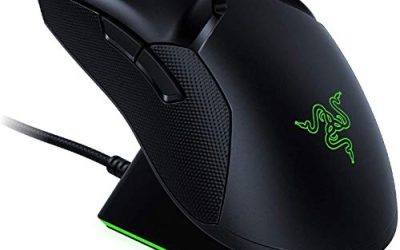
The best ASUS gaming mouse for most players in 2026 is the ROG Keris II Ace, a lightweight tri-mode wireless mouse for competitive shooters. If you want a bigger ergonomic shape, the ROG Harpe Ace Aim Lab Edition is the better fit, and the TUF Gaming M4 Air is the sensible budget pick. The right choice depends mostly on grip style, hand size and whether you need wireless, so this guide maps those factors to specific models.
Specs below are summarized from ASUS’s published product pages and can differ by regional SKU. Weights are approximate, and prices are given only as budget, mid-range or premium tiers because street prices move constantly.
Quick comparison of the top ASUS gaming mice
| Pick | Best for | Key specs (approx., per ASUS) | Price tier |
|---|---|---|---|
| ROG Keris II Ace | Best overall, FPS and esports | Tri-mode wireless, roughly 54 g class, 8000 Hz polling support, AimPoint-series sensor up to 42,000 DPI | Premium |
| ROG Harpe Ace Aim Lab Edition | Ergonomic right-hand, palm/claw grip | Tri-mode wireless, roughly 54 g class, AimPoint sensor up to 36,000 DPI, right-handed shape | Premium |
| ROG Chakram X Origin | Customizable, Qi charging, all-round | Tri-mode wireless, Qi wireless charging, swappable switch sockets, 36,000 DPI class sensor, joystick button | Premium |
| ROG Spatha X | MMO and macro-heavy games | 12-button side panel, wireless with charging dock, heavier build | Premium |
| ROG Gladius III Wireless AimPoint | Classic full-size shape, mid-range | Tri-mode wireless, roughly 90 g class, 36,000 DPI AimPoint sensor, hot-swappable switches | Mid-range |
| TUF Gaming M4 Air | Budget, lightweight wired | Wired, roughly 47 g, perforated shell, 16,000 DPI class sensor | Budget |
Best overall: ROG Keris II Ace
The Keris II Ace is the pick for players who want a light, fast wireless mouse without giving up ASUS’s switch and software features. It suits claw and fingertip grips on medium hands, and its high polling-rate support targets competitive titles like Counter-Strike 2, Valorant and Apex Legends.
Main trade-off: a low-profile shape can feel cramped for large hands in a full palm grip, and 8000 Hz polling shortens battery life noticeably (see the calculation below). It also costs more than the wired options.
Best ergonomic shape: ROG Harpe Ace Aim Lab Edition
The Harpe Ace line uses a right-handed contoured shell with a more pronounced hump than the Keris. That makes it a better match for medium-to-large hands using a relaxed claw or palm grip. It was co-developed with the Aim Lab training platform, which is useful if you want a mouse tuned for aim training.
Main trade-off: it is right-hand only, and the side-button layout is minimal, so it is a poor choice for MMO or productivity use.
Best for customization: ROG Chakram X Origin
The Chakram X Origin is the most feature-rich ASUS mouse here. Qi charging means you can drop it on a compatible pad and forget about cables, and the swappable switch sockets let you replace worn clicks. The thumb joystick can be mapped to camera control or menu navigation, which some players love in action games.
Main trade-off: it is heavier than the ultralight ace-style mice, and the joystick adds bulk. Pure FPS players who care about every gram will prefer the Keris II Ace.
Best for MMO and macros: ROG Spatha X
With a 12-button thumb panel and a charging dock, the Spatha X targets MMO raiders, strategy players and anyone running macros in editing or CAD software. A wireless mouse with that many programmable inputs is rare.
Main trade-off: it is large and heavy, so fast flick aiming in shooters is harder. It is a specialist tool rather than an all-rounder.
Best mid-range classic: ROG Gladius III Wireless AimPoint
The Gladius III keeps the familiar ASUS full-size right-handed shape, with tri-mode connectivity and hot-swappable switches. It is a good fit for palm-grippers who do not want a minimalist ultralight and prefer a mouse that fills the hand.
Main trade-off: at roughly 90 g class weight, it is far heavier than modern ultralights. Anyone moving from a sub-60 g mouse will notice the difference immediately.
Best budget: TUF Gaming M4 Air
The TUF Gaming M4 Air is a wired, perforated-shell mouse around 47 g by ASUS’s spec sheet. It gives you the main benefit of the ultralight trend, low inertia, at a budget price. A paracord-style cable and a symmetrical shape make it easy to adopt. If you want an even simpler option, the ROG Strix Impact III is a wired ambidextrous alternative, and the TUF Gaming M3 Gen II is a basic entry-level choice.
Main trade-off: it is wired only, the sensor is lower-spec than the AimPoint models, and the perforated shell lets in dust and is not ideal for sweaty hands.
How to choose: decision matrix
| Your situation | Choose | Why |
|---|---|---|
| Competitive FPS, medium hand, claw/fingertip grip | ROG Keris II Ace | Low weight, high polling support |
| Large hand, palm/relaxed claw, right-handed | ROG Harpe Ace Aim Lab Edition | Taller, contoured shell |
| Want to avoid cables and charge on a pad | ROG Chakram X Origin | Qi charging |
| MMO, RTS, macro-heavy work | ROG Spatha X | 12 side buttons |
| Left-handed or want a symmetrical shape on a budget | ROG Strix Impact III or TUF Gaming M4 Air | Ambidextrous-style shells, wired |
| Tight budget, any genre | TUF Gaming M4 Air | Ultralight at a budget tier |
Measure your hand and grip first
Measure from the wrist crease to the tip of your middle finger. As a rough guide, under about 17 cm is a small hand, 17 to 19 cm is medium, and above 19 cm is large. Small and medium hands suit the Keris and TUF M4 shapes, while larger hands usually prefer the Harpe Ace or Gladius III. Grip style matters as much as size: fingertip and claw grips favor light, low shells, and palm grips favor taller, longer shells.
Worked example: sensitivity and DPI
You do not need a 42,000 DPI sensor, because high DPI numbers are marketing headroom. What matters is how far you move the mouse for a full turn. In Counter-Strike 2 and Source-engine games, the yaw value is 0.022 degrees per count at in-game sensitivity 1.0. A full turn is therefore 360 / 0.022 = about 16,364 counts.
- At 800 DPI and sensitivity 1.0, a 360-degree turn takes 16,364 / 800 = 20.5 inches, or about 52 cm of mouse travel.
- To get a more typical 30 cm per turn at 800 DPI, set sensitivity to 52 / 30 = about 1.73.
- At 1600 DPI, the same 30 cm per turn needs a sensitivity of about 0.87.
Any ASUS mouse listed here covers 800 to 1600 DPI with ease, so the sensor ceiling should not drive your purchase. Shape, weight and connectivity should.
Worked example: polling rate and battery
Polling rate sets how often the mouse reports its position. At 1000 Hz that is every 1 ms, at 4000 Hz every 0.25 ms, and at 8000 Hz every 0.125 ms. For reference, a 240 Hz monitor refreshes every 4.17 ms, so 1000 Hz already delivers about four reports per frame. Going to 8000 Hz gives about 33 reports per frame, which mainly smooths cursor motion at high DPI and fast flicks. Gains are small for many players.
The cost is battery life. Take an illustrative 500 mAh battery. If the mouse draws about 5 mA at 1000 Hz, runtime is 500 / 5 = 100 hours. If 8000 Hz raises the average draw to 15 mA, runtime falls to 500 / 15 = about 33 hours. These draw figures are examples only, not ASUS measurements, but the pattern holds: expect a large drop at 8000 Hz. Check ASUS’s stated runtime at each rate for the mouse you choose.
Note too that 8000 Hz needs a capable CPU core and a USB port directly on the motherboard. Back-panel ports work best, and hubs and front-panel headers can cause dropouts.
Settings worth checking in Armoury Crate
- Polling rate: start at 1000 Hz and raise it only if your frame rate is stable and you can tell the difference.
- DPI stages: set 800 and 1600 as your two stages, so you can compare by feel.
- Lift-off distance: keep it low for shooters so the cursor does not drift when you reposition.
- Firmware: update the mouse and dongle together, because ASUS releases fixes for connection stability.
Frequently Asked Questions
Which ASUS gaming mouse is best for FPS games?
The ROG Keris II Ace is the strongest all-round choice for FPS play, thanks to its light weight, tri-mode connectivity and high polling support. If you prefer a taller shape, the ROG Harpe Ace Aim Lab Edition does the same job. On a tighter budget, the wired TUF Gaming M4 Air works well.
Is ROG better than TUF for mice?
ROG is ASUS’s premium line, with better sensors, wireless options and more customization. TUF is the budget line and focuses on durability and value. For casual or mid-skill play, a TUF mouse is often enough, while serious competitive players tend to benefit from ROG sensors and wireless.
Do I need an 8000 Hz polling rate?
Most players do not. At 1000 Hz, a mouse already reports about four times per frame on a 240 Hz display, and the jump to 8000 Hz mainly helps fast, high-DPI motion. It also cuts battery life sharply and uses more CPU, so treat it as an optional extra.
Are lightweight ASUS mice worth it?
If you play fast shooters, yes, because lower weight means less effort to start and stop a flick. For MMOs, strategy and productivity, weight matters less than button count and comfort. Choose a shape that fits your hand before chasing the lowest weight.
Can I use an ASUS gaming mouse without Armoury Crate?
Yes. Basic movement and clicks work as soon as you plug in the mouse or dongle. Armoury Crate is needed for button remapping, DPI stages, lighting and firmware updates, and settings are stored in the mouse’s onboard memory after you save them.
Which ASUS mouse is best for MMOs?
The ROG Spatha X is the clear choice, with its 12-button thumb panel and wireless dock. It is heavy and large, so it is best suited to players who value button access over flick speed.
Related guides
More from Amazon
Programs that pair well with the guide above. Offers and eligibility are set by Amazon and may change.
A free business account with business pricing and bulk-buying tools for work, shop or home office.
Create a business accountFree shipping on eligible items, Prime Video and more. Eligible new members can start with a free trial.
Start a Prime free trialAudiobooks and podcasts to listen to on the go. Eligible new members can start with a free trial.
Try Audible freeAd-free music streaming. Eligible new subscribers can start with a free trial.
Try Music Unlimited freeAs an Amazon Associate we earn from qualifying purchases.