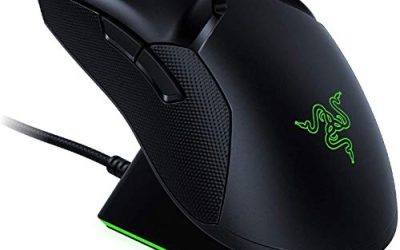
Choosing a ROCCAT mouse in 2026 is less about which brand to trust and more about which of two shapes fits your hand. ROCCAT, now under Turtle Beach, builds almost everything around the wide, right-handed Kone ergonomic shell, then breaks from it with the symmetrical Burst line for players who flick rather than rest. So the real decision runs along two lines: wired precision against wireless freedom, and a supportive palm-grip shell against a light mouse you can throw across the pad.
This guide serves three kinds of ROCCAT buyers: palm grippers who want the classic Kone shape, claw and fingertip players chasing a lighter wireless shell, and anyone tired of charging cables. Every pick below was chosen from the name and specifications on its Amazon product page, and only four ROCCAT mice could be verified there, so the list stops at four rather than padding itself with another brand.
Top 3 picks at a glance


Quick Picks
As an Amazon Associate we earn from qualifying purchases
| Product | Best for | Key spec |
|---|---|---|
| ROCCAT Kone AIMO Remastered (White) | Palm grippers who play wired at one desk | 16,000 DPI Owl-Eye sensor, three thumb buttons |
| ROCCAT Burst Pro Air (Black) | Claw and fingertip players in fast shooters | 81 g shell, 19,000 DPI, dual wireless modes |
| ROCCAT Kain 200 AIMO | Wireless palm grip with onboard profiles | 16,000 DPI, 512 kB onboard memory |
| ROCCAT Kone Air | Players who hate charging cables | Up to 800 hours on two AA batteries |
How to Choose
Start With the Shell: Kone Curve or Burst Symmetry
ROCCAT sells two distinct shapes, and picking the wrong one matters more than any sensor figure. The Kone family uses a wide, tall, right-handed shell that supports a full palm, with room for the thumb to rest along the side. The Burst line is symmetrical and much lighter, shaped for claw and fingertip grips where the fingers steer and the palm barely touches. Measure your current mouse, note how your hand actually sits during a long session, and match the shell family to that posture first; every other choice in this guide gets easier once the shape is right.
Decide How the Mouse Connects
Three of the four picks here are wireless, but they connect in different ways. The 2.4 GHz Stellar Wireless link is the one to use for gaming, since it is built for low-latency play; Bluetooth is a convenience mode for a second laptop or office machine. The wired Kone AIMO skips radios entirely, which means zero battery management and a connection that never drops, at the cost of cable drag across the desk. Decide where the mouse will live: a fixed desk rewards the wired model’s simplicity, while a couch setup or a shared machine argues for dual-mode wireless.
Pick a Battery Strategy You Can Live With
Wireless ROCCAT mice split into two camps. The Burst Pro Air and Kain 200 AIMO carry rechargeable cells, rated at up to 100 hours and up to 50 hours respectively, and both eventually need a cable plugged in. The Kone Air takes AA batteries instead and stretches runtime to as much as 800 hours with two cells fitted, so a spare pair in a drawer replaces the charging routine entirely. Neither approach is wrong; the question is whether you would rather plug in for an evening now and then or keep disposable batteries on hand.
Count Buttons, Then Check Easy-Shift[+]
Every pick here uses ROCCAT’s Easy-Shift[+] system, which turns one button into a temporary second layer for the rest, so raw button counts understate what these mice can do. The Kone AIMO lists three thumb buttons and 23 total functions with Easy-Shift[+] active; the Kone Air reaches 17 programmable inputs from nine buttons. If you play MMOs or strategy titles, that second layer is genuinely useful. If you play shooters, six clean buttons on the Burst Pro Air may serve you better than a crowded cluster you press by accident mid-fight.
The 4 Best Options
ROCCAT Kone AIMO Remastered PC Gaming Mouse — White
The Kone AIMO Remastered is the mouse most people picture when they think of ROCCAT: a wide, tall, right-handed shell built to cradle a full palm. It suits larger hands and players who rest their whole hand on the mouse rather than steering with their fingers. Three thumb buttons, with the lowest one defaulting to Easy-Shift[+] for a second layer of commands, give it the deepest thumb cluster in this lineup. The trade is obvious in the spec list: it is wired only and weighs 130 g, so it rewards deliberate, planted movement instead of constant lifting.
Specs
- Sensor: Owl-Eye optical, 16,000 DPI adjustable in 50 DPI increments
- Connection: wired, 1.8 m braided cable
- Buttons: three thumb buttons; the lowest defaults to Easy-Shift[+] for 23 total button functions (the listing comparison table lists 12 buttons)
- Lighting: 5-zone AIMO RGB
- Memory: onboard memory
- Polling rate: 1,000 Hz
- Weight: 130 g
- Compatibility: Windows 7 or later
Best for: Palm grippers with larger hands who want the classic wide Kone shell and the deepest thumb-button set in the ROCCAT line.
Watch out for: It is heavy at 130 g and wired only, and as an older model you should confirm the featured offer is the white ROC-11-820-WE from a reputable seller; the listing’s spec table also prints a confusing hand-orientation line, but the shell is right-handed.
ROCCAT Burst Pro Air Wireless Gaming Mouse — Black
The Burst Pro Air is ROCCAT’s break from the Kone formula: a symmetrical shell at 81 g, made for claw and fingertip grips and quick, repeated flicks. Its Owl-Eye sensor tops out at 19,000 DPI, the heat-treated PTFE glides keep the base moving freely, and NVIDIA Reflex verification speaks to players who care about click latency in fast shooters. Stellar Wireless over 2.4 GHz handles gaming, while Bluetooth 5.2 covers a second machine, and the listing rates battery life at up to 100 hours between charges over the USB-C PhantomFlex cable.
Specs
- Sensor: Owl-Eye optical, 19,000 DPI / 400 IPS
- Shell: symmetrical Bionic Shell
- Weight: 81 g
- Connection: Stellar Wireless 2.4 GHz and Bluetooth 5.2
- Battery: up to 100 hours
- Switches: Titan Switch Optical, rated 100 million clicks
- Charging: PhantomFlex USB-C cable
- Glides: heat-treated pure PTFE
- Other: NVIDIA Reflex verified
- Buttons: 6
Best for: Claw and fingertip players who want ROCCAT’s light wireless shell for fast FPS movement without giving up Bluetooth for a second machine.
Watch out for: The listing copy checked for this guide was the oldest in the lineup, so confirm current stock, the seller and the 100-hour battery figure on the live page before ordering.
ROCCAT Kain 200 AIMO Wireless Gaming Mouse
The Kain 200 AIMO takes the ergonomic idea behind the Kone and cuts the cable. Its curved shell suits palm and relaxed-claw grips, and the 512 kB of onboard memory stores profiles on the mouse itself, which helps if you move between PCs or want your settings to travel without software. Titan Click switches and AIMO lighting round out a spec sheet built around comfort over long sessions. Battery life is rated at up to 50 hours from the 1,000 mAh cell, the shortest figure in this group, so expect regular top-ups over the cable.
Specs
- Sensor: Owl-Eye optical, 16,000 DPI
- Polling rate: 1,000 Hz
- Memory: 512 kB onboard memory
- Battery: 1,000 mAh, up to 50 hours
- Switches: Titan Click
- Lighting: AIMO RGB
- Weight: not stated
- Button count: not stated
Best for: Palm and relaxed-claw players who want the Kone-style ergonomic shape in wireless form with onboard profile storage.
Watch out for: Availability is the open question on this pick, so confirm a live featured offer from a reputable seller before relying on it, and do not substitute a different Kain variant.
ROCCAT Kone Air Wireless Gaming Mouse

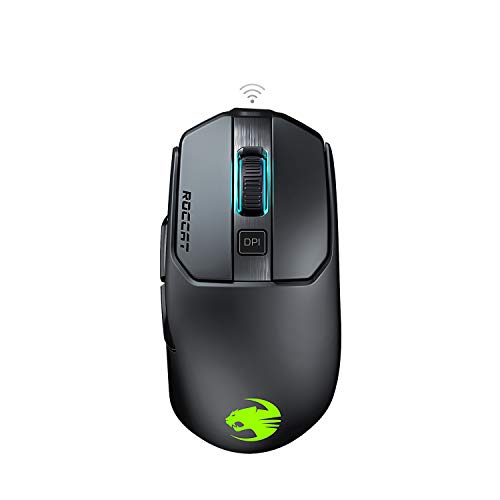
The Kone Air keeps the big ergonomic Kone shape and removes the charging cable from your life almost entirely. It runs on one or two AA batteries, and the listing claims up to 800 hours with two fitted, so battery swaps become a rare chore rather than a weekly one. Double-injected rubber side grips help control a shell that is genuinely large, and nine buttons with Easy-Shift[+] give palm grippers plenty of commands. The cost of that endurance is mass: 110 g with one AA and 142 g with two, the heaviest option here by a wide margin.
Specs
- Sensor: Owl-Eye optical, 19,000 DPI
- Connection: Stellar Wireless 2.4 GHz and Bluetooth
- Power: 1 or 2 AA batteries; up to 800 hours with 2 AA, up to 400 hours with 1 AA
- Weight: 110 g with 1 AA; 142 g with 2 AA
- Switches: Titan Optical
- Grips: double-injected rubber side grips
- Buttons: 9, with Easy-Shift[+] for 17 programmable inputs
Best for: Palm grippers who hate charging cables and would rather swap AA batteries a few times a year while keeping the big ergonomic Kone shape.
Watch out for: It is a large, heavy shell at 132 mm long and AA-powered only, and this pick carries the weakest listing evidence in this guide, so confirm the Amazon listing and its featured offer first.
Which One Fits Your Situation
You Play at One Desk and Never Unplug Anything
A fixed battlestation with the PC under the desk is the Kone AIMO’s home ground. The braided cable never needs charging, the 1,000 Hz polling keeps tracking consistent, and the wide shell supports your palm through long sessions. Pick it if the mouse will never travel and you value the deep thumb-button set over wireless freedom.
Your Grip Is Claw or Fingertip and You Play Fast Shooters
Fast, low-sensitivity flicks punish heavy mice, and the Burst Pro Air is the only pick here built for that job. At 81 g with PTFE glides and a symmetrical shell, it changes direction without the inertia of the Kone models, and the 2.4 GHz link keeps it responsive. Choose it for shooters played with a claw or fingertip grip.
You Rest Your Whole Palm but Want to Cut the Cable
If you like the Kone posture but refuse to manage a cable, the Kain 200 AIMO is the middle path: an ergonomic shell, onboard memory for your profiles, and wireless freedom for the couch or a clean desk. Accept the shorter 50-hour battery rating as the trade, and keep its charging cable somewhere reachable for weekly top-ups.
You Would Rather Swap Batteries Than Charge
Some players simply never want a low-battery warning mid-session. The Kone Air answers that with AA power: fit two cells and the listing’s figure runs to 800 hours, so a spare pair in a drawer is the entire maintenance plan. The trade is weight, up to 142 g loaded, so pick it for relaxed palm-grip play rather than twitch shooters.
Common Mistakes
- Buying the Kone AIMO for a fingertip grip: at 130 g with a tall ergonomic shell, it is built for a resting palm, and smaller hands may find the wide body hard to control.
- Comparing Kone Air weights without checking the battery setup: the same mouse weighs 110 g with one AA fitted and 142 g with two, so listings and reviews can look contradictory.
- Assuming a ROCCAT-branded and a Turtle Beach-branded listing are different mice: the brands overlap under one owner, so match the model number, such as ROC-11-820-WE, before ordering.
- Treating Easy-Shift[+] functions as physical buttons: the 23 functions on the Kone AIMO come from a second layer, not from 23 separate switches under your fingers.
- Ordering by color name alone: only specific variants were verified for this guide, so confirm the exact model and colorway on the listing rather than trusting a familiar product photo.
Frequently Asked Questions
Is ROCCAT still its own brand?
ROCCAT operates under Turtle Beach ownership, and Amazon listings for the same product lines may carry either brand name depending on the seller and the listing’s age. The mice themselves keep ROCCAT model numbers, such as ROC-11-820-WE for the white Kone AIMO, so use the model number rather than the storefront branding to confirm you are looking at the right mouse.
Which ROCCAT mouse suits a palm grip best?
Three of the four picks use the ergonomic Kone-style shape: the wired Kone AIMO for a fixed desk, the Kain 200 AIMO if you want that shape wireless with onboard profiles, and the Kone Air if battery swaps appeal more than charging. The Burst Pro Air is the odd one out, with a symmetrical shell meant for claw and fingertip grips instead.
How long does the Kone Air run on batteries?
The listing rates the Kone Air at up to 800 hours with two AA batteries fitted and up to 400 hours with a single AA, since the mouse can run on either configuration. Running one cell also cuts the weight from 142 g to 110 g, so the choice is a genuine trade between endurance and a lighter shell.
Can the Burst Pro Air connect to two computers?
Yes. The listing gives the Burst Pro Air two wireless modes: Stellar Wireless over 2.4 GHz for low-latency gaming and Bluetooth 5.2 for a second machine such as a work laptop. You switch between the two connections on the mouse rather than re-pairing, which makes it the most flexible pick here for a desk that hosts both play and work.
Related guides
More from Amazon
Programs that pair well with the guide above. Offers and eligibility are set by Amazon and may change.
A free business account with business pricing and bulk-buying tools for work, shop or home office.
Create a business accountFree shipping on eligible items, Prime Video and more. Eligible new members can start with a free trial.
Start a Prime free trialAudiobooks and podcasts to listen to on the go. Eligible new members can start with a free trial.
Try Audible freeAd-free music streaming. Eligible new subscribers can start with a free trial.
Try Music Unlimited freeAs an Amazon Associate we earn from qualifying purchases.