
Looking for an SSD card for your laptop? For most modern laptops, the best choice is the Samsung 990 EVO Plus. It is an efficient M.2 2280 NVMe drive that reads at up to 7,150 MB/s on the 1TB model, and it runs cool enough to protect battery life in thin machines. The runner-up is the Sandisk Optimus 5100 (formerly sold as WD Blue SN5100), a fast PCIe 4.0 drive at a lower price. The catch with laptops is fit: before buying anything, confirm whether your laptop takes an M.2 2280, M.2 2230 or 2.5-inch SATA drive. This guide shows you how to check, then gives the best pick for each slot type.
Disclosure: this guide contains affiliate product cards. We may earn a commission if you buy through them, at no extra cost to you. SSD prices have risen in 2026 because of the global memory shortage, so we use price tiers rather than numbers.
Our Top Picks
 SAMSUNG 870 EVO SATA SSD 500GB 2.5” Internal0.5TB3.94 x 2.76 x 0.27 inches0.19 PoundsCheck on Amazon
Top Picks at a Glance
- Best Overall for Laptops: Samsung 990 EVO Plus (M.2 2280, PCIe 4.0)
- Best Value: Sandisk Optimus 5100 (M.2 2280, PCIe 4.0)
- Best for Performance and Efficiency: WD_Black SN7100
- Best for Gaming Laptops: Crucial T500
- Best M.2 2230 for Small Laptops: Crucial P310 2230
- Best for Older Laptops (SATA): Samsung 870 EVO
- Best Budget NVMe: Kingston NV3
Best Laptop SSDs Compared
| SSD | Best For | Form Factor | Interface | Max Seq. Read | Watch For | Price Tier |
|---|---|---|---|---|---|---|
| Samsung 990 EVO Plus | Most modern laptops | M.2 2280 | PCIe 4.0 x4 / 5.0 x2 | 7,150 MB/s (1TB) | Cheaper drives can match its speed | Mid-range |
| Sandisk Optimus 5100 | Value upgrades | M.2 2280 | PCIe 4.0 x4 | Up to 7,100 MB/s | Newer name, older listings say WD Blue | Budget to mid |
| WD_Black SN7100 | Speed with efficiency | M.2 2280 | PCIe 4.0 x4 | 7,250 MB/s (1TB) | No DRAM | Mid-range |
| Crucial T500 | Gaming laptops | M.2 2280 | PCIe 4.0 x4 | 7,300 MB/s (1TB) | Check laptop slot is Gen 4 | Mid-range |
| Crucial P310 2230 | Surface-style and compact laptops | M.2 2230 | PCIe 4.0 x4 | 7,100 MB/s | QLC NAND | Mid-range |
| Samsung 870 EVO | Older laptops with SATA bays | 2.5-inch, 7 mm | SATA III | 560 MB/s | Far slower than NVMe | Budget to mid |
| Kingston NV3 | Tight budgets | M.2 2280 | PCIe 4.0 x4 | 6,000 MB/s (1TB) | Components can vary | Budget |
First, Find Out Which SSD Your Laptop Takes
Laptop SSDs come in three main types, and they are not interchangeable. Spend five minutes checking before you order:
- Look up your exact model’s service manual or spec sheet. Search for your laptop model number plus “SSD” or “maintenance manual”. Manufacturers like Lenovo, Dell and HP publish manuals that list the slot type, length and PCIe generation.
- Check the current drive. On Windows, open Device Manager, expand Disk drives and search the model number online. Tools such as CrystalDiskInfo show the interface and supported PCIe mode.
- Measure if needed. M.2 drives are named by width and length in millimetres: 2280 is 22 mm wide and 80 mm long, 2242 is 42 mm and 2230 is 30 mm. A 2.5-inch SATA drive is a small rectangular box, usually 7 mm thick.
- Note the thickness limit. Ultra-thin laptops may require single-sided M.2 drives with chips on only one side.
- Check for a second slot. Many gaming laptops have two M.2 slots, so you can add a drive instead of replacing one.
1. Samsung 990 EVO Plus: Best SSD for Most Laptops

Samsung SSD 990 EVO Plus 1TB, PCIe Gen 4x4 | 5x2 M.2 2280, Up to 7,150 MB/s | NVMe Internal Solid State Drive, Upgrade Storage for PC/Laptops, HMB Technology & Intelligent Turbowrite 2.0 (MZ-V9S1T0B/AM)


As an Amazon Associate we earn from qualifying purchases. Product prices and availability are accurate as of the date/time indicated.
Key Specs
- Form factor: M.2 2280, single-sided
- Interface: PCIe 4.0 x4 or PCIe 5.0 x2, NVMe 2.0
- Sequential read: up to 7,150 MB/s (1TB), 7,250 MB/s (2TB and 4TB)
- Cache: DRAM-less with Host Memory Buffer
- Capacities: 1TB, 2TB, 4TB
Best for: thin-and-light and mainstream laptops where heat and battery life matter. Skip if: you want the absolute fastest sustained writes for video work.
Why we picked it
TechRadar calls the 990 EVO Plus its go-to SSD for laptops, and the spec sheet explains why. It drops the DRAM chip in favor of Host Memory Buffer and smart caching, which keeps power draw and heat low, an important point in a laptop where the SSD sits next to the CPU with little airflow. Its single-sided design fits thin machines that cannot take drives with chips on both sides.
Its speed is still excellent. At up to 7,150 MB/s on the 1TB model, it is near the PCIe 4.0 ceiling, and in a laptop limited to PCIe 3.0 it will run at about 3,500 MB/s, still a big improvement over an old hard drive or entry-level SSD. The dual-mode interface means it also works in PCIe 5.0 x2 configurations used by some newer platforms.
Samsung’s Magician software and data migration tool make the swap easier: clone your current drive using a USB enclosure, swap the drives, and boot as before. Compared with the Optimus 5100 below, the 990 EVO Plus usually costs a little more but brings Samsung’s efficiency focus and software support.
Pros
- Efficient design suited to laptops
- Single-sided for thin machines
- Near Gen 4 ceiling speeds
- Good migration software
Cons
- Some cheaper Gen 4 drives are as fast
- Sustained write speeds drop after the cache fills
2. Sandisk Optimus 5100: Best Value Laptop SSD

Sandisk Optimus 5100 1TB NVMe SSD, PCIe 4.0, M.2 2280


As an Amazon Associate we earn from qualifying purchases. Product prices and availability are accurate as of the date/time indicated.
Key Specs
- Form factor: M.2 2280
- Interface: PCIe 4.0 x4, NVMe
- Sequential read: up to 7,100 MB/s
- Capacities: 500GB, 1TB, 2TB
- Formerly sold as the WD Blue SN5100
Best for: everyday laptop upgrades on a budget-to-mid budget. Skip if: your laptop only accepts M.2 2230 or SATA drives.
Why we picked it
PCMag’s laptop upgrade guide names this drive its top pick for most laptop upgrades, and PCWorld rates it as the best budget PCIe 4.0 drive. It delivers headline speeds close to premium drives at a lower price tier, which is exactly what most laptop owners want: a quicker, roomier drive without overspending.
You may see it listed as the WD Blue SN5100 or the Sandisk Optimus 5100. They are the same product line; the name changed after Western Digital spun off its flash business as Sandisk. Read the listing carefully so you get the M.2 2280 size your laptop needs.
It is not the fastest drive in sustained writes, and reviewers note it does not top benchmarks, but for booting, launching apps, browsing and office work it feels as quick as drives that cost more. For most people upgrading a 256GB or 512GB laptop drive to 1TB or 2TB, it is the sensible value choice.
Pros
- Fast Gen 4 reads at a value price
- Widely recommended for laptop upgrades
- Capacities up to 2TB
Cons
- Not a benchmark leader
- Renaming can make listings confusing
3. WD_Black SN7100: Best for Performance and Efficiency

WD_Black SN7100 1TB NVMe SSD - Gen4 PCIe, M.2 2280, Up to 7,250 MB/s Read Speed, Up to 6,900 MB/s Write Speed, Next Gen TLC 3D NAND, for Laptops, Handheld Gaming Devices - WDS100T4X0E


As an Amazon Associate we earn from qualifying purchases. Product prices and availability are accurate as of the date/time indicated.
Key Specs
- Form factor: M.2 2280
- Interface: PCIe 4.0 x4, NVMe
- Sequential read: up to 7,250 MB/s; write up to 6,900 MB/s (1TB)
- Cache: DRAM-less with Host Memory Buffer
- NAND: TLC 3D NAND; capacities 500GB to 4TB
Best for: laptop owners who want near-flagship speed without extra heat or power draw. Skip if: you need a 2230 or SATA drive.
Why we picked it
Tom’s Hardware lists the SN7100 as its best M.2 SSD for laptops. It combines near-ceiling Gen 4 speeds with a power-efficient, DRAM-less design and TLC NAND. That mix is ideal for laptops: you get fast boot and load times without the heat that can make a thin laptop throttle or drain its battery faster.
Compared with the 990 EVO Plus, the SN7100 is rated slightly faster for writes on the 1TB model and uses TLC NAND, which holds up better in long transfers than cheaper QLC drives. Compared with the Optimus 5100, it sits a step up in performance and price.
It is a strong all-rounder for creators who work on a laptop, students who keep large project folders, and anyone who wants their upgrade to feel fast for years. The 2TB version is a sweet spot for most users.
Pros
- Very fast for a laptop-friendly drive
- Efficient and cool
- TLC NAND
Cons
- No DRAM cache
- Costs more than value Gen 4 drives
4. Crucial T500: Best SSD for Gaming Laptops

Crucial T500 PCIe Gen4 NVMe 1TB SSD, Up to 7,300MB/s, TLC NAND, Laptop & Desktop (PC) Compatible, for Creatives and Gamers, Solid State Drive, Includes 1Mo Adobe CC – CT1000T500SSD8


As an Amazon Associate we earn from qualifying purchases. Product prices and availability are accurate as of the date/time indicated.
Key Specs
- Form factor: M.2 2280
- Interface: PCIe 4.0 x4, NVMe
- Sequential read: up to 7,300 MB/s (1TB), 7,400 MB/s (2TB)
- NAND: TLC
- Capacities: 500GB to 4TB; heatsink version for PS5 also sold
Best for: gaming laptops with a PCIe 4.0 slot and a big game library. Skip if: your laptop is a thin ultrabook that needs a single-sided drive; check the spec first.
Why we picked it
Gaming laptops usually have room for a full-size M.2 2280 drive, often in a second slot, and they benefit from fast TLC storage. The T500 is Tom’s Hardware’s alternate pick for laptops and a frequent recommendation for gaming systems because it pairs top-tier Gen 4 read speeds with TLC NAND that holds up in sustained use, such as installing large games.
With modern AAA titles often over 100 GB, a 2TB T500 in the empty second slot of a gaming laptop is one of the most useful upgrades you can make. It lets you keep more games installed without juggling downloads, and load times will be on par with desktop Gen 4 drives.
Gaming laptops can run their M.2 slots warm under long play sessions, so make sure any thermal pad or shield from the original drive goes back on top of the new one. Avoid the heatsink version for laptops; it is meant for desktops and consoles and will not fit.
Pros
- Top Gen 4 reads with TLC NAND
- Great for second-slot game storage
- Capacities up to 4TB
Cons
- Heatsink version will not fit laptops
- Full speed needs a PCIe 4.0 slot
5. Crucial P310 2230: Best M.2 2230 SSD for Small Laptops

Crucial P310 1TB M.2 2230 SSD, PCIe Gen4 NVMe, Up to 7,100MB/s, Internal Solid State Drive, Ideal for Steam Deck, ASUS ROG Ally, MSI Claw, Mini PCs & Ultrabooks - CT1000P310SSD2


As an Amazon Associate we earn from qualifying purchases. Product prices and availability are accurate as of the date/time indicated.
Key Specs
- Form factor: M.2 2230 (30 mm long)
- Interface: PCIe 4.0 x4, NVMe
- Sequential read: up to 7,100 MB/s
- NAND: QLC
- Capacities: 1TB, 2TB (500GB also sold)
Best for: laptops and 2-in-1s that use short 2230 drives, plus handheld gaming PCs. Skip if: your laptop uses a 2280 slot; buy a 2280 drive instead.
Why we picked it
A growing number of compact laptops, tablets and 2-in-1s use the short M.2 2230 size, as do handhelds like the Steam Deck and ROG Ally. Fewer drives exist in this size, and many are low-capacity OEM parts. The P310 2230 is one of the fastest retail options, rated for reads up to 7,100 MB/s, and it is offered in 1TB and 2TB capacities.
The trade-off is QLC NAND, which keeps cost and heat down but is slower in long writes and rated for fewer total writes than TLC. For a laptop used for browsing, office work and media, that rarely matters, and the jump in capacity over a typical 256GB OEM drive is the real benefit.
Some laptops have a 2280 slot with a screw post at the 2230 position, and some use 2242. Check your manual: a 2230 drive can sometimes fit a longer slot with an adapter bracket, but a longer drive never fits a shorter slot.
Pros
- Fast Gen 4 speed in the short 2230 size
- Up to 2TB
- Low power and heat
Cons
- QLC NAND, lower endurance
- Costs more per gigabyte than 2280 drives
6. Samsung 870 EVO: Best SATA SSD for Older Laptops
SAMSUNG 870 EVO SATA SSD 500GB 2.5” Internal Solid State Drive, Upgrade PC or Laptop Memory and Storage for IT Pros, Creators, Everyday Users, MZ-77E500B/AM, Black


As an Amazon Associate we earn from qualifying purchases. Product prices and availability are accurate as of the date/time indicated.
Key Specs
- Form factor: 2.5-inch, 7 mm
- Interface: SATA III (6 Gb/s)
- Sequential read: up to 560 MB/s; write up to 530 MB/s
- NAND: TLC V-NAND
- Capacities: 250GB to 4TB
Best for: older laptops with a 2.5-inch hard drive bay. Skip if: your laptop has an M.2 NVMe slot.
Why we picked it
If your laptop is several years old and still uses a spinning hard drive, a SATA SSD is the single biggest upgrade you can make. Boot times drop from minutes to seconds and the whole system feels responsive again. The 870 EVO is one of the most widely recommended SATA SSDs, with reads up to 560 MB/s, which is the practical limit of the SATA interface.
It uses TLC flash and comes in a standard 7 mm thickness that fits nearly every laptop drive bay. Samsung’s Data Migration software helps clone your old drive using a SATA-to-USB cable.
SATA is far slower than NVMe on paper, but the jump from a hard disk to any SSD is so large that most users will not notice the difference in everyday use. If you are on a tighter budget, the Crucial BX500 in Also Consider is a cheaper SATA alternative.
Pros
- Huge upgrade from a hard disk
- TLC NAND and standard 7 mm size
- Good migration software
Cons
- Limited by SATA speeds
- Higher price than budget SATA drives
7. Kingston NV3: Best Budget NVMe Laptop SSD

Kingston NV3 1TB M.2 2280 NVMe SSD | PCIe 4.0 Gen 4x4 | Up to 6000 MB/s | SNV3S/1000G


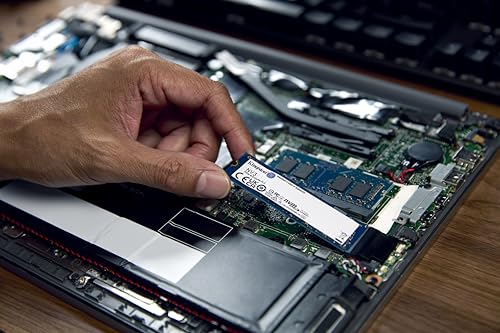


As an Amazon Associate we earn from qualifying purchases. Product prices and availability are accurate as of the date/time indicated.
Key Specs
- Form factor: M.2 2280 (a 2230 version is also sold)
- Interface: PCIe 4.0 x4, NVMe
- Sequential read: up to 6,000 MB/s (1TB)
- Cache: DRAM-less
- Capacities: 500GB to 4TB
Best for: cheap capacity upgrades for everyday laptops. Skip if: you need consistent performance in heavy write workloads.
Why we picked it
The NV3 is a common budget pick in 2026 guides because it delivers NVMe speed at a low cost per gigabyte. For a laptop used for school, office work and streaming, its 6,000 MB/s rated reads are more than enough, and on a PCIe 3.0 laptop it will run at the slot’s limit anyway.
Kingston does not guarantee specific controller and NAND combinations in the NV line, so sustained write speeds can vary between batches. That is why it ranks behind the Optimus 5100 for value, but when the price gap is meaningful, it is a sensible way to double or quadruple your storage.
It is also a good choice for an older laptop with an M.2 NVMe slot running PCIe 3.0, where premium Gen 4 drives cannot deliver their full speed anyway.
Pros
- Low cost per gigabyte
- Fast enough for everyday laptops
- 2280 and 2230 versions
Cons
- Components can vary between batches
- Slower sustained writes
Also Consider
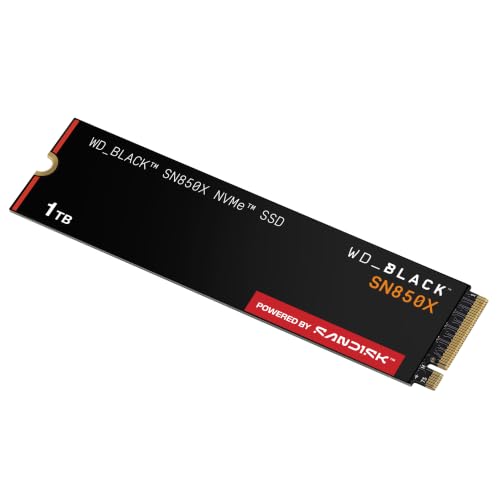
WD_Black SN850X

WD_BLACK SN850X 1TB NVMe SSD - M.2 2280, Up to 7,300 MB/s Read speeds, Up to 6,300 MB/s write speeds, Gaming Expansion, High Performance Internal Solid State Drive - WDS100T2X0E



As an Amazon Associate we earn from qualifying purchases. Product prices and availability are accurate as of the date/time indicated.
Best for: high-end gaming laptops. This DRAM-equipped Gen 4 drive reads at up to 7,300 MB/s and comes in capacities up to 8TB. Trade-off: costs more than the T500 and its double-sided higher capacities may not fit thin laptops.
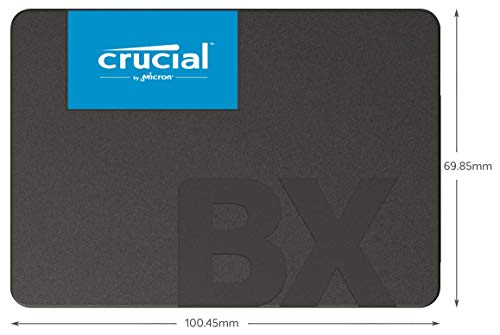
Crucial BX500 (SATA)

Crucial BX500 1TB 3D NAND SATA 2.5-Inch Internal SSD, up to 540MB/s - CT1000BX500SSD1, Solid State Drive



As an Amazon Associate we earn from qualifying purchases. Product prices and availability are accurate as of the date/time indicated.
Best for: reviving an old laptop for the least money. This 2.5-inch SATA drive reads at up to 540 MB/s and is sold in sizes up to 4TB. Trade-off: slower sustained writes than the 870 EVO.
Sabrent USB-C NVMe Enclosure

SABRENT USB-C NVMe Enclosure & Reader, M.2 PCIe SSD, 10Gbps (EC-PNVO) | Tool-free M.2 PCIe case for 2230-2280; USB 3.2 Gen 2 10Gbps; aluminum cooling; external nvme enclosure; m.2 usb adapter


As an Amazon Associate we earn from qualifying purchases. Product prices and availability are accurate as of the date/time indicated.
Best for: cloning your old drive and reusing it afterwards. This enclosure holds an M.2 NVMe SSD over a 10 Gbps USB-C connection, so you can copy your current system onto the new drive and then turn the old one into portable storage. Trade-off: it is for M.2 NVMe drives, so SATA upgrades need a SATA-to-USB adapter instead.
How We Chose
We reviewed the laptop SSD recommendations in current 2026 guides from PCMag, TechRadar, Tom’s Hardware and PCWorld, then checked each drive’s official specifications from Samsung, Sandisk/WD, Crucial and Kingston. Our criteria were:
- Laptop fit: at least one strong pick for each common slot type: M.2 2280, M.2 2230 and 2.5-inch SATA.
- Efficiency: power and heat behavior matter more in a laptop than in a desktop, so efficient designs ranked higher.
- Speed: PCIe 4.0 read speeds near the interface ceiling, with realistic notes for PCIe 3.0 laptops.
- NAND and endurance: TLC preferred for main picks; QLC accepted where size or cost makes it the practical choice.
- Price tiers: budget through mid-range, with no more than two main picks per brand.
These picks are research-based. We did not run our own benchmarks; speeds listed are manufacturer ratings, and real-world expectations are estimates based on drive class and published reviews.
Laptop SSD Buying Guide
M.2 2280 vs 2230 vs 2.5-inch SATA
Most laptops from the last five or six years use M.2 2280 NVMe drives. Compact laptops, Microsoft Surface models and many 2-in-1s use the shorter 2230 size, and some business laptops use 2242. Older laptops, usually from before about 2018, often have a 2.5-inch SATA bay. A few laptops use M.2 SATA drives, which look like NVMe drives but use a different protocol, so check your manual for “M.2 SATA” versus “M.2 NVMe” or “PCIe”.
Which PCIe generation does your laptop support?
PCIe 4.0 laptops reach the full 7,000 MB/s class speed of the drives above. PCIe 3.0 laptops top out at about 3,500 MB/s, so a premium Gen 4 drive is wasted there and a value drive like the Kingston NV3 or Optimus 5100 makes more sense. PCIe 5.0 slots are still rare in laptops, and Gen 5 drives run hot, so they are not the right choice for most portable machines.
Single-sided vs double-sided drives
Thin laptops often have very little clearance above and below the M.2 slot. Single-sided drives, with components on only one side, are the safest fit. Many 1TB and 2TB drives are single-sided, while some 4TB and 8TB models place chips on both sides. Check the product spec or photos if your laptop is very thin.
How much capacity should you get?
For a typical school or office laptop, 1TB is the sweet spot in 2026. Creators, gamers and anyone who stores photos and video locally should aim for 2TB. Gaming laptops benefit from 2TB or more, especially if you can add a second drive rather than replace the original.
Power, heat and battery life
Laptop SSDs sit in tight spaces with limited airflow, so efficient drives help keep temperatures and fan noise down. DRAM-less designs with Host Memory Buffer, such as the 990 EVO Plus and SN7100, tend to use less power. Reuse any thermal pad or metal shield from your original drive, and never install a desktop heatsink inside a laptop.
Cloning vs fresh install
If you have only one slot, you can clone your current drive to the new one using a USB enclosure and the maker’s migration software, then swap them. Alternatively, install the new drive and do a fresh Windows install from a USB stick, which gives you a clean system. Back up important files either way, and check whether BitLocker or device encryption is on, since you may need your recovery key after the swap.
Mistakes to Avoid When Upgrading a Laptop SSD
- Buying the wrong length. A 2280 drive will not fit a 2230 slot. Check the manual or measure first.
- Confusing M.2 SATA with M.2 NVMe. They look similar but are not interchangeable in many laptops.
- Ignoring soldered storage. Some ultrabooks and many MacBooks have storage soldered to the motherboard and cannot be upgraded.
- Forgetting the BitLocker key. If your drive is encrypted, save the recovery key before cloning or swapping.
- Using a heatsink drive. Heatsink versions are for desktops and consoles and will not fit a laptop.
- Buying unknown brands with impossible capacities. Listings that promise many terabytes for very little money are often fake-capacity drives that lose data.
FAQ
What is the best SSD for a laptop?
The best SSD for most laptops is the Samsung 990 EVO Plus, an efficient single-sided M.2 2280 PCIe 4.0 drive. The Sandisk Optimus 5100 is the best value option, and the Crucial P310 2230 is the best choice for laptops that use the short 2230 size.
How do I know which SSD fits my laptop?
Check your laptop’s service manual or spec sheet for the slot type, length and PCIe generation. You can also look up your current drive’s model in Device Manager or a tool like CrystalDiskInfo. The three common types are M.2 2280, M.2 2230 and 2.5-inch SATA.
Is an SSD card the same as an SSD?
Yes. “SSD card” usually refers to an M.2 SSD, which looks like a small circuit board about the size of a stick of gum. It is a full solid-state drive, not a memory card. Some people also use the term for 2.5-inch SATA SSDs, which come in a small rectangular case.
Can I put an NVMe SSD in any laptop?
No. Your laptop needs an M.2 slot that supports NVMe (PCIe). Older laptops may only have a 2.5-inch SATA bay or an M.2 slot that supports SATA only. Check your manual before buying an NVMe drive.
Will a new SSD make my laptop faster?
A new SSD makes a laptop dramatically faster if it currently uses a hard disk, and noticeably faster if it has an old or nearly full entry-level SSD. Boot times, app launches and file searches improve the most. It will not raise gaming frame rates or speed up CPU-heavy tasks.
Do I need to reinstall Windows after an SSD upgrade?
No, you do not need to reinstall Windows if you clone your old drive to the new one using migration software and a USB enclosure. A fresh install is an option if you want a clean system, but cloning keeps your apps, files and settings intact.
Is 512GB enough for a laptop in 2026?
512GB is enough for basic browsing, office work and cloud-based storage, but it fills quickly with photos, video and apps. For most users, 1TB is a better choice in 2026, and gamers or creators should consider 2TB.
Which Laptop SSD Should You Buy?
- Most modern laptops (M.2 2280): Samsung 990 EVO Plus.
- Best value M.2 upgrade: Sandisk Optimus 5100.
- Creators and power users: WD_Black SN7100.
- Gaming laptop second slot: Crucial T500, or the SN850X for high-end systems.
- Surface-style or compact laptops (M.2 2230): Crucial P310 2230.
- Older laptop with a hard drive bay: Samsung 870 EVO, or Crucial BX500 on a tight budget.
- Lowest-cost NVMe upgrade: Kingston NV3.
Confirm your slot type first, pick at least 1TB, and keep your recovery key and backups handy before the swap. With the right drive, an older laptop can feel new again.
Last updated: October 2026


