Searching for the best Windows laptop is a little like asking for the best vehicle: the answer depends entirely on what you carry and how far you go. A student writing essays, a parent filing taxes, a traveler streaming on a flight, and a professional running a dozen apps all land in the same search results, yet their ideal machines look nothing alike. The Windows ecosystem covers everything from compact entry notebooks with 4GB of memory to premium touchscreen models with 1TB of storage, so the first step is matching the machine to the workload, not chasing the longest spec list.
This guide ranks seven Windows laptops spanning budget to premium tiers, using only the information in each listing title. As of 2026 the shopping field is wide and confusing, because similar-looking models can differ sharply in memory type, storage speed, and processor family. We left out Apple’s MacBook Air because it does not run Windows, and a renewed unit appears only once so it does not crowd out current models. The goal is a short, honest list you can narrow in minutes.
Our Top Picks
Top 3 picks at a glance
Quick Picks
As an Amazon Associate we earn from qualifying purchases at no extra cost to you.






| Product | Best for | Key spec taken from the title |
|---|---|---|
| Microsoft Surface Laptop | Premium touchscreen everyday use | 13.8″ touchscreen, Snapdragon X2 Elite, 16GB RAM, 1TB SSD |
| Dell 15.6″ (Core 3 100U) | Balanced home and school laptop | 8GB RAM, 512GB SSD, FHD anti-glare IPS, 250 nits |
| Acer Aspire 3 A315-24P | Fast storage on a budget | Ryzen 3 7320U, 8GB LPDDR5, 128GB NVMe SSD |
| HP 14″ (Intel N150) | Light, portable basics | 4GB RAM, 128GB UFS, 1-year Microsoft 365 |
| 15.6″ Core i5-7Y57 Laptop | Upgradeable memory and storage | 4GB SO-DIMM RAM, 128GB SSD, FHD IPS |
| 15.6″ N4020 Laptop | Lay-flat sharing and basic tasks | 4GB RAM, 128GB eMMC, 45W fast charging |
| Dell 11″ Convertible | Small touchscreen for kids and travel | 11″ IPS touch, Pentium, 8GB RAM, 128GB SSD |
How to Choose
Start with the processor family
Intel N-series (N150, N4020) and Pentium chips are built for browsing, streaming, and word processing. AMD Ryzen 3 and Intel Core 3 move up to comfortable multitasking. Snapdragon X Elite chips are Arm-based, which brings strong battery life but means you should check that the programs you rely on run natively or under emulation. Match the chip to your heaviest regular task.
Memory and storage thresholds
Eight gigabytes of RAM is the sensible minimum for a Windows laptop you want to last; 4GB works but leaves little room as Windows updates grow. For storage, look for a 256GB or larger NVMe SSD. UFS and eMMC drives are slower than NVMe, and 128GB is easy to fill. A laptop that allows RAM and SSD upgrades can extend its life, though the title must state that clearly.
Display and build
Full HD at 1920×1080 is the target for 14 to 15.6 inches; a plain HD panel looks soft for documents. Brightness near 250 to 300 nits is fine indoors, while lower numbers struggle by a window. Touchscreens and 2-in-1 hinges add flexibility but also weight. Premium laptops like the Surface improve on panel quality, speakers, and keyboard feel.
What to ignore and where budget models cut corners
Battery size is a better clue than the word “long”: a title that lists watt-hours, such as 38Wh, gives you something concrete to compare, while an unspecified claim does not.
Ignore bundled Office trials, vague “long battery” claims, and AI buzzwords that do not affect daily speed. Budget models save money with slower storage, dim screens, plastic bodies, and soldered memory. Always verify the exact processor and the edition of Windows on the listing, as an S-mode installation can limit which apps you can install.
The 7 Best Options
Microsoft Surface Laptop (Snapdragon X2 Elite)
The premium option here is the Surface Laptop with a 13.8-inch touchscreen, a Snapdragon X2 Elite processor, 16GB of RAM, and 1TB of SSD storage. It is aimed at professionals who want a refined everyday Windows machine with a premium feel. Anyone who spends most of the day in video calls, documents, and a browser, and who values a quality keyboard and screen over raw gaming muscle, is the natural buyer.
- Strength: 16GB of memory and a 1TB SSD offer lasting headroom.
- Strength: a touchscreen in a compact 13.8-inch body suits mobile work.
- Trade-off: Arm-based processing means you should confirm that niche or older software is supported.
Skip it if you rely on legacy Windows programs or need the lowest-cost laptop.
Dell 15.6″ FHD Laptop (Core 3 100U)
This Dell lists a Core 3 100U processor, 8GB of RAM, a 512GB SSD, Intel UHD Graphics, Wi-Fi 6, and a 15.6-inch FHD anti-glare IPS screen at 250 nits. It is a sensible all-rounder for a household. Because the title confirms both the memory and the drive size, there are fewer unknowns than with many comparable rivals, and the Wi-Fi 6 radio suits a busy home network with several devices.
- Strength: 8GB and a 512GB SSD hit the sweet spot for storage and multitasking.
- Strength: an anti-glare IPS panel suits long reading and document sessions.
- Trade-off: the 250-nit brightness is only average for bright rooms.
Skip it if you want the slimmest possible body or a touchscreen.
Acer Aspire 3 A315-24P (Ryzen 3 7320U)
Acer’s Aspire 3 pairs a quad-core Ryzen 3 7320U with AMD Radeon graphics, 8GB of LPDDR5, a 128GB NVMe SSD, and Wi-Fi 6 on a 15.6-inch Full HD display. It targets users who want snappy performance and fast storage on a budget. Students who need to launch apps quickly between classes, and families who want a dependable second laptop, will benefit from the quicker startup that NVMe drives offer.
- Strength: NVMe storage and LPDDR5 memory are faster than eMMC and older DDR4 memory.
- Strength: a recognized Ryzen processor handles multitasking well for the tier.
- Trade-off: the 128GB capacity will fill up and may need an external drive.
Skip it if you store many large files locally.
HP 14″ Laptop (Intel N150, Microsoft 365)
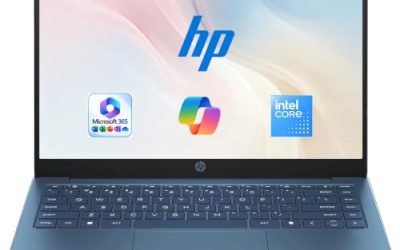
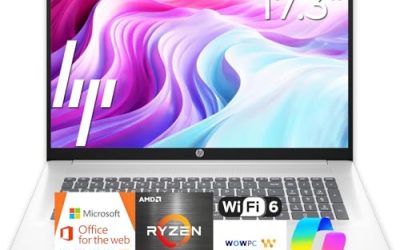
The HP 14-inch includes an HD display, an Intel N150, 4GB of RAM, 128GB of UFS storage, Intel graphics, Windows 11 Home, and a 1-year Microsoft 365 Personal subscription. It is a simple laptop for basic home tasks. Think of it as a machine for email, online banking, school portals, and video streaming rather than anything demanding, and for retirees or first-time laptop owners the bundled subscription is a convenient start.
- Strength: 14-inch size keeps weight and bulk down for carrying.
- Strength: the included subscription removes the need for extra software purchases at first.
- Trade-off: HD resolution and 4GB of memory limit sharpness and multitasking.
Skip it if you want a Full HD screen or intend to run many apps at once.
15.6″ Laptop with Core i5-7Y57
This generic 15.6-inch laptop lists a Core i5-7Y57, 4GB of SO-DIMM RAM, a 128GB SSD, Windows 11, and a Full HD IPS display, with a note about upgradeable RAM and SSD. A 2MP webcam, cooling fan, and Type-C round out the title. Tinkerers who like to open the case and add memory later are the ones who will get the most from this design, provided they confirm the supported capacities with the seller first.
- Strength: user-upgradeable memory and storage can extend its useful life.
- Strength: a cooling fan and IPS display are solid inclusions at this tier.
- Trade-off: the processor is an older low-power part, and the brand is unfamiliar.
Skip it if you want established brand support and a straightforward warranty.
15.6″ Laptop with Windows 11 (N4020)
The N4020 model lists 4GB of RAM, 128GB of eMMC, an FHD display, Office 365, LPDDR4 memory, a 180-degree lay-flat hinge, a 38Wh battery, and 45W fast charging with dual-band Wi-Fi. With a battery of that size, buyers should not expect a full day away from an outlet, so it is better suited to a desk, a dorm room, or a family living area.
- Strength: the lay-flat hinge helps when sharing a screen across a table.
- Strength: fast charging at 45W reduces time at the wall.
- Trade-off: the N4020 processor and eMMC storage are the slowest options in this group.
Skip it if you need smooth multitasking or fast file transfers.
Dell 11″ Touchscreen Convertible
The Dell is the smallest machine here, featuring an 11-inch IPS touchscreen convertible design, an Intel Pentium up to 3.3GHz, 8GB of RAM, a 128GB SSD, and Wi-Fi 6. A flip-style convertible like this is popular for younger children and for use as a media screen on the couch, since it can fold into tablet or tent positions.
- Strength: the compact convertible form suits kids, couch use, and travel.
- Strength: 8GB of RAM is generous for such a small, inexpensive machine.
- Trade-off: an 11-inch screen is cramped for long documents.
Skip it if you plan to spend hours typing or working in multiple windows.
Whichever model you shortlist, open the listing and confirm four things before buying: the exact processor name, whether the memory is soldered or removable, the storage type, and the Windows edition. Those four details explain almost every performance difference you will feel after the first month of ownership.
Which One Fits Your Situation
You want one laptop for everything
The Dell 15.6-inch with 8GB and a 512GB SSD offers the best balance of space, screen, and memory.
You are a professional who travels
The Microsoft Surface Laptop provides a compact touchscreen body and generous memory, and its 1TB of storage means you can keep client files with you without leaning on the cloud.
You are on a tight budget but want speed
The Acer Aspire 3 delivers NVMe storage and a Ryzen processor at the budget tier.
You need a small machine for a child
The Dell 11-inch convertible is easy to carry and handles homework and video lessons.
Common Mistakes
- Buying 4GB of RAM and expecting it to feel quick after a year of Windows updates.
- Assuming all 128GB drives perform the same, when UFS and eMMC lag behind NVMe.
- Overlooking Arm-based processors and then discovering a needed program is unsupported.
- Paying for an included subscription as if it were a permanent software licence.
- Choosing a plain HD display when Full HD is common at the same tier.
Related guides
- Replacement Cables For Gaming Mice And Headsets
- Indoor Security Cameras Without Subscription
- Nvidia Control Panel Best Settings For Gaming
Frequently Asked Questions
Is a Windows laptop with 4GB of RAM still usable?
It can handle web browsing and basic documents, but Windows updates and modern browsers will crowd it. Eight gigabytes is the safer choice for long-term use.
Are Arm-based Windows laptops a good choice?
They offer strong battery life and responsive performance for common apps. Verify that your specific software, especially older tools or drivers, is supported before buying.
Why is the MacBook Air not included?
This is a roundup of Windows computers, and the MacBook Air runs macOS, so it was excluded. If you are open to switching systems, it is worth a separate comparison.
Should I choose touch or non-touch?
Touch is handy for tablet-style use, note taking, and children. If you mostly type and browse, a non-touch model with the same specs saves weight and battery.