When people search for a Hewlett Packard laptop, they usually mean a laptop from HP, one of the largest names in Windows computing. The brand sells everything from a 14-inch starter notebook to a 17-inch OmniBook with a full number pad, so “best” depends on which end of that range you are shopping. The most important choice is not the logo but the size class and the processor family, because the same badge covers very different machines.
This guide helps buyers who have decided on HP and want to narrow down seven listings, from entry-level N150 notebooks to a Core i7 and a Ryzen 5 with 16GB of memory. We compare them only on what each title states, point out where a listing is vague about a spec, and suggest what to verify before you commit in 2026. Expect clear trade-offs rather than a single winner.
Our Top Picks
Top 3 picks at a glance
Quick Picks
As an Amazon Associate we earn from qualifying purchases at no extra cost to you.




| Product | Best for | Key spec from the title |
|---|---|---|
| HP 17-inch Business Laptop (Ryzen 5) | Large-screen multitasking | Ryzen 5, 16GB RAM, 512GB SSD, numeric keypad |
| HP OmniBook 3 17.3 (Core Ultra 5) | Roomy office work | Core Ultra 5 225U, 8GB RAM, 512GB SSD |
| HP 14-inch Laptop (N150, UFS) | Simple school and browsing | N150, 4GB RAM, 128GB UFS, Microsoft 365 |
| HP 14 Ultra-Light with SD Card | Portable extra file space | N150, 4GB RAM, 128GB plus 128GB SD card |
| HP 15.6-inch Core i7 | Fastest everyday performance | Core i7-1255U, 16GB RAM, 1TB PCIe SSD |
| HP 17.3-inch Business (Core 5-120U) | Windows Pro at work | 10-core Core 5-120U, 12GB RAM, Windows 11 Pro |
| HP OmniBook 3 17.3 (Ryzen 3) | Affordable large screen | Ryzen 3, 8GB RAM, 512GB SSD, Radeon 610M |
How to Choose
Decide the screen size class first
HP sells at 14, 15.6 and 17.3 inches, and the choice shapes everything else. Think of the screen as a daily habit: you will look at it for hours, so a Full HD panel is worth more than a faster-sounding badge. A 14-inch body is the easiest to carry, a 15.6-inch laptop is the common middle, and a 17.3-inch model gives space for side-by-side windows and often adds a numeric keypad. Larger laptops are heavier and less comfortable on a lap, so match the size to where you will actually use it.
Processor family and memory
Within this group the chips range from the entry-level Intel N150 through Ryzen 3 and Core Ultra 5 to a Ryzen 5 and a Core i7-1255U. Sixteen gigabytes of RAM is the number to look for if you multitask heavily, 8GB suits most office work, and 4GB should be reserved for light use. The N150 models are fine for browsing and documents but not for demanding programs.
Storage type and size
A 512GB SSD is a comfortable baseline, and a 1TB PCIe SSD suits large photo or video libraries. The UFS drives and SD card additions on budget models offer extra room, but they are slower than a standard SSD and an SD card should hold files, not your main programs. If a listing mentions combined storage, check how much of it is true internal space.
What to ignore and where budget models cut corners
Ignore “AI” labels, edition names and battery claims, because titles seldom back them with figures. Cheaper HP models cut corners on RAM, drive speed and screen quality, and the HD panel on a 14-inch budget notebook is noticeably softer than a Full HD screen. A year of Microsoft 365 is a trial term, not a lasting feature.
The 7 Best Options
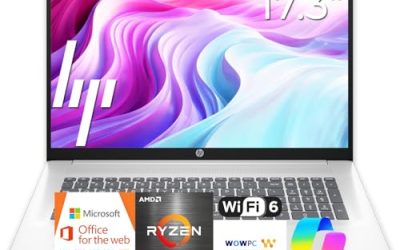
HP 17-inch Business Laptop (Ryzen 5)
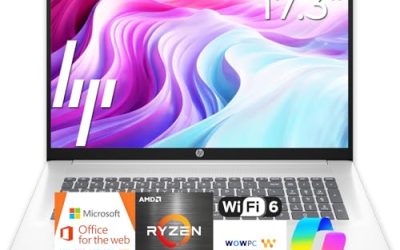
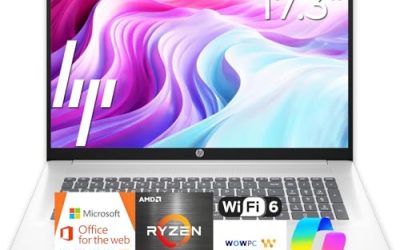
This HP lists an AMD Ryzen 5, 16GB of RAM, a 512GB SSD, a 17.3-inch Full HD display and a numeric keypad. On paper it offers the best memory and storage balance among the 17-inch models, and the keypad helps with spreadsheets and data entry. It suits a home office where a large screen matters more than portability, and the combination of 16GB and a full-size keyboard makes long working sessions less tiring.
- Strength: 16GB of RAM with a 512GB SSD.
- Strength: a 17.3-inch Full HD screen with a numeric keypad.
- Trade-off: a 17-inch body is bulky to carry every day.
Skip it if you commute with your laptop or work on small tables. The title names the Ryzen 5 but not the exact model, so check the listing for details.
HP OmniBook 3 17.3 (Core Ultra 5)
The OmniBook 3 here lists an Intel Core Ultra 5 225U, 8GB of RAM, a 512GB SSD, Intel graphics, Windows 11 Home and a 17.3-inch Full HD display in Glacier Silver. It fits office users who want a newer Intel platform and a large screen without moving into premium pricing. The 8GB of RAM is adequate rather than generous, which is fine for documents, calls and browsing but leaves less room for heavier jobs later.
- Strength: a newer Core Ultra 5 processor with a 512GB SSD.
- Strength: a clearly specified OmniBook configuration.
- Trade-off: 8GB of RAM limits heavy multitasking.
Skip it if you plan to keep dozens of tabs and apps open at once. Pair it with an external drive if you will outgrow the stock storage.
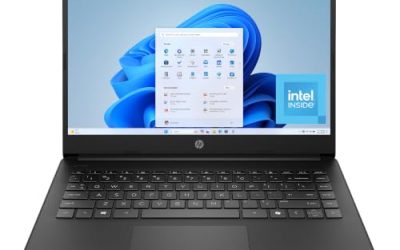
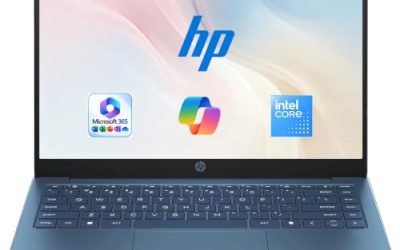
HP 14-inch Laptop (N150, UFS)
This listing shows a 14-inch HD display, an Intel N150, 4GB of RAM, 128GB of UFS storage, Windows 11 Home and a one-year Microsoft 365 Personal subscription. It suits students and casual users who want a small, simple laptop for web and documents. Its modest specs are matched to modest tasks, and the one-year subscription spares a new owner from buying an office suite on day one.
- Strength: compact size with Microsoft 365 included.
- Strength: a simple, easy-to-understand configuration.
- Trade-off: 4GB of RAM and UFS storage feel limited over time.
Skip it if you want a Full HD screen or you plan to run several apps at once. It is a starter machine, not a long-term workhorse.
HP 14 Ultra-Light with SD Card
The HP 14 Ultra-Light lists an Intel N150, 4GB of RAM, 128GB of storage plus a 128GB SD card, a one-year Office 365 subscription and fast charge, aimed at students and home use. The SD card doubles the file space on paper, which helps for documents and photos. It is the lightest and most portable option here, which suits a student who carries the laptop between classes and the library.
- Strength: an SD card adds extra file space.
- Strength: fast charge and a portable ultra-light design.
- Trade-off: SD card speed is below an internal SSD.
Skip it if you want a single fast drive. Treat the card as storage for documents rather than the place to install software.
HP 15.6-inch Core i7
This HP lists a Core i7-1255U at up to 4.7GHz, 16GB of RAM, a 1TB PCIe SSD, a webcam and a Full HD 15.6-inch display. It is the performance pick, with the strongest combination of processor, memory and storage in the group. It suits creative hobbyists and professionals who want power without moving to a 17-inch body, and the 1TB drive leaves room for photo libraries, project folders and larger installs.
- Strength: Core i7, 16GB of RAM and a 1TB PCIe SSD.
- Strength: a 15.6-inch size that balances screen and portability.
- Trade-off: it sits at the higher price tier among these seven.
Skip it if your tasks are light browsing and documents, where a cheaper laptop is enough, or if weight matters more to you than speed.
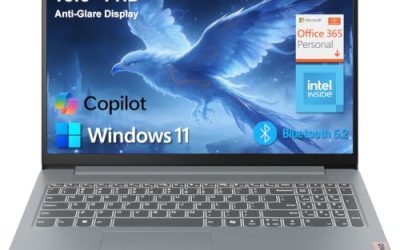
HP 17.3-inch Business (Core 5-120U)
This listing shows a 10-core Intel Core 5-120U, 12GB of RAM, 768GB of combined storage made of a 256GB SSD and a 512GB SD card, and Windows 11 Pro with Copilot. The Pro edition helps workplaces that need extra management features. The mixed storage is the detail to read carefully, since an SD card is removable and slower than an internal drive. Its 12GB of memory sits between the common 8GB and 16GB tiers, which helps multitasking a little.
- Strength: a 10-core processor and 12GB of RAM.
- Strength: Windows 11 Pro on a large 17.3-inch screen.
- Trade-off: only 256GB of the 768GB is an internal SSD.
Skip it if you want one large, fast internal drive. Plan to keep programs on the SSD and use the card for archives.
HP OmniBook 3 17.3 (Ryzen 3)
This OmniBook lists an AMD Ryzen 3, 8GB of RAM, a 512GB SSD, Radeon 610M graphics, Windows 11 Home and a 17.3-inch Full HD screen in Mica Silver. It is the lower-cost route to a large HP display with a full SSD. The Ryzen 3 handles everyday tasks, not heavy workloads, and the integrated Radeon graphics are meant for video and light creative work rather than games.
- Strength: a 17.3-inch screen with a 512GB SSD.
- Strength: a clearly stated AMD and Radeon configuration.
- Trade-off: Ryzen 3 with 8GB is modest for demanding multitasking.
Skip it if you need extra processing headroom, since the Ryzen 5 and Core i7 models offer more.
Which One Fits Your Situation
You want maximum performance in a normal-sized laptop
Choose the HP 15.6-inch Core i7. Its processor, 16GB of RAM and 1TB PCIe SSD lead the group, and the 15.6-inch size is easier to live with than a 17-inch body when you move around.
You need a big screen for spreadsheets
The HP 17-inch Business Laptop (Ryzen 5) pairs 16GB of RAM with a numeric keypad, which suits long data-entry sessions.
You are buying for a student on a tight budget
The HP 14-inch Laptop (N150, UFS) or the HP 14 Ultra-Light with SD Card keeps cost and weight down, with Microsoft 365 or Office included for the first year.
You want a large-screen laptop without overspending
The HP OmniBook 3 17.3 (Ryzen 3) delivers a 512GB SSD and a big screen at a more modest tier. If you prefer Intel and a newer platform, the Core Ultra 5 version is the comparable alternative with the same drive size.
Common Mistakes
- Choosing a 17-inch laptop for a daily commute.
- Reading combined storage as one fast internal drive.
- Buying 4GB of RAM for multitasking work.
- Assuming every HP title lists the full processor model.
- Paying for a Pro operating system when Home covers your needs, or assuming a subscription bundle is a permanent perk.
Related guides
- Replacement Cables For Gaming Mice And Headsets
- Indoor Security Cameras Without Subscription
- Nvidia Control Panel Best Settings For Gaming
Frequently Asked Questions
Is HP the same as Hewlett Packard?
HP is the short name used on current laptops. Listings that say HP are the Hewlett Packard line you are searching for.
What does OmniBook mean?
OmniBook is an HP laptop family name. The listing details, such as processor and memory, matter more than the family name, because two OmniBooks can differ a lot in speed and price.
Is 8GB of RAM enough on an HP laptop?
For office work, browsing and video, yes. For many apps at once, photo editing or other creative work, aim for 16GB, since memory is hard to add later on thin laptops.
Do I need Windows 11 Pro?
Most home users do not. Pro adds management features that matter mainly in workplaces, so choose it only if your employer or school asks for it.