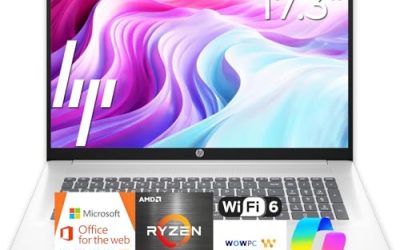
An everyday laptop is the one that gets opened a dozen times a day for short jobs: checking email, paying a bill, streaming a show, joining a call, helping with homework. It does not need a graphics card or a glowing keyboard, but it does need to stay responsive after the first year, when updates, browser tabs and photo libraries start to pile up. That makes memory, storage and the screen far more important than a processor model name.
This guide is for households, students and retirees who want one dependable laptop for ordinary tasks rather than a specialist machine. We compare seven options, mostly HP everyday models, one Dell and one Apple laptop, using only the specs stated in each listing. Several titles leave out the exact processor or memory, so we say so plainly and tell you what to check before you buy for 2026 and beyond.
Our Top Picks
Top 3 picks at a glance
Quick Picks
As an Amazon Associate we earn from qualifying purchases at no extra cost to you.



| Product | Best for | Key spec from the title |
|---|---|---|
| HP 14-inch Everyday Laptop (N150) | Light, portable daily use | Intel N150, 128GB SSD, 1TB cloud, Microsoft 365 |
| HP Everyday Laptop with Fast Charge | Quick top-ups | 128GB storage, Copilot AI, WiFi 6, fast charge |
| HP Everyday Slim (AMD) | Simple AMD-based browsing | AMD processor, 4GB DDR5, 128GB SSD |
| Dell 15.6-inch Laptop | The roomiest everyday screen | Core 3 100U, 8GB DDR5, 512GB SSD, 300 nits |
| HP Everyday Laptop (8GB) | Everyday multitasking on a budget | 8GB RAM, 128GB SSD, 1TB cloud |
| Apple MacBook Neo | Simple, app-based use | A18 Pro chip, 8GB unified memory, 256GB SSD |
| HP Everyday Slim (N150, 4GB) | Email, video and school | N150, 4GB DDR5, 128GB SSD, Microsoft 365 |
How to Choose
Memory is the part you cannot fix later
On most thin laptops the memory is soldered, so what you buy is what you keep. Ask yourself how many things you do at the same moment on a normal evening, because that habit is a better guide than any spec-sheet score. Eight gigabytes gives a healthy cushion for a browser with many tabs, a video call and a document open together, while 4GB works for lighter habits but tends to slow as software grows. If you plan to keep the laptop for four or five years, favor 8GB.
Storage and the cloud
A 128GB drive holds Windows, a few apps and some files, then fills up. Bundled cloud storage can help, but it is only useful when you are online and the offer may be limited in time. A 256GB or 512GB drive is more comfortable for photos, downloads and school projects, and it means fewer clean-up chores later. If you do stay at 128GB, plan to move old files to an external drive every few months.
Screen and battery
For daily use, a 14-inch screen is easier to carry, while 15.6 inches is easier on the eyes. Brightness matters: a figure such as 300 nits works in most rooms, while a dimmer panel struggles near a window. Battery claims such as “long battery life” are not measurable, so pair them with fast charging, which at least shortens the wait when you forget to plug in.
What to ignore and where budget models cut corners
Ignore Copilot AI labels and edition names, because they say little about speed. Budget everyday laptops cut corners on memory, storage speed, screen brightness and build. Because many of these titles omit the processor, treat that gap as a prompt to read the full listing rather than as a reason to guess.
The 7 Best Options
HP 14-inch Everyday Laptop (N150)
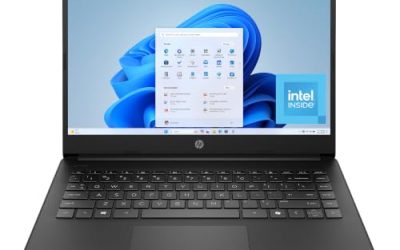
This HP lists a 14-inch size, an Intel N150, a 128GB SSD, 1TB of cloud storage, Microsoft 365 and Windows 11 with Copilot AI. It fits someone who wants a compact laptop for email, streaming and writing, and who is comfortable keeping files in the cloud. The N150 is an entry-level chip, so it suits simple tasks rather than demanding ones.
- Strength: a compact 14-inch design with Microsoft 365 included.
- Strength: an SSD rather than slower flash storage.
- Trade-off: the title does not state the memory, so check the listing.
Think of it as the grab-and-go option for the couch, the school bag or the guest room desk. Skip it if you need a large screen, want a confirmed amount of RAM before buying, or expect to keep a big collection of family photos on the drive itself.
HP Everyday Laptop with Fast Charge
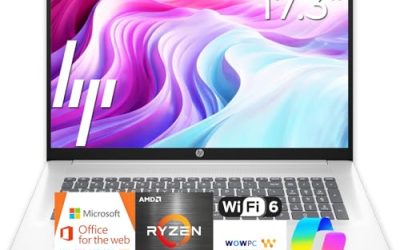
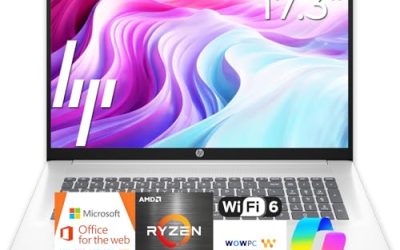
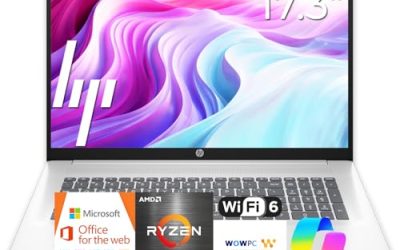
The listing names an unspecified Intel CPU, 128GB of storage, Copilot AI, Office 365, 1TB of cloud storage, Windows 11, fast charge and WiFi 6. It makes sense for a family laptop that sits on a kitchen counter and gets topped up between uses. Fast charging and WiFi 6 are the practical highlights.
- Strength: fast charge plus WiFi 6.
- Strength: Office and cloud storage bundled in.
- Trade-off: the processor and memory are not named in the title.
Because the processor is only called Intel, the safest approach is to open the full listing and confirm the model. Skip it if you need verified performance specs. This model title appears more than once in the listings, so make sure you are comparing the same configuration before you click buy.
HP Everyday Slim (AMD)
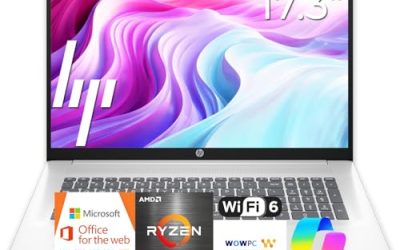
This slim HP lists an AMD high-performance processor, 4GB of DDR5 RAM, a 128GB SSD, 1TB of cloud storage and Windows 11. The AMD chip is unspecified, so check which one it is. It is aimed at buyers who want a light, simple laptop for web browsing and documents.
- Strength: DDR5 memory and an SSD.
- Strength: a slim, light build.
- Trade-off: 4GB of RAM is on the low side for long-term use.
For a spare laptop or a first computer for a younger student, the simple configuration is easy to live with, and the SSD keeps start-up times reasonable. Skip it if you keep many tabs open, run video calls with screen sharing every day, or plan to hold on to the laptop for years.
Dell 15.6-inch Laptop
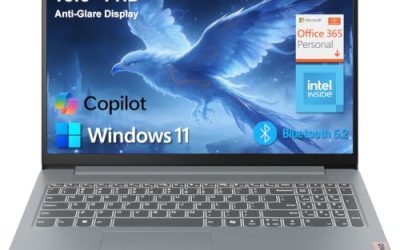
The Dell lists a Core 3 100U, 8GB of DDR5, a 512GB SSD, a 15.6-inch FHD anti-glare display at 300 nits, Windows 11 Home, Intel UHD graphics, Wi-Fi 6 and Bluetooth. Its memory and storage are the most balanced of the Windows models here, and the anti-glare screen is easier on the eyes in a bright room. It is the one to pick if everyday means a lot of hours.
- Strength: 8GB of DDR5 with a 512GB SSD.
- Strength: a 300-nit anti-glare Full HD screen.
- Trade-off: a 15.6-inch body is less pocketable than the 14-inch HPs.
The 512GB drive is the real long-term advantage, since it leaves room for years of updates, downloads and family files without constant cleanup. Skip it if portability matters more than screen size or storage, or if a lighter 14-inch body better suits your bag.
HP Everyday Laptop (8GB)
This HP lists an Intel processor, 8GB of RAM, a 128GB SSD, 1TB of cloud storage, Office 365, Windows 11 and fast charge. It is the everyday HP with the most memory in this group, so it handles multitasking better than the 4GB models. The 128GB drive remains small.
- Strength: 8GB of RAM at a budget tier.
- Strength: fast charge and Office included.
- Trade-off: only 128GB of local storage.
Pairing 8GB with fast charging makes it a sensible shared laptop for a busy home where the charger is rarely in the same room as the machine. Skip it if you store many photos or videos locally, since the internal drive is the weak link rather than the memory.
Apple MacBook Neo
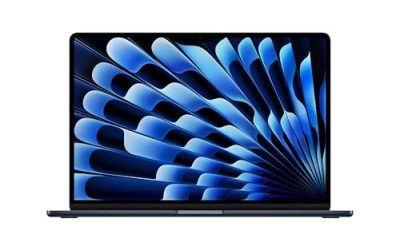
The MacBook Neo is a 13-inch laptop with an A18 Pro chip, 8GB of unified memory, a 256GB SSD and a Liquid Retina display, built around Apple Intelligence features. It suits buyers who live in Apple apps and want a simple, polished laptop for everyday work. It runs macOS rather than Windows, so check software compatibility.
- Strength: a 256GB SSD and a Liquid Retina display.
- Strength: an Apple-designed chip aimed at everyday apps.
- Trade-off: it does not run Windows software natively.
The title gives few port details, so confirm that the connections you need are present, especially if you plug in a monitor or an older accessory. Skip it if you depend on Windows-only programs, need a traditional file-sharing setup with a Windows office, or want a larger 15-inch screen.
HP Everyday Slim (N150, 4GB)
This slim HP lists an Intel N150, 4GB of DDR5, a 128GB SSD, 1TB of cloud storage, Windows 11 and Microsoft 365. It is a plain entry model for email, video and school work. The N150 and 4GB combination is simple, and sensible expectations will keep you happy.
- Strength: a clearly listed N150 and DDR5 memory.
- Strength: Microsoft 365 included.
- Trade-off: 4GB of RAM limits growth.
It is easier to judge than the vaguer titles, because the processor, memory type and storage are all spelled out. Skip it if you want headroom for the next few years, or if you already know that your habits include a dozen browser tabs and a video call at the same time.
Which One Fits Your Situation
You want the most comfortable daily screen and storage
Pick the Dell 15.6-inch Laptop. Its 512GB SSD, 8GB of DDR5 and anti-glare display suit long daily sessions.
You prefer something small to carry between rooms
The HP 14-inch Everyday Laptop (N150) is the compact option with Microsoft 365 included. For an even simpler setup with the same chip, the HP Everyday Slim (N150, 4GB) is the alternative, though you give up memory headroom.
You want a Windows laptop with 8GB on a budget
The HP Everyday Laptop (8GB) gives the most memory among the HP models here.
You already use an iPhone and Apple apps
The Apple MacBook Neo keeps things simple, with a 256GB SSD and an efficient chip. Phone photos, messages and documents move over with little effort, which is a real convenience for a household already in that ecosystem.
Common Mistakes
- Buying 4GB of RAM for a laptop meant to last five years.
- Counting cloud storage as a substitute for a bigger drive.
- Comparing identical-looking HP titles without checking which configuration is which.
- Choosing a macOS laptop without checking for key Windows-only programs.
- Ignoring screen brightness until the first sunny afternoon, when a dim panel turns into a mirror.
Related guides
- Replacement Cables For Gaming Mice And Headsets
- Indoor Security Cameras Without Subscription
- Nvidia Control Panel Best Settings For Gaming
Frequently Asked Questions
Is 128GB enough for an everyday laptop?
For cloud-based use, yes, but it fills quickly with updates and downloads. A 256GB or larger drive is more comfortable.
Does the Intel N150 handle everyday tasks?
It is built for light work such as browsing, video and documents. Heavy multitasking will feel slower.
Is a MacBook or a Windows laptop better for everyday use?
It depends on your apps and devices. Choose the system that runs the programs you already rely on, and consider what your family, school or workplace uses so file sharing stays simple.
How long should an everyday laptop last?
Four to five years is a reasonable expectation for ordinary use. More memory and storage at purchase help it stay useful longer, and a laptop that is never fully filled up tends to age better.