The hardware inside a 15-inch laptop varies far more than the case suggests. Two machines with the same 15.6-inch footprint can differ by a factor of four in memory, use completely different storage technology, and ship with panels that look nothing alike under office lights. A “best 15 laptop” search is really a request to sort those internals, so this guide reads each listing like a parts list instead of a brochure.
It suits buyers who want a mainstream screen size for homework, remote work, or family use and who would rather spot a weak component in the title than discover it after unboxing. The five models below come from the listed titles for 2026, and any detail that a title cuts off is flagged so you can confirm it on the full page. No performance numbers are invented here; every spec quoted comes straight from the listing text.
Top 3 picks at a glance
Quick Picks
As an Amazon Associate we earn from qualifying purchases at no extra cost to you.



| Product | Best for | Key spec from the title |
|---|---|---|
| Dell 15.6 (Core 3 100U, DDR5) | Reliable all-round office use | 300-nit anti-glare WVA panel, 8GB DDR5, 512GB SSD |
| Dell 15.6 (Ryzen 5 7520U) | Smooth scrolling and media | FHD 120Hz IPS, LPDDR5, 512GB SSD |
| Acer Aspire Go 15 | Basic tasks with modern memory | 15.6-inch FHD IPS, Core 3 N355, 8GB DDR5, 128GB UFS |
| ASUS Vivobook Go 15 (N150) | Light daily use on the lowest budget | Intel N150, 4GB RAM, 128GB SSD, 15.6-inch FHD |
| Apple MacBook Air 15 (M5) | Premium build for macOS users | 15.3-inch Liquid Retina, 16GB unified memory, 512GB SSD |
How to Choose
Memory type and capacity
Capacity comes first: 8GB is the working floor for Windows 11, 16GB is comfortable, and 4GB is only for single-task use. Type comes second. DDR5 and LPDDR5 are newer and generally pair with newer processors than DDR4, though a title that lists DDR4 is not automatically a bad deal. What you should avoid is paying a mid-range premium for a 4GB configuration that cannot be expanded later. Many thin laptops solder their memory, so the number on the listing is the number you live with.
Storage: SSD versus UFS
Two listings here name UFS storage rather than a standard SSD. UFS is flash memory borrowed from phones; it keeps costs down, but it is typically less flexible than a full-size NVMe drive and rarely offers an upgrade path. A 512GB SSD is the sweet spot for most people because it leaves room for Windows updates, an office suite, and a photo library. A 128GB drive of either type is workable for a cloud-first user, yet it fills fast, so keep large files on an external drive or in online storage.
Panel quality: nits, coating, and refresh
The panel is where budget laptops quietly cut corners. Full HD is the minimum resolution you want at this size. IPS panels hold their color better when viewed from the side, which matters when two people share a screen. Brightness listed around 250 to 300 nits is adequate indoors, and an anti-glare coating cuts reflections from windows and lamps. A 120Hz refresh rate is a bonus for smoother motion, not a requirement for spreadsheets.
Processor tier, wireless, and what to ignore
A processor name tells only part of the story, because the same tier can sit in a machine with 4GB or 16GB of memory.
Intel N-series chips and Pentium processors target web browsing and documents. Core 3 and Ryzen 5 class processors give more headroom for multitasking, and Apple silicon is a separate platform entirely. Wi-Fi 6 beats Wi-Fi 5 on crowded networks, so favor it when the title names the standard. Ignore buzzwords such as “AI ready” when no spec backs them up, and be wary of titles that stack adjectives but never mention the display resolution or storage type.
The 5 Best Options
Dell 15.6 (Core 3 100U, DDR5)
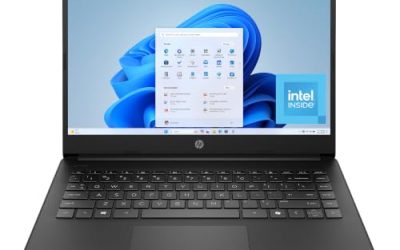
This Dell is the most balanced Windows machine on the list. The title names an Intel Core 3 100U, 8GB of DDR5 memory, a 512GB SSD, and a 300-nit anti-glare WVA panel, with Wi-Fi 6 and Bluetooth. That is a clean, no-surprise parts list for people who just need a machine that works for years in a home office or a school bag.
- Strength: DDR5 memory and a 512GB SSD are a better pairing than the older DDR4 variant of this model.
- Strength: the anti-glare panel at 300 nits is easier to live with near windows.
- Trade-off: Intel UHD graphics mean it is for office and media use, not for demanding creative software.
Skip it if you want a high-refresh display or a premium metal chassis.
Dell 15.6 (Ryzen 5 7520U)
Here the pitch is the screen. The title lists an FHD 120Hz IPS panel alongside a Ryzen 5 7520U with Radeon 610M graphics, LPDDR5 memory, and a 512GB SSD. Anyone who spends hours scrolling through long web pages or timelines will notice the smoother motion compared with a standard 60Hz display. The carbon black finish is plain enough to blend into a shared workspace.
- Strength: 120Hz IPS display is a rare feature at this class of machine.
- Strength: LPDDR5 memory plus 512GB of SSD storage form a modern base.
- Trade-off: the listing names Wi-Fi 5 rather than Wi-Fi 6, so it trails the other Dell on wireless.
Skip it if your home network is crowded and you want the newest wireless standard.
Acer Aspire Go 15
The Aspire Go 15 pairs a 15.6-inch FHD IPS display with an Intel Core 3 N355 processor and 8GB of DDR5 memory. The title also carries an “AI Ready” label, which is a marketing term rather than a measurable spec, so judge the machine on its parts instead. It is aimed at students and light home users who want a current-generation processor name without stepping up in tier. The storage is a 128GB UFS module, which is the line to think about before buying.
- Strength: 8GB of DDR5 memory is generous for a machine in this entry class.
- Strength: the 1920 x 1080 IPS panel is listed clearly, with no vague wording.
- Trade-off: 128GB of UFS storage leaves limited space and no obvious upgrade path.
Skip it if you store photos, videos, or large project folders locally.
ASUS Vivobook Go 15 (N150)
The most modest configuration here, this Vivobook uses an Intel N150 processor, Intel UHD graphics, 4GB of RAM, and a 128GB SSD behind a 15.6-inch FHD 60Hz screen. It is intended for web browsing, streaming, and documents, and it fits a household that needs an inexpensive extra laptop without ambitions beyond that. The mixed black finish keeps the look neutral, and the title does not list extras such as a backlit keyboard.
- Strength: it is a true SSD rather than UFS, which many buyers prefer on principle.
- Strength: an FHD screen at the lowest tier avoids the soft look of HD panels.
- Trade-off: 4GB of RAM will feel cramped once several tabs and apps are open.
Skip it if you multitask or expect the laptop to stay fast for many years.
Apple MacBook Air 15 (M5)
Apple’s listing is the premium entry, with a 15.3-inch Liquid Retina display, 16GB of unified memory, and a 512GB SSD. The title adds a 12MP Center Stage camera, which helps on video calls. Because the memory and storage are generous by default, it suits people who want one laptop to last and are comfortable on macOS. Writers, students, and remote workers who spend most of the day in a browser and a few apps are the obvious audience.
- Strength: 16GB of unified memory and 512GB of storage are listed as the base setup.
- Strength: the larger Liquid Retina screen gives room for side-by-side apps.
- Trade-off: it sits at the premium tier, well above every Windows model on this page.
Skip it if you need Windows-only software or are shopping at the lowest tier.
Which One Fits Your Situation
You want the safest everyday laptop for a family
The Dell 15.6 with the Core 3 100U is the steadiest option. It lists DDR5 memory, a roomy SSD, and an anti-glare screen, and nothing in the title raises a red flag. Households that share one laptop between several people benefit from that predictability, because there is no weak component waiting to frustrate someone.
You scroll, read, and watch video for hours
The Dell with the Ryzen 5 7520U is the pick, because its 120Hz IPS panel makes long reading sessions feel smoother.
You are buying the cheapest workable laptop for a child or relative
The ASUS Vivobook Go 15 with the N150 covers email, video lessons, and web forms. The Acer Aspire Go 15 is the alternative if you prefer 8GB of memory over a standard SSD.
You want a laptop to keep for the long haul
The MacBook Air 15 gives you 16GB of memory and 512GB of storage from day one, which protects against the slowdown that starves lower-spec machines. It also removes the guesswork about upgrades, since nothing in the title suggests you will need more memory or storage soon.
Remember that a shortlist is only the first filter. Once you have two candidates, line up their memory, storage type, panel, and wireless standard in a simple table of your own and let the weakest line decide. The model that never forces a compromise on those four items is usually the right choice, even if another one looks more impressive in a single category.
Common Mistakes
- Paying for a large screen but ignoring that the memory is only 4GB.
- Treating UFS and SSD storage as the same thing when comparing listings.
- Believing “AI Ready” or “latest” labels without a spec behind them.
- Overlooking panel brightness and coating, then struggling with glare in daylight.
- Skipping the full listing, even though titles often cut off the exact processor or port details.
Related guides
- Replacement Cables For Gaming Mice And Headsets
- Indoor Security Cameras Without Subscription
- Nvidia Control Panel Best Settings For Gaming
Frequently Asked Questions
Is 8GB of RAM enough for a 15-inch laptop in daily use?
Yes for browsing, documents, and video calls. If you keep many tabs open or run heavier office files, 16GB gives more headroom and costs less than replacing the laptop early.
What is the difference between UFS and an SSD?
Both are flash storage, but a standard SSD is usually faster and more flexible in laptops, while UFS is a compact, lower-cost format common in phones. Check the listing wording before you compare capacities directly, and treat a 128GB UFS module as the tightest option for anyone who stores local files.
Do I need a 120Hz screen?
No. It improves the feel of scrolling and motion, but office work runs identically on a 60Hz display. Treat it as a comfort feature, and do not let it outweigh memory or storage in your decision. A 60Hz panel with 8GB of RAM and a 512GB drive is a better daily machine than a 120Hz panel starved of either.
Is a MacBook a reasonable choice at this screen size?
If you use macOS software and want a long-lived machine, yes. It simply costs more than the Windows options, and it cannot run Windows-only programs. Look at your regular software list first, then decide whether the larger 15.3-inch screen is worth the move.