Shop for a laptop under $400 and you will run into two very different storage types with confusingly similar marketing: eMMC and SSD. Both are solid-state, both have no moving parts, and both get called “flash storage.” But the experience they deliver is worlds apart, and picking the wrong one can leave you with a machine that feels sluggish a year after purchase. Here is what actually separates them.
As an Amazon Associate we earn from qualifying purchases at no extra cost to you.


Our Top Picks
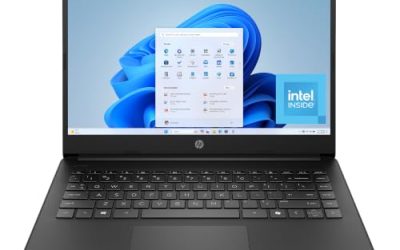
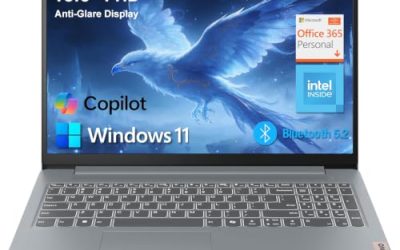
 Dell Latitude 5420 14" Laptop Core i5-1145G7 512GBi5 11th Gen | 16GB | 512GB12.65 x 0.82 x 8.35 inches3.88 poundsCheck on Amazon
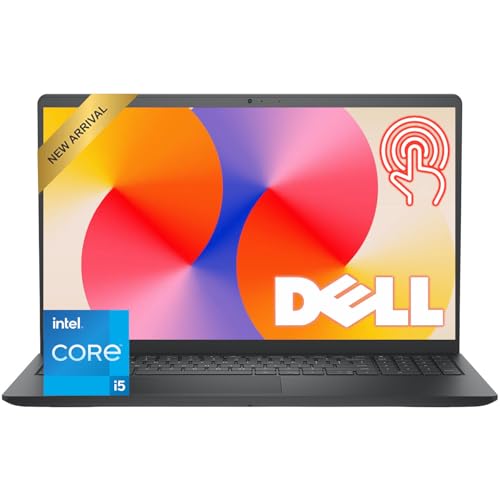 Dell 15.6" FHD Touchscreen Laptop8GB RAM | 512GB PCIe SSD14.11 x 9.28 x 0.75 inches3.65 PoundsCheck on Amazon
 Dell Latitude 5420 14" FHD Business Laptop Computeri5-1145G7-16-256-SV-Win1112.76 x 8.35 x 0.76 inches3 poundsCheck on Amazon

Top 3 picks at a glance
What eMMC Actually Is
eMMC (embedded MultiMediaCard) is the same class of flash used in phones and cheap tablets, soldered directly to the laptop motherboard. It is simple, cheap, and power-efficient, which is why it appears in Chromebooks and entry Windows laptops. The catch is a narrow interface and a weak controller: eMMC typically tops out around 250-400 MB/s sequential reads and has very limited parallelism.
A real SSD, whether SATA or NVMe, uses a dedicated controller with multiple channels and usually a DRAM or host-memory buffer to track data. That is why even a budget SATA SSD reads at 500 MB/s and an NVMe drive at 2,000 MB/s or more.
Head-to-Head Numbers
| Feature | eMMC | SATA SSD | NVMe SSD |
|---|---|---|---|
| Typical capacity | 32-128 GB | 256 GB-2 TB | 256 GB-4 TB |
| Sequential read | ~250-400 MB/s | ~500-550 MB/s | ~2,000-7,000 MB/s |
| Random 4K read | Weak | Good | Excellent |
| Upgradeable? | No (soldered) | Usually yes | Usually yes |
| Typical price tier | $200-350 laptop | $350-600 laptop | $500+ laptop |
The capacity line is the real dealbreaker. A 64GB eMMC laptop is nearly full after Windows updates alone, leaving little room for apps, and it cannot be swapped because the chip is soldered down.
How the Difference Feels Day to Day
On an eMMC machine, Windows boots slowly, big updates can take an hour, and opening several browser tabs plus an office app makes the whole system stutter as it swaps data. A SATA or NVMe laptop feels responsive: apps snap open, updates finish in minutes, and multitasking stays smooth. For students and remote workers who live in a browser and a document editor, that gap defines whether the laptop feels pleasant or painful.
When eMMC Is Acceptable
eMMC is fine for a light secondary device: a Chromebook that mostly runs web apps, a kids’ machine, or a travel laptop where everything lives in the cloud. In ChromeOS specifically, the lightweight system hides much of the slowness. But for Windows, avoid anything under 128GB of eMMC unless the price is genuinely throwaway.
How to Spot Which One a Laptop Uses
Manufacturers do not always make it obvious. Watch for a few tells. Storage listed at 32GB, 64GB, or 128GB with no mention of SATA or NVMe almost always means eMMC, since real SSDs rarely ship that small anymore. Words like “flash storage” without “SSD” are another hint. Conversely, listings that specify “256GB SSD,” “M.2,” “PCIe,” or “NVMe” indicate a proper drive. When a spec sheet is vague, search the exact model number plus “eMMC or SSD,” because owners and reviewers usually clarify. The distinction is worth the two minutes of research: it is the single biggest factor in whether a budget Windows laptop feels usable in a year, more so than a slightly faster processor or a little extra RAM on the same tier of machine.
FAQ
Can I upgrade eMMC to an SSD later?
Almost never. eMMC is soldered to the board, so there is no slot to swap. A few budget laptops include both eMMC and an empty M.2 slot, letting you add an SSD, but that is the exception. Always confirm there is an accessible SSD slot before buying if you want a future upgrade path.
Is 128GB eMMC enough for Windows 11?
It is workable but tight. Windows 11 plus updates can consume 40-60GB, leaving roughly 60-80GB for everything else. You will need to lean on cloud storage or a microSD card and manage space carefully. A 256GB SSD is a far more comfortable minimum.
Bottom Line
If a laptop lists eMMC storage, treat it as a lightweight cloud device, not a primary Windows PC. Spend the extra $50-100 to reach a model with at least a 256GB SATA or NVMe SSD. The speed, capacity, and upgradeability you gain will keep the machine usable for years rather than frustrating you within months.
Related guides
More from Amazon
Programs that pair well with the guide above. Offers and eligibility are set by Amazon and may change.
A free business account with business pricing and bulk-buying tools for work, shop or home office.
Create a business accountFree shipping on eligible items, Prime Video and more. Eligible new members can start with a free trial.
Start a Prime free trialAudiobooks and podcasts to listen to on the go. Eligible new members can start with a free trial.
Try Audible freeAd-free music streaming. Eligible new subscribers can start with a free trial.
Try Music Unlimited freeAs an Amazon Associate we earn from qualifying purchases.