
Thin laptops make storage upgrades feel more like furniture fitting than a simple parts swap: every millimeter matters, heat has nowhere to go, and a drive with a bulky heatsink can interfere with the bottom cover or thermal shield. The best single sided NVMe SSD for thin laptops should match your machine’s M.2 2280 slot, work within its PCIe generation, and leave enough clearance for the laptop’s factory cooling arrangement.
For 2026 buyers, the practical choice comes down to capacity, speed ceiling, and price—not just the biggest number on the package. A fast Gen4 drive can be an excellent upgrade for a newer ultraportable, while a lower-cost Gen3 option may be the smarter fit for an older laptop. Before ordering, check your laptop manual for M.2 2280 support and confirm that the drive’s physical layout will fit beneath the installed cover, shield, or pad.
As an Amazon Associate we earn from qualifying purchases at no extra cost to you.



Our Top Picks


Top 3 picks at a glance
Quick Picks
| Product | Best for | Price |
|---|---|---|
| Kingston NV3 1TB M.2 2280 NVMe SSD | Best overall Gen4 capacity pick | $156 |
| Patriot P300 512GB M.2 PCIe Gen3 x4 SSD | Best low-power Gen3 option | Check on Amazon |
| Kingston NV3 500GB M.2 2280 NVMe SSD | Best Kingston pick for smaller upgrades | $109 |
| Sandisk Optimus 5100 1TB NVMe SSD | Best premium 1TB alternative | $189 |
| WD_Black SN7100 500GB NVMe SSD | Best speed-focused 500GB pick | $159 |
| KLEVV CRAS C910 1TB M.2 2280 NVMe SSD | Best for systems with room for cooling hardware | Check on Amazon |
| KingSpec 1TB M.2 NVMe Gen3 SSD | Best 1TB Gen3 alternative | Check on Amazon |
| TEAMGROUP MP33 512GB NVMe PCIe Gen3x4 SSD | Best entry-level 512GB choice | Check on Amazon |
How We Compared
We prioritized M.2 2280 NVMe drives because that is the format commonly used in upgradeable thin laptops. From there, we compared the stated PCIe generation, advertised read-speed ceiling where supplied, capacity, laptop-oriented positioning, and listed price. We also flagged fit considerations that matter especially in slim machines, including the KLEVV model’s included heatsink.
These rankings are based on the product specifications and prices provided, rather than invented benchmark results or unverified thermal claims. “Single sided” is a physical-fit requirement, so buyers should still verify the current drive revision and their laptop’s clearance requirements before purchase.
The 8 Best Picks
1. Kingston NV3 1TB M.2 2280 NVMe SSD
The Kingston NV3 1TB is the strongest all-around choice for a thin laptop owner who wants meaningful storage room without stepping down from a modern PCIe 4.0 Gen4x4 interface. Its stated performance reaches up to 6000 MB/s, giving it the best balance here of capacity and listed speed. At $156, it is also priced below several competing 1TB and performance-oriented options. It makes particular sense for a primary laptop drive holding applications, photos, documents, and larger game libraries.
- Pro: 1TB capacity provides more breathing room than 500GB models.
- Pro: Advertised speeds of up to 6000 MB/s.
- Con: Costs more than the Gen3 and 512GB budget choices.
Skip it if your laptop only supports Gen3 and your priority is the lowest possible upgrade cost.
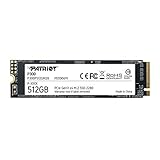
2. Patriot P300 M.2 PCIe Gen3 x4 512GB Low-Power Consumption SSD
The Patriot P300 is the sensible pick for an older slim laptop with a PCIe Gen3 x4 slot or for buyers who value its low-power-consumption positioning. At around $79, it is the least expensive drive in this group, while 512GB is enough for a streamlined everyday setup with an operating system, productivity software, and a modest personal file library. Its Gen3 interface is appropriate for a laptop that cannot take full advantage of a newer Gen4 drive anyway.
- Pro: Lowest listed price in the roundup at around $79.
- Pro: Specifically positioned for low power consumption.
- Con: 512GB can fill quickly with large media or game collections.
Skip it if you need 1TB capacity or have a Gen4 laptop and want the highest stated speed ceiling.
3. Kingston NV3 500GB M.2 2280 NVMe SSD
The 500GB Kingston NV3 suits buyers who want a PCIe 4.0 Gen4x4 upgrade but do not need the 1TB model’s capacity. It offers an advertised speed of up to 5000 MB/s and uses the familiar M.2 2280 format, making it a practical candidate for a thin laptop with the proper slot and clearance. At $109, it sits between the inexpensive Gen3 options and higher-capacity Gen4 alternatives. Choose it for a daily-driver laptop with disciplined storage habits.
- Pro: PCIe 4.0 Gen4x4 interface for newer compatible laptops.
- Pro: Lower price than the 1TB Kingston NV3.
- Con: Costs more than some 512GB Gen3 choices.
Skip it if 500GB will not accommodate your files, games, and creative projects over time.
4. Sandisk Optimus 5100 1TB NVMe SSD
The Sandisk Optimus 5100 is a straightforward 1TB PCIe 4.0 M.2 2280 option for shoppers who prefer a simple, capacity-first upgrade path. Its 1TB capacity makes it suitable for a thin laptop that serves as both a work machine and a personal computer, especially when external storage is inconvenient. At $189, it is the most expensive 1TB drive listed, so its appeal is less about bargain hunting and more about choosing this specific PCIe 4.0 configuration.
- Pro: 1TB capacity for a more flexible primary-drive upgrade.
- Pro: PCIe 4.0 and M.2 2280 specifications match many modern laptop slots.
- Con: Highest listed price among the 1TB options.
Skip it if value is your main concern; the Kingston NV3 1TB costs less at $156.
5. WD_Black SN7100 500GB NVMe SSD
The WD_Black SN7100 is the performance-led 500GB choice for a compatible laptop or handheld gaming device. It is rated for up to 6,800 MB/s read speed, the highest stated figure in this roundup, and it uses a Gen4 PCIe M.2 2280 design. The drive also lists next-generation TLC 3D NAND, an appealing detail for buyers focused on the storage technology rather than capacity alone. Its $159 price is substantial for 500GB, however.
- Pro: Highest advertised read speed here: up to 6,800 MB/s.
- Pro: Explicitly positioned for laptops and handheld gaming devices.
- Con: Premium $159 price for 500GB.
Skip it if you need maximum storage per dollar; several 1TB options cost the same or less.
6. KLEVV CRAS C910 1TB M.2 2280 NVMe SSD
The KLEVV CRAS C910 brings 1TB capacity, a PCIe Gen4x4 interface, and stated speeds up to 5000 MB/s. Its standout feature is the included heatsink, which may appeal to users upgrading a laptop with generous internal clearance or a desktop as well. For thin laptops, that same heatsink deserves careful attention: it may not work with a factory thermal cover, pad, or tightly fitted bottom panel. At around $160, it costs slightly more than the Kingston NV3 1TB.
- Pro: Includes a heatsink.
- Pro: 1TB capacity with up to 5000 MB/s stated performance.
- Con: Included heatsink can complicate installation in slim laptops.
Skip it if your laptop has minimal M.2 clearance or already uses a built-in SSD cover.
7. KingSpec 1TB M.2 NVMe Gen3 SSD
The KingSpec 1TB M.2 NVMe Gen3 SSD is aimed at buyers who need 1TB capacity in a Gen3-equipped laptop. Its listed read speed is 3500 MB/s, and it is designed for laptop and PC use in the M.2 2280 format. At around $150, it costs less than the Gen4 1TB choices in this list, though not by a dramatic margin. It is best viewed as a compatibility-focused option for a system where Gen3 is the appropriate interface.
- Pro: 1TB capacity for Gen3 laptop upgrades.
- Pro: Advertised read speed of 3500 MB/s.
- Con: Higher cost than the Patriot P300 despite sharing a Gen3 focus.
Skip it if your laptop supports Gen4 and you want the highest advertised speed potential.
8. TEAMGROUP MP33 512GB NVMe PCIe Gen3x4 SSD
The TEAMGROUP MP33 is a practical entry-level choice for a laptop that needs a basic 512GB Gen3x4 NVMe upgrade. It lists SLC Cache and 3D NAND TLC, with advertised read and write speeds up to 1700/1400 MB/s. At around $93, it costs more than the Patriot P300 but remains below the Gen4 options. This is a sensible drive for web, office, school, and general household laptop use where capacity and compatibility matter more than chasing peak transfer numbers.
- Pro: Includes SLC Cache and 3D NAND TLC in its listed specifications.
- Pro: Clearly stated read/write ratings up to 1700/1400 MB/s.
- Con: Lower listed speed ceiling than the other Gen3 and Gen4 choices.
Skip it if you want 1TB storage or need a faster Gen4-oriented upgrade for a newer laptop.
Buying Guide
Confirm the M.2 2280 Format and Physical Clearance
Every drive here is listed as M.2 2280, but that does not automatically guarantee a trouble-free installation. Thin laptops may use a thermal pad, metal SSD cover, or a closely fitted bottom panel. Confirm that your laptop accepts an M.2 2280 NVMe drive and check whether it requires a bare drive rather than one with an added heatsink.
Match PCIe Generation to Your Laptop
Gen4 models include the Kingston NV3 drives, Sandisk Optimus 5100, WD_Black SN7100, and KLEVV CRAS C910. The Patriot P300, KingSpec, and TEAMGROUP MP33 are Gen3 options. A Gen4 drive may be a good forward-looking purchase, but a Gen3 laptop should be selected around compatibility and value rather than headline Gen4 speed ratings.
Buy Capacity for the Way You Use the Laptop
Choose 500GB for a focused everyday system with lighter local storage needs. Choose 1TB if the laptop stores photos, offline media, design files, large applications, or games. In this list, 512GB prices range from around $79 to $159, while 1TB prices range from around $150 to $189. That overlap makes 1TB especially compelling when long-term storage room is a priority.
Our Verdict
The Kingston NV3 1TB is the best overall pick because it combines 1TB capacity, a PCIe 4.0 Gen4x4 interface, speeds up to 6000 MB/s, and a $156 price. For a lower-cost Gen3 laptop refresh, choose the Patriot P300 512GB at around $79. If your priority is the highest stated read speed in a 500GB drive, the WD_Black SN7100 leads with up to 6,800 MB/s—provided its premium price makes sense for your storage needs.
FAQ
What does M.2 2280 mean?
M.2 2280 identifies the drive’s form factor. It is the format listed for all eight SSDs in this roundup. Your laptop must support both the M.2 2280 size and NVMe interface.
Is a Gen4 SSD worth buying for a thin laptop?
It can be, especially when the laptop supports PCIe 4.0. Gen4 choices here have stated speed ceilings from up to 5000 MB/s to up to 6,800 MB/s. For a Gen3-only laptop, a Gen3 drive is often the more value-conscious choice.
Should I choose 500GB or 1TB?
Choose 500GB for basic use and limited local storage. Choose 1TB if you keep larger files, games, or media on the laptop. The 1TB options listed range from around $150 to $189.
Can I install an SSD with a heatsink in a thin laptop?
Only if the laptop has enough internal clearance. The KLEVV CRAS C910 includes a heatsink, which can be helpful in some systems but may conflict with a thin laptop’s existing cover or thermal hardware. Always inspect the available space before installing it.









