When you are upgrading and have a box of old DDR4 sticks lying around, it is tempting to slot them into a new DDR5 board to save money. The short answer is that you cannot mix the two generations, and the reason is physical, electrical, and logical all at once. Here is exactly why, and what your real options are.
They do not even fit
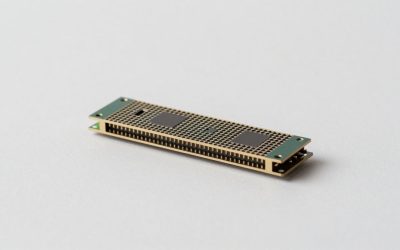
DDR4 and DDR5 use different keying: the notch in the bottom edge of the module sits in a different position for each generation. A DDR5 slot physically rejects a DDR4 stick, so you cannot force one in without breaking something. This is deliberate, to stop you frying incompatible hardware.
Different voltage and controller
Beyond the notch, the two standards run different voltages (DDR4 at 1.2 V from the board, DDR5 with an on-module power management chip at 1.1 V) and the memory controller inside the CPU is built for one type only. A Ryzen 7000 or Intel 12th-gen-and-up CPU on a DDR5 board simply has no circuitry to talk to DDR4.
The “combo” board myth
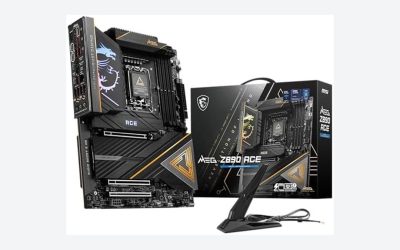
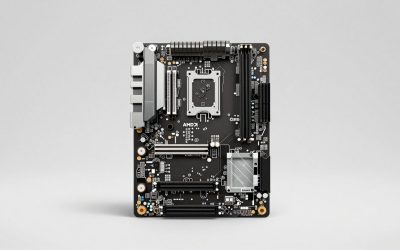
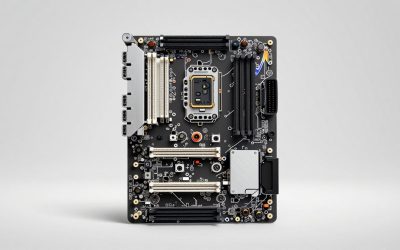
During the DDR4-to-DDR5 transition, a few motherboards appeared with both slot types on the same PCB. These do not let you mix; they let you choose one or the other. You populate either the DDR4 slots or the DDR5 slots, never both at once, because the single memory controller can only run one standard at a time.
| Scenario | Works? | Notes |
|---|---|---|
| DDR4 + DDR5 in one board, both active | No | Impossible, single controller |
| Combo board, DDR4 only | Yes | Lower performance ceiling |
| Combo board, DDR5 only | Yes | Recommended for new builds |
| Mixing DDR5 speeds/brands | Usually | Runs at slowest common spec |
What you can mix
Within the same generation you have flexibility. You can combine two DDR5 kits of different brands or speeds, and the system will run them all at the slowest module’s rated speed and loosest timings. It is not ideal, and four-DIMM configurations may not hit high XMP or EXPO speeds, but it works. For guaranteed stability, buy a single matched kit of the total capacity you want.
Planning an upgrade
If your current PC is DDR4, moving to a DDR5 platform means a new CPU, new motherboard, and new RAM together. Budget for all three. There is no half-step that reuses your DDR4 sticks in a DDR5 system, so factor the memory cost into any platform jump.
Is DDR5 worth the jump yet?
If your DDR4 system still performs well, there is no urgency to switch. DDR5’s bandwidth advantage matters most for integrated graphics, heavy multitasking, and productivity workloads; in many CPU-bound games the real-world gap over fast DDR4 is modest. The right time to move is when you are already replacing the CPU and motherboard, since those force new memory anyway and you gain the full platform’s benefits at once.
Reusing your old DDR4
Even though you cannot carry DDR4 into a DDR5 build, the old sticks are not worthless. They can go into a secondary or home-server PC, a family machine, or be sold to offset the new kit’s cost. Plan the handoff as part of your upgrade budget so the memory you paid for keeps earning its keep somewhere in your setup.
Quick reference
The essentials on mixing memory generations:
- DDR4 and DDR5 use different notches, voltages, and CPU controllers; they never run together.
- A DDR5 board accepts only DDR5; pure boards have no DDR4 fallback.
- Rare combo boards let you pick one standard, never blend both at once.
- Within DDR5 you can mix kits, but the system runs at the slowest module’s spec.
- A DDR5 upgrade means new CPU, board, and RAM together; old DDR4 cannot carry over.
FAQ
Can a DDR5 motherboard fall back to DDR4 if I have no DDR5?
No. A pure DDR5 board only accepts DDR5. Only the rare dual-slot combo boards accept DDR4, and even then you must use one type exclusively.
Is it bad to mix two different DDR5 kits?
It usually works but is not guaranteed, and you lose the tested stability of a matched kit. The system defaults to the slowest module’s speed, so pairing a fast kit with a slow one wastes the fast one’s potential.
Bottom line
DDR4 and DDR5 cannot coexist in an active system; the notch, voltage, and CPU memory controller all forbid it. Combo boards let you pick one standard, not blend them. Reuse is impossible across generations, so plan a DDR5 upgrade as a full CPU, board, and memory purchase, and stick to a single matched kit whenever you can.
Related guides
More from Amazon
Programs that pair well with the guide above. Offers and eligibility are set by Amazon and may change.
A free business account with business pricing and bulk-buying tools for work, shop or home office.
Create a business accountFree shipping on eligible items, Prime Video and more. Eligible new members can start with a free trial.
Start a Prime free trialAudiobooks and podcasts to listen to on the go. Eligible new members can start with a free trial.
Try Audible freeAd-free music streaming. Eligible new subscribers can start with a free trial.
Try Music Unlimited freeAs an Amazon Associate we earn from qualifying purchases.