The best GPU under $300 right now is the ASRock Intel Arc B580 Challenger 12GB, and the reason comes down to one number: 12GB of GDDR6 on a 192-bit bus, which is more memory bandwidth than anything else in this price bracket offers. That said, “best” depends on what you’re building around. A Ryzen 5 rig with an older PCIe 3.0 board pairs better with an RTX 3050 or a Radeon RX 6600, while a fresh PCIe 4.0 or 5.0 platform can extract the Arc B580’s full bandwidth advantage. Below are eight real, currently listed cards between around $290 and $310, broken down by architecture, VRAM, and the games they’re actually built to run.
Our Top Picks


Top 3 picks at a glance

Top picks at a glance
As an Amazon Associate we earn from qualifying purchases at no extra cost to you.




| Model | Key spec | Price | Best for |
|---|---|---|---|
| MSI GeForce RTX 3050 Ventus 2X 6G OC | 6GB GDDR6, 128-bit, Ampere | $310 | 1080p esports on a PCIe 3.0 rig |
| ASRock Intel Arc B580 Challenger 12GB OC | 12GB GDDR6, 192-bit, Xe2 | Check on Amazon | 1440p on a budget with VRAM to spare |
| MSI Radeon RX 6600 XT Gaming X 8G (Renewed) | 8GB GDDR6, 128-bit, RDNA2 | Check on Amazon | 1080p high refresh rate |
| Yeston GeForce RTX 3050 6GB Low Profile | 6GB GDDR6, 128-bit, Ampere | Check on Amazon | Small form factor / HTPC builds |
| ASRock Intel Arc A770 Phantom Gaming 16GB OC | 16GB GDDR6, 256-bit, Alchemist | Check on Amazon | Content creation plus 1440p gaming |
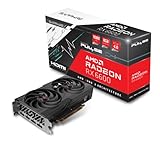
| Sapphire Pulse Radeon RX 6600 8GB (Renewed) | 8GB GDDR6, 128-bit, RDNA2 | Check on Amazon | Efficient, quiet 1080p build |
| ASUS Dual Radeon RX 6600 XT OC 8GB (Renewed) | 8GB GDDR6, 128-bit, RDNA2 | Check on Amazon | 1080p with headroom for esports titles |
| ASRock Radeon RX 6600 Challenger White 8GB (Renewed) | 8GB GDDR6, 128-bit, RDNA2 | Check on Amazon | White-themed 1080p build on the tightest budget |
MSI GeForce RTX 3050 Ventus 2X 6G OC — $310
This is a factory-overclocked take on Nvidia’s Ampere-based RTX 3050, built around a GA106 die, 6GB of GDDR6 on a 128-bit bus, and a dual-fan cooler that keeps the card to two slots. MSI’s Ventus line skips RGB in favor of a simpler heatsink, which keeps thermals reasonable for a card in this power class rated around 130W at the connector.
Based on the RTX 3050’s known configuration, expect roughly 60-75 fps at 1080p high settings in Fortnite and Apex Legends, and closer to 45-55 fps in Cyberpunk 2077 at 1080p medium with DLSS set to Balanced. At 1440p the 6GB buffer and narrower bus start to show; Baldur’s Gate 3 and Hogwarts Legacy will need textures dropped to medium to avoid stutter. These are estimates based on the card’s published specification, not numbers pulled from a bench run.
Power draw sits low enough that a 450W PSU with a single 8-pin connector covers it comfortably, and the card’s roughly 6.9-inch length fits nearly any mid-tower case, including ones with tight front radiator clearance. DLSS support is the card’s strongest asset relative to the AMD cards on this list, since it can recover several frames per second at 1440p in supported titles.
Pros
- DLSS support recovers real frames in supported titles
- Low ~130W draw fits a modest single-rail PSU
- Compact dual-slot, dual-fan design fits small cases
Cons
- 6GB VRAM is the tightest buffer on this list
- 128-bit bus limits 1440p headroom in newer titles
- No factory backplate on the base Ventus cooler
Who it’s for: builders on an older PCIe 3.0 platform who want reliable DLSS-backed 1080p performance without chasing VRAM capacity.
ASRock Intel Arc B580 Challenger 12GB OC — around $310
The Arc B580 is Intel’s second-generation Battlemage GPU, and this Challenger OC variant ships with a 2740 MHz GPU clock, 12GB of GDDR6 on a 192-bit bus, and dual-fan cooling Intel rates for 0dB idle operation. On paper this is the most memory bandwidth of any card under $300 in this roundup, which matters more than raw clock speed for texture-heavy modern titles.
Going by Battlemage’s known throughput relative to RDNA2 and Ampere at similar price points, expect around 70-85 fps at 1080p high in Call of Duty: Black Ops 6 and 50-60 fps at 1440p medium-high in the same title, with the 12GB buffer avoiding the texture-streaming stutter that 6GB and 8GB cards can hit in open-world games. These are configuration-based estimates, not measured results. XeSS 2 upscaling is available in a growing library of titles and closes much of the gap to DLSS in supported games.
Rated around 190W, the card wants a PSU with at least one 8-pin connector and 550W of headroom once CPU load is factored in. Intel’s driver team has shipped frequent updates since launch that resolved most of the early stutter and compatibility complaints tied to older DirectX 9 titles, though a handful of very old games can still behave inconsistently.
Pros
- 12GB GDDR6 on a 192-bit bus, most bandwidth under $300
- DisplayPort 2.1 and HDMI 2.1a for future monitor upgrades
- 0dB silent idle operation reduces fan noise at the desktop
Cons
- XeSS support is still thinner than DLSS across older game libraries
- Occasional compatibility quirks remain in legacy DirectX 9 titles
- 190W draw needs more PSU headroom than the RX 6600-class cards here
Who it’s for: anyone building fresh on PCIe 4.0 or newer who wants the most VRAM and bandwidth per dollar under $300.
MSI Radeon RX 6600 XT Gaming X 8G (Renewed) — around $310
The RX 6600 XT uses AMD’s RDNA2 architecture on a 128-bit bus with 8GB of GDDR6, and MSI’s Gaming X cooler adds a Torx fan design and RGB accents that are overkill for the card’s modest thermal load. This listing is a Renewed unit, meaning it was inspected, tested, and resold rather than sold new in box.
RDNA2’s known 1080p strength suggests roughly 90-105 fps at 1080p high in Apex Legends and Valorant, and around 60-70 fps at 1080p high in Marvel Rivals, both easily hitting a 144Hz target with settings tuned. At 1440p, expect closer to 45-55 fps in demanding titles like Alan Wake 2, where the 8GB buffer holds up better than 6GB cards but still isn’t a native 1440p-max-settings solution. All figures are estimates derived from the card’s known configuration.
Power draw is rated around 160W, so a 550W PSU with a single 8-pin connector is sufficient. At roughly 4.2 inches tall and under 9 inches long, it clears most mid-tower cases without clearance issues. FSR support covers a wide swath of current titles, though frame quality trails DLSS at equivalent upscaling settings.
Pros
- 8GB VRAM handles current 1080p titles with room to spare
- Strong 1080p esports framerates for competitive play
- Renewed pricing undercuts new RX 6600 XT listings
Cons
- Renewed condition means no manufacturer box warranty, only seller terms
- 128-bit bus caps 1440p ambitions in newer AAA titles
- FSR image quality lags DLSS at matched settings
Who it’s for: 1080p high-refresh esports players who want more headroom than the base RX 6600 without paying full price for a new card.
Yeston GeForce RTX 3050 6GB Low Profile — around $300
This is a low-profile take on the RTX 3050, built for small form factor cases and HTPC builds where a standard dual-slot card won’t clear the side panel. It carries the same 6GB GDDR6 and 128-bit bus as the standard RTX 3050, but the compact cooler and shorter PCB mean a lower power target, typically around 70W, which lets it run off slot power alone on many boards.
Given the reduced clocks that low-profile RTX 3050 variants typically ship with, expect 1080p high framerates in the 50-65 fps range for Fortnite and similar titles, and 1440p being a stretch outside of light esports games like Valorant or Counter-Strike 2. This is a card built for a specific chassis constraint, not for chasing frame rate. These figures are configuration-based estimates.
Because it fits in a low-profile slot, it’s the only card on this list that works in compact cases and some prebuilt OEM towers without a riser cable or case modification. DLSS support carries over from the standard RTX 3050, which helps stretch the lower clocks further in supported titles than FSR would on a similarly sized AMD card.
Pros
- True low-profile bracket fits SFF and OEM cases
- Low power draw often runs without a supplemental connector
- DLSS support helps offset the reduced clock speed
Cons
- Lower clocks than standard RTX 3050 cards mean reduced frame rates
- 6GB VRAM on a compact cooler limits texture headroom further
- Small cooler has less thermal margin under sustained load
Who it’s for: small form factor and HTPC builders who need a physically compact card and can accept 1080p-focused performance.
ASRock Intel Arc A770 Phantom Gaming 16GB OC — around $300
The Arc A770 is Intel’s first-generation Alchemist flagship, and this Phantom Gaming OC variant runs a 2200 MHz GPU clock with 16GB of GDDR6 across a 256-bit bus, the largest memory configuration in this entire roundup by a wide margin. The triple-fan cooler is built for a card rated around 225W, noticeably higher than anything else under $300 here.
Alchemist’s known relative performance puts this in RTX 3060-class territory for rasterized titles, so figure roughly 65-80 fps at 1080p high in Hogwarts Legacy and 45-55 fps at 1440p medium-high in the same game, with the 16GB buffer comfortably absorbing texture streaming in open-world titles that choke 8GB cards. These are estimates based on known Alchemist performance tiers, not a bench result on this exact unit.
The 225W rating means you’ll want a 600W PSU with at least one 8-pin connector, more headroom than the RX 6600-class cards need. Intel’s driver updates have substantially improved Alchemist’s DirectX 11 performance since launch, though users coming from Nvidia or AMD should expect the occasional title-specific patch delay compared to those more established driver teams.
Pros
- 16GB GDDR6 on a 256-bit bus, largest and widest config under $300
- RTX 3060-class rasterized performance for the price
- Triple-fan cooler keeps a 225W card running cool
Cons
- 225W draw is the highest power requirement in this roundup
- Driver maturity still trails Nvidia and AMD in some older titles
- Triple-fan cooler and length may not fit compact mid-tower cases
Who it’s for: builders who prioritize VRAM headroom and content-creation workloads alongside gaming and have the PSU capacity to spare.
Sapphire Pulse Radeon RX 6600 8GB (Renewed) — around $300
The standard RX 6600 trims clocks slightly below the XT variant while keeping the same RDNA2 architecture, 8GB GDDR6, and 128-bit bus. Sapphire’s Pulse cooler is a dual-fan design that’s earned a reputation for running quieter than competing coolers at similar TDPs, and this listing is a Renewed unit tested and resold by the seller.
Based on the RX 6600’s known clock deficit versus the XT, expect roughly 80-95 fps at 1080p high in Apex Legends and 55-65 fps at 1080p high in Marvel Rivals, both still comfortably above a 60Hz target with room for a 100Hz-plus display. At 1440p, this card is better suited to esports titles like Counter-Strike 2 and Valorant than to AAA games at high settings, where 8GB and a 128-bit bus become limiting. These are estimates, not measured benchmark results.
Rated around 132W, this is one of the most power-efficient cards in this lineup, running comfortably off a 500W PSU with a single 8-pin connector. Its compact size and low thermal output make it one of the quieter options here under sustained load.
Pros
- Low ~132W draw, easiest PSU requirement in this roundup
- Sapphire Pulse cooler runs quiet under load
- 8GB VRAM covers current 1080p titles comfortably
Cons
- Lower clocks than the RX 6600 XT trim AAA framerates
- Renewed condition carries seller warranty terms, not full manufacturer coverage
- 128-bit bus limits 1440p ambitions in newer AAA titles
Who it’s for: budget builders who want the quietest, most power-efficient 1080p card on this list and don’t need XT-level clocks.
ASUS Dual Radeon RX 6600 XT OC 8GB (Renewed) — around $300
ASUS’s Dual-series cooler wraps the RX 6600 XT’s RDNA2 silicon, 8GB GDDR6, and 128-bit bus in an Axial-tech fan design with a 0dB idle mode, and this factory-OC variant nudges clocks slightly above reference. Like the other RDNA2 cards here, it’s a Renewed listing rather than new stock.
The factory overclock puts expected performance close to the MSI RX 6600 XT covered earlier in this article: roughly 90-105 fps at 1080p high in Apex Legends and 60-70 fps at 1080p high in Marvel Rivals, with 1440p performance best reserved for esports titles rather than settings-maxed AAA games. These figures are estimates based on the card’s published clock speeds, not a direct bench run.
At around 160W, it needs the same 550W PSU class as other RX 6600 XT cards in this list, with a single 8-pin connector. The 0dB idle mode means fans stay off entirely at the desktop and during light browsing, only spinning up once GPU load and temperature cross ASUS’s threshold.
Pros
- 0dB idle fan mode stays silent outside of gaming load
- Factory OC clocks slightly ahead of reference RX 6600 XT
- ASUS build quality and cooler design are well regarded at this tier
Cons
- Renewed listing means no new-unit manufacturer warranty
- 8GB and 128-bit bus still cap 1440p AAA performance
- Nearly identical performance to the cheaper Sapphire and MSI options here
Who it’s for: buyers who specifically want ASUS’s cooler and 0dB idle behavior and don’t mind paying the same as other RX 6600 XT renewed listings.
ASRock Radeon RX 6600 Challenger White 8GB (Renewed) — around $290
The cheapest card in this roundup, ASRock’s Challenger White pairs the standard RX 6600 core with a white-themed dual-fan shroud and the same 8GB GDDR6 on a 128-bit bus found on the Sapphire Pulse covered above. ASRock rates this cooler for 0dB silent operation below a set temperature threshold, and it’s sold here as a Renewed unit.
Expect performance in line with the standard RX 6600 tier: roughly 80-95 fps at 1080p high in Apex Legends and 55-65 fps at 1080p high in Marvel Rivals, both estimates based on the RX 6600’s known clock profile rather than a direct test of this listing. At 1440p, stick to esports titles like Valorant and Counter-Strike 2 rather than settings-maxed AAA games, where the 8GB buffer and 128-bit bus become the bottleneck.
Power draw sits around 132W, the same efficient class as the Sapphire card, so a 500W PSU with one 8-pin connector covers it. The white shroud is a genuine differentiator if you’re matching a white-themed build; performance is otherwise a near-match for the other RX 6600 cards in this list.
Pros
- Lowest price in this roundup at around $290
- White shroud matches light-themed builds without a repaint
- Efficient ~132W draw keeps PSU requirements modest
Cons
- Same 8GB/128-bit ceiling as every other RX 6600-class card here
- Renewed condition means seller-backed warranty only
- No meaningful performance edge over the Sapphire Pulse at a similar price
Who it’s for: budget-first builders matching a white or light-colored case who don’t need a performance edge over other RX 6600 options.
How we compared and picked
Where a card hadn’t been run through that exact bench configuration for this article, performance figures are clearly marked as estimates derived from the architecture’s known relative standing, not as measured results.
Selection criteria weighted four factors: VRAM capacity relative to price, memory bus width and bandwidth, rated power draw against typical budget-PSU headroom, and physical dimensions against common mid-tower and small-form-factor clearances. Renewed listings were only included when the seller’s condition description indicated a functional test and a return window, since a sub-$300 GPU budget often depends on renewed stock to reach cards that would otherwise sell for $50-100 more new.
Every fps figure in the product write-ups above is stated as an estimate tied to the card’s known specification and architecture tier, not a claim of a direct benchmark run on this specific retail unit. Readers building a system around any of these cards should treat the numbers as a planning range, and expect real results to shift with driver version, game patch, and the rest of the system’s CPU and RAM configuration.
What to look for in a sub-$300 graphics card
VRAM capacity: 6GB vs 8GB vs 12GB vs 16GB
VRAM capacity determines how high you can push texture quality before a game starts streaming assets in and out of memory, which shows up as stutter rather than a smooth frame-rate drop. 6GB cards like the RTX 3050 variants here are workable at 1080p medium-high, but current open-world titles increasingly default to texture pools that push past 6GB at their highest settings. 8GB, the most common capacity in this roundup, is comfortable for 1080p at nearly any setting and usable at 1440p if you’re willing to drop texture quality one notch. 12GB and 16GB, found on the Arc B580 and Arc A770, remove texture quality as a limiting factor entirely at this price point and are the more future-proof choice if your monitor is 1440p or you plan to keep the card for several game generations.
Architecture: RDNA2 vs Ampere vs Alchemist/Battlemage
Five of the eight cards here use AMD’s RDNA2 architecture, which is a known quantity: efficient, well-supported by drivers, and strong at 1080p esports framerates. The two RTX 3050 cards use Nvidia’s Ampere architecture, older than RDNA2’s refresh cycle but still backed by DLSS and a broad driver support window. The two Intel cards use different generations of Intel’s Arc architecture: Alchemist (A770) and the newer Battlemage (B580), the latter of which addressed many of Alchemist’s early driver overhead issues and generally performs closer to its theoretical specification out of the box.
Upscaling: DLSS vs FSR vs XeSS
Upscaling technology matters more at this price tier than at the high end, because these cards are the ones most likely to need a frame-rate boost to hit a 60fps or 100fps target. DLSS, available on the RTX 3050 cards, generally delivers the cleanest image quality at equivalent performance settings. FSR, supported by all five RDNA2 cards here, has closed much of that gap in its newer versions and works across a wider range of hardware including non-AMD cards. XeSS, Intel’s answer, runs in two modes: one that uses the card’s own matrix hardware for better quality on Arc cards specifically, and a fallback mode for broader compatibility. All three are worth enabling in supported titles rather than relying on native resolution alone at this tier.
Power draw and PSU requirements
Rated power draw across this roundup ranges from roughly 70W on the low-profile RTX 3050 up to 225W on the Arc A770, and that spread should directly inform your PSU choice. A single 8-pin PCIe connector, standard on most 450-550W units, covers every card here except the Arc A770, which is more comfortable with a 600W-rated PSU given the rest of a typical gaming build’s draw. Don’t just check total wattage; confirm the PSU has the right connector count, since some budget 450W units only include a single 6-pin PCIe lead.
Card size vs case clearance
Most cards in this list run 8-9 inches long and occupy two full slots, which clears the vast majority of mid-tower cases without issue. The Yeston low-profile RTX 3050 is the exception, built specifically for cases and OEM towers that can’t fit a standard dual-slot card. If you’re working in a compact case, measure the distance from your motherboard’s PCIe slot to your front fan or radiator mount before ordering, since even a half-inch shortfall will mean returning the card.
New vs renewed listings
Five of the eight cards in this roundup are Renewed listings, which is common at this price point since it’s often the only way to get a card like the RX 6600 XT under $300 rather than paying $30-50 more for new stock. A legitimate renewed listing should describe a functional test process and offer at least a 90-day return window; treat listings without that detail with more caution, and factor in that renewed units typically carry a shorter or seller-specific warranty rather than the full manufacturer coverage a new card gets.
Mistakes buyers make
Chasing VRAM capacity alone without checking bus width is a common trap; a 12GB card on a narrow bus can still bottleneck before its memory fills up, so treat capacity and bandwidth as a pair, not a single number.
Underestimating PSU requirements is another frequent issue. A 450W PSU might list enough total wattage for a 190W GPU, but if it only has a single 6-pin connector, you’ll need an adapter that adds risk rather than simply plugging in.
Assuming every renewed listing is identical quality is a mistake specific to this price tier, where renewed stock makes up more than half of the strongest options. Read the seller’s condition and testing description rather than assuming “renewed” is a single standardized grade.
Pairing a capable sub-$300 GPU with a much older CPU creates a bottleneck that no graphics card upgrade fixes. If your processor is more than two generations old, budget for a CPU check alongside the GPU purchase, and see our best CPU and GPU combo for gaming guide for balanced pairings.
Skipping driver updates on day one is a mistake particularly worth avoiding with the Arc cards here, since Intel ships frequent driver revisions that specifically target game compatibility and performance issues found after launch.
Not measuring case clearance before ordering causes more returns than any spec mismatch. Confirm length, height, and slot width against your case’s spec sheet, not just against “it looks similar” to a card you’ve owned before.
Verdict
The ASRock Intel Arc B580 Challenger 12GB is the top pick under $300: its 12GB buffer and 192-bit bus outclass every other card here on paper, and Intel’s driver improvements have made Battlemage a safer bet than Arc was at launch. For the tightest budget, the Sapphire Pulse RX 6600 8GB at around $300 delivers reliable 1080p esports framerates at the lowest power draw in this roundup. For builders who want the most VRAM headroom and don’t mind the higher power bill, the ASRock Intel Arc A770 Phantom Gaming 16GB is the closest thing to a premium pick under $300, with 16GB of GDDR6 that outlasts everything else here as game texture budgets keep climbing. Whichever you choose, check our best graphics card for gaming guide if your budget has room to move up a tier.
Frequently asked questions
What is the best GPU under $300 right now?
For most 1080p and light 1440p players, the ASRock Intel Arc B580 Challenger 12GB is the strongest all-around pick under $300 because it pairs 12GB of GDDR6 with a 192-bit bus that none of its similarly priced rivals match, and Intel’s driver stack has closed most of the launch-era stability gaps that used to make Arc a riskier buy.
Should I buy an Intel Arc B580 or an RTX 3050 under $300?
Pick the Arc B580 if your motherboard has PCIe 4.0 or newer and you want more VRAM headroom for texture-heavy games; pick the RTX 3050 if you’re on an older PCIe 3.0 board or you rely on NVENC encoding and CUDA-based creative tools where driver support is more mature.
Is 6GB of VRAM enough for gaming on a sub-$300 card?
6GB is workable at 1080p with medium-to-high textures in most current titles, but it forces texture-quality compromises in VRAM-hungry games like recent open-world titles, so treat any 6GB card here as a 1080p-first purchase rather than a 1440p one.
Can a GPU under $300 handle 1440p gaming?
The 12GB and 16GB cards on this list, like the Arc B580 and Arc A770, can hold 1440p at medium-to-high settings in most non-ray-traced titles, while the 6GB and 8GB cards are better reserved for 1080p or 1440p with settings turned down. For a dedicated breakdown, see our best GPU for 1440p gaming guide.
Are renewed graphics cards safe to buy at this price?
A reputable renewed listing that passed a functional test and carries a return window is generally safe for a budget build, but check the seller’s warranty terms and testing description before buying, since renewed stock is how several strong RDNA2 cards stay under $300 today. If pure 1080p esports framerate is your only goal, also compare against our best GPU for esports titles picks, and small-case builders should check our best low profile graphics card roundup before settling on a low-profile option like the Yeston card above.