A first gaming PC usually gets judged on the wrong things. Glowing fans, a tempered glass panel and a long list of USB ports grab attention, while the three details that decide how the machine feels in daily use, the graphics card, the amount of memory and the speed of the drive, hide in the middle of a crowded title. Newcomers also face a second problem: the listings themselves are written in shorthand, and a single missing word can mean the difference between a dedicated graphics card and none at all.
This guide is built for someone buying a first desktop for games, homework and general use, with no interest in assembling anything. It covers seven prebuilt towers, from a modest entry machine to a ready-to-grow tower with a current-generation graphics card, and it reads each one strictly from what the listing says. In 2026 a beginner has more choice than ever, so the goal is to help you pick a tower that fits how you will really play, not the one with the most lights. Two listings were left out: an integrated-graphics-only box with 8GB of RAM and 256GB of storage, and a premium tower aimed well above a first purchase.
Our Top Picks





Top 3 picks at a glance
Quick Picks
As an Amazon Associate we earn from qualifying purchases at no extra cost to you.





| Product | Best for | Key spec from the title |
|---|---|---|
| STGAubron Gaming PC | Light games, school and streaming on a tight budget | Core i5, RX 550 4G, 16G RAM, 512G SSD |
| ZYNEEX Ryzen 5 5500 | Entry-level discrete graphics with roomy storage | RTX 3050 6GB, 16GB DDR4 3200MHz, 1TB NVMe |
| YAWYORE Ryzen 7 5700X | Memory-rich entry build | Ryzen 7 5700X, RTX 5060, 32GB DDR4, 1TB NVMe |
| LXZ Ryzen 7 8700F | Modern DDR5 platform with a current graphics card | RTX 5060, 16GB DDR5, 650W PSU |
| YAWYORE Ryzen 5 5600GT | Schoolwork plus casual gaming without a graphics card | 16GB DDR4 3200MHz, 1TB NVMe, 550W 80PLUS |
| Olialia Ryzen 5 5600GT | Lowest-hassle multitasking machine | 6-core Ryzen 5 5600GT, 32GB RAM, 1TB SSD, 600W |
| CyberPowerPC Gamer Master | Beginners who want the strongest graphics card here | Ryzen 7 8700F, RTX 5060 Ti 8GB, 16GB DDR5 |
The 7 Best Options
STGAubron Gaming PC (Core i5, RX 550)
This is the entry-level choice for a household that wants one tower for homework, streaming video and lighter games. The title lists a Core i5 with speeds up to 3.6G, an RX 550 4G graphics card, 16G of RAM and a 512G SSD, and it says outright that the tower targets streaming, video editing, home and school. It also mentions an ARGB fan. For someone whose first games are older or simple titles, the listing is honest about its purpose, and the pairing of an SSD with 16G of memory means the system should feel responsive in everyday tasks.
- 16G of RAM is a comfortable amount for general use alongside a browser and a game launcher.
- An SSD, rather than a hard drive, speeds up start-up and load times.
- The listing positions it for school and home, so it doubles as a general-purpose computer.
- The RX 550 4G is a very modest graphics card and will limit what newer games can do.
- 512G of storage fills quickly once a few large games are installed.
Skip it if you want to play recent releases at good settings or expect to keep the PC for many years. Compared with the ZYNEEX next, the STGAubron gives up graphics capability and storage in exchange for the lowest entry point of the group. Treat it as a learning machine: it will teach you what your games need before you commit to a larger purchase.
ZYNEEX Prebuilt Gaming Desktop (Ryzen 5 5500, RTX 3050)
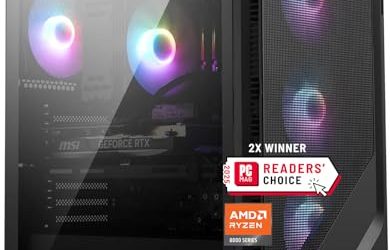
The ZYNEEX is a step up for a beginner who wants a recognizable graphics card name and plenty of space. The title lists an AMD Ryzen 5 5500, a GeForce RTX 3050 6GB, 16GB of DDR4 3200MHz RAM, a 1TB NVMe SSD, ARGB air cooling and Wi-Fi in a tower case. It is a balanced starting point: nothing in the headline looks stretched, and the storage is double what the STGAubron offers. For a family buying a first tower, that mix of a named GeForce card, a stated memory speed and a roomy drive is easy to understand and easy to compare with other listings.
- A dedicated GeForce card gives it a real gaming role instead of relying on built-in graphics.
- A 1TB NVMe drive holds a healthy starter library.
- The 3200MHz DDR4 speed is stated, which helps Ryzen processors perform properly.
- The graphics card carries 6GB of video memory, which is on the small side for current releases.
- DDR4 and an older Ryzen chip mean the platform has less runway for future upgrades.
Skip it if you want the newest graphics generation or a roomy memory kit from day one. Against the YAWYORE that follows, the ZYNEEX is the cheaper-tier tower with older parts, while the YAWYORE moves to a newer card and doubles the memory. If you care most about storage, note that both towers list the same 1TB drive size, so the choice rests on the graphics card and memory.
YAWYORE Gaming PC (Ryzen 7 5700X, RTX 5060)
This tower targets a beginner who wants a current RTX name together with a lot of memory. The title lists an AMD Ryzen 7 5700X, a GeForce RTX 5060, 32GB of DDR4 RAM, a 1TB M.2 NVMe SSD, ARGB fans and WiFi plus Bluetooth. Thirty-two gigabytes of memory is unusual in a beginner tower, and it suggests the seller expects the buyer to multitask, mod games or keep many tabs open while playing. The pairing of a Ryzen 7 with a current-generation card also gives a newcomer a tower that is unlikely to feel outdated in the first year.
- 32GB of RAM means memory is not a concern for a long time.
- An RTX 5060 puts the graphics card in a recent generation.
- Wi-Fi and Bluetooth are included, so no extra adapters are needed for a wireless keyboard or headset.
- The platform uses DDR4, so memory modules cannot be moved to a DDR5 board later.
- YAWYORE is a lesser-known name, so support and warranty terms deserve a careful look.
Skip it if you want a DDR5 platform or a tower from a household-name builder. Compared with the LXZ next, the YAWYORE offers double the memory but older DDR4, while the LXZ pairs the same graphics card name with a newer processor generation and DDR5. A buyer who expects to add memory later may prefer the LXZ, whereas one who wants to avoid that chore will prefer the YAWYORE.
LXZ Prebuilt Gaming PC (Ryzen 7 8700F, RTX 5060)
The LXZ is the modern-platform choice for newcomers who would rather buy into DDR5 now than upgrade later. The title lists a Ryzen 7 8700F, an RTX 5060, 16GB of DDR5, a 1TB SSD, six RGB fans, a 650W power supply and a port mix of 7x USB 2.0 and 3x USB 3.0. That is a lot of fans for the category, and the stated wattage gives beginners something concrete to check later. For a first tower, a seller who spells out the fans, the power supply and the port layout is easier to trust than one who relies on a single marketing phrase.
- DDR5 memory and a recent Ryzen 7 give the platform a longer useful life.
- A named 650W power supply is helpful for anyone planning a later graphics card upgrade.
- Six fans suggest the seller took airflow seriously.
- 16GB of memory is the minimum comfortable amount rather than a generous one.
- The port count leans heavily on USB 2.0, which is slower for external drives.
Skip it if you plan to move big files over USB often or want 32GB of RAM out of the box. Against the next tower, the YAWYORE with the 5600GT, the LXZ is the stronger gaming machine, while the YAWYORE trades graphics performance for a simpler everyday configuration. The LXZ also costs more in the tier sense, so buyers who only play casually should be honest about whether they need it.
YAWYORE Gaming PC (Ryzen 5 5600GT)
A different kind of beginner machine: a Ryzen 5 5600GT tower that does not list a separate graphics card. The title shows 16GB DDR4 at 3200MHz, a 1TB M.2 NVMe PCIe drive, a 550W 80PLUS power supply, WiFi and Bluetooth. It is built for someone whose first priority is a fast, quiet everyday computer that can also handle lighter games, and it avoids paying for a graphics card that a casual player might not use heavily. The configuration also keeps power draw and noise lower than a tower with a large discrete card, which suits a bedroom or dorm desk.
- A 1TB NVMe PCIe drive is fast and spacious for the category.
- The 550W 80PLUS power supply is clearly stated and sized for modest components.
- Ryzen G-series style chips are known for built-in graphics, so the system should work out of the box for basic tasks.
- With no separate graphics card named, demanding games will need low settings or older titles.
- Dropping in a stronger graphics card later may stretch a 550W supply.
Skip it if your goal is to run recent games at high settings. Compared with the Olialia system next, the two share the same processor name, with the YAWYORE carrying half the memory but a named NVMe PCIe drive and an 80PLUS-labeled supply. If the drive type matters to you, the YAWYORE is the clearer listing of the two.
Olialia Gaming PC (Ryzen 5 5600GT)
Olialia offers the same Ryzen 5 5600GT 6-core processor with 32GB of RAM and a 1TB SSD, plus a 600W power supply, ARGB fans and WiFi. It is aimed at buyers who value multitasking more than top-tier gaming: keep a browser, a chat app and a game open together without watching memory run out. The listing calls it a high-performance processor and a prebuilt gaming desktop, so expect an everyday-focused gaming tower rather than an enthusiast machine. For a student or a parent buying a shared family computer, 32GB of memory means the system will keep running smoothly as software grows.
- 32GB of RAM is generous for a tower in this tier.
- A 600W power supply gives more headroom than the 550W unit on the other 5600GT tower.
- The 6-core processor handles school, work and light gaming together.
- As with the other 5600GT tower, no separate graphics card is named in the title.
- The headline does not state the drive interface, so confirm it is NVMe on the full page.
Skip it if you want to play modern games at high settings or want to know the storage type from the title alone. Against the CyberPowerPC that follows, the Olialia is the cheaper-tier, memory-heavy machine, while the CyberPowerPC moves to a real graphics card and a newer platform. The gap between them is mostly graphics capability, so ask yourself honestly how often you will play recent games before paying for it.
CyberPowerPC Gamer Master (Ryzen 7 8700F, RTX 5060 Ti 8GB)
The most capable tower for a beginner here, and the one with the most recognizable builder name. The title lists an AMD Ryzen 7 8700F, a GeForce RTX 5060 Ti 8GB, 16GB of DDR5, a 1TB PCIe 4.0 SSD, “WiFi Ready” status and Windows 11 Home. It suits a newcomer who wants to play recent games without tinkering and who values a tower from a long-running system builder over a lesser-known seller. The Gamer Master name also points to a standard product line, which can make replacement parts and support questions simpler to sort out.
- The RTX 5060 Ti is the strongest graphics card among the seven picks.
- DDR5 memory and a PCIe 4.0 drive are both modern and clearly stated.
- Windows 11 Home is listed, so setup should be simple.
- “WiFi Ready” can mean a card or adapter is still needed for wireless.
- 16GB of RAM is the minimum comfortable amount rather than a generous one.
Skip it if your budget is limited or your games are light enough for a cheaper tower. As the final pick, it sets the ceiling for this guide: if you are weighing it against the LXZ, the CyberPowerPC offers the stronger graphics card and a better-known name, while the LXZ stays cheaper and lists more detail on cooling and power. Either way, you are buying into the same Ryzen 7 8700F processor and DDR5 platform, so the decision is mostly about the graphics card and who stands behind the warranty.
Why Buy a Prebuilt as Your First Gaming PC
For a first-timer, the decision is less about performance charts and more about removing risk. A ready-made tower solves several beginner problems at once, and it is worth understanding which ones before you spend.
You get a working system on day one
A prebuilt arrives with the operating system, drivers and cooling already matched. There is no chance of buying a processor that does not fit the motherboard or a cooler that does not fit the case, which are the mistakes first-time builders make most often. It also spares you hours of video tutorials, which many newcomers find more stressful than the game itself.
One warranty and one point of contact
If something goes wrong, you contact one seller. With separate parts you would have to work out which component failed. This matters most for buyers who do not yet have the confidence to troubleshoot, and it is why a clear return policy is worth checking in advance. Keep the invoice, note the order date and photograph the tower when it arrives so any claim is simple to file.
Room to learn without a big commitment
A beginner tower gives you a platform to learn on. You can add a second SSD, more memory or a better graphics card later, and each upgrade teaches you something about the machine. Start with a tower whose power supply is named, since that part limits future upgrades more than any other. Think of the first tower as the base you will improve over two or three years rather than a finished product.
How to Choose Your First Gaming PC
Decide what you will actually play
This single question narrows the field faster than any specification. Older and esports-style games run on modest hardware, while recent releases want a current graphics card. If you are unsure, buy toward the middle: a tower with an RTX 5060 class card handles most of what a newcomer will try. Write down your five favorite games and check their listed system requirements on the publisher page before comparing any towers. That small exercise prevents most beginner regrets, because it ties the purchase to real software.
Graphics card first
A dedicated graphics card matters more than anything else for gaming. Look for the exact model in the title, and treat a card with 6GB of video memory as the floor for current games, with 8GB or more being more comfortable. If a listing names no graphics card at all, assume it relies on built-in graphics and plan on lighter games. Be careful with similar-looking names such as RTX 5060 and RTX 5060 Ti, since the suffix marks a different tier. Older families such as the RTX 3050 can still play many games but are the weakest dedicated option among these picks.
Memory: 16GB minimum
Sixteen gigabytes is the practical minimum today, and 32GB gives room for streaming and multitasking. DDR5 is the newer standard, while DDR4 still performs well but cannot be reused in a DDR5 system. Look for a stated speed such as 3200MHz for DDR4, since a missing speed can mean a slow kit. Check that memory is installed as two sticks rather than one, because two modules work together for better bandwidth. If you only see a total such as 32GB, the full page should say how it is split.
Storage: SSD, 1TB if possible
Insist on an SSD, since hard drives make a computer feel slow. A 512GB drive is enough for light use, but modern games are large, so 1TB is the more comfortable choice. NVMe or PCIe labels indicate a faster drive than a basic SATA unit. A tower with a free M.2 slot or an extra drive bay lets you add capacity later without replacing the original drive, so that detail is worth looking for on the full specification page.
Power supply and cooling
A named wattage and an efficiency label such as 80PLUS are good signs. A 550W to 650W supply suits the towers here, but a stronger graphics card later may need more. Multiple fans help, though airflow design matters more than the number of lights. A mesh front panel lets air flow in, while a solid glass front can trap heat. If a tower is loud under load, replacing the cooler fans is a simple fix, but a weak power supply is not.
What to ignore, and where cheap towers cut corners
Ignore RGB fan counts, USB port totals and the word “gaming” in the product name on its own. Budget towers tend to save money on the power supply, the motherboard and the warranty, none of which show up well in a title. Read the return policy and warranty length before you click buy. A one-year warranty is typical, and anything shorter should make you cautious. Look also for a clear contact method, since a seller with no phone number or email will be hard to reach when you need help.
Discrete Graphics vs Built-In Graphics
The most common beginner question at this budget level is whether a tower with no separate graphics card is good enough. The two 5600GT systems, the Olialia and the YAWYORE, raise it directly, while the other five name a dedicated card. The table below groups all seven by how they handle graphics, which is the clearest dividing line in this guide.
| Approach | Examples here | What the title says | Best for |
|---|---|---|---|
| Built-in graphics | Olialia 5600GT, YAWYORE 5600GT | No separate graphics card named | School, streaming video, older and light games |
| Entry discrete card | STGAubron RX 550, ZYNEEX RTX 3050 | RX 550 4G, RTX 3050 6GB | Casual games on modest settings |
| Current discrete card | YAWYORE 5700X, LXZ, CyberPowerPC | RTX 5060 or RTX 5060 Ti | Recent games on good settings |
When built-in graphics is enough
If most of your time goes to classwork, video, browsing and a few light games, built-in graphics saves money and keeps the machine quiet. It also leaves a clean path to add a graphics card later, provided the power supply and case allow it. A 550W or 600W supply can run many mid-range cards, but you should check the connector layout before buying one.
When to pay for a real card
If you want to play recent releases, a dedicated card is non-negotiable. It is the single upgrade that changes the feel of the machine most, and buying it up front avoids the effort of fitting one later. It also keeps the tower useful through several years of new releases, which is a better use of money than extra lighting or a larger case.
Setup, Compatibility and Upgrade Tips
What to check before buying
Make sure you own, or budget for, a monitor, keyboard and mouse, since towers ship without them. Check that the monitor cable matches an output on the tower, and read the full page for the power supply and Wi-Fi details. If the listing says “WiFi Ready,” confirm whether the adapter is included. Also plan where the tower will sit: it needs airflow around the front and rear, and a cramped cabinet will raise temperatures and noise.
What to upgrade first
The easiest first upgrade is storage: add a second SSD when the first begins to fill. If the tower has 16GB of memory and you notice slowdowns during busy sessions, a second memory kit is the next step. Hold off on a graphics card swap until you have confirmed the power supply wattage; a card that needs extra power connectors will not run on a supply that lacks them. When you do open the case, power the tower off, unplug it, and touch bare metal on the chassis first to discharge static.
Common compatibility traps
DDR4 and DDR5 memory do not mix, so match the kit to the tower. Some prebuilts use custom connectors that limit replacement parts. A small power supply, such as the 550W unit, may not support a high-end card. When in doubt, ask the seller before buying a new part. Finally, keep the original packaging for the first weeks so a return is straightforward if something arrives damaged. Take a few minutes after delivery to check that every fan spins, the ports respond and Windows reaches the desktop, then install updates and graphics drivers before loading your library.
Which One Fits Your Situation
You need a tower for school and light games
The Olialia Ryzen 5 5600GT gives 32GB of RAM and a 600W supply, which covers homework and casual play without paying for a graphics card.
You want a first real gaming card on a careful budget
The ZYNEEX with an RTX 3050 6GB and a 1TB NVMe SSD is a sensible entry into dedicated graphics.
You want a tower that will last several years
The LXZ Ryzen 7 8700F with an RTX 5060 and DDR5 gives a modern platform and a named 650W power supply.
You want the strongest card and a familiar brand
The CyberPowerPC Gamer Master with an RTX 5060 Ti 8GB is the top graphics option here and carries a well-known builder name.
Common Mistakes
- Choosing a tower for its RGB lighting instead of its graphics card and power supply.
- Assuming a tower with no named graphics card can run recent games at high settings.
- Ignoring the monitor, keyboard and mouse, which are usually not included.
- Buying 8GB of RAM or a small hard drive to save money and regretting it within months.
- Overlooking the warranty and return policy, especially with lesser-known sellers.
- Counting “WiFi Ready” as proof that wireless hardware is included.
Related guides
- Replacement Cables For Gaming Mice And Headsets
- Nvidia Control Panel Best Settings For Gaming
- How To Test Gpu Stability After Overclocking
Frequently Asked Questions
How much RAM does a beginner need?
Sixteen gigabytes is the practical minimum for gaming today. If you stream, keep many tabs open or like mods, 32GB gives extra room.
Is an RTX 3050 6GB still worth buying?
It can run many games on modest settings, but 6GB of video memory is limiting for recent releases. Buyers who want a longer lifespan should look at a newer card.
Can I add a graphics card to a tower without one?
Often yes, if the case has room and the power supply has enough capacity and connectors. Check the wattage and ask the seller before buying a card.
DDR4 or DDR5 for a first PC?
DDR5 is the newer standard and offers a longer upgrade path. DDR4 towers can still be good value if the rest of the specification is strong.
Do I need Windows included?
It saves time and avoids an extra purchase. Several of the listings state Windows 11 Home, but confirm it on the full page for any tower that does not.
Are lesser-known brands safe?
Many are fine, but support can vary. Read the warranty terms, keep your invoice and test the system promptly within the return window.
Final Words
A first gaming PC does not have to be the biggest tower on the list. It has to match the games you will play, include enough memory and storage to avoid early frustration, and come with a power supply and warranty you can trust. Use the graphics card as your starting point, add 16GB of memory and an SSD as the baseline, and read the full listing before ordering. The seven towers above cover light, middle and stronger tiers, so choose the one that fits your habits rather than your wish list. When two towers seem equal, favor the one that names its power supply, lists its drive type and offers the clearer warranty.