A 1440p monitor changes what a gaming desktop has to do. The panel draws roughly 78 percent more pixels than a 1080p screen, so the graphics card, the memory attached to it, and the cooling around it carry far more weight than a glowing side panel or a long list of USB ports. Buyers who step up to 1440p often discover that a system that felt generous at 1080p runs out of headroom the moment a new release asks for high textures.
This guide sorts seven prebuilt towers by what their listings actually state: graphics card, processor, memory type, storage, power supply and cooling. It is written for people who already own, or are about to buy, a 1440p display and want a machine that arrives ready to plug in rather than a parts list to assemble. In 2026 the gap between an entry 1440p box and a premium one comes down mostly to the graphics tier and the cooling hardware, so each pick below notes where it sits and where its listing stays silent. Three listings were left out: a memory variant of one KOTIN tower, a lower-tier RTX 5060 Skytech and an older RTX 3060 Ti build.
Our Top Picks




Top 3 picks at a glance
Quick Picks
As an Amazon Associate we earn from qualifying purchases at no extra cost to you.






| Product | Best for | Key spec from the title |
|---|---|---|
| MSI Codex Z2 | Large storage with a mid-high graphics card | Ryzen 7 8700F, RTX 5070, 32GB DDR5, 2TB SSD |
| KOTIN Ryzen 7 8700F / RTX 5060 Ti | Entry 1440p with modern connectivity | RTX 5060 Ti 8GB, 16GB DDR5, WiFi 7 |
| CyberPowerPC Gamer Master | Buyers who want an established system-builder name | RTX 5060 Ti 8GB, 1TB PCIe 4.0 SSD |
| KOTIN Core i5-14400F | Intel-leaning shoppers who accept DDR4 | i5-14400F, RTX 5060 Ti 8G, 16GB DDR4, 650W |
| KOTIN Ryzen 7 9700X / RTX 5070 | Cooling-first premium build | RTX 5070 12GB, 850W 80+ Gold, 360mm liquid cooler |
| Alienware Gaming Desktop | Brand-name Intel build with fast networking | Core Ultra 7 265F, RTX 5060 Ti, Wi-Fi 7 BE200 |
| Skytech Ryzen 7 9850X3D | Top-end AMD configuration | RX 9070 XT, 32GB RAM, 2TB SSD, 850W Gold ATX 3 |
The 7 Best Options
MSI Codex Z2 (RTX 5070)
This is the pick for a buyer who wants a graphics card one rung above the common RTX 5060 Ti class without jumping to a full premium tower. The listing names an AMD R7-8700F, an RTX 5070, 32GB of DDR5 and a 2TB SSD, plus USB Type-C and a VR-ready label. It also states Windows 11 Home, so the system should be usable the day it arrives. For someone building a library of large modern games at 1440p, the combination of memory and storage is the main attraction here.
- 32GB of DDR5 is already installed, which takes memory off the upgrade list for a long time.
- A 2TB SSD holds a sizable game library before a second drive becomes necessary.
- The RTX 5070 name puts it in a higher graphics tier than the three RTX 5060 Ti systems in this group.
- The title does not give a power supply wattage or cooler type, so those details need confirming on the full product page.
- The MSI desktop name is newer to many shoppers than long-running system builders, which can shape support expectations.
Skip it if you want a visible liquid cooler or a stated power supply rating in the headline. Compared with the first KOTIN tower that follows, the MSI offers double the memory and storage plus a stronger graphics card, while the KOTIN leans on newer wireless hardware and a lower entry point.
KOTIN Ryzen 7 8700F with RTX 5060 Ti 8GB
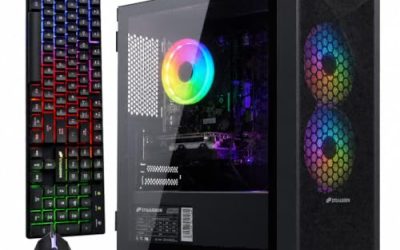
Aimed at a buyer moving up from 1080p who wants current-generation features without chasing the biggest card. The title lists a Ryzen 7 8700F, an RTX 5060 Ti 8GB, 16GB of DDR5, a 1TB SSD, WiFi 7, Windows 11 Home, DLSS 4 and ARGB cooling. That is a balanced entry configuration for a first 1440p monitor, and the connectivity line is more modern than several pricier listings manage. It is also the cleanest example in the group of a listing that spells out its memory type, storage size and operating system without leaving obvious gaps.
- DDR5 memory means the platform is newer than the DDR4 system listed later in this guide.
- WiFi 7 helps anyone whose desk sits far from the router.
- The DLSS 4 mention matters for upscaling, which eases the load when a game is demanding at 1440p.
- The graphics card is listed with 8GB, the tightest memory budget in the group for high-resolution textures.
- 16GB of system RAM works today, though heavy multitasking will push many buyers toward 32GB before long.
Skip it if you play texture-heavy games at maximum settings or plan to keep the PC for many years without touching it. Against the CyberPowerPC system next, the processor and graphics card match on paper, so the decision comes down to brand, support policy and the finer components each full listing details.
CyberPowerPC Gamer Master (RTX 5060 Ti 8GB)
This system suits shoppers who prefer a recognizable builder name to a lesser-known listing. The title gives AMD Ryzen 7 8700F, GeForce RTX 5060 Ti 8GB, 16GB DDR5, a 1TB PCIe 4.0 SSD, “WiFi Ready” status and Windows 11 Home. The processor and graphics pairing is identical on paper to the first KOTIN pick, which makes it an easy tower to compare when you want to isolate brand and support from raw components.
- The PCIe 4.0 label on the SSD is more specific than a bare NVMe mention.
- A Gamer Master line name signals a standardized product family rather than a one-off configuration.
- DDR5 memory keeps it on the newer platform alongside the MSI and the premium KOTIN.
- “WiFi Ready” can mean the board supports wireless but a card or adapter may still be required, so confirm before counting on it.
- The same 8GB graphics memory limit applies as in the previous pick.
Skip it if wireless must work on day one or if you want a larger memory kit installed from day one. Against the Intel-based KOTIN that follows, the key difference is memory type: this tower uses DDR5, while the next one lists DDR4, and that difference affects how long the platform stays relevant. Buyers who care about resale or a later motherboard swap will find the DDR5 route easier to live with.
KOTIN Core i5-14400F with RTX 5060 Ti 8G
The Intel option in the lineup, for buyers who prefer an i5-14400F platform and are comfortable with DDR4. The title lists 16GB DDR4, a 1TB NVMe SSD, Wi-Fi, ARGB cooling, Windows 11 Home and a 650W power supply. Among the entry-tier towers it is the only one that states its wattage as a plain number, which gives careful shoppers something concrete to evaluate against future graphics upgrades.
- The listing states a 650W supply, so there is a clear figure to check before any later card swap.
- A 1TB NVMe drive gives quick load times and room for a modest library.
- It shares the RTX 5060 Ti class with two other picks, so comparing on processor and memory is straightforward.
- DDR4 puts it on an older memory standard than the DDR5 systems, which narrows future memory options.
- A 650W supply leaves less room if a much more power-hungry graphics card is installed later.
Skip it if you want an upgrade path built around DDR5 or expect to move to a higher-wattage graphics card down the road. Compared with the premium KOTIN that follows, this one trades cooling hardware, memory capacity and graphics tier for a lower entry point, so it fits the buyer who wants 1440p capability today and nothing extra. Because the listing is open about its limits, there are fewer surprises after delivery than with towers that hide the power supply behind vague wording.
KOTIN Ryzen 7 9700X with RTX 5070 12GB
This is the cooling-first premium option. The title lists an RTX 5070 12GB, a Ryzen 7 9700X, 32GB of DDR5, a 1TB SSD, an 850W 80+ Gold power supply, a 360mm liquid cooler, WiFi 7 and an 11.3in smart display. Nearly every line points toward sustained performance, which suits players who run long sessions and want hardware that does not feel stretched when the room warms up. The listing also pairs a current Ryzen 7 9700X with that graphics card, so neither side of the build looks like an afterthought.
- The 12GB graphics memory is a clear step above the 8GB cards in the three RTX 5060 Ti towers.
- An 850W Gold supply and a 360mm liquid cooler suggest real headroom for sustained loads.
- 32GB of DDR5 means memory is not an immediate concern.
- The smart display is a novelty; buyers who do not want it pay for hardware they will never use.
- The 1TB drive is half the size of the MSI system’s storage.
Skip it if you want the largest SSD or a plainer case without a front screen. Against the Alienware that follows, this tower is more specific about cooling and power, while the Alienware leans on its brand name and detailed network hardware. Shoppers who want the extra graphics memory but not the display should weigh the MSI first, since it reaches the same RTX 5070 name with a bigger drive.
Alienware Gaming Desktop (Core Ultra 7 265F)
Alienware is the brand-name choice, and the listing pairs it with a Core Ultra 7 265F, an RTX 5060 Ti, a 1TB SSD and 16GB of DDR5. Networking is described clearly: Killer 2.5Gb Ethernet, Wi-Fi 7 BE200 and Bluetooth, with Windows 11 Home. The title reads like a configuration chosen by a buyer who values a cohesive, branded system over a long checklist of cooling specifications. That makes it a natural fit for a shopper who wants one vendor to handle warranty and driver questions rather than juggling several part makers.
- Both wired and wireless networking are named in detail, which helps anyone sensitive to latency.
- A Core Ultra 7 gives the group an Intel option with a newer naming generation than the i5-14400F tower.
- Bundled Windows 11 Home keeps setup simple.
- The title does not give power supply wattage or cooler type, so the full specification sheet is essential reading.
- The graphics card is listed without a memory size in the headline, so confirm it before buying.
Skip it if you want visible cooling hardware or large storage stated in the title itself. Compared with the final pick, the Alienware is the lighter-spec and more brand-driven option, while the Skytech trades brand polish for a much heavier component list. Note that the Alienware shares its graphics card name with the three cheaper towers above, so its extra cost is mostly about the brand and the network hardware rather than a bigger card.
Skytech Ryzen 7 9850X3D with RX 9070 XT
The top-end configuration, and the only AMD graphics card in the group. The title lists a Ryzen 7 9850X3D, an RX 9070 XT, 32GB of RAM, a 2TB Gen4 NVMe SSD, DDR5 5600, an 850W Gold ATX 3 power supply and a 360 ARGB AIO cooler. For a buyer who sees a gaming PC as a multi-year purchase, this is the clearest example of a system built to be kept.
- An X3D processor name points to a chip designed with gaming in mind.
- Storage, memory and the power supply are all generous compared with the rest of the group.
- An ATX 3 supply and a 360 AIO suggest a build meant to stay in service and be upgraded.
- It sits in the premium tier, so it asks for the largest outlay in this guide.
- Choosing an AMD graphics card means NVIDIA-specific features such as DLSS are not part of the package.
Skip it if you mostly play lighter titles or your monitor is capped at a modest refresh rate. As the last entry, it shows what the other six give up: more cooling, more storage and a stronger graphics tier, which is why it makes a useful yardstick when you decide how far down the list to go. The listing also names DDR5 5600, a detail many towers leave out.
Who Needs a Prebuilt Tuned for 1440p
A 1440p-ready prebuilt is for a specific shopper, and it helps to decide whether you are that shopper before comparing models. The category is not for everyone, and some buyers are better served by a custom build or a cheaper 1080p machine.
Upgraders from 1080p
If you already own a 1080p system and a new monitor has exposed its limits, the quickest fix is often a replacement tower. A prebuilt spares you the time of choosing compatible parts, and every system above arrives with Windows installed, so the jump from box to first game is short. The step up in pixels is where an older graphics card tends to fall behind, so this group suits owners whose current card is the weak link.
Players who value a ready-to-run setup
Some buyers care about playing, not about building. A tower with the operating system, cooling and power already matched removes the risk of picking a weak supply or a cooler that does not fit. If you would rather spend a weekend gaming than reading motherboard manuals, a tuned prebuilt is the right category.
Buyers planning to keep the PC for several years
A system with 32GB of DDR5, a larger SSD and a stronger power supply tends to age more gracefully. If your plan is to avoid upgrades for as long as possible, favor the towers with the highest graphics tier and the most generous memory and storage, and treat the DDR4 and 650W combination as the entry option rather than the long-term one.
How to Choose a 1440p Gaming PC
Graphics card tier and video memory
This is the single most important line in any listing. For 1440p, treat an RTX 5060 Ti class or RX 9070 class card as a sensible floor, and note that 12GB or 16GB of video memory leaves more breathing room for texture-heavy games than 8GB. Be wary of listings that bury the card name behind marketing phrases, and make sure the exact model appears in the product title rather than only in an image. A name like RTX 5060 Ti and a plain RTX 5060 are different tiers, so read the suffix carefully. Cards from different makers with the same chip name can vary in cooler size and clock speed, which the headline rarely mentions.
Processor and platform
Look for at least a six-core modern processor with a current socket; the Ryzen 7, Core i5 and Core Ultra 7 chips in this guide all clear that bar. Prefer a DDR5 platform if you want a longer upgrade path, because DDR4 boards are on the way out and the memory is harder to reuse in a later build. An F-suffix chip has no integrated graphics, so a working discrete card is mandatory. Gaming at 1440p also leans more on the graphics card than the processor, so do not pay a large premium for a flagship processor if it means dropping to a weaker card.
Memory capacity and speed
Sixteen gigabytes works for gaming alone, but 32GB is the safer target if you stream, keep browsers open or run mods. Check whether the listing names DDR5 and ideally a speed such as 5600 or 6000 MT/s. Two sticks in a dual-channel arrangement are preferable to a single stick of the same total capacity, because dual-channel operation improves memory bandwidth. A listing that does not say how many modules are installed deserves a closer read.
Storage size and interface
A 1TB NVMe drive fills quickly with modern games, since single titles can take up well over 100GB. Aim for 1TB as a minimum and 2TB if you install several large games at once. PCIe 4.0 or Gen4 labels are more informative than a generic SSD mention, and a drive with a quoted interface is less likely to be a slow budget part. If the tower has a free M.2 slot, adding a second drive later costs far less than buying the bigger drive up front.
Power supply and cooling
Look for a named wattage and an efficiency tier. For an RTX 5060 Ti class build, 650W is a typical entry point; for RTX 5070 or RX 9070 XT class cards, 750W to 850W Gold units are common. For cooling, a 360mm liquid cooler or a large air cooler handles sustained load better than a small stock heatsink, and an ATX 3 supply is a plus for newer graphics cards. Case airflow matters just as much as the cooler itself, so look for a mesh front panel or several included fans rather than a closed glass front.
What to ignore and where budgets cut corners
Ignore ARGB fan counts, smart displays and VR-ready stickers when comparing the core parts. Budget towers usually cut corners on the power supply, the SSD brand and the motherboard, none of which appear in a headline. Check the warranty length and the return window before ordering, since a prebuilt is only as good as the support behind it. A one-year warranty is common, and a longer term on the whole system is worth favoring over extra lighting.
Graphics Memory Tiers: 8GB vs 12GB vs the AMD Flagship
The towers in this guide fall into three tiers, and the choice between them matters more than any other comparison a 1440p buyer will make. The table groups the systems by what their titles state about the graphics card.
| Tier | Examples in this guide | What the title says | Fit at 1440p |
|---|---|---|---|
| 8GB class | KOTIN 8700F, CyberPowerPC, KOTIN i5-14400F | RTX 5060 Ti 8GB or 8G | Playable, tighter on texture-heavy games |
| 12GB class | KOTIN 9700X | RTX 5070 12GB | More headroom for high settings |
| Higher-tier cards | MSI Codex Z2, Skytech 9850X3D | RTX 5070 and RX 9070 XT | Strongest cards in the group |
Where 8GB makes sense
If your library leans toward esports or older titles and you are comfortable using upscaling, an 8GB card can serve a 1440p screen well. It is the sensible choice when the budget is firm and future-proofing is secondary, and it keeps the total outlay lower than the heavier tiers. Many players in this position simply lower texture quality one notch in the newest games, and the visual difference is often small on a 27-inch monitor.
When to step up
If you buy new releases at launch, enable maximum textures or keep a system for many years, the 12GB and stronger tiers reduce the chance of lowering settings later. The extra outlay buys headroom rather than speed in today’s easiest games. The AMD flagship in this group also changes the feature mix, since DLSS is an NVIDIA technology, so weigh that before choosing between the two top towers. The RTX 5070 in the MSI system and the RX 9070 XT in the Skytech sit in different budget tiers, so the comparison is as much about spending as about features.
Setup, Compatibility and Upgrade Tips
What to check before buying
Confirm that the monitor input matches the card’s outputs and that your desk can hold a full tower. Read the full specification page for power supply wattage, cooler type and Wi-Fi hardware that the headline may omit. If the listing says “Wi-Fi Ready,” find out whether an adapter ships in the box. Also check that your monitor and cable support the refresh rate you expect at 1440p; a DisplayPort cable is the safer choice for high refresh rates. Finally, make sure your home outlet or power strip can handle the system under load.
What to upgrade first
If the tower ships with 16GB of memory, a second kit is the cheapest improvement once you notice stutter in busy sessions. After that, a second SSD adds capacity without touching the operating system drive. Upgrading the graphics card is the most expensive step and the one most affected by power supply headroom, so leave that for last. When you do upgrade, uninstall old drivers first and confirm the new card physically fits the case.
Common compatibility traps
The DDR4 system cannot reuse DDR5 modules, and a 650W supply may limit a future graphics swap. Proprietary cases and motherboards in some branded towers can also restrict part choices, so check how standard the internals are before planning upgrades. Liquid coolers add another wrinkle: a 360mm radiator needs a case that is built for it, so moving components into a new chassis is rarely simple. Check front-panel connectors and the length of any graphics card before you buy a replacement case.
Which One Fits Your Situation
You want maximum storage on a sensible budget
The MSI Codex Z2 pairs an RTX 5070 with 32GB of DDR5 and a 2TB SSD, making it the practical pick here for a large library.
You are moving up from 1080p and watching spending
The CyberPowerPC Gamer Master gives a modern Ryzen 7 and RTX 5060 Ti with DDR5 under a familiar brand name, a sensible way to enter 1440p.
You want cooling and power headroom
The KOTIN Ryzen 7 9700X with RTX 5070 12GB lists an 850W Gold supply and a 360mm liquid cooler, the clearest thermal story among the options.
You want the strongest possible machine
The Skytech Ryzen 7 9850X3D with RX 9070 XT combines the biggest SSD, a full 360 AIO and a Gold ATX 3 supply for a build meant to last.
Common Mistakes
- Pairing a 1440p monitor with a card chosen for 1080p and assuming it will keep up with new releases.
- Ignoring the power supply wattage because it is missing from the headline.
- Buying DDR4 when a DDR5 platform of a similar tier is available.
- Counting a “WiFi Ready” label as proof that a wireless card is included.
- Paying extra for a front display while skipping a larger SSD.
- Skipping the warranty and return policy because the specs look strong.
Related guides
- Replacement Cables For Gaming Mice And Headsets
- Nvidia Control Panel Best Settings For Gaming
- How To Test Gpu Stability After Overclocking
Frequently Asked Questions
Is an RTX 5060 Ti enough for 1440p?
It is a reasonable entry point, especially when upscaling is used. The 8GB models listed here are tighter on memory-hungry games than the 12GB RTX 5070 class, so lower the texture setting if a title stutters.
Should I choose DDR5 or DDR4?
DDR5 is the better long-term choice because newer platforms favor it. DDR4 can still work for a budget-conscious Intel build, as in the i5-14400F tower, but it limits reuse of the memory in a later upgrade.
How much storage do I need?
One terabyte is the practical minimum, while 2TB gives space for many large titles at once. Buyers with big libraries should look for the larger drive or plan to add a second SSD.
Does a liquid cooler matter?
Larger coolers help keep processors steady under sustained load. For lighter use, a good air cooler can be enough, though the listing should still name what is installed.
Are prebuilt towers hard to upgrade?
Many use standard parts, but some branded systems use custom cases or boards. Check the specification page and the warranty terms before opening the case.
Do I need Wi-Fi 7?
Only if your router supports it and your desk is far from a wired connection. Many buyers do just as well with wired Ethernet or a more modest wireless standard.
Final Words
The right 1440p gaming desktop is the one whose weakest line item is still acceptable, not the one with the longest feature list. Begin with the graphics card and its memory, confirm the power supply and cooling are named, then check memory type and storage. The towers above cover entry, middle and premium tiers, so match your monitor, your library and your expected lifespan to the tier that fits, and read the full specification page before you order. If two towers look close, the one that names its power supply and cooler is usually the safer choice.