The best iBUYPOWER gaming PC for most buyers is an Element or Slate with an RTX 5070-class GPU, 32GB of DDR5 and a 1TB or larger SSD; step up to the Y40 line for a showpiece case, and avoid the lowest Element SE and Scale builds that pair modern CPUs with old or 6GB graphics cards. iBUYPOWER is a long-running prebuilt specialist, so its strength is configuration choice. Its weak spot is a one-year warranty and mixed support feedback.
People searching for the best iBUYPOWER gaming PC are usually choosing between several similar-looking tower names: Element, Element SE, Slate, Scale, Trace and Y40. They differ in case, cooling and component tier, and the same name can sit on a very cheap or a very expensive configuration. This guide explains what each line is, what the sources say about quality, support and upgradeability, and then lists the iBUYPOWER desktops in the site store with the compromises of each. It also answers the related question of which monitor suits an iBUYPOWER gaming PC, since the right display depends on the GPU class you buy.
Our Top Picks
 iBUYPOWER Element Gaming PC Desktop Computer Intel Core20 x 9.1 x 17.4 inches36 PoundsCheck on Amazon

Top 3 picks at a glance
Quick comparison of the picks
| Pick | Best for | CPU class | GPU class | RAM / SSD class | Notes |
|---|---|---|---|---|---|
| Element SE, RTX 5060 | Lowest sensible entry | Core i5-14400F class | RTX 5060 class | 16GB, 1TB | 16GB RAM, 8GB VRAM |
| Slate, Ryzen 7 7700 and RTX 5060 | Best entry value | Ryzen 7 7700 class | RTX 5060 class | 32GB DDR5, 1TB | AM5 platform |
| Element, Core Ultra 7 and RTX 5060 Ti | Mainstream 1440p | Core Ultra 7 265F class | RTX 5060 Ti class | 32GB DDR5, 1TB | Check VRAM size |
| Element, Core i7-14700F and RTX 5070 | Strong 1440p | Core i7-14700F class | RTX 5070 class | 32GB DDR5, 1TB | End-of-socket Intel |
| Element, Ryzen 7 9800X3D and RTX 5070 | Best gaming CPU | Ryzen 7 9800X3D class | RTX 5070 class | 32GB DDR5, 2TB | X3D, big SSD |
| Y40, Core Ultra 7 and RTX 5070 | Showpiece case | Core Ultra 7 265F class | RTX 5070 class | 32GB DDR5, SSD | Non-RGB memory |
| Y40 PRO, Core Ultra 9 and RTX 5080 | High-end 4K | Core Ultra 9 285 class | RTX 5080 class | 32GB DDR5 | Premium tier |
How We Chose
This guide is research-based. We did not use these computers. We read retailer product pages, iBUYPOWER support pages as quoted by retailers, Tom’s Hardware’s Slate review, user feedback on retailer and review sites, and compared lines on component choices, cooling, upgrade path and warranty. Because iBUYPOWER changes configurations frequently, the picks describe component classes and the listing as currently shown in the store. The ordering is editorial judgement.
iBUYPOWER’s desktop lines explained
Retailer listings show these current families. Element and Element SE are the mainstream towers, with the SE as the cut-down version. Slate and Slate Mesh are mid-range towers; Tom’s Hardware’s September 2026 Slate review called it an appealing mid-range desktop with attractive styling and strong gaming performance, with a mechanical keyboard and mouse in the box. Scale is the budget tower. Y40 and Y40 PRO use the HYTE Y40 case with panoramic glass, a showpiece design. TraceMesh is still listed at some retailers but looks like a legacy line from 2023. A newer Trace name also appears in listings.
Two sources describe iBUYPOWER’s customisation: in its own configurator you can choose the motherboard, power supply, cooling and case, while the retail models at stores such as Walmart, Best Buy and Sam’s Club are fixed configurations. If you buy from a retailer, you are choosing a fixed model, so read it carefully.
Upgrade path
Tom’s Hardware’s Slate review reported one open PCIe x16 slot and four DIMM slots with two empty, which is the normal arrangement for a standard-parts tower. We found no iBUYPOWER source claiming proprietary boards or power supplies in these lines. That is a genuine advantage over some large-OEM rivals. It still pays to check the power supply wattage on the exact listing, since low-wattage supplies are a common cost-saving choice in budget builds.
Our picks
1. Best entry iBUYPOWER: Element SE with Core i5-14400F and RTX 5060
As an Amazon Associate we earn from qualifying purchases at no extra cost to you.

This Element SE pairs a Core i5-14400F with an RTX 5060 8GB, 16GB RAM and a 1TB SSD. It is a competent 1080p machine and a workable 1440p machine with upscaling. The compromises are the usual ones: 16GB of memory, 8GB of video memory, and an Intel 14th-generation socket that has no further CPU upgrades. Check that the 16GB is two modules, since single-channel memory costs real frame rate.
Best for: 1080p gaming on a tight budget. Skip if: you want a long CPU upgrade path. Pros: modern GPU, simple build. Cons: end-of-line Intel socket, 16GB RAM, 1-year warranty.
2. Best entry value: Slate with Ryzen 7 7700 and RTX 5060

The Slate Black pairs a Ryzen 7 7700 with an RTX 5060 8GB and 32GB of DDR5 RGB memory. Compared with the Element SE, it gets double the memory and a CPU on the AM5 platform, which allows later processor upgrades without replacing the motherboard. That makes it the better entry buy at similar money. The GPU is the limit: 8GB of VRAM is fine for 1080p and many 1440p games, but newer titles at high textures will push the card.
Best for: an entry PC with room to grow. Skip if: you play at 4K. Pros: 32GB DDR5, AM5, Slate styling. Cons: 8GB VRAM, entry cooler.
3. Best mainstream: Element with Core Ultra 7 265F and RTX 5060 Ti

This Element lists a Core Ultra 7 265F, an RTX 5060 Ti 8GB, 32GB DDR5 and a 1TB NVMe SSD, with a keyboard and mouse. The 8GB 5060 Ti is the weak spot: for 1440p, the 16GB version is a better long-term card. Treat this as a very good 1080p-to-1440p system and consider the RTX 5070 builds below if you plan to keep the PC for several years.
Best for: 1440p with settings tuned. Skip if: you want maximum textures. Pros: 32GB, current Intel platform. Cons: 8GB VRAM limits headroom.
4. Best 1440p value: Element with Core i7-14700F and RTX 5070

The i7-14700F, RTX 5070 12GB, 32GB DDR5 and 1TB NVMe SSD combination is a strong 1440p machine and the practical sweet spot in the range. The 14700F has many cores, which helps in streaming and in CPU-heavy games, but its socket is the end of the road for Intel’s 14th generation. If upgrade path matters, the AMD alternatives below are better; if the price is lower, this is a good buy.
Best for: 1440p at 144Hz or more. Skip if: you want a CPU upgrade path. Pros: 12GB VRAM, many cores. Cons: end-of-socket Intel, 1TB drive.
5. Best gaming CPU: Element with Ryzen 7 9800X3D and RTX 5070

This is the most game-focused iBUYPOWER in the store. The Ryzen 7 9800X3D is widely regarded as a leading gaming processor thanks to its 3D V-Cache, and it comes with an RTX 5070 12GB, 32GB DDR5, a 2TB SSD, a wired RGB keyboard and mouse and Wi-Fi. The balance is slightly CPU-heavy: at 1440p and 4K, the GPU sets the frame rate, so the X3D chip shines mainly in CPU-limited games and at high refresh rates. It does keep you on a platform with upgrade room.
Best for: high-refresh gaming and future GPU upgrades. Skip if: your budget is tight. Pros: top gaming CPU, 2TB, AM5. Cons: mid-high GPU, cost.
6. Best showpiece: Y40 with Core Ultra 7 265F and RTX 5070

The Y40 puts a Core Ultra 7 265F and an RTX 5070 12GB with 32GB DDR5 in the HYTE Y40 panoramic-glass case. The listing mentions non-RGB memory, a small detail that tells you the build is aimed at a cleaner look. You are paying for the case: the internals are similar to an Element at the same GPU tier. It is a good choice if the PC sits on the desk and appearance matters.
Best for: a display-style build. Skip if: you want the most performance per dollar. Pros: striking case, balanced hardware. Cons: style premium, vertical GPU mount blocks other PCIe slots, limited storage bays.
7. Best high-end: Y40 PRO with Core Ultra 9 285 and RTX 5080

The Y40 PRO lists a Core Ultra 9 285, an RTX 5080 16GB and 32GB DDR5 in the Y40 chassis. It is the highest-end iBUYPOWER we found, suited to 4K and maximum 1440p. As with other premium prebuilts, the CPU is more than games need, and the support terms matter more at this price: a one-year warranty on a machine in this class is thin.
Best for: 4K gaming. Skip if: you are price-sensitive. Pros: RTX 5080, 16GB VRAM, showpiece case. Cons: premium cost, warranty length.
Buying guide: what each tier realistically buys
| Tier | iBUYPOWER line | What you get | Trade-off |
|---|---|---|---|
| Entry | Element SE, Slate, Scale | 1080p high, light 1440p | 8GB VRAM, 16GB RAM in some |
| Mainstream | Element, Slate | 1440p high refresh | Platform age varies |
| Performance | Element X3D, Y40 | High refresh, strong CPU | Cost |
| Premium | Y40 PRO | 4K, large GPU | Warranty versus price |
Red flags to check
- Old or tiny GPUs in a current-looking listing. Some Element SE listings pair a modern CPU with an RTX 3050 6GB. That is a poor value pairing even though the case and name look current.
- 16GB of RAM. Acceptable for entry builds; budget for 32GB.
- Single memory stick. One review of a budget Slate noted a single 16GB stick as a drawback.
- 8GB VRAM for 1440p and above. Common at the entry tier.
- Unknown power supply. Confirm brand, wattage and rating.
Warranty and support: what the sources say
Tom’s Hardware says iBUYPOWER covers the Slate with a one-year parts and labor warranty. iBUYPOWER representatives have said in retailer Q&A answers that every new gaming PC includes a one-year retail manufacturer warranty from the date of purchase, that it is separate from retailer protection plans, and that customers should contact iBUYPOWER directly for repairs. One third-party site claims a three-year warranty with extended coverage, which conflicts with Tom’s Hardware, so check the terms on the exact listing. iBUYPOWER also offers an Extend plan for coverage after the manufacturer warranty. Some customer reviews on review platforms report poor customer service, damaged hardware on arrival or complicated warranty returns, while others praise build quality and easy setup. Mixed feedback is normal for a high-volume builder, but it is a reason to keep the packing materials and inspect the machine on arrival.
Upgrade path table
| Part | Element / Slate | Y40 |
|---|---|---|
| Graphics card | Easy, check PSU | Easy, check PSU and case clearance |
| RAM | Easy, four DIMM slots on Slate | Easy |
| SSD | Easy, check free M.2 slot | Easy |
| Power supply | Standard form, replaceable | Standard form, replaceable |
| CPU | AM5 yes; Intel 14th gen no | Platform dependent |
Best monitor for an iBUYPOWER gaming PC
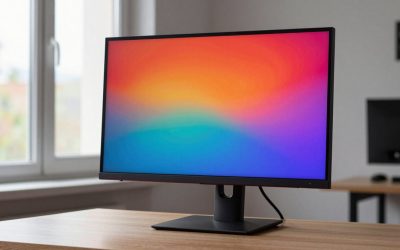
The right monitor depends on the GPU tier, not on the brand of PC. For an RTX 5060 class machine such as the Element SE or Slate, a 1080p monitor at 144Hz to 180Hz or a 1440p monitor at 144Hz works well. For RTX 5060 Ti and RTX 5070 class machines, a 1440p monitor at 165Hz to 240Hz is the sweet spot, and an IPS or fast VA panel suits most players. For an RTX 5080 class machine, a 4K monitor at 120Hz to 144Hz or a high-refresh 1440p OLED makes sense. The Ryzen 9800X3D build is the one that benefits most from a 240Hz or faster 1440p display, since X3D processors help in high-frame-rate, CPU-limited play. Match the connection: DisplayPort is the safe choice for high refresh. Do not buy a 4K monitor for an entry GPU; the GPU will force low settings. Also check the ports on the card, not the motherboard: plug the monitor into the graphics card, because the motherboard outputs are disabled or unused once a dedicated GPU is installed in most desktops. Adaptive sync (G-Sync Compatible or FreeSync) is worth having on every tier, since it smooths out frame-rate dips that entry GPUs will have in demanding games. If you are on a tight budget, buy the PC first and a monitor later, but do not pair a high-end GPU with a 60Hz panel for long.
Common mistakes when buying an iBUYPOWER
- Buying on the line name. Element, Slate and Scale each cover several tiers. Read the GPU first.
- Ignoring platform age. 14th-generation Intel is a dead end; AM5 and current Core Ultra are better long-term.
- Skipping the warranty detail. One year is typical, so inspect the machine early.
- Overpaying for RGB. RGB memory and fans do not improve performance.
- Not planning a storage upgrade. 1TB fills quickly with modern games.
Checklist before you order
- Name the line and the exact model number.
- Check GPU model and VRAM size.
- Check RAM capacity and module count.
- Check SSD size.
- Check power supply wattage and brand.
- Check CPU platform and upgrade path.
- Check warranty and return window.
The Y40 case: style first, with limits
The Y40 line deserves its own note because the case is the product. iBUYPOWER owns HYTE, the case maker, and the Y40 is a 50-litre ATX mid-tower with two-piece panoramic glass that gives an unobstructed view of the build. HYTE’s materials describe a PCIe 4.0 riser cable for vertical graphics-card mounting, support for graphics cards up to 422mm long and CPU coolers up to 183mm tall. Tom’s Hardware’s review of the Y40 PRO was titled “Style first” and noted the limits that come with that design: the vertically mounted GPU blocks the motherboard’s other PCIe slots, so you cannot add other full-height cards, and storage options are limited for a case this size. For a gaming PC with a single graphics card and one or two SSDs, none of that matters. For someone who wants a capture card and a sound card, it does.
Airflow in glass-fronted cases is also worth thinking about. Glass panels look good, but they do not move air, so the machine depends on its fan configuration and radiator placement. Check how many fans are listed and whether the cooling is air or a liquid radiator before assuming the case will stay cool under load. One example configuration from iBUYPOWER’s own support pages shows a 240mm liquid cooler and a 700W 80 PLUS Gold power supply in an older Y40 build, which gives a sense of the supply sizes the line has used.
Element, Slate, Scale: which one is which?
If you are comparing listings, remember that the names describe the case and tier, not the performance. The Element is the mainstream tower; the Element SE is the cut-down version, which is why it appears with weaker graphics. The Slate is a step up in styling, with Tom’s Hardware singling out its mechanical keyboard and mouse bundle and lighting options. The Slate Mesh variant adds a mesh front panel for airflow. The Scale is the budget tower, and the Trace name appears on entry listings with a Core Ultra 5. In practice, the cleanest way to compare is to line up CPU, GPU, memory and storage on each listing and ignore the family name until the hardware is matched.
A useful rule is that the GPU defines the tier and everything else should support it. A system with an RTX 5060 should not cost the same as one with an RTX 5070 simply because it has a nicer case. Where the Element SE listing pairs an older RTX 3050 6GB with a current-generation CPU, the case and CPU make it look newer than it is. The same logic applies to Slate Mesh or Scale listings with an RTX 4060: a last-generation card can still be fine, but only at a clearly lower price than an RTX 5060 build.
Customisation: configurator versus retail
iBUYPOWER’s main advantage is the build-to-order configurator on its own site, where sources say you can choose the motherboard, power supply, cooler and case. If you buy from a big-box retailer or an online marketplace, you get one of the fixed retail models instead. That is why two sources can describe the same brand as both highly customisable and limited. If you want a specific power supply or a better cooler, use the configurator; if you want fast delivery and retailer returns, buy a fixed model and make the small upgrades yourself afterwards. The upgrade cost is usually modest: a second SSD, a second memory kit and a better CPU cooler are all standard parts.
Memory and storage: the two cheap upgrades
Most iBUYPOWER entry configurations ship with 16GB of RAM and a 1TB drive. Both are easy to improve. For memory, a matched pair of the same speed is better than mixing kits, so check which modules are installed before buying more. For storage, a second NVMe SSD gives you room for a large game library at a modest cost, and Tom’s Hardware’s Slate review counts two M.2 slots on the board, so adding a drive does not require removing the first. Do these two upgrades before you worry about anything else; they make the biggest day-to-day difference for the lowest cost.
Frequently Asked Questions
Are iBUYPOWER gaming PCs good?
They are a reasonable choice for standard-parts prebuilts with good gaming performance for the money, according to Tom’s Hardware’s Slate review. Support experiences vary, and the one-year warranty is short.
Which iBUYPOWER is best for most people?
An Element or Slate with an RTX 5070 class GPU, 32GB DDR5 and a 1TB or larger SSD. It covers 1440p well and avoids entry-level compromises.
Can you upgrade an iBUYPOWER PC?
Yes. Reviews describe standard parts with free PCIe and memory slots. Check the power supply wattage before adding a larger graphics card.
How long is the iBUYPOWER warranty?
One year of parts and labor according to Tom’s Hardware and iBUYPOWER answers on retailer pages. Some sources claim longer coverage, so confirm on your listing.
What is the best monitor for an iBUYPOWER gaming PC?
A 1440p monitor at 165Hz to 240Hz for RTX 5060 Ti and RTX 5070 class builds. Use 1080p high refresh for entry builds and 4K for RTX 5080 class builds.
Is the Y40 worth the extra cost?
Only if you want the panoramic-glass case. The components are similar to an Element at the same GPU tier.
Sources
Tom’s Hardware iBUYPOWER Slate review; iBUYPOWER support pages and Best Buy product Q&A answers; Newegg and Walmart iBUYPOWER listings; PlayDay Slate review; Tenteck iBUYPOWER overview; Trustpilot iBUYPOWER reviews.
Last updated: October 2026