Choosing a desktop SSD is really a decision about which slot you are filling and how long the drive has to stay fast under real workloads. A Gen4 NVMe stick in the primary M.2 slot transforms game loading, level streaming, and project work, while a second bay, a spare SATA port, or an older board with no M.2 slot at all may call for something entirely different. Capacity matters just as much, because a drive that fills up within a year becomes the next upgrade problem.
This guide is for gaming PC builders speccing a new tower, upgraders reviving an ageing machine, and creators who move large files every day. Every pick below is an internal drive made for a desktop, whether that means a flagship Gen4 stick or a 2.5-inch SATA drive for a free bay, and its details come from the names and specifications printed on its Amazon product page.
Our Top Picks



Top 3 picks at a glance
Quick Picks
As an Amazon Associate we earn from qualifying purchases
| Product | Best for | Key spec from title |
|---|---|---|
| Samsung 990 PRO 2TB | Flagship Gen4 performance | Read speeds up to 7,450 MB/s |
| WD_BLACK SN850X 2TB | Gaming libraries | Read speeds up to 7,300 MB/s |
| Crucial T500 2TB | Creators and gamers | Speeds up to 7,400 MB/s, TLC NAND |
| WD Blue SN580 1TB | Mainstream Gen4 builds | Speeds up to 4,150 MB/s |
| Samsung 870 EVO 1TB | SATA bays and older PCs | 2.5-inch SATA III form factor |
How to Choose
Interface and slot compatibility
Start with the slot, because it decides everything else. Most current motherboards carry at least one M.2 slot wired for PCIe NVMe, and Gen4 slots unlock the headline speeds of the fastest drives here. Older boards may only have SATA ports and 2.5-inch bays, which is where the 870 EVO fits. Check the board manual for slot length too: every NVMe pick in this guide is M.2 2280, and a slot limited to shorter cards cannot take them. Also confirm whether populating a second M.2 slot disables SATA ports, a common chipset trade-off.
Sequential speed versus everyday responsiveness
Listing headlines quote sequential figures, which describe large single-file transfers such as copying a game folder or exporting video. The 990 PRO states reads up to 7,450 MB/s, while the SN580 states up to 4,150 MB/s, yet both feel quick when launching applications because everyday work leans on small random reads. Match the headline to your workload: editors and archivists benefit from top sequential numbers, while a general gaming rig gains little beyond a solid Gen4 drive. Never compare a SATA figure against an NVMe figure directly, since the SATA interface itself caps near the 870 EVO’s stated speeds.
Capacity planning for games and projects
Modern game installs routinely pass one hundred gigabytes each, so a 1TB boot drive fills faster than most builders expect. The 2TB models here suit a combined system, game library, and scratch space on one stick, while the 1TB picks work best as a boot drive paired with bulk storage elsewhere. Leave headroom in your plan: SSDs slow down as they approach full, and a drive bought with spare room stays responsive longer. If your case has a free 2.5-inch bay, a SATA drive can hold the overflow library without touching the primary slot.
Heatsinks, thermals, and sustained writes
Fast Gen4 drives run warm under long transfers, and many listings sell the same model with or without a factory heatsink under separate listings. If your motherboard includes an M.2 shield, the bare version is usually the right match; in a compact case with little airflow, a heatsink version earns its place. Sustained write behaviour matters for creators copying footage daily, where TLC-based drives such as the T500 hold their pace better across a long transfer. Check which variant a listing describes before ordering, because the two versions are not interchangeable once fitted under a board shield.
The 5 Best Options
Samsung 990 PRO 2TB

The 990 PRO is the flagship Gen4 choice for a desktop that does everything: gaming, editing, and heavy multitasking from a single fast stick. Its listing states sequential reads up to 7,450 MB/s and writes up to 6,900 MB/s, the strongest figures in this guide, and the 2TB capacity holds a full game library alongside project files. It suits builders who want the primary slot settled for years and prefer a bare drive that sits under the motherboard’s own M.2 shield rather than a tall factory heatsink.
Specs
- Capacity: 2TB
- Form factor: M.2 2280
- Interface: PCIe Gen4 NVMe
- Sequential read: up to 7,450 MB/s
- Sequential write: up to 6,900 MB/s
- Model: MZ-V9P2T0B/AM
Best for: High-end gaming and workstation desktops wanting one flagship drive
Watch out for: This listing is the version without a heatsink, so confirm your board has an M.2 shield or plan cooling for long transfers
ASIN: B0BHJJ9Y77
WD_BLACK SN850X 2TB
Western Digital’s gaming line leads with the SN850X, a 2TB Gen4 stick whose listing quotes reads up to 7,300 MB/s and writes up to 6,300 MB/s. It is aimed squarely at game storage, with the capacity to keep a large rotating library installed instead of archived on slower media. Desktop builders get the same bare M.2 2280 format as the Samsung, so it drops into any standard Gen4 slot. Pick it when gaming is the machine’s main job and you want a drive positioned for that workload from a storage-focused brand.
Specs
- Capacity: 2TB
- Form factor: M.2 2280
- Interface: Gen4 PCIe NVMe
- Sequential read: up to 7,300 MB/s
- Sequential write: up to 6,300 MB/s
- Model: WDS200T2X0E
Best for: Dedicated gaming desktops with a large installed library
Watch out for: A separate heatsink version exists under its own listing; make sure the one you order matches your case and board layout
ASIN: B0B7CMZ3QH
Crucial T500 2TB
The T500 speaks directly to creators as well as gamers: its listing states speeds up to 7,400 MB/s and names TLC NAND, the flash type that sustains write pace across big transfers. That makes it a natural scratch and project drive for video work, photography catalogues, and game capture, while still serving as a fast system drive. The listing also notes compatibility with both laptops and desktops, handy if the drive might migrate between machines later. Choose it when sustained writes matter as much as peak reads in your daily workload.
Specs
- Capacity: 2TB
- Form factor: M.2 2280
- Interface: PCIe Gen4 NVMe
- Sequential speed: up to 7,400 MB/s
- Flash type: TLC NAND
- Model: CT2000T500SSD8
Best for: Creators who copy large files daily and also game
Watch out for: A heatsink version is sold under a different listing and model code, so verify the exact variant before ordering
ASIN: B0CK2TC9XQ
WD Blue SN580 1TB

The SN580 is the mainstream Gen4 option: its listing states speeds up to 4,150 MB/s, well beyond any SATA drive, in the same M.2 2280 format as the flagships. At 1TB it fits the classic boot-drive role, holding the operating system, applications, and a handful of current games while bulk media lives elsewhere. It suits first-time builders and upgraders who want modern NVMe responsiveness without speccing the machine around storage. In a two-drive plan, it also works as the fast system stick beside a larger SATA archive drive.
Specs
- Capacity: 1TB
- Form factor: M.2 2280
- Interface: Gen4 x4 PCIe NVMe
- Sequential speed: up to 4,150 MB/s
- Model: WDS100T3B0E
Best for: Mainstream builds and upgrades wanting Gen4 speed for the system drive
Watch out for: The 1TB capacity fills quickly with modern game installs, so plan a second drive if your library is large
ASIN: B0C8XMH264
Samsung 870 EVO 1TB
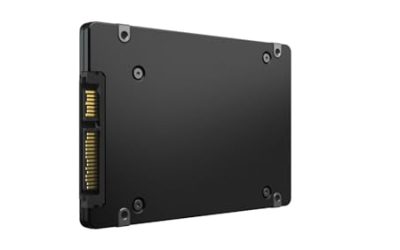
Not every desktop has a spare M.2 slot, and that is exactly where the 870 EVO belongs. It is a 2.5-inch SATA III drive, the format older towers and many small cases still provide bays and cables for, and its line is built for IT professionals, creators, and everyday users according to its listing. As a secondary drive it holds documents, media, and older games; as a primary drive it transforms a hard-disk-era machine. Its stated read and write figures, up to 560 and 530 MB/s, reflect the SATA ceiling rather than a weakness.
Specs
- Capacity: 1TB
- Form factor: 2.5-inch
- Interface: SATA III
- Sequential read: up to 560 MB/s
- Sequential write: up to 530 MB/s
- Model: MZ-77E1T0B/AM
Best for: Older desktops, spare 2.5-inch bays, and secondary storage
Watch out for: You need a free SATA data port, a SATA power connector, and a mounting bay or adapter in the case
ASIN: B08QBJ2YMG
Which One Fits Your Situation
Building a new gaming PC around one drive
Take the 990 PRO or the SN850X in 2TB and be done with storage planning for this build. Either fills the primary Gen4 slot, holds the system and a serious game library together, and leaves the second slot free for the future. Between them, the Samsung quotes the higher write figure, while the WD is positioned purely for gaming.
Upgrading an older tower with no free M.2 slot
The 870 EVO is your pick. It mounts in a standard 2.5-inch bay, connects with cables your power supply already provides, and turns a hard-disk machine into something far more responsive. If the board does have one M.2 slot, the SN580 takes that role instead and the SATA bay can wait for bulk storage later.
Editing video or moving large files daily
Choose the T500. Its listing states TLC NAND and speeds up to 7,400 MB/s, a combination aimed at sustained transfers rather than short bursts. Use it as the active project and scratch drive, then archive finished work to a second drive so the fast stick always has working room.
Adding a second drive to an existing build
Match the free connection, not the headline speed. A spare M.2 slot takes the SN580 as a games drive beside your current boot stick. A spare SATA bay takes the 870 EVO for media and older titles. Either way, the primary drive keeps its role and the new one absorbs the growing library.
Common Mistakes
- Buying an M.2 drive before confirming the slot supports NVMe rather than SATA-only signalling
- Ordering the heatsink version of a drive when the motherboard shield already covers the slot, or the bare version for a case with no airflow
- Filling any SSD almost completely, then blaming the drive when transfers and loading slow down
- Comparing a SATA drive’s stated speeds against NVMe figures as if the interfaces were equal
- Forgetting a SATA data cable, power connector, or mounting screws when adding a 2.5-inch drive
Frequently Asked Questions
Will a Gen4 SSD work in a Gen3 M.2 slot?
Yes, Gen4 NVMe drives are backwards compatible and will run in a Gen3 slot, but they operate at Gen3 speeds while fitted there. The drive itself is not wasted if a future motherboard upgrade is planned, since the same stick then unlocks its full stated figures in a Gen4 slot.
How much capacity does a gaming desktop actually need?
For most builders, 2TB is the comfortable single-drive size in 2026, because several modern installs together can pass half a terabyte quickly. A 1TB drive still works well as a boot drive when a second drive holds the library, as the SN580 and 870 EVO setups in this guide show.
Do I need a heatsink on a desktop SSD?
It depends on airflow and workload. Long, sustained transfers heat a Gen4 drive enough that cooling helps it hold speed, and many motherboards include a shield that does the job. In a well-ventilated case with a board shield, a bare drive is fine; in a compact case, prefer a heatsink variant.
Can I mix an NVMe boot drive with a SATA storage drive?
Yes, and it is one of the most practical desktop layouts. Keep the operating system and current games on the NVMe stick, then place media, documents, and older games on the SATA drive. Just check the motherboard manual, because filling some M.2 slots disables specific SATA ports on certain boards.
Related guides
More from Amazon
Programs that pair well with the guide above. Offers and eligibility are set by Amazon and may change.
A free business account with business pricing and bulk-buying tools for work, shop or home office.
Create a business accountFree shipping on eligible items, Prime Video and more. Eligible new members can start with a free trial.
Start a Prime free trialAudiobooks and podcasts to listen to on the go. Eligible new members can start with a free trial.
Try Audible freeAd-free music streaming. Eligible new subscribers can start with a free trial.
Try Music Unlimited freeAs an Amazon Associate we earn from qualifying purchases.