The best alternative MIDI keyboard for most people is a pad-and-grid controller such as the Ableton Push 3, because it covers drums, melodies, chords and clip launching without needing piano skills. If you want to keep a keyboard layout but gain expression, the Expressive E Osmose is the standout, and the Exquis and LinnStrument 128 are the best non-piano grids. This guide maps each type of controller to the situation it suits, and explains the latency and USB maths that decide whether it works well on your PC.
“Alternative” here means anything that sends MIDI data but is not a standard piano-style keybed: pad grids, isomorphic hex or square layouts, MPE (MIDI Polyphonic Expression) surfaces, wind controllers and portable touch instruments. Specs below follow the manufacturers’ published sheets; check current firmware and DAW support before buying, since MPE and standalone features change with updates.
As an Amazon Associate we earn from qualifying purchases at no extra cost to you.



Our Top Picks
Top 3 picks at a glance
Quick comparison of the picks
| Pick | Best for | Key specs | Price range |
|---|---|---|---|
| Ableton Push 3 | Best overall, all-in-one production | 64 pressure-sensitive pads (8×8), MPE-capable, standalone version available | Premium |
| Expressive E Osmose | Best for expressive keyboard playing | 49 keys with polyphonic key movement sensing, MPE, built-in sound engine | Premium |
| Exquis (Intuitive Instruments) | Best isomorphic layout for the money | 61 hexagonal keys, MPE, USB MIDI | Mid-range |
| LinnStrument 128 | Best for guitarists and string players | 128 pads (8 rows x 16 columns), MPE, 5-pin MIDI and USB | Premium |
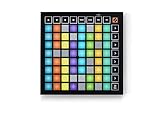
| Novation Launchpad X | Best budget pad grid | 64 RGB velocity-sensitive pads, USB-powered | Budget to mid-range |
| Artiphon Orba 2 | Best portable and fun controller | Touch and motion surface, built-in battery and synth, USB MIDI | Budget to mid-range |
| Akai EWI Solo | Best for wind and brass players | Breath, bite and finger sensors, built-in sounds, USB MIDI | Mid-range |
Best overall: Ableton Push 3
Push 3 is the most complete alternative to a keyboard. Its 8×8 pad grid plays scales, chords and drums in a layout where the same shape works in every key, and it controls Ableton Live’s clips, mixer and devices. The pads are MPE-capable, so you can bend and slide individual notes with compatible instruments. It suits producers who think in loops and patterns rather than piano parts.
Trade-off: it is built around Ableton Live, and it is a premium purchase. Other DAWs can receive its MIDI, but you lose most of the deep integration. The standalone version costs more again, since it carries its own computer.
Best for expressive playing: Expressive E Osmose
The Osmose keeps a familiar keyboard layout but senses movement after the key is pressed, including pressure and sideways motion. That gives you vibrato, bends and per-note timbre changes that a normal aftertouch keybed cannot produce. It suits pianists who want to move toward synth-led and orchestral sound design without learning a new layout.
Trade-off: price, and the need for MPE-aware plug-ins to get the full benefit. With a non-MPE synth it behaves like a good, but ordinary, keyboard.
Best isomorphic grid for the money: Exquis
The Exquis uses 61 hexagonal keys in an isomorphic arrangement, meaning chord and scale shapes stay identical in every key. It also supports MPE, so each key can carry its own pressure and pitch data. It is a good fit for people who want to learn harmony visually and play expressively, and it costs notably less than the other MPE surfaces here.
Trade-off: it is a newer platform with a smaller user base, so expect fewer tutorials and some firmware-dependent features.
Best for guitarists: LinnStrument 128
LinnStrument is a grid of soft, touch-sensitive pads tuned in fourths by default, like a bass or guitar fretboard. Each pad tracks pressure, horizontal slide and vertical movement, and it outputs MPE over USB or 5-pin MIDI. This makes it very good for bendy lead lines, slides and vibrato.
Trade-off: there is a real learning curve if you are coming from piano, and the pad surface feels very different to rigid drum pads.
Best budget pad grid: Novation Launchpad X
The Launchpad X gives you a 64-pad RGB grid that launches clips in Ableton Live, plays drums and can be set to a scale-aware note layout. It is USB-powered, small enough for a laptop bag and the cheapest route into grid playing here. It suits beginners and anyone who wants a second controller beside a normal keyboard.
Trade-off: it is a pure controller with no built-in sounds, and the pads are less expressive than MPE surfaces.
Best portable pick: Artiphon Orba 2
The Orba 2 is a palm-sized touch instrument with motion sensing, an internal synth, a battery and USB MIDI output. It suits sketching ideas away from the desk and is also a good starting point for children or non-keyboard players. Expect it to supplement rather than replace a main controller.
Trade-off: limited precision for fast, complex playing.
Best for wind players: Akai EWI Solo
The EWI Solo is a wind controller that reads breath, lip pressure and finger position. It has built-in sounds and works standalone as well as over USB MIDI. Saxophonists, flautists and clarinet players pick it up fastest, because the fingering is already familiar.
Trade-off: it is a specialist instrument, and breath control takes time to master for smooth results.
How to choose: match your situation to a controller
| Your situation | Choose | Why |
|---|---|---|
| Beat-making and clip launching in Ableton Live | Push 3 or Launchpad X | Pad grids with deep DAW mapping |
| Pianist who wants more expression | Osmose | Familiar layout plus MPE-grade control |
| Guitarist or bassist | LinnStrument 128 | Fourths tuning and slide-friendly pads |
| Non-pianist learning harmony | Exquis | Consistent chord shapes in every key |
| Travelling or sketching ideas | Orba 2 | Battery power and built-in sound |
| Brass or woodwind background | EWI Solo | Breath-based control |
Check MPE support first
Controllers like the Osmose, LinnStrument and Exquis send each note on its own MIDI channel, up to 15 channels in the standard MPE setup, with pitch bend range commonly set to 48 semitones. Your instrument must be in MPE mode to read this. Bitwig Studio, Logic Pro, Cubase and Ableton Live support MPE, as do many synths such as Vital and Serum 2. If your plug-ins do not, the extra expression is wasted.
Worked example: what latency and bandwidth to expect
Classic 5-pin DIN MIDI runs at 31,250 bits per second. Each byte is sent with start and stop bits, so it takes 10 bits, or 0.32 ms. A note-on message is 3 bytes, so one note takes about 0.96 ms. A 10-note chord sent over DIN therefore spreads across roughly 9.6 ms, which is audible as a slight strum. USB MIDI is far faster, so this matters only if you use hardware synths through DIN ports.
Audio buffer size is usually the larger source of delay on a PC. Buffer time equals buffer samples divided by sample rate:
- 64 samples at 48 kHz = 1.33 ms
- 128 samples at 48 kHz = 2.67 ms
- 256 samples at 48 kHz = 5.33 ms
- 512 samples at 48 kHz = 10.67 ms
Output latency is roughly one buffer, and round-trip latency about two buffers plus converter delay. For playing pads or keys live, 128 samples is a sensible target. Most players find under about 10 ms feels immediate. Expressive surfaces such as LinnStrument send a continuous stream of pressure and pitch data per note, so a dedicated, stable USB port and a low-latency audio driver such as ASIO matter more than raw CPU power.
USB power budget
A USB 2.0 port supplies up to 500 mA at 5 V, which is 2.5 W. Bus-powered pad controllers such as the Launchpad X are designed to fit inside that limit, but a bright RGB grid at full brightness draws more than a dim one. Plug into a rear motherboard port rather than an unpowered hub. If a controller disconnects or flickers, lowering pad brightness or moving it off a shared hub is the first fix.
Frequently Asked Questions
What is the best alternative to a MIDI keyboard for beginners?
A pad grid such as the Novation Launchpad X is the easiest and cheapest start. It lets you play drums, launch clips and play scale-locked notes without needing keyboard skills. If you want something more playful and portable, the Artiphon Orba 2 is a good second option.
Do I need MPE for an alternative MIDI controller?
No, but it is what makes surfaces like the Osmose, LinnStrument and Exquis worth their cost. MPE lets every note carry its own pitch bend and pressure. Without an MPE-compatible plug-in, those controllers act like basic note controllers, so check your instruments first.
Can pad controllers play melodies and chords?
Yes. Most modern grids, including Push 3 and Launchpad X, have scale modes that lay out only in-key notes. This makes melodies and chords easier to play than on a piano, because you cannot hit a wrong note within the chosen scale.
Are alternative MIDI controllers class compliant on Windows?
Most are USB class compliant, so Windows recognises them without a custom driver. Some, such as those with standalone modes or advanced settings, still need the maker’s app or firmware updater. Check the manufacturer’s support page for your Windows version before buying.
Is a wind controller a good alternative to a keyboard?
Only if you already play a wind instrument, or want breath-driven expression. It is excellent for lead lines, brass and woodwind sounds. For chords, drums or general production, you will still want a pad grid or keyboard alongside it.
Will an alternative controller work with any DAW?
Basic note and pad data works with any DAW that accepts MIDI. Deeper features, such as Push’s device control or Launchpad’s clip grid, are best in Ableton Live, with partial support elsewhere. If you use another DAW, confirm that its MIDI-mapping or controller-script support covers the model.
Related guides
More from Amazon
Programs that pair well with the guide above. Offers and eligibility are set by Amazon and may change.
A free business account with business pricing and bulk-buying tools for work, shop or home office.
Create a business accountFree shipping on eligible items, Prime Video and more. Eligible new members can start with a free trial.
Start a Prime free trialAudiobooks and podcasts to listen to on the go. Eligible new members can start with a free trial.
Try Audible freeAd-free music streaming. Eligible new subscribers can start with a free trial.
Try Music Unlimited freeAs an Amazon Associate we earn from qualifying purchases.