Our Short List of 3

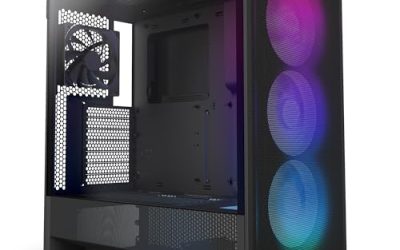
- Best overall: NZXT H5 Flow 2024, White — Compact ATX mid-tower, perforated front, two included 120mm fans, 360mm front radiator support.
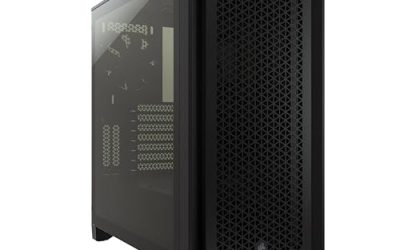
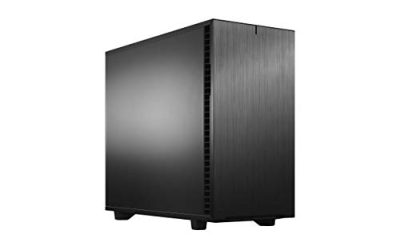
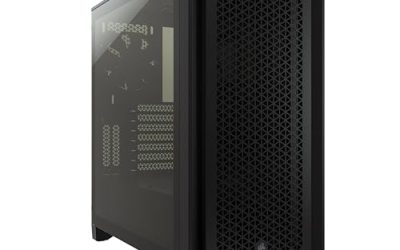
- Best classic ATX: Corsair 4000D Airflow, Black — Mid-tower ATX case, steel mesh front, two included 120mm AirGuide fans, 25mm cable routing depth.
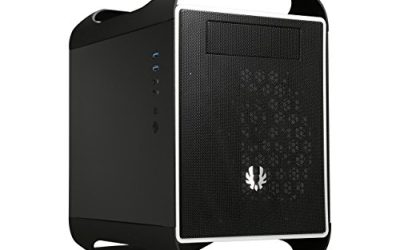
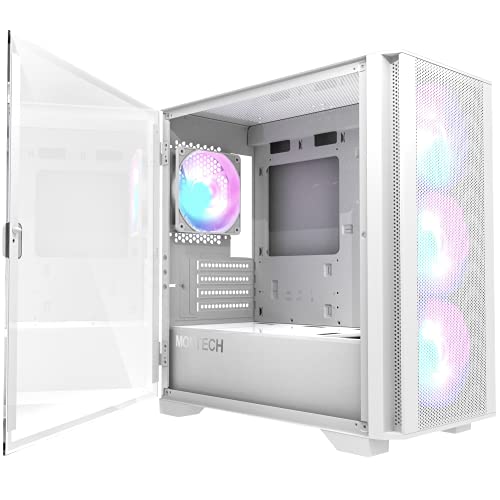
- Best compact Micro-ATX: Montech AIR 100 ARGB, Black — Small Micro-ATX tower, four included 120mm ARGB fans, lighting controller, super fine mesh front, swivel glass panel.
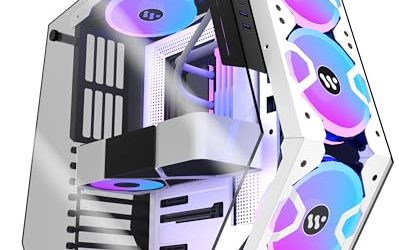
- Best showpiece with fans included: MUSETEX K2, Black — ATX mid-tower, seven pre-installed PWM ARGB fans, 270-degree dual glass view, Type-C front I/O.
All 4 Picks at a Glance
| Product | Specs | Action |
|---|---|---|
| Our Top Picks |
| Check price on Amazon |
 Corsair 4000D Airflow, Black — Best Classic ATX | Check price on Amazon | |
 Montech AIR 100 ARGB, Black — Best Compact Micro-ATX | Check price on Amazon | |
 MUSETEX K2, Black — Best Showpiece With Fans Included | Check price on Amazon |
As an Amazon Associate I earn from qualifying purchases.
Our Top Picks
- MUSETEX ATX PC Case 7 PWM ARGB Fans16.73"D x 8.35"W x 18.5"H16.73 x 8.35 x 18.5 inchesCheck on Amazon
Top 3 picks at a glance
The Short Answer
If you want one case and you want to stop reading, pick the NZXT H5 Flow 2024. It is a compact ATX mid-tower with a perforated front panel, two included 120mm fans, and support for a 360mm radiator at the front and a 240mm radiator at the top. It fits ATX, Micro-ATX, and Mini-ITX boards.
A mesh front, a tempered glass side panel, and several included fans used to be features found only on far pricier chassis. The differences between the four cases in this guide come down to size, included fans, and looks. The Montech AIR 100 ARGB is the compact pick for Micro-ATX boards, with four ARGB fans installed. The Corsair 4000D Airflow is the classic full-size ATX pick, with strong cable management. The MUSETEX K2 is the showpiece pick, with seven PWM ARGB fans and a dual tempered glass view.
Before you buy, measure your graphics card length, CPU cooler height, and power supply length. Every case in this guide lists those clearances on its listing page.
Our Top Picks
- Best overall: NZXT H5 Flow 2024, White — Compact ATX mid-tower, perforated front, two included 120mm fans, 360mm front radiator support.
- Best classic ATX: Corsair 4000D Airflow, Black — Mid-tower ATX case, steel mesh front, two included 120mm AirGuide fans, 25mm cable routing depth.
- Best compact Micro-ATX: Montech AIR 100 ARGB, Black — Small Micro-ATX tower, four included 120mm ARGB fans, lighting controller, super fine mesh front, swivel glass panel.
- Best showpiece with fans included: MUSETEX K2, Black — ATX mid-tower, seven pre-installed PWM ARGB fans, 270-degree dual glass view, Type-C front I/O.
Quick Comparison
| Case | Form Factor | Motherboard Support | Included Fans | Front Radiator | Graphics Card Clearance | Side Panel |
|---|---|---|---|---|---|---|
| NZXT H5 Flow 2024 | ATX mid-tower | ATX, Micro-ATX, Mini-ITX | 2 x 120mm | Up to 360mm | Confirm on the listing | Tempered glass |
| Corsair 4000D Airflow | ATX mid-tower | E-ATX, ATX, Micro-ATX, Mini-ITX | 2 x 120mm AirGuide | Up to 360mm | Confirm on the listing | Tempered glass |
| Montech AIR 100 ARGB | Micro-ATX tower | Micro-ATX, Mini-ITX | 4 x 120mm ARGB | Up to 280mm | Up to 330mm | Swivel tempered glass |
| MUSETEX K2 | ATX mid-tower | ATX, Micro-ATX, Mini-ITX | 7 x 120mm PWM ARGB | Confirm on the listing | Up to 400mm | Dual tempered glass |
How to Choose
Match the case to your motherboard
Full ATX motherboards need a mid-tower or larger case. The NZXT H5 Flow 2024, the Corsair 4000D Airflow, and the MUSETEX K2 all accept full ATX boards, plus smaller Micro-ATX and Mini-ITX boards. The Montech AIR 100 ARGB accepts only Micro-ATX and Mini-ITX boards. If you already own an ATX board, the Montech is out.
Put airflow first
A budget case earns its place by keeping components cool. A mesh or perforated front lets intake fans pull cool air straight onto the graphics card and CPU cooler. All four cases in this guide use a mesh or perforated front. A solid front panel forces intake fans to pull air through narrow side gaps, which raises temperatures under load.
Count the included fans
Fans are a hidden cost: a case that ships with none looks cheap until you add three or four. The MUSETEX K2 ships with seven PWM ARGB fans and supports up to ten in total. The Montech AIR 100 ARGB ships with four ARGB fans and a lighting controller. The NZXT H5 Flow 2024 and the Corsair 4000D Airflow each ship with two 120mm fans, one front intake and one rear exhaust.
Check graphics card, cooler, and power supply clearance
Graphics cards keep getting longer. The Montech AIR 100 ARGB lists graphics card clearance up to 330mm and CPU cooler clearance up to 161mm, with power supplies up to 160mm long. The MUSETEX K2 lists graphics cards up to 400mm and CPU coolers up to 165mm. The NZXT H5 Flow 2024 and the Corsair 4000D Airflow are roomy mid-towers built for long cards, so confirm the numbers on the listing for your card.
Think about radiators early
Check radiator support before you buy the case if you plan to use a liquid cooler. The NZXT H5 Flow 2024 supports radiators up to 360mm at the front and 240mm at the top. The Corsair 4000D Airflow supports radiators up to 360mm at the front and 280mm at the top, depending on memory height. The Montech AIR 100 ARGB supports radiators up to 280mm at the front, up to 240mm at the top, and 120mm at the rear. The MUSETEX K2 supports a 360mm radiator at the top. A front-mounted radiator can reduce graphics card clearance.
Look at cable management, front I/O, and dust filters
The Corsair 4000D Airflow uses the RapidRoute system, with 25mm of space behind the motherboard tray. The Montech AIR 100 ARGB includes cable loops and Velcro straps. Front I/O matters too: the MUSETEX K2 and the Corsair 4000D Airflow both include a Type-C port, and the Montech AIR 100 ARGB includes two USB 3.0 ports, one USB 2.0 port, audio and mic jacks, and an LED control button. Check the listing for dust filters on the front, top, and power supply intake.
The Picks in Detail
NZXT H5 Flow 2024, White — Best Overall
The H5 Flow 2024 is the 2024 refresh of NZXT’s compact airflow mid-tower, model CC-H52FW-01 in white. Its perforated front, top, and power supply shroud feed cool air to the components and the graphics card. Two 120mm Quiet Airflow fans ship pre-installed, one at the front and one at the rear.
The case is compact for a full ATX mid-tower. It supports ATX, Micro-ATX, and Mini-ITX motherboards, and it accepts a radiator up to 360mm at the front and up to 240mm at the top. Cable management runs through channels behind the motherboard tray, and the interior has room for two 3.5-inch drives alongside solid-state storage.
Two included fans suit a mid-range build, but a high-heat build will benefit from one or two extra intake fans. The two fan slots on the perforated power supply shroud are empty and sold separately.
Pros
– Perforated front, top, and power supply shroud for strong airflow in a compact footprint
– Fits full ATX motherboards plus smaller Micro-ATX and Mini-ITX boards
– Supports a 360mm radiator at the front and a 240mm radiator at the top
Cons
– Only two fans included, so high-heat builds need extra intake fans
– Exact graphics card clearance should be confirmed on the listing for very long cards
Corsair 4000D Airflow, Black — Best Classic ATX
The 4000D Airflow is the case that defined the modern budget airflow mid-tower. Its steel front panel is perforated across its full face, so intake fans pull air straight through. Two 120mm AirGuide fans are included, with anti-vortex vanes that concentrate airflow. The interior fits up to six 120mm fans or four 140mm fans, with radiator support up to 360mm at the front and up to 280mm at the top.
Motherboard support is broad: E-ATX, ATX, Micro-ATX, and Mini-ITX boards all fit. The RapidRoute cable management system routes major cables through a single channel with 25mm of space behind the motherboard tray. Storage covers four drives, and front I/O includes a USB-C port, USB-A ports, and a combined audio jack.
Only two fans ship in the box, so a build with a hot graphics card will want one or two more intake fans at the front. The case is also larger than the H5 Flow 2024, at 453 x 230 x 466mm, so measure your desk space first.
Pros
– Full perforated steel front panel for direct intake airflow
– Broad motherboard support, including E-ATX, ATX, Micro-ATX, and Mini-ITX
– RapidRoute cable management with 25mm of routing depth behind the tray
Cons
– Only two fans included, so extra intake fans help high-heat builds
– Larger footprint than the compact picks in this guide
Montech AIR 100 ARGB, Black — Best Compact Micro-ATX
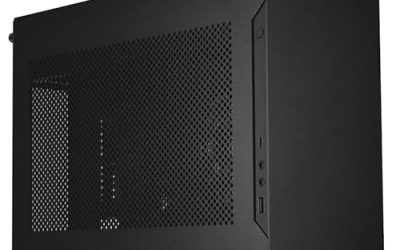
The AIR 100 ARGB is the first Micro-ATX case in Montech’s AIR series, and it is the smallest case in this guide at 405 x 210 x 425mm. Its super fine mesh front pulls in cool air while helping to keep dust out, and the mesh uses a magnetic quick-release design for fast cleaning. The side panel is tempered glass on a swivel hinge, so it swings open without tools.
Four 120mm ARGB fans ship pre-installed, three at the front and one at the rear, connected to an included lighting controller. Lighting changes with the LED button on the case or syncs with motherboard ARGB software. Inside, the case fits Micro-ATX and Mini-ITX boards, graphics cards up to 330mm, CPU coolers up to 161mm, and power supplies up to 160mm long. Radiator support runs up to 280mm at the front, up to 240mm at the top, and 120mm at the rear. Storage covers two 3.5-inch drives or three 2.5-inch drives in the cage.
Full ATX motherboards do not fit. The included fans are ARGB but not PWM, so they run on a fixed voltage curve rather than adjusting speed precisely with temperature. Expansion is limited to four rear slots, and the expansion port shields are not replaceable once broken out.
Pros
– Four included 120mm ARGB fans with a lighting controller, the best fan package in a compact case
– Super fine mesh front with magnetic quick-release for easy cleaning
– Swivel tempered glass side panel that opens without tools
– Compact 405 x 210 x 425mm footprint that fits small desks
Cons
– Micro-ATX and Mini-ITX only, so full ATX motherboards do not fit
– Included fans are ARGB but not PWM, so fan speed control is limited
– Expansion port shields are not replaceable once removed
MUSETEX K2, Black — Best Showpiece With Fans Included
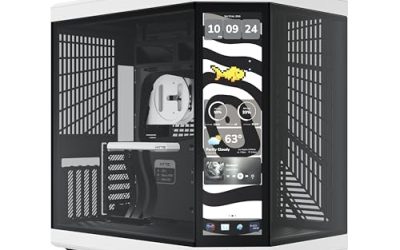
The MUSETEX K2 is the case to pick when you want the build itself to be the centrepiece of the desk. Its 270-degree dual tempered glass panels give a panoramic view of the motherboard, graphics card, and lighting. Seven PWM ARGB fans ship pre-installed, and the case supports up to ten fans in total.
The interior is built for large hardware. It fits ATX, Micro-ATX, and Mini-ITX motherboards, graphics cards up to 400mm, and CPU coolers up to 165mm. A 360mm radiator fits at the top, and front I/O includes a Type-C port and two USB 3.0 ports. The case measures 16.57 x 9.06 x 18.05 inches, and the listing notes a 10-year warranty.
A panoramic glass case puts the build on display, but it also shows every cable and every speck of dust, so tidy cable routing matters more here. Power supply clearance varies with the hard drive cage, so confirm the fit on the listing if you run a long power supply.
Pros
– Seven pre-installed PWM ARGB fans, with support for up to ten fans in total
– 270-degree dual tempered glass view that shows the whole build
– Graphics card clearance up to 400mm and CPU cooler clearance up to 165mm
Cons
– Glass-heavy design shows cables and dust, so tidy routing matters
– Power supply clearance depends on hard drive cage placement, so confirm on the listing
– Tempered glass panels need care during installation
Who Should Choose What
Choose the NZXT H5 Flow 2024 for the safest all-round pick. It fits full ATX boards, cools well through its perforated panels, and stays compact enough for most desks.
Choose the Corsair 4000D Airflow for the most proven ATX layout and the best cable management in this group.
Choose the Montech AIR 100 ARGB if your build uses a Micro-ATX or Mini-ITX board and desk space is tight.
Choose the MUSETEX K2 if you want the most fans included and a panoramic glass view. Seven PWM ARGB fans and room for a 400mm graphics card suit a showcase build.
If you are still unsure, match the case to the motherboard first, then to the graphics card length.
Common Mistakes
Buying a case that does not fit the motherboard. Ordering a Micro-ATX case for a full ATX board is the most common error. The Montech AIR 100 ARGB cannot hold an ATX board, so check the motherboard size on the listing before you order.
Ignoring graphics card length. A triple-fan card can be far longer than the dual-fan card it replaces. The Montech fits cards up to 330mm and the MUSETEX fits cards up to 400mm, but a front-mounted radiator can eat into that clearance.
Forgetting the power supply length. Long power supplies and a full hard drive cage compete for the same space. The Montech lists power supplies up to 160mm, and the MUSETEX notes that clearance varies with the cage installed.
Choosing a sealed front panel for a hot build. A solid front panel starves intake fans of air. All four cases in this guide use mesh or perforated fronts for a reason.
Skipping the fan plan. Two included fans are a starting point, not a finished cooling setup. Decide before the build whether you need one or two more intakes.
Blocking the dust filters. A case pushed flat against a wall, or sitting on thick carpet with the bottom intake blocked, will run hotter than one with clearance on every vented side.
Rushing the expansion slot layout. On the Montech AIR 100 ARGB, the expansion port shields are not replaceable once broken out, so decide the slot layout before you remove a shield.
FAQ
What size case do I need for a gaming build?
Match the case to the motherboard first. Full ATX boards need a mid-tower or larger case. Micro-ATX and Mini-ITX boards fit in those cases too, and in compact cases such as the Montech AIR 100 ARGB. Then check graphics card length, CPU cooler height, and power supply length on the listing.
How many fans should a budget case include?
Two included fans give a working airflow path, the minimum for a mid-range build. Four included fans, as in the Montech AIR 100 ARGB, cover most builds without extra purchases. Seven included fans, as in the MUSETEX K2, cover even high-heat builds. If your case ships with two fans and your graphics card runs hot, add one or two front intake fans.
Is a mesh front panel really better than a glass front panel?
For cooling, yes. A mesh or perforated front lets intake fans pull cool air straight onto the components. A glass front panel forces air through narrow side gaps, which restricts flow and raises temperatures under load. Glass belongs on the side panel, and mesh belongs on the front, where air enters the case.
Can a Micro-ATX case hold a powerful graphics card?
Yes, within its clearance limit. The Montech AIR 100 ARGB fits graphics cards up to 330mm, which covers most dual-fan and many triple-fan cards. If your card is longer than 330mm, you need a mid-tower such as the MUSETEX K2, which fits cards up to 400mm.
Do I need a liquid cooler with one of these cases?
No. All four cases work with air cooling. A liquid cooler is an option, not a requirement. If you do choose one, check radiator support first: the NZXT H5 Flow 2024 and the Corsair 4000D Airflow both support a 360mm radiator at the front, the Montech AIR 100 ARGB supports up to 280mm at the front, and the MUSETEX K2 supports a 360mm radiator at the top.
What should I check on the listing before I buy?
Confirm motherboard support, graphics card clearance, CPU cooler height, power supply length, included fan count, radiator support, and front I/O ports. A two-minute check beats a return.
Conclusion
A good budget case moves enough air, fits the hardware you own, and leaves room for the hardware you will own next. The NZXT H5 Flow 2024 does that best for most builders. The Corsair 4000D Airflow is the classic alternative, with the best cable management in this group. The Montech AIR 100 ARGB is the compact pick, with four ARGB fans and a small footprint for Micro-ATX builds. The MUSETEX K2 is the showpiece pick, with seven PWM ARGB fans and a panoramic glass view for long graphics cards.
Pick the case that matches your motherboard and your graphics card, confirm the clearances on the listing, and give the vents room to breathe.
Related guides
More from Amazon
Programs that pair well with the guide above. Offers and eligibility are set by Amazon and may change.
A free business account with business pricing and bulk-buying tools for work, shop or home office.
Create a business accountFree shipping on eligible items, Prime Video and more. Eligible new members can start with a free trial.
Start a Prime free trialAudiobooks and podcasts to listen to on the go. Eligible new members can start with a free trial.
Try Audible freeAd-free music streaming. Eligible new subscribers can start with a free trial.
Try Music Unlimited freeAs an Amazon Associate we earn from qualifying purchases.