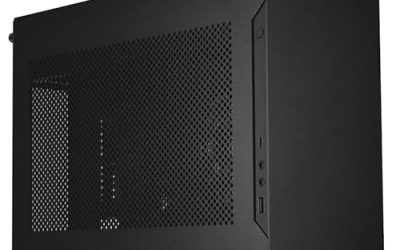
Our Short List of 3

- Best for: First-time builders who want the most forgiving, well-documented layout.
- Mid-tower ATX case, tempered glass side panel
- Motherboard support: Extended ATX, ATX, MicroATX, Mini-ITX
- RapidRoute cable management with 25mm of space behind the motherboard
- Two included 120mm AirGuide fans

- Best for: First builds in smaller rooms that still need real airflow.
- Compact ATX mid-tower case, model CC-H51FW-01
- High airflow perforated front panel
- Tempered glass side panel with cable management system
- 2 x 120mm fans included

- Best for: Budget first builds that want cooling and lighting included.
- ATX mid-tower case with mesh front panel
- Six pre-installed fixed RGB fans: 3 x 140mm front, 2 x 120mm top, 1 x 120mm rear
- Door-open tempered glass side panel
- Front panel USB 3.0 port
All 3 Picks at a Glance
| Product | Specs | Action |
|---|---|---|
| Corsair 4000D Airflow |
| Check price on Amazon |
| NZXT H5 Flow |
| Check price on Amazon |
| Montech X3 Mesh |
| Check price on Amazon |
A first build rarely goes wrong on the glamorous parts. It goes wrong inside the case: cables with nowhere to hide, a front panel connector that will not reach, fans that still need buying, and a graphics card that almost fits. The right first case removes those traps before they happen, with a cable routing channel behind the motherboard tray, fans already installed, and enough radiator and card clearance that your parts list does not need re-checking three times.
This guide is aimed at first-time builders assembling a mid-range gaming PC, parents building with a teenager, and anyone upgrading from a prebuilt who has never routed cables in a bare chassis. The three cases below were chosen from their Amazon listings for beginner-relevant details: how many fans are in the box, how the cable management is laid out, and which motherboard sizes and radiator lengths each listing states.
Our Top Picks
- MONTECH X3 Mesh High Airflow ATX Mid-Tower PCX3 MESH14.57 x 8.3 x 18.9 inches11.9 poundsCheck on Amazon
Top 3 picks at a glance
Quick Picks
As an Amazon Associate we earn from qualifying purchases.
| Product | Best for | Key spec from title |
|---|---|---|
| Corsair 4000D Airflow | The safest all-round first build | Cable management system, two included 120mm fans |
| NZXT H5 Flow | Compact desks that still need airflow | Perforated front panel, 2 x 120mm fans included |
| Montech X3 Mesh | Builders who want every fan included | 6 fixed RGB fans pre-installed |
How to Choose
Cable management decides how the build feels
The difference between a frustrating first build and a calm one is usually behind the motherboard tray. Look for a dedicated routing channel, tie-down points and enough depth that the side panel closes without force. Corsair’s RapidRoute system in the 4000D Airflow, for example, is listed with 25mm of space behind the motherboard, which swallows a 24-pin cable without a fight. Deep routing space also matters later, when you add a drive or swap a graphics card and need to re-run cables cleanly. Rubber grommets on the routing holes are a small bonus worth having, since they stop cable insulation rubbing on cut metal edges.
Count the fans in the box, not just the fan mounts
A case can support ten fans and include none, which quietly adds parts, wiring and decisions to a first build. Every case here includes fans: two 120mm units in the Corsair and NZXT, and six pre-installed fans in the Montech. Pre-installed fans also arrive pre-wired along sensible paths, so a beginner copies a working layout instead of inventing one. Check the listing’s included fan count and sizes, and whether the lighting, if any, is fixed or needs a controller and software.
Check motherboard size and radiator support against your parts
Mid-tower cases differ in what they accept. The listings below state support for ATX down to Mini-ITX boards, but radiator room varies: the H5 Flow lists 280mm radiator support, while the 4000D Airflow lists room for radiators up to 360mm. If your parts list includes a liquid cooler, match its length to the case listing before ordering either part. Also confirm graphics card clearance in the listing if you are buying one of the longer current cards.
Front panel connectors and airflow style
A perforated or mesh front panel feeds air directly to the intake fans and keeps a first build cool without extra purchases; all three cases here use open front designs. Then look at the front panel connectors your motherboard must serve: USB ports and audio on the case need matching headers on the board. Beginners often miss that a case’s front USB-C port is decorative if the motherboard lacks the header, so compare the case listing’s port list with your board’s header list before the build starts.
The 3 Best Options
Corsair 4000D Airflow
- Best for: First-time builders who want the most forgiving, well-documented layout.
- Mid-tower ATX case, tempered glass side panel
- Motherboard support: Extended ATX, ATX, MicroATX, Mini-ITX
- RapidRoute cable management with 25mm of space behind the motherboard
- Two included 120mm AirGuide fans
First-time builders who want the most forgiving, well-documented layout.
Only two fans are included, so hotter builds may want a third fan added later; confirm front radiator thickness against your cooler.
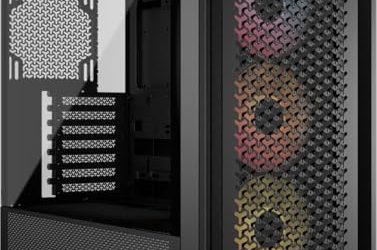
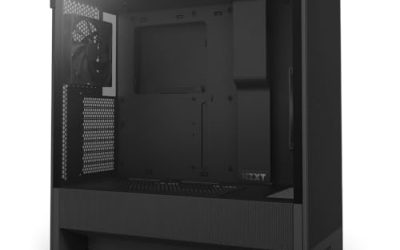
The 4000D Airflow is the default recommendation for a first build because its listing reads like a checklist of beginner problems already solved: a RapidRoute cable management system with 25mm of routing depth, two included 120mm AirGuide fans, a perforated steel front panel, and room for radiators up to 360mm. The tempered glass side panel shows the finished build, the power supply mounts at the bottom under a shroud, and the spacious interior leaves room for hands that are still learning where everything plugs in.
NZXT H5 Flow
- Best for: First builds in smaller rooms that still need real airflow.
- Compact ATX mid-tower case, model CC-H51FW-01
- High airflow perforated front panel
- Tempered glass side panel with cable management system
- 2 x 120mm fans included
First builds in smaller rooms that still need real airflow.
Radiator support tops out at 280mm on this listing, so builders planning a 360mm cooler should choose the Corsair instead.
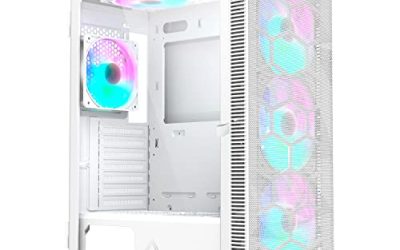
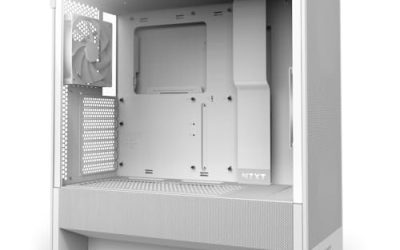
The H5 Flow suits builders working with a smaller desk footprint who still want an airflow-first design. Its perforated front panel and two included 120mm fans give a working intake and exhaust path out of the box, the cable management system keeps the main runs organised, and the tempered glass panel shows the result. Radiator support is listed at 280mm, which covers the coolers most first builds use. This white listing is the compact, tidy option for a build that will live on display rather than under a desk.
Montech X3 Mesh
- Best for: Budget first builds that want cooling and lighting included.
- ATX mid-tower case with mesh front panel
- Six pre-installed fixed RGB fans: 3 x 140mm front, 2 x 120mm top, 1 x 120mm rear
- Door-open tempered glass side panel
- Front panel USB 3.0 port
Budget first builds that want cooling and lighting included.
The fan lighting is fixed rather than addressable, so it cannot be synced or recoloured through motherboard software later.
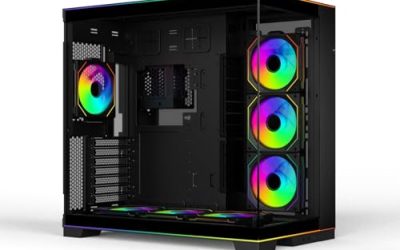
The X3 Mesh removes the fan question entirely: six fixed RGB fans come pre-installed, three 140mm intakes behind the mesh front and three 120mm fans at the top and rear, with an LED button to switch the lighting off. The swing-open tempered glass side panel is genuinely beginner-friendly, giving full access without juggling loose screws and a floating glass sheet. For a first builder whose budget is better spent on the graphics card, arriving with cooling and lighting already fitted is the entire appeal of this case.
Which One Fits Your Situation
You want the build most likely to go smoothly first try
Choose the Corsair 4000D Airflow. The routing channel with 25mm of depth, the included intake and exhaust fans, and the generous radiator room mean fewer mid-build surprises and fewer extra orders. It is also the easiest of the three to grow into, since the case accepts larger boards and longer radiators when a later upgrade changes the parts around it.
Your desk is small and the PC will sit in view
Choose the NZXT H5 Flow. The compact footprint and perforated front keep a smaller build breathing properly, and the clean cable management keeps the visible side of the build tidy. Just size your cooler to the 280mm radiator support stated on the listing, and this case covers a typical first gaming build without wasted space.
Your budget is tight but you still want a finished look
Choose the Montech X3 Mesh. Six pre-installed fans mean no separate fan order and no fan wiring puzzle, the mesh front keeps temperatures sensible, and the hinged glass panel makes the assembly itself less stressful. Accept the fixed lighting as the trade-off, and the money saved goes straight into a better graphics card or a larger SSD.
Common Mistakes
- Buying a case with no included fans and discovering the extra cost and wiring only after the main parts arrive.
- Choosing a case before the graphics card, then finding the card is longer than the case’s stated clearance.
- Ignoring radiator support numbers and ordering a 360mm cooler for a case that lists 280mm.
- Forcing the rear side panel closed over a cable bulge instead of using the routing channel the case provides.
- Forgetting to check that the motherboard has headers for every front panel port the case offers.
Frequently Asked Questions
How many case fans does a first build actually need?
Two fans, one intake and one exhaust, are enough for most mid-range gaming builds, which is why the Corsair and NZXT here work out of the box. The Montech’s six pre-installed fans are about convenience and looks rather than necessity. What matters most is that air enters at the front and leaves at the back or top without obstruction, and that the front intake is not starved by a solid panel or a clogged dust filter.
Will an ATX motherboard fit in all three of these cases?
Yes. Each listing states ATX support, and each also accepts smaller MicroATX and Mini-ITX boards. The Corsair additionally lists Extended ATX support. Always confirm the exact board size in your parts list against the case listing, because some boards marketed as ATX are slightly wider than the standard.
Is a mesh or perforated front panel better for a first build?
For most first builds, yes. An open front feeds the intake fans directly, which keeps temperatures lower without buying extra fans or running the included ones faster and louder. Solid-front cases can look cleaner, but they ask more of the cooling setup. All three cases in this guide use open front designs for that reason.
Do I need a case with a USB-C front port?
Only if your motherboard has the internal USB-C header to connect it. A front port with no header behind it does nothing, and this mismatch is a common first-build surprise. Compare the port list in the case listing with the header list in the motherboard listing before ordering, and treat any unmatched port as a bonus you may enable later.
Related guides
More from Amazon
Programs that pair well with the guide above. Offers and eligibility are set by Amazon and may change.
A free business account with business pricing and bulk-buying tools for work, shop or home office.
Create a business accountFree shipping on eligible items, Prime Video and more. Eligible new members can start with a free trial.
Start a Prime free trialAudiobooks and podcasts to listen to on the go. Eligible new members can start with a free trial.
Try Audible freeAd-free music streaming. Eligible new subscribers can start with a free trial.
Try Music Unlimited freeAs an Amazon Associate we earn from qualifying purchases.