Our Short List of 3
All 5 Picks at a Glance
| Product | Specs | Action |
|---|---|---|
 1. GIGABYTE M27Q 27-Inch QHD 170Hz IPS Gaming Monitor | Check price on Amazon | |
 2. Acer Nitro XV272U Vbmiiprx 27-Inch QHD 170Hz IPS Gaming Monitor | Check price on Amazon | |
 3. Samsung Odyssey G5 G50F 27-Inch QHD 180Hz IPS Gaming Monitor | Check price on Amazon | |
 4. Dell S2721DGF 27-Inch QHD 165Hz IPS Gaming Monitor | Check price on Amazon | |
 5. ASUS TUF Gaming VG27AQ 27-Inch QHD 165Hz IPS Gaming Monitor | Check price on Amazon |
The best monitors for League of Legends reward fast reactions and clear vision of the whole Rift. League is not a game that demands the highest refresh rate on the market, but the difference between a sluggish office panel and a responsive gaming display shows up in every team fight, every last hit under tower, and every split-second Flash play. A monitor with a high refresh rate, low input lag and a sharp, colour-accurate panel helps you track enemy movement, read health bars at a glance and keep the minimap in your peripheral vision without eye strain across long sessions.
This guide compares five gaming monitors that suit League of Legends, from a 27-inch QHD IPS panel with a built-in KVM switch to a curved ultrawide-style QHD display for players who want a wider view of the lane. Every pick below is a complete monitor with a stand included, and every one is suited to the way League actually plays: mostly static camera work punctuated by fast bursts of action, where motion clarity and colour separation matter more than raw pixel density. We cover refresh rate, panel type, resolution, response time, connectivity and ergonomics, so you can match a display to your graphics card, your desk and your rank ambitions.
League of Legends runs well on modest hardware, which means most players can drive a 1440p display at high frame rates without a flagship graphics card. That makes a 27-inch QHD monitor the sweet spot for this game: text stays readable, champion models stay crisp, and the extra resolution over 1080p makes the interface and the map easier to read. A 24-inch 1080p panel is still a fine choice for a tight desk or a lower-powered PC, while a 32-inch display suits players who sit further back or want a larger image. Whichever size you choose, prioritise a panel that stays smooth during fast camera pans and keeps dark areas of the map readable, because the fog of war hides exactly the information you need most.
Our Top Picks
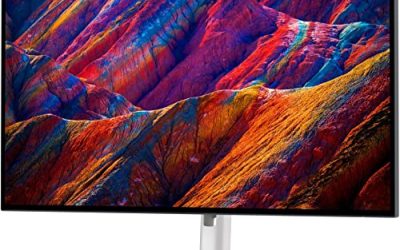
- ASUS TUF Gaming VG27AQ 27 Inch QHD 165Hz27” 2K WQHD IPS19.96 x 24.41 x 8.31 inches12.8 poundsCheck on Amazon
Top 3 picks at a glance
How to Choose
1. Refresh rate
Refresh rate is the number of times per second the display redraws the image, and it is the single biggest upgrade over a standard 60Hz office monitor. A 144Hz or 165Hz panel makes camera movement and champion animations look noticeably smoother, and a 170Hz or 180Hz panel adds a little more headroom. League does not need a 240Hz or 360Hz display the way a fast first-person shooter does, so do not pay extra for extreme refresh rates unless you also play those games. Aim for 144Hz or above, and make sure your graphics card can actually deliver frame rates in that range at your chosen resolution.
2. Panel type
IPS panels are the best fit for League of Legends. They offer wide viewing angles, accurate colours and fast pixel response times, which keeps champion abilities and health bars easy to distinguish. VA panels offer deeper blacks and stronger contrast, which helps in dark areas of the map, but some VA panels show smearing in fast motion. TN panels are fast but have weaker colours and narrow viewing angles. For a game where you read small coloured indicators constantly, IPS is the safest choice, with VA as a good alternative if you value contrast and play in a dim room.
3. Resolution and size
A 27-inch QHD display, 2560 by 1440 pixels, is the ideal pairing for League. It gives you a sharper image than 1080p without demanding the graphics power of 4K. A 24-inch 1080p monitor is a solid budget-conscious option and is easier to drive at high frame rates. A 32-inch QHD panel gives a bigger image but the same pixel count spread over more area, so it looks slightly softer up close. Sit at a normal desk distance and pick the size that lets you see the whole screen, including the minimap and item bar, without turning your head.
4. Response time and input lag
Response time measures how quickly a pixel changes colour, and slow pixels leave visible trails behind moving objects. Look for a quoted grey-to-grey response time of 1ms or below, and remember that quoted figures are measured under ideal conditions. Input lag, the delay between your mouse click and the result on screen, matters just as much in League, where a mistimed ability can lose a fight. Gaming monitors with a dedicated low-lag mode and a fast scaler keep this delay minimal. Adaptive sync support also helps by matching the refresh rate to your frame rate and removing tearing during sudden frame drops.
5. Adaptive sync support
Adaptive sync, sold as FreeSync or G-Sync Compatible, matches the monitor refresh rate to the graphics card output so the image stays smooth when frame rates dip. League frame rates can swing during large team fights with many particle effects, and adaptive sync stops those dips from showing as tearing or stutter. All five picks in this guide support adaptive sync over DisplayPort and HDMI. Confirm your graphics card supports the same standard, and use a DisplayPort cable to get the full refresh rate, since some HDMI ports cap the refresh rate at lower resolutions.
6. Ergonomics and connectivity
A monitor you stare at for hours should adjust to you, not the other way around. Height adjustment, tilt and pivot let you set the screen at eye level and reduce neck strain during long sessions. A VESA mount option lets you move to an arm later. For connectivity, one DisplayPort and at least one HDMI port cover a PC and a console or second device. USB ports and a KVM switch are useful if you share the desk with a laptop for work or study, letting one keyboard and mouse serve both machines through a single display.
Top Picks
1. GIGABYTE M27Q 27-Inch QHD 170Hz IPS Gaming Monitor
Check the GIGABYTE M27Q on Amazon
The GIGABYTE M27Q is a 27-inch QHD IPS display with a 170Hz refresh rate and a 0.5ms quoted response time, and it is the most versatile pick in this guide. The IPS panel delivers the colour accuracy and viewing angles that suit League, while the high refresh rate keeps camera pans smooth. Its standout feature is a built-in KVM switch: connect a laptop over USB-C and your desktop over DisplayPort, and one keyboard and mouse control both machines. That makes it a strong choice for players who work or study at the same desk they play on.
Key specs include a 2560 by 1440 resolution, a 170Hz refresh rate, an IPS panel, a 0.5ms response time, HDR support, DisplayPort and HDMI inputs, and a USB-C port with KVM functionality. The stand offers height, tilt, pivot and swivel adjustment, and the panel supports a VESA mount if you prefer an arm.
Who it is for: players who want one display for gaming and work, and who value the KVM switch and the high refresh rate in a single package.
Caveats: the KVM setup takes a few minutes to configure the first time, and the USB-C port does not replace a full docking station for power-hungry laptops. Confirm the stand fits your desk depth, since the base is fairly wide.
2. Acer Nitro XV272U Vbmiiprx 27-Inch QHD 170Hz IPS Gaming Monitor
Check the Acer Nitro XV272U on Amazon
The Acer Nitro XV272U is a 27-inch QHD IPS monitor with a 170Hz refresh rate and a 0.5ms quoted response time, built around the same core formula that suits League so well: sharp resolution, fast refresh and accurate colour. The panel handles the bright ability effects and the darker jungle areas with equal confidence, and the anti-glare coating keeps reflections down in a bright room. It is a straightforward gaming display without the extra features of the M27Q, which keeps the focus on the panel itself.
Key specs include a 2560 by 1440 resolution, a 170Hz refresh rate, an IPS panel, a 0.5ms response time, DisplayPort and HDMI inputs, and FreeSync support. The stand adjusts for height, tilt, pivot and swivel, and the display is VESA compatible.
Who it is for: players who want a fast QHD IPS panel for League and other games, without paying for extras they will not use.
Caveats: the on-screen menu takes some learning, and the built-in speakers are basic, so plan on a headset or desktop speakers. The exact model suffix matters when ordering, so confirm the listing shows the Vbmiiprx variant with the 170Hz panel.
3. Samsung Odyssey G5 G50F 27-Inch QHD 180Hz IPS Gaming Monitor
Check the Samsung Odyssey G5 G50F on Amazon
The Samsung Odyssey G5 G50F is a 27-inch QHD IPS display with a 180Hz refresh rate, the fastest in this guide, and a 1ms quoted response time. The extra refresh rate headroom is useful if your graphics card pushes well past 170 frames per second in League, and the IPS panel keeps colours consistent across the whole screen. Samsung pairs the panel with a slim design and thin bezels, so it looks tidy on a desk and works well in a dual-monitor setup if you later add a second screen for streaming or chat.
Key specs include a 2560 by 1440 resolution, a 180Hz refresh rate, an IPS panel, a 1ms response time, DisplayPort and HDMI inputs, and adaptive sync support. The stand tilts and the display supports a VESA mount.
Who it is for: players chasing the highest refresh rate in this group, and anyone planning a matching pair of monitors for a wider setup.
Caveats: height adjustment is limited on the included stand, so a monitor arm or a riser may be needed for ideal eye level. Confirm the listing shows the G50F model, since the Odyssey G5 line includes several different panels.
4. Dell S2721DGF 27-Inch QHD 165Hz IPS Gaming Monitor
Check the Dell S2721DGF on Amazon
The Dell S2721DGF is a 27-inch QHD IPS monitor with a 165Hz refresh rate and a 1ms quoted response time, and it brings Dell build quality and a fully adjustable stand to the group. The panel is colour-accurate out of the box, which suits League and also makes it a capable display for photo work or watching video between games. The stand adjusts for height, tilt, pivot and swivel, and the thin bezels suit multi-monitor arrangements. Dell includes both DisplayPort and HDMI inputs, plus USB ports for peripherals.
Key specs include a 2560 by 1440 resolution, a 165Hz refresh rate, an IPS panel, a 1ms response time, DisplayPort and dual HDMI inputs, USB hub ports, and G-Sync Compatible and FreeSync support.
Who it is for: players who want a well-built, fully adjustable monitor from a maker known for reliable panels, and who may also use the display for work or media.
Caveats: the 165Hz refresh rate is a step below the 170Hz and 180Hz picks, though the difference is small in League. The menu controls sit behind the panel and take a little practice to use by feel.
5. ASUS TUF Gaming VG27AQ 27-Inch QHD 165Hz IPS Gaming Monitor
Check the ASUS TUF Gaming VG27AQ on Amazon
The ASUS TUF Gaming VG27AQ is a 27-inch QHD IPS display with a 165Hz refresh rate and a 1ms quoted response time, from the TUF Gaming line that targets reliable everyday gaming hardware. It supports motion blur reduction alongside adaptive sync, which can sharpen fast camera movement, and the panel handles the bright, saturated look of League without washing out. The stand offers height, tilt, pivot and swivel adjustment, and the display includes DisplayPort and HDMI inputs for a PC and a second device.
Key specs include a 2560 by 1440 resolution, a 165Hz refresh rate, an IPS panel, a 1ms response time, DisplayPort and HDMI inputs, and adaptive sync support with motion blur reduction.
Who it is for: players who want a proven QHD gaming panel with motion clarity features, and who like the TUF focus on durable, no-fuss hardware.
Caveats: motion blur reduction and adaptive sync cannot always run at the same time, so pick the mode that suits your frame rate. The built-in speakers are modest, so a headset remains the better audio choice.
Comparison Table
| Monitor | Size and Resolution | Refresh Rate | Panel | Response Time | Stand Adjustment |
|---|---|---|---|---|---|
| GIGABYTE M27Q | 27-inch QHD | 170Hz | IPS | 0.5ms | Height, tilt, pivot, swivel |
| Acer Nitro XV272U | 27-inch QHD | 170Hz | IPS | 0.5ms | Height, tilt, pivot, swivel |
| Samsung Odyssey G5 G50F | 27-inch QHD | 180Hz | IPS | 1ms | Tilt, VESA mount |
| Dell S2721DGF | 27-inch QHD | 165Hz | IPS | 1ms | Height, tilt, pivot, swivel |
| ASUS TUF VG27AQ | 27-inch QHD | 165Hz | IPS | 1ms | Height, tilt, pivot, swivel |
Which One Is Right for You?
If you want one display that handles gaming and work, the GIGABYTE M27Q is the pick, thanks to its KVM switch and USB-C input. If you want the fastest panel here, the Samsung Odyssey G5 G50F at 180Hz is the choice, with the Acer Nitro XV272U close behind at 170Hz. If build quality and a fully adjustable stand matter most, the Dell S2721DGF is the safe option, while the ASUS TUF VG27AQ suits players who want motion blur reduction and a durable, straightforward panel. All five are 27-inch QHD IPS displays, so any of them will serve League well; the deciding factors are the extra features, the stand and the refresh rate ceiling your graphics card can actually use.
Before ordering, check that your graphics card has a DisplayPort output and that your desk has room for a 27-inch panel with its stand. A DisplayPort cable is the reliable way to reach the full refresh rate, and a monitor arm is worth considering if your desk is shallow or you want the screen exactly at eye level.
Frequently Asked Questions
Do I need a 240Hz monitor for League of Legends?
No. League of Legends plays smoothly on a 144Hz or 165Hz display, and the jump from 60Hz to 144Hz is far bigger than the jump from 144Hz to 240Hz. A 170Hz or 180Hz QHD panel, like the ones in this guide, is more than enough for ranked play. Spend the difference on a better panel, a larger display or a stronger graphics card instead.
Is QHD better than 1080p for League of Legends?
For most players, yes. QHD at 27 inches gives a sharper image, easier-to-read text and a clearer view of the map and interface. League runs well on modest hardware, so most gaming PCs can drive QHD at high frame rates. A 1080p panel still works well, especially on a 24-inch display or a lower-powered PC, but QHD is the better long-term choice at this size.
Does an IPS panel matter for League of Legends?
It helps. IPS panels show accurate colours and wide viewing angles, which keeps champion abilities, health bars and map indicators easy to distinguish from any seating position. VA panels offer deeper blacks but can smear in fast motion, while TN panels are fast but have weaker colour. For a game built on reading small coloured cues, IPS is the most reliable choice.
Should I use DisplayPort or HDMI for a gaming monitor?
Use DisplayPort when you can. It reliably carries the full refresh rate at QHD, and it is the standard connection for adaptive sync on PC. HDMI works too on modern monitors, but older HDMI versions can cap the refresh rate, so check the port version on both the monitor and your graphics card if you plan to use HDMI.
Disclosure: As an Amazon Associate, we may earn from qualifying purchases.
Related guides
More from Amazon
Programs that pair well with the guide above. Offers and eligibility are set by Amazon and may change.
A free business account with business pricing and bulk-buying tools for work, shop or home office.
Create a business accountFree shipping on eligible items, Prime Video and more. Eligible new members can start with a free trial.
Start a Prime free trialAudiobooks and podcasts to listen to on the go. Eligible new members can start with a free trial.
Try Audible freeAd-free music streaming. Eligible new subscribers can start with a free trial.
Try Music Unlimited freeAs an Amazon Associate we earn from qualifying purchases.