A note on the keyword first. This guide reads “best laptops with large hard drives” as laptops chosen for storage capacity first: every pick below ships with a genuine internal mechanical hard drive of 1TB or more, with the top pick carrying a 2TB drive. That is a different selection rule from a general laptop roundup, and it is also different from a roundup of inexpensive laptops that happen to include a hard drive. The laptops here are ranked by how much room they give files, photos, video and game libraries, and by the processor and memory that sit alongside the drive, because a big drive in a machine that cannot keep up is no help at all.

That distinction matters because most new laptops now ship with solid state storage instead of a spinning drive. A solid state drive boots faster and opens programs faster, and for most buyers it is the better main drive. But solid state storage still costs more per unit of capacity, so a laptop with a 1TB or 2TB mechanical drive holds far more files for the same outlay. For a buyer whose library keeps growing — downloaded video, photo collections, music, game installs, years of documents — capacity is the feature that decides the purchase. The five laptops below are the models that still pair a large mechanical drive with a usable processor, enough memory and a screen worth looking at.
A second honest point belongs up front. Large-drive laptops are now a shrinking category. Manufacturers have moved almost entirely to solid state storage, so the models below are older designs and remaining stock. Some listings are new units from third-party sellers and some are renewed machines. Read the listing in full before ordering: confirm the drive is described as a hard disk drive with a stated capacity in terabytes, confirm the rotational speed where the listing states one, and confirm the memory and processor in the exact configuration being sold, because the same model name often covers several configurations with very different storage.
Our Top Picks
Top 3 picks at a glance
Quick Picks
Our Short List of 3
All 3 Picks at a Glance
| Product | Specs | Action |
|---|---|---|
| HP Pavilion 15 15-CX0058WM | Check price on Amazon | |
| Dell Inspiron 15 5000 i5570 | Check price on Amazon | |
 Lenovo IdeaPad 3 17 inch | Check price on Amazon |
Disclosure: As an Amazon Associate, we earn from qualifying purchases.
How to Choose a Laptop With a Large Hard Drive
Confirm the drive is a real mechanical hard drive. Listing language around storage is loose, and the word drive can describe several very different parts. Look for a hard disk description that reads HDD and a stated capacity, as the listings below do. Watch for machines whose main storage is actually flash memory, and for bundles where the hard drive is an external USB unit in the box rather than the internal drive. A mechanical drive should also state a rotational speed, usually 5400rpm or 7200rpm, in the listing details.
Match capacity to the library. A 1TB drive holds a large photo collection, years of documents and a solid game library. A 2TB drive holds roughly twice that, which matters for video libraries and for gamers who install many large titles at once. If the library is mostly documents and streaming, 1TB is plenty. If the library includes downloaded video in high definition or dozens of modern games, the 2TB pick below is the one that keeps its headroom longest.
Weigh the processor and memory against the slow drive. A hard drive is the slowest part in any of these laptops, so the processor and memory decide how much that matters. An Intel Core i5 with 8GB of memory keeps everyday multitasking comfortable even while the drive catches up. A weaker processor or 4GB of memory narrows the machine to browsing, documents and streaming. Read the full configuration in the listing rather than judging by the model name.
Decide between new and renewed before buying. Some of the large-drive laptops still listed are renewed business and gaming models rather than new consumer machines. Renewed listings describe refurbished units, and the wording that matters is the warranty and the condition grade, which should be read in full before ordering any renewed machine. A new laptop carries the manufacturer route for support instead. Neither route is automatically better, but the condition grade, the warranty length and the return terms should be read in full before ordering.
Check the screen and the ports. A large drive invites long sessions, so the screen matters: a Full HD panel keeps text and video sharp, while a lower resolution panel on a 15 inch or 17 inch machine looks soft. Check for an HDMI port for a second screen, enough USB ports for external drives, and a card reader if photos move from a camera to the laptop.
The 5 Best Options
CUK MSI GT80S Titan
The CUK MSI GT80S Titan is the capacity leader of this guide and the only pick with a 2TB mechanical drive. It pairs that drive with two 512GB solid state drives, 32GB of memory and a dedicated graphics card, in an 18.4 inch desktop replacement chassis. The combination is unusual: the solid state drives handle the operating system and the most played games, while the 2TB hard drive holds the rest of the library. For a buyer who wants the largest storage in a single laptop and does not mind a heavy machine that stays mostly on a desk, this is the pick that holds the most.
The trade-offs are plain. This is an older flagship design, so the processor and graphics are from an earlier generation, and the machine is heavy for a laptop. The listing is a configured unit from a specialist seller, so the exact configuration in the listing should be read in full. But nothing else in this guide matches its total storage, and for a media library or a game collection that keeps growing, total storage is the point.
Check the CUK MSI GT80S Titan on Amazon
HP Pavilion 15 15-CX0058WM
The HP Pavilion 15 15-CX0058WM is the gaming pick of this guide. It pairs a 1TB 5400rpm hard drive with an Intel Core i5 processor, 8GB of memory, 16GB of Intel Optane memory and a dedicated GeForce GTX 1050 graphics card, behind a 15.6 inch Full HD display with a 144Hz refresh rate. The Optane memory accelerates the most used files, which softens the usual hard drive slowness for everyday tasks, while the full terabyte holds a game library that would crowd a smaller drive.
The screen is the other reason this model leads for gaming. A 144Hz panel shows motion more smoothly than a standard 60Hz panel, which suits fast games. The 1TB drive is the right size for a library of installed games alongside documents and media. Buyers should confirm the listing states the 1TB hard drive and the Optane memory together, because the same Pavilion name covers configurations with different storage.
Check the HP Pavilion 15 15-CX0058WM on Amazon
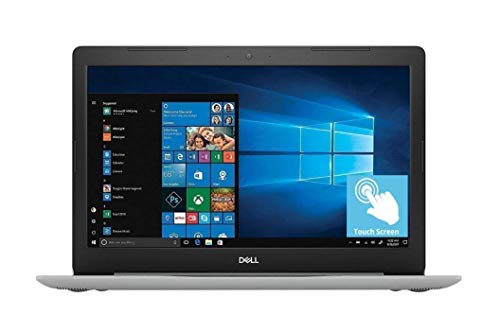
Dell Inspiron 15 5000 i5570
The Dell Inspiron 15 5000 i5570 is the everyday pick of this guide. It pairs a 1TB hard drive with an Intel Core i5-8250U quad-core processor, 8GB of memory and a 15.6 inch Full HD touchscreen, with a backlit keyboard and Bluetooth. The quad-core processor is the strongest part of this configuration: it keeps multitasking comfortable while the drive works through large files, and the touchscreen adds a convenient way to scroll through photo libraries and documents.
This model suits a home user or a home office that stores a lot of files and runs everyday software. The 1TB drive holds documents, coursework, a photo collection and downloaded video without the constant need to move files to an external drive. The backlit keyboard helps in dim rooms, and the Full HD touchscreen keeps the display sharp for its size. As with the other picks here, the exact configuration in the listing should be confirmed, because the Inspiron 15 5000 name covers several storage options.
Check the Dell Inspiron 15 5000 i5570 on Amazon
Lenovo IdeaPad 3 17 inch
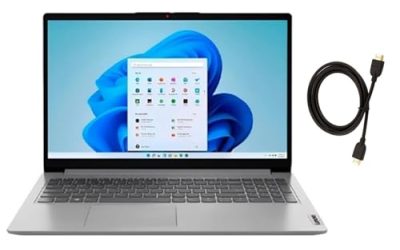
The Lenovo IdeaPad 3 17 inch is the big-screen pick of this guide. It pairs a 1TB hard drive with an Intel Core i5-1035G1 processor, 8GB of memory and a 17.3 inch display, in a machine that weighs about 4.6 pounds. The large screen is the point: a 17 inch display shows more of a spreadsheet, more of a photo library and more of a video at once, which suits buyers who use the laptop as their main computer and rarely carry it far.
The trade-off is the display resolution. The panel is HD Plus rather than Full HD, so text and video are less sharp than on the other picks here. For buyers who value screen size over sharpness, that is an acceptable exchange. The 1TB drive holds the same large library as the other 1TB picks, and the Core i5 processor with 8GB of memory handles everyday work. This is the pick for a desk-bound buyer who wants the biggest view of a big library.
Check the Lenovo IdeaPad 3 17 inch on Amazon
Acer Aspire 5 NX.GP4AA.002
The Acer Aspire 5 NX.GP4AA.002 is the simplest large-drive laptop in this guide. It pairs a 1TB hard drive with an Intel Core i3-7100U processor, 8GB of memory and a 15.6 inch Full HD display, with a webcam and Bluetooth. There is nothing fancy here: no touchscreen, no dedicated graphics, no acceleration memory. What it gives is a straightforward machine with a full terabyte of room for files, at the plain end of the market.
That simplicity suits a buyer who wants storage above all else and does not need gaming graphics or a touchscreen. The Full HD display is sharper than the HD Plus panel on the Lenovo above, which helps for documents and video. The Core i3 processor with 8GB of memory handles browsing, documents, streaming and light work. Buyers should note that this is an older model and remaining listings are limited, so the listing should be read in full before ordering.
Check the Acer Aspire 5 NX.GP4AA.002 on Amazon
How the Picks Compare
Capacity separates the top pick from the rest. The MSI GT80S Titan carries a 2TB hard drive plus two solid state drives, roughly three times the total storage of the 1TB picks. Among the 1TB models, the choice turns on the rest of the machine: the HP Pavilion adds dedicated graphics and a fast screen for gaming, the Dell adds a quad-core processor and a touchscreen for everyday work, the Lenovo adds the largest screen, and the Acer keeps the configuration simplest.
Speed follows the same pattern. None of these laptops boots or loads programs as quickly as a modern solid state machine, because the mechanical drive is the slowest part in each one. The HP Pavilion softens that with Optane memory, and the MSI softens it by putting the operating system on solid state drives. The Dell, Lenovo and Acer ask the buyer to accept the hard drive pace in exchange for capacity.
Age is the shared limitation. Every pick here is an older design, and remaining listings are limited. That is the honest state of this category: manufacturers have moved to solid state storage, so large mechanical drives now survive mainly in older models and remaining stock. A buyer who wants a brand new laptop with a large drive will find the choice narrow, and should weigh whether an external drive paired with a modern solid state laptop would serve better.
Frequently Asked Questions
Is a 1TB hard drive enough for a laptop?
For most libraries, yes. A 1TB drive holds documents, years of photos, downloaded video and a solid game library. Buyers with large video collections or many installed games should look at the 2TB pick above, or pair a 1TB laptop with an external drive for overflow.
Is a hard drive slower than a solid state drive?
Yes. A mechanical hard drive reads and writes more slowly than a solid state drive, so booting and opening programs takes longer. The trade is capacity: a hard drive holds more files for the same outlay. The HP Pavilion pick above uses Optane memory to accelerate frequently used files, and the MSI pick puts the operating system on solid state drives, which both soften the difference.
Can a laptop hard drive be replaced later?
Many of these models use a standard 2.5 inch drive bay, which allows a later swap, but the exact design varies by model and opening a laptop can affect its warranty. Check the service manual for the specific model before planning an upgrade, and back up all files before any hardware work.
Do these laptops still receive software updates?
That depends on the operating system and the hardware generation rather than the drive. Older models may ship with an older version of Windows and may need an update after setup. Check the listing for the operating system version and confirm the machine meets the requirements of the software it will run.
What should be checked in the listing before ordering?
Confirm the drive is described as a hard disk drive with a stated capacity, confirm the memory and processor in the exact configuration, confirm whether the unit is new or renewed, and read the warranty and return terms in full. The same model name often covers several configurations, so the listing details matter more than the model name.
Related guides
More from Amazon
Programs that pair well with the guide above. Offers and eligibility are set by Amazon and may change.
A free business account with business pricing and bulk-buying tools for work, shop or home office.
Create a business accountFree shipping on eligible items, Prime Video and more. Eligible new members can start with a free trial.
Start a Prime free trialAudiobooks and podcasts to listen to on the go. Eligible new members can start with a free trial.
Try Audible freeAd-free music streaming. Eligible new subscribers can start with a free trial.
Try Music Unlimited freeAs an Amazon Associate we earn from qualifying purchases.