Our Short List of 3

- Capacity: 2TB
- Model: ST2000DM008
- Form factor: 3.5-inch internal
- Interface: SATA 6 Gb/s

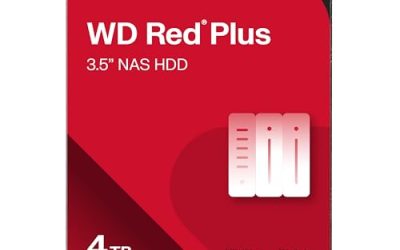
- Capacity: 4TB
- Model: WD4005FZBX
- Form factor: 3.5-inch internal
- Interface: SATA 6 Gb/s
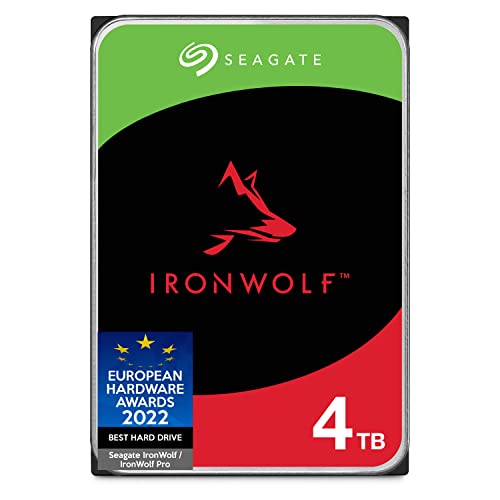
- Capacity: 4TB
- Model: ST4000VN008
- Form factor: 3.5-inch internal
- Interface: SATA 6 Gb/s
All 4 Picks at a Glance
| Product | Specs | Action |
|---|---|---|
| 2. Seagate BarraCuda 2TB — ST2000DM008 |
| Check price on Amazon |
| 3. Western Digital WD Black 4TB — WD4005FZBX |
| Check price on Amazon |
| 4. Seagate IronWolf 4TB — ST4000VN008 |
| Check price on Amazon |
 5. Seagate BarraCuda 8TB — ST8000DM004 |
| Check price on Amazon |
As an Amazon Associate we earn from qualifying purchases.
Disclosure: This guide contains affiliate links to Amazon. If you buy through those links, the site may earn a commission at no extra cost to you, and that support helps keep these buying guides free to read.
Our Top Picks
- Seagate IronWolf 4TB NAS Internal Hard Drive HDD4TB5.79 x 4.01 x 1.03 inches1.43 poundsCheck on Amazon
Top 3 picks at a glance
Introduction
Hard drives are no longer the fast part of a gaming PC, and nobody should pretend otherwise. Your operating system, your launcher and the game you are actively playing belong on an SSD. What a mechanical hard drive still does better than anything else is hold a lot of data in one place: a growing game library you do not want to delete and reinstall, captured footage, a photo archive, a media collection, local backups and a NAS volume that several people in the house rely on. That is exactly why the same handful of drive families keep showing up in build after build, year after year.
This guide covers the hard drives that sit in that long-running, mainstream part of the market. A quick note on the wording of the search itself: “best selling” describes popularity, and popularity is not something a spec sheet can prove. This article makes no claim about unit sales, rankings by volume or current market share, because those figures are not published in a way a buyer can check on a product page. Instead, the picks below are long-established, widely stocked drive lines from Western Digital and Seagate, organised by the job each one is actually built for. Treat the list as a shortlist of proven designs, then choose by capacity, recording technology and workload rather than by a popularity label.
All five picks are internal 3.5-inch SATA hard drives. Keeping the type consistent matters: mixing internal drives, portable USB drives and bare NAS units in one list helps nobody, because they solve different problems and mount in different places. Every drive here installs in a standard desktop drive bay or a NAS enclosure with 3.5-inch bays, connects over SATA and needs a SATA data cable plus a power lead from the power supply.
Quick Picks
- Best everyday desktop drive: Western Digital WD Blue 1TB (WD10EZEX) — a simple 7,200 RPM drive for a secondary library or an older desktop refresh.
- Best mainstream capacity pick: Seagate BarraCuda 2TB (ST2000DM008) — the familiar middle ground for game storage and general files.
- Best performance hard drive for gaming PCs: Western Digital WD Black 4TB (WD4005FZBX) — 7,200 RPM, a large cache and a longer warranty, aimed at gamers and creators.
- Best for a home NAS: Seagate IronWolf 4TB (ST4000VN008) — CMR recording, NAS firmware thinking and a design meant to run around the clock in a small enclosure.
- Best bulk capacity: Seagate BarraCuda 8TB (ST8000DM004) — the most room in this list for media and backups, with an SMR trade-off you need to understand before buying.
1. Western Digital WD Blue 1TB — WD10EZEX
The WD Blue line is the default desktop hard drive for people who simply need a drive that works. The 1TB WD10EZEX is the smallest pick in this guide, and that is its honest role today: a secondary drive in a desktop that already boots from an SSD, a replacement for a failing drive in an older machine, or a low-complexity home for documents, downloads and a modest game library.
It spins at 7,200 RPM, which keeps it feeling more responsive than slower desktop drives when you are browsing folders or loading older titles, and it carries a 64MB cache. The interface is SATA 6 Gb/s and the form factor is the standard 3.5-inch desktop size, so it drops into almost any tower case built in the last decade and a half. Western Digital also bundles access to its cloning software with WD Blue drives, which helps when you are migrating an existing installation rather than starting clean.
Where it falls short is obvious: 1TB fills quickly once modern games enter the picture, because a single large title can take a noticeable slice of the drive. If your library is growing, step up to one of the larger picks below instead of buying small now and replacing the drive within a year.
Key specs
- Capacity: 1TB
- Model: WD10EZEX
- Form factor: 3.5-inch internal
- Interface: SATA 6 Gb/s
- Spindle speed: 7,200 RPM
- Cache: 64MB
Pros
- 7,200 RPM spindle keeps everyday access brisk for a mechanical drive
- Simple, widely compatible desktop fit with no NAS or RAID complications
- A sensible size for a secondary drive or an older PC refresh
Cons
- 1TB is tight for a modern game library
- Not designed for always-on NAS duty or RAID arrays
- A mechanical drive, so load times will never match an SSD
Check the WD Blue 1TB on Amazon
2. Seagate BarraCuda 2TB — ST2000DM008
- Capacity: 2TB
- Model: ST2000DM008
- Form factor: 3.5-inch internal
- Interface: SATA 6 Gb/s
The BarraCuda name is the one most builders have handled at some point, and the 2TB model is the capacity where the line makes the most sense for a gaming PC. Two terabytes is enough room for a rotating set of installed games, a capture folder and general storage, without stepping into the slower, archive-oriented territory of the very large desktop drives.
This model spins at 7,200 RPM and carries a 256MB cache, connected over SATA 6 Gb/s in a 3.5-inch bay. One detail deserves plain language: this capacity uses SMR recording technology. SMR overlaps write tracks to fit more data on the platters, which is efficient for capacity, but sustained writes of very large amounts of data can slow down once the drive has to reorganise those tracks. For storing games, media and files you mostly read back, that behaviour is rarely a problem. For constant heavy rewriting, look at the CMR picks in this list instead.
Used as intended — a capacious, mainstream desktop drive paired with an SSD boot drive — the BarraCuda 2TB remains the straightforward answer for most people, which is a large part of why the family name keeps appearing in build lists.
Key specs
Pros
Cons
Check the Seagate BarraCuda 2TB on Amazon
3. Western Digital WD Black 4TB — WD4005FZBX
- Capacity: 4TB
- Model: WD4005FZBX
- Form factor: 3.5-inch internal
- Interface: SATA 6 Gb/s
WD Black is the performance branch of Western Digital’s hard drive range, and this 4TB model is the pick here for a gaming PC that needs serious room without giving up spindle speed. It runs at 7,200 RPM with a 256MB cache, and Western Digital positions the line for gamers, system builders and creative professionals who work with large files.
Four terabytes changes how you manage a library. Instead of deleting a game every time a new one arrives, you can keep the back catalogue installed, store recorded gameplay alongside it and still have space for project files. Western Digital supports the line with a longer limited warranty than its everyday desktop drives, which reflects the heavier workload the Black family is built to absorb, and the design includes features intended to keep data tracking accurate when a case also holds vibrating fans and other drives.
The compromises are physical rather than technical. A 7,200 RPM performance drive makes more noise and uses more power than a slower archive drive, and it will be audible in a quiet room if the case sits on your desk. It also cannot change the basic physics of a hard drive: for the game you launch every day, an SSD remains the better home.
Key specs
Pros
Cons
Check the WD Black 4TB on Amazon
4. Seagate IronWolf 4TB — ST4000VN008
- Capacity: 4TB
- Model: ST4000VN008
- Form factor: 3.5-inch internal
- Interface: SATA 6 Gb/s
A NAS drive lives a different life from a desktop drive. It runs for long stretches, sits in a warm enclosure next to other spinning drives and may be part of a RAID array where predictable behaviour matters more than headline speed. The IronWolf 4TB is built for exactly that job in one-bay and small multi-bay home and small-office enclosures.
The important specification is CMR recording. Conventional recording keeps write tracks separate, so the drive handles sustained writes and RAID rebuilds in a steadier, more predictable way than an SMR desktop drive. This model spins at 5,900 RPM with a 64MB cache over SATA 6 Gb/s, a balance Seagate tunes for always-on NAS duty rather than desktop responsiveness, and the IronWolf line is designed with multi-drive enclosures and RAID use in mind.
You can install it in a desktop and it will work, but you would be paying for NAS priorities you do not use while accepting a slower spindle than the desktop picks above. Buy it for a NAS, a small home server or a storage box that stays on, and it is the most specialised tool in this list.
Key specs
Pros
Cons
Check the Seagate IronWolf 4TB on Amazon
5. Seagate BarraCuda 8TB — ST8000DM004
- Capacity: 8TB
- Model: ST8000DM004
- Form factor: 3.5-inch internal
- Interface: SATA 6 Gb/s
When the problem is simply volume — a media library, years of photos and video, several full backups — the BarraCuda 8TB is the largest drive in this guide. Eight terabytes in a single 3.5-inch bay can replace a small stack of smaller drives and simplify a storage PC, a media server or a backup target.
It spins at 5,400 RPM with a 256MB cache and a SATA 6 Gb/s interface, and Seagate rates its sustained transfer speed at up to 190 MB/s. Like the 2TB BarraCuda above, it uses SMR recording, and at this capacity that trade-off deserves real attention. Filling the drive with large files, then reading them back, plays to its strengths. Repeatedly rewriting huge amounts of data, rebuilding it in a RAID array or using it as a busy working drive plays against them, and write speeds can dip during long transfers while the drive manages its overlapped tracks.
Seagate also rates this desktop family for a modest annual workload and a duty cycle well below always-on NAS service. Respect that positioning — use it as capacious desktop or backup storage, keep a second copy of anything irreplaceable, and it does its job well. Ask it to be a NAS array drive and the IronWolf above is the correct answer instead.
Key specs
Pros
Cons
Check the Seagate BarraCuda 8TB on Amazon
How to Choose a Hard Drive
Start with the job, not the capacity. A boot drive should be an SSD. A hard drive earns its place as a library, archive, backup or NAS volume, so decide which of those you are buying before comparing models, because the right answer differs for each one.
Understand CMR versus SMR. CMR drives write tracks side by side and hold up predictably under sustained writes and RAID rebuilds. SMR drives overlap tracks to gain capacity, which is fine for storage that is mostly written once and read often, but can slow long write sessions. For a NAS or any array, choose CMR. For a desktop archive, SMR is an acceptable trade as long as you know it is there.
Match spindle speed to use. A 7,200 RPM drive feels quicker when browsing and loading from a mechanical disk, at the cost of more noise and power. Slower drives around 5,400 to 5,900 RPM run quieter and suit bulk storage and NAS enclosures, where network speed is usually the real limit anyway.
Size for the library you will have, not the one you have. Games, footage and photo libraries only grow. Buying one capacity step above your current need is usually cheaper than replacing a full drive later and migrating everything under pressure.
Check the physical fit. All five picks need a 3.5-inch bay, a SATA data cable and a SATA power connector. Laptops and mini PCs that only accept 2.5-inch drives cannot use any of them, and some small NAS enclosures have capacity or thickness limits worth confirming in the manual.
Plan a backup regardless of brand. Every hard drive, from every maker, can fail. A drive is a storage device, not a backup strategy, so keep a second copy of anything you cannot replace, ideally in a different device or location.
FAQs
Should I install games on a hard drive or an SSD?
Install the games you play most on an SSD for shorter load times, and use a hard drive for the rest of the library, older titles and games where loading matters less. Moving a game between drives through your launcher is far easier than deleting and downloading it again.
How much capacity do I actually need?
For a secondary game and file drive, 2TB is a comfortable starting point. Choose 4TB if you record gameplay, keep a large back catalogue installed or store a lot of video, and 8TB when the drive is mainly a media library or backup target.
Can I use a desktop hard drive in a NAS?
It will physically fit and function in many enclosures, but desktop drives are not tuned or rated for always-on multi-drive use, and SMR models can struggle during RAID rebuilds. A NAS-rated CMR drive such as the IronWolf in this guide is the safer choice for an array.
What cables do I need to install one of these drives?
You need a SATA data cable between the drive and the motherboard or controller, plus a SATA power lead from the power supply. Most desktop power supplies include several, and many motherboards include at least one data cable in the box.
Does a bigger cache make a hard drive much faster?
A larger cache helps with bursts and repeated small operations, but it does not transform the drive. Spindle speed, recording technology and the type of work you give it matter more than cache size alone, which is why the specs above list all three together.
Conclusion
The hard drive market has settled into clear roles, and the five drives above cover them without overlap. Take the WD Blue 1TB for a simple secondary drive, the BarraCuda 2TB as the mainstream desktop default, the WD Black 4TB when a gaming PC needs room and responsiveness together, the IronWolf 4TB for a NAS that runs around the clock, and the BarraCuda 8TB when sheer volume is the whole point. Pair whichever you choose with an SSD for your system and active games, keep a backup of anything irreplaceable, and confirm the exact model number on the product page before ordering so the drive that arrives matches the one you planned for.
Related guides
More from Amazon
Programs that pair well with the guide above. Offers and eligibility are set by Amazon and may change.
A free business account with business pricing and bulk-buying tools for work, shop or home office.
Create a business accountFree shipping on eligible items, Prime Video and more. Eligible new members can start with a free trial.
Start a Prime free trialAudiobooks and podcasts to listen to on the go. Eligible new members can start with a free trial.
Try Audible freeAd-free music streaming. Eligible new subscribers can start with a free trial.
Try Music Unlimited freeAs an Amazon Associate we earn from qualifying purchases.