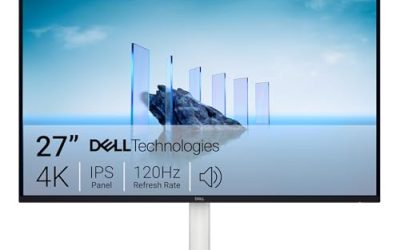
Our Short List of 3

- Best for: A laptop-based drafting desk that needs one cable for video, charging, and peripherals.
- 27-inch 4K UHD IPS Black panel, 3840 x 2160 pixels
- 3000:1 contrast ratio with 99 DCI-P3 and Display P3 color coverage
- 450 candela per square meter brightness
- Thunderbolt 4 hub with USB-C, DisplayPort, HDMI, USB-A, and Ethernet

- Best for: Color-accurate AutoCAD drawings, renders, and client presentations.
- 27-inch 4K HDR IPS panel, 3840 x 2160 pixels, 178-degree wide view
- 99 DCI-P3 and 99 Adobe RGB color coverage
- Calman Verified, factory pre-calibrated to Delta E under 2
- DisplayPort over USB-C with 96-watt Power Delivery, DisplayPort, HDMI, and USB hub

- Best for: A bright home office where one 4K screen serves a laptop and a desktop.
- 27-inch 4K UHD IPS panel, 3840 x 2160 pixels, DisplayHDR 400
- 1200:1 contrast ratio with matte screen finish
- USB Type-C with power delivery up to 90W, DisplayPort, two HDMI, two USB 3.0 ports, headphone jack
- Built-in speaker
All 5 Picks at a Glance
| Product | Specs | Action |
|---|---|---|
| Dell UltraSharp 27 4K USB-C Hub Monitor – U2725QE |
| Check price on Amazon |
| ASUS ProArt Display 27″ 4K HDR Professional Monitor PA279CRV |
| Check price on Amazon |
| LG 27UP850K-W 27 Inch Ultrafine 4K UHD IPS Monitor |
| Check price on Amazon |
 ASUS ProArt Display 27″ Monitor PA278QV |
| Check price on Amazon |
 Dell UltraSharp 32 4K USB-C Hub Monitor – U3223QE |
| Check price on Amazon |
AutoCAD drafting asks a lot from a screen. Fine lines, small labels, dense layers, and long hours at a desk all add up, so a monitor that looks fine for email can feel weak when a full floor plan fills the view. A sharp 4K panel keeps line work clean, an IPS panel keeps color steady from side to side, and a USB-C hub keeps a laptop, keyboard, and mouse on one tidy cable.
This guide suits architects, engineers, interior designers, students, and home drafters who want a reliable screen for daily AutoCAD work. We chose five monitors from the Dell UltraSharp and ASUS ProArt and LG UltraFine lines, with 4K clarity, wide color coverage, and practical desk connections. Each one earns its place for a different kind of drafting desk, from a compact laptop setup to a large dual-screen workspace.
Our Top Picks
 ASUS ProArt PA279CRV 27 Inch 4K UHD USB-C27 Inch24.1 x 8.46 x 16.07 Inches18.25 poundsCheck on Amazon
Top 3 picks at a glance
Quick Picks
As an Amazon Associate we earn from qualifying purchases
| Product | Best for | Key spec from title |
|---|---|---|
| Dell UltraSharp 27 4K USB-C Hub Monitor – U2725QE | A single-cable drafting desk with a laptop dock | 4K IPS, USB-C hub |
| ASUS ProArt Display 27″ 4K HDR Professional Monitor PA279CRV | Color-accurate drawings and renders | 4K HDR, 99 DCI-P3 color |
| LG 27UP850K-W 27 Inch Ultrafine 4K UHD IPS Monitor | A white desk with a laptop and built-in sound | 4K IPS, USB-C, HDR400 |
| ASUS ProArt Display 27″ Monitor PA278QV | A dependable second screen for sRGB drafting work | 27-inch, 100 sRGB, ergonomic stand |
| Dell UltraSharp 32 4K USB-C Hub Monitor – U3223QE | A large canvas for full floor plans | 32-inch 4K, USB-C hub |
How to Choose
Resolution and Line Clarity
Resolution decides how clean a drawing looks on screen. A 4K panel packs 3840 by 2160 pixels into the view, so thin lines, hatch patterns, and small dimension labels stay crisp instead of turning soft at the edges. That clarity matters when you zoom out to check a whole plan, then zoom in to edit a tight corner. A 1440p panel can still serve as a second screen, yet it shows less detail at the same size. For a main AutoCAD monitor, choose 4K when the desk and the budget allow it, and pair it with a sharp IPS panel for steady viewing angles.
Color Accuracy for Drawings
Color accuracy matters in AutoCAD when line colors carry meaning. Layers, materials, and markup often rely on distinct hues, so a panel that shifts color from one side to the other can mislead the eye. Look for wide color coverage, such as full sRGB or wide DCI-P3, plus factory calibration with a low Delta E value. Calman Verified panels add a useful check, since each unit leaves the factory with measured color. A calibrated screen also helps when you share drawings as PDFs or printed sheets, because what you see stays close to what others see.
USB-C Hub and Desk Connections
A USB-C hub turns a monitor into the center of a drafting desk. One cable can carry the video signal, charge a laptop, and link a keyboard, mouse, and external drive through the monitor ports. That single-cable setup cuts clutter and makes it easy to dock a laptop each morning and undock it at the end of the day. Check the wattage of USB-C power delivery, since a work laptop needs enough power to charge while it runs AutoCAD. Also look for DisplayPort and HDMI inputs, plus a few USB-A ports for the tools you plug in every day.
Size, Stand, and Eye Comfort
Size and stand adjustability shape how a monitor feels across a long drafting session. A 27-inch screen fits most desks and keeps a full drawing in view, while a 32-inch screen gives more room for tool palettes, layer panels, and a second window beside the plan. A stand that moves up and down, tilts, swivels, and pivots lets you set the screen at eye level and turn it upright for tall elevations. Low blue light modes and a matte anti-glare finish also help, since they cut glare from windows and lamps and ease eye strain during long hours.
The 5 Best Options
Dell UltraSharp 27 4K USB-C Hub Monitor – U2725QE
- Best for: A laptop-based drafting desk that needs one cable for video, charging, and peripherals.
- 27-inch 4K UHD IPS Black panel, 3840 x 2160 pixels
- 3000:1 contrast ratio with 99 DCI-P3 and Display P3 color coverage
- 450 candela per square meter brightness
- Thunderbolt 4 hub with USB-C, DisplayPort, HDMI, USB-A, and Ethernet
A laptop-based drafting desk that needs one cable for video, charging, and peripherals.
The hub works well only when the laptop supports video over USB-C or Thunderbolt.
The Dell UltraSharp U2725QE suits a drafting desk built around a laptop. Its 27-inch 4K IPS Black panel shows fine AutoCAD lines with deep contrast, so dark line work stands out against a light drawing area. The Thunderbolt 4 and USB-C hub links a laptop with one cable, while extra USB ports, DisplayPort, HDMI, and Ethernet keep the rest of the desk connected. A low reflectance panel cuts glare, and an ambient light sensor adjusts brightness to the room.
ASUS ProArt Display 27″ 4K HDR Professional Monitor PA279CRV
- Best for: Color-accurate AutoCAD drawings, renders, and client presentations.
- 27-inch 4K HDR IPS panel, 3840 x 2160 pixels, 178-degree wide view
- 99 DCI-P3 and 99 Adobe RGB color coverage
- Calman Verified, factory pre-calibrated to Delta E under 2
- DisplayPort over USB-C with 96-watt Power Delivery, DisplayPort, HDMI, and USB hub
Color-accurate AutoCAD drawings, renders, and client presentations.
The wide color modes need a quick check in the on-screen menu before color-critical work.
The ASUS ProArt PA279CRV is the color pick in this set, and it fits drafters who share drawings with clients and colleagues. Its 27-inch 4K IPS panel covers wide DCI-P3 and Adobe RGB color, and each unit arrives factory calibrated to a Delta E under 2 with Calman Verified status. That accuracy keeps layer colors and material tones true on screen. USB-C with 96-watt power delivery charges a laptop while DisplayPort and HDMI handle a desktop, and the ergonomic stand adjusts for long sessions.
LG 27UP850K-W 27 Inch Ultrafine 4K UHD IPS Monitor
- Best for: A bright home office where one 4K screen serves a laptop and a desktop.
- 27-inch 4K UHD IPS panel, 3840 x 2160 pixels, DisplayHDR 400
- 1200:1 contrast ratio with matte screen finish
- USB Type-C with power delivery up to 90W, DisplayPort, two HDMI, two USB 3.0 ports, headphone jack
- Built-in speaker
A bright home office where one 4K screen serves a laptop and a desktop.
The white finish shows dust and marks more readily than a dark frame.
The LG 27UP850K-W brings 4K clarity to a clean white desk. Its 27-inch IPS panel shows AutoCAD line work in sharp detail, and VESA DisplayHDR 400 support adds depth to shaded views and renders. USB-C with 90-watt power delivery links a laptop with one cable, while DisplayPort, two HDMI ports, and two USB 3.0 ports cover a desktop and peripherals. Built-in speakers save desk space, and the tilt, height, and pivot stand adapts the screen to the chair and the desk.
ASUS ProArt Display 27″ Monitor PA278QV
- Best for: A second AutoCAD screen or a main screen for sRGB drafting and document work.
- 27-inch WQHD IPS panel, 2560 x 1440 pixels
- 100 sRGB and 100 Rec. 709 wide color gamut
- Calman Verified with factory calibration for Delta E under 2 color accuracy
- DisplayPort, HDMI, Mini DisplayPort, DVI-D, and four USB 3.0 ports
A second AutoCAD screen or a main screen for sRGB drafting and document work.
It is a 1440p panel, so fine lines look less crisp than on the 4K picks here.
The ASUS ProArt PA278QV is a solid choice as a second screen or as a main screen for sRGB drafting work. Its 27-inch WQHD IPS panel shows 2560 by 1440 pixels with full sRGB and Rec. 709 coverage, and Calman Verified calibration to Delta E under 2 keeps colors steady. The ergonomic stand moves in every direction, so the screen sits at a comfortable height beside a larger 4K panel. DisplayPort, HDMI, Mini DisplayPort, and a USB hub give it room for a desktop, a laptop, and the tools on the desk.
Dell UltraSharp 32 4K USB-C Hub Monitor – U3223QE
- Best for: Large floor plans, elevations, and a full palette of AutoCAD tools on one screen.
- 31.5-inch 4K UHD IPS Black panel, 3840 x 2160 pixels
- 2000:1 contrast ratio with 98 DCI-P3 and full sRGB and Rec. 709 coverage
- DisplayHDR 400 support
- USB-C hub with 90W power delivery, DisplayPort 1.4, HDMI, USB ports, and RJ45 Ethernet
Large floor plans, elevations, and a full palette of AutoCAD tools on one screen.
The 32-inch size needs a deep desk, so measure the space before ordering.
The Dell UltraSharp U3223QE gives AutoCAD the most room in this set. Its 31.5-inch 4K IPS Black panel shows a full floor plan with tool palettes open beside it, and the wide DCI-P3 coverage keeps material colors and layer hues true. The USB-C hub carries video, data, and 90-watt power delivery over one cable, while DisplayPort, HDMI, USB ports, and an RJ45 Ethernet port cover the rest of the desk. A fully adjustable stand sets the large screen at a comfortable height for long drafting days.
Which One Fits Your Situation
You draft full floor plans all day
Choose the Dell UltraSharp U3223QE when a whole plan must stay in view. The 32-inch 4K screen holds the drawing, the layer panel, and the properties palette at once, so you scroll less and keep the full layout in mind. Its USB-C hub also keeps a laptop charged while it drives the large screen, which suits a desk where one monitor does most of the work.
You share drawings with clients and colleagues
Choose the ASUS ProArt PA279CRV when color must match what others see. Its wide DCI-P3 and Adobe RGB coverage, plus factory calibration, keep layer colors and material tones honest in PDFs and on screen. The 4K IPS panel also shows fine detail in renders, so a client sees the drawing much as you drew it.
You work from a small desk with a laptop
Choose the Dell UltraSharp U2725QE or the LG 27UP850K-W when space is tight and one cable must do the job. Both 27-inch 4K screens dock a laptop over USB-C, charge it, and link a keyboard and mouse through the hub. The Dell adds a stronger hub and deeper contrast, while the LG adds built-in sound and a clean white frame.
You need a second monitor for reference drawings
Choose the ASUS ProArt PA278QV as a reference screen beside a 4K main monitor. Its 27-inch 1440p IPS panel shows a second drawing, a schedule, or a PDF at full sRGB color, and its stand lines up neatly with a taller main screen. The USB hub also gives a handy place to plug in a mouse, keyboard, or drive.
Common Mistakes
- Buying a low-resolution screen and then zooming in and out all day to read small labels and fine lines.
- Ignoring color coverage and calibration, so layer colors look right on one screen and wrong everywhere else.
- Choosing a monitor with too few USB ports, which leaves the keyboard, mouse, and drive fighting for a free socket.
- Setting the screen too high, too low, or too far away, which strains the neck and eyes during long drafting sessions.
- Leaving the monitor on its default color mode instead of choosing the calibrated sRGB or DCI-P3 mode for drawing work.
Frequently Asked Questions
Can a 27-inch 4K monitor show a full AutoCAD drawing clearly?
Yes, a 27-inch 4K monitor shows a full drawing with crisp lines and readable labels. The 3840 by 2160 resolution packs enough pixels into the view to keep thin lines sharp at a normal zoom level. You can still zoom in for fine edits, yet the whole plan stays legible when you zoom out to check the layout.
Do I need USB-C on a monitor for AutoCAD work?
No, USB-C is not required for AutoCAD, yet it helps a lot on a laptop desk. One USB-C cable can carry the video signal, charge the laptop, and link peripherals through the monitor hub. A desktop setup can use DisplayPort or HDMI instead, so choose USB-C when a single-cable dock matters to you.
Is 4K better than 1440p for AutoCAD drafting?
Yes, 4K is better for a main AutoCAD monitor because it shows more detail at the same screen size. Fine lines, hatch patterns, and small text stay cleaner on a 4K panel, and you can fit more of a drawing on screen. A 1440p panel still works well as a second screen for reference drawings and schedules.
What size monitor works well for AutoCAD at a home desk?
A 27-inch monitor works well for most home desks, since it fits the space and shows a full drawing at 4K. A 32-inch monitor suits a larger desk and a drafter who keeps many palettes open, while a 27-inch second screen adds room for reference material. Measure the desk depth first, then choose the size that leaves room for a keyboard.
Related guides
More from Amazon
Programs that pair well with the guide above. Offers and eligibility are set by Amazon and may change.
A free business account with business pricing and bulk-buying tools for work, shop or home office.
Create a business accountFree shipping on eligible items, Prime Video and more. Eligible new members can start with a free trial.
Start a Prime free trialAudiobooks and podcasts to listen to on the go. Eligible new members can start with a free trial.
Try Audible freeAd-free music streaming. Eligible new subscribers can start with a free trial.
Try Music Unlimited freeAs an Amazon Associate we earn from qualifying purchases.