Our Short List of 3

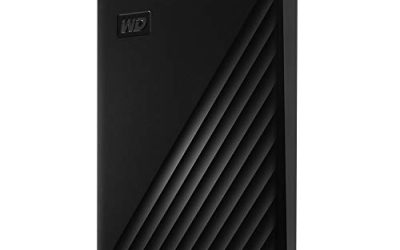
- Best for: Backups of personal files that need password protection.
- 1TB Mechanical Hard Disk
- USB 3.1 and USB 3.0 compatible
- Backup software with defense against ransomware
- Password protection with 256-bit AES hardware encryption

- Best for: Game storage shared between a PC and a console.
- 1TB External Hard Drive HDD
- USB 3.0 interface
- 1-Year Rescue Service included
- Model STGX1000400, black

- Best for: Simple plug-and-play storage with no bundled software.
- 1TB Portable External Hard Drive
- Mechanical Hard Disk, 2.5-inch form factor
- USB 3.0 interface, USB 2.0 compatible
- Pre-formatted NTFS for Windows PC
All 4 Picks at a Glance
| Product | Specs | Action |
|---|---|---|
| WD My Passport 1TB |
| Check price on Amazon |
| Seagate Portable 1TB |
| Check price on Amazon |
| Toshiba Canvio Basics 1TB |
| Check price on Amazon |
 Seagate BarraCuda 1TB |
| Check price on Amazon |
A small hard drive solves a narrow problem: you need more room for games, photos, or backups, but you do not want another bulky box on the desk. The choice is not about raw speed alone. It is about how the drive connects, how much space it takes up in a bag or a case, and whether it fits the machine you already own. A pocket-size portable drive and a slim 2.5-inch internal drive can hold the same files, yet they serve different setups, and picking the wrong shape means a drive that never leaves the drawer.
This guide is for gamers and everyday PC owners who want compact storage without rebuilding a system — a laptop owner adding a backup drive or a desktop owner filling a spare bay. The five drives below were picked from Amazon listings, and every specification comes from the listing title or product details: capacity, interface, form factor, spindle speed, cache, and the extras each maker states.
Our Top Picks
- Toshiba Canvio Basics 1TB Portable External Hard Drive1TB4.3 x 3.1 x 0.55 inches0.3 poundsCheck on Amazon
Top 3 picks at a glance
Quick Picks
As an Amazon Associate we earn from qualifying purchases.
| Product | Best for | Key spec from title |
|---|---|---|
| WD My Passport 1TB | Backups with password protection | 1TB portable hard drive, USB 3.1 |
| Seagate Portable 1TB | Console and PC game storage | 1TB hard drive, USB 3.0, 1-Year Rescue Service |
| Toshiba Canvio Basics 1TB | Simple plug-and-play file storage | 1TB portable hard drive, USB 3.0 |
| WD Blue 1TB Mobile | Laptop and small-PC internal bay | 1TB mobile hard drive, 5400 RPM, SATA 6 Gb/s |
| Seagate BarraCuda 1TB | Spare laptop bay or enclosure build | 1TB internal hard drive, 2.5-inch, SATA 6 Gb/s |
How to Choose
Portable or internal
Start by deciding where the drive will live. A portable drive connects over USB, draws its power from the port, and moves between machines without tools, which suits backups, file transfers, and console storage. An internal 2.5-inch drive mounts inside a laptop or a small desktop, stays put, and needs a free bay plus a SATA cable and power connector. If you only own a laptop with no spare bay, the portable route is the practical one. If you have a desktop with an empty 2.5-inch mount, an internal drive keeps the desk clear and never needs a cable dangling from a port.
Capacity and what 1TB really holds
Every drive in this guide holds 1TB, and that figure is the sweet spot for a small drive: large enough for a serious game library, a photo archive, or a full system backup, yet small enough to stay cheap and compact. Count what you actually plan to store before assuming 1TB is enough. Modern games often take tens of gigabytes each, and a photo or video collection grows faster than most people expect. If your library already sits near 800GB, a single 1TB drive leaves little headroom, and you should plan a second drive or a larger one instead of filling the first to the brim.
Interface and connection
The connection decides how fast files move and which machines accept the drive. Portable drives in this guide use USB 3.0 or USB 3.1, which plug into the USB-A ports found on nearly every PC and console, and they also work on older USB 2.0 ports at lower speed. Internal drives use SATA 6 Gb/s, the standard connector in laptop bays and desktop drive mounts. Check the port or bay before ordering: a USB-C-only laptop needs an adapter for a USB-A drive, and a desktop with no free SATA port or no 2.5-inch mount cannot take an internal drive without extra parts.
Extras that change the decision
Small differences in the box can matter more than small differences in speed. Some portable drives include backup software and password protection, which helps if the drive will carry personal files outside the house. One pick in this guide adds a rescue service for data recovery, a useful safety net for irreplaceable photos. Internal drives ship bare, with no cable and no enclosure, so the total cost includes whatever mounting hardware your machine lacks. Warranty length, the need to reformat for a different operating system, and whether the drive runs on bus power alone are all worth confirming on the listing before you buy.
The 5 Best Options
WD My Passport 1TB
- Best for: Backups of personal files that need password protection.
- 1TB Mechanical Hard Disk
- USB 3.1 and USB 3.0 compatible
- Backup software with defense against ransomware
- Password protection with 256-bit AES hardware encryption
Backups of personal files that need password protection.
Confirm it is still sold before buying, and check the listing states the 1TB black model before ordering.
The My Passport is the most complete portable drive in this group, because it pairs a compact 1TB shell with backup software and password protection in the same listing. That combination suits anyone carrying personal files between home and work, or anyone setting up a backup routine they can leave running without thinking about it. It connects over USB 3.1 while staying compatible with USB 3.0 ports, draws power from the port, and needs no separate adapter. The black enclosure is small enough for a jacket pocket, and the drive works with Windows and Mac machines once formatted for the system you use.
Seagate Portable 1TB
- Best for: Game storage shared between a PC and a console.
- 1TB External Hard Drive HDD
- USB 3.0 interface
- 1-Year Rescue Service included
- Model STGX1000400, black
Game storage shared between a PC and a console.
Confirm it is still sold before buying, and check the listing states model STGX1000400 before ordering.
The Seagate Portable is the straightforward pick for moving a game library or a media collection between machines. Its listing states compatibility with PC, Mac, PlayStation, and Xbox, so it covers the machines most gamers already own without extra setup. The 1TB capacity holds a solid set of installed games, and the USB 3.0 connection keeps transfers moving at the pace a mechanical drive supports. A 1-Year Rescue Service is included in the listing, which adds a recovery option if the drive fails during that first year. The black shell is pocket-size and bus-powered, so it travels in a laptop bag without a charger.
Toshiba Canvio Basics 1TB
- Best for: Simple plug-and-play storage with no bundled software.
- 1TB Portable External Hard Drive
- Mechanical Hard Disk, 2.5-inch form factor
- USB 3.0 interface, USB 2.0 compatible
- Pre-formatted NTFS for Windows PC
Simple plug-and-play storage with no bundled software.
Confirm it is still sold before buying, and note that Mac use needs reformatting first.
The Canvio Basics is the no-frills option for buyers who want storage without software to learn. It is a 2.5-inch portable drive that works by drag and drop, pre-formatted for Windows PCs, with no external power cord and no setup program standing between you and your files. That simplicity suits a second backup drive, a photo archive, or a drive handed between family members. The matte black casing is slim and light for a bag, and the USB 3.0 connection also works on older USB 2.0 ports. Reformatting is needed for Mac use, which is a one-time step worth knowing about before the drive arrives.
WD Blue 1TB Mobile
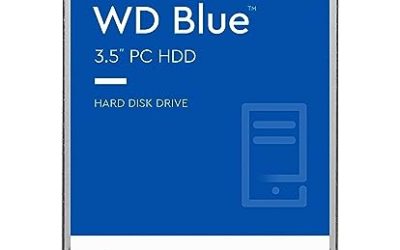
The WD Blue Mobile is the internal option for a laptop or small desktop with a spare 2.5-inch bay. It is a 7mm-class slim drive built around a 5400 RPM spindle, a SATA 6 Gb/s interface, and a 128MB cache, a combination aimed at quiet everyday storage rather than maximum throughput. That makes it a sensible fit for a secondary drive holding games, media, or backups inside a machine that already boots from faster storage. Its small footprint suits thin laptops and compact cases where a taller drive would not fit, and the 1TB capacity gives a laptop a meaningful second volume without an external box.
Specs
- 1TB Mobile Hard Drive HDD
- 5400 RPM spindle speed
- SATA 6 Gb/s interface
- 128MB cache
- 2.5-inch form factor
- Model WD10SPZX
Best for: A spare laptop bay or small-PC internal storage.
Watch out for: Confirm it is still sold before buying, and check the listing shows model WD10SPZX, since more than one listing for this model circulates.
ASIN: B071F9MLJJ
Seagate BarraCuda 1TB
- Best for: A spare laptop bay or a do-it-yourself enclosure build.
- 1TB Internal Hard Drive HDD
- 2.5-inch form factor, SATA 6 Gb/s
- 5400 RPM spindle speed
- 128MB cache
A spare laptop bay or a do-it-yourself enclosure build.
Confirm it is still sold before buying — this is the pick with the thinnest current stock evidence — and check the listing shows model ST1000LM048.
The BarraCuda 1TB is the second internal pick, a flexible spare for a laptop bay or a USB enclosure build. Its listing gives the same core figures as the WD Blue — 1TB, 2.5-inch, SATA 6 Gb/s, 5400 RPM, and a 128MB cache — so the choice between the two comes down to availability on the day you buy. The 7mm height fits slim bays, and the drive suits bulk storage duties such as a game library, a media archive, or a backup volume inside a machine with a faster boot drive. Buying it bare means supplying your own mounting screws or enclosure.
Which One Fits Your Situation
Backing up a laptop you carry everywhere
Choose the WD My Passport 1TB. Its backup software and password protection fit a drive that leaves the house, and the USB connection works on any machine you sit down at. Keep the drive in the laptop bag so backups happen wherever you work, and set the software to run on a schedule rather than relying on memory.
Moving games between a PC and a console
Choose the Seagate Portable 1TB. The listing states compatibility with PC, Mac, PlayStation, and Xbox, so one drive can hold games for the machines you already own. Plug it in, move the titles you play most, and keep the internal drive free for the games that need the fastest loading.
Adding storage inside a laptop with a spare bay
Choose the WD Blue 1TB Mobile. Its slim 2.5-inch body and SATA connection fit the bay in most laptops that still take a second drive, and 1TB gives the machine room for a game library or media archive. Confirm the bay height and the spare SATA connector inside your machine before ordering.
Building a cheap backup drive from parts
Choose the Seagate BarraCuda 1TB with a USB enclosure, or the Toshiba Canvio Basics 1TB if you would rather skip the build entirely. The BarraCuda plus an enclosure costs little beyond the drive itself and a basic enclosure, while the Canvio arrives ready to plug in and needs no assembly at all.
Common Mistakes
- Buying a portable drive for a machine that has no free USB port, then needing a hub or an adapter to use it at all.
- Assuming a 1TB drive holds 1TB of usable space, and filling it to the edge with no room left for the system to work.
- Ordering an internal 2.5-inch drive without checking bay height, and finding a 7mm bay cannot take a taller drive.
- Treating a mechanical hard drive like a solid-state drive, then wondering why large game installs and file copies take longer.
- Skipping the reformat step when moving a Windows-formatted drive to a Mac, and finding files cannot be written until the format is fixed.
Frequently Asked Questions
Is 1TB enough for a small hard drive?
For most buyers, yes. A 1TB drive holds a large game library, a full photo archive, or a complete system backup with room to spare. It falls short only when the library already approaches that size, for example with dozens of large modern games installed at once. In that case, plan a second drive or step up to a larger capacity rather than filling one small drive to the edge.
Can I use a portable hard drive with a game console?
Yes, if the listing states console compatibility, as the Seagate Portable does for PlayStation and Xbox. Consoles treat an external drive as extra storage for games and media, though some systems only run certain titles from external storage. Check your console maker guidance on which games can run from USB storage before moving a library across.
Do I need to format a new hard drive before using it?
Most portable drives arrive pre-formatted for Windows and work at once on a PC. Mac use usually needs a reformat, and internal drives may need formatting the first time they appear in the system. The listing for each drive states its pre-formatted system, so check that line before the drive arrives and set aside a few minutes for setup.
How long do small mechanical hard drives last?
A mechanical drive can serve for years when it stays still during use, avoids drops, and runs regular backups elsewhere. Moving parts wear over time, and a portable drive faces more bumps than an internal one, so no single drive should hold the only copy of important files. Keep a second copy of anything irreplaceable, and replace a drive that starts making unusual sounds or dropping files.
Related guides
More from Amazon
Programs that pair well with the guide above. Offers and eligibility are set by Amazon and may change.
A free business account with business pricing and bulk-buying tools for work, shop or home office.
Create a business accountFree shipping on eligible items, Prime Video and more. Eligible new members can start with a free trial.
Start a Prime free trialAudiobooks and podcasts to listen to on the go. Eligible new members can start with a free trial.
Try Audible freeAd-free music streaming. Eligible new subscribers can start with a free trial.
Try Music Unlimited freeAs an Amazon Associate we earn from qualifying purchases.