Our Short List of 3

- Best for: Home QNAP owners who want quiet, reliable storage for backups, photos, and media streaming.
- 4TB capacity
- 5400 RPM spindle speed
- SATA 6Gb/s interface, 3.5-inch form factor
- CMR recording

- Best for: Small business and shared household QNAP setups where several users access files at once.
- 4TB capacity
- 5400 RPM spindle speed
- SATA 6 Gb/s interface, 3.5-inch form factor
- CMR recording, 256MB cache

- Best for: Large media libraries and QNAP owners who want maximum capacity per bay.
- 8TB capacity
- 7200 RPM spindle speed
- SATA 6 Gb/s interface, 3.5-inch form factor
- 512MB cache
All 3 Picks at a Glance
| Product | Specs | Action |
|---|---|---|
| Seagate IronWolf 4TB NAS Hard Drive (ST4000VN006) |
| Check price on Amazon |
| Western Digital WD Red Plus 4TB NAS Hard Drive (WD40EFPX) |
| Check price on Amazon |
| Toshiba N300 8TB NAS Hard Drive |
| Check price on Amazon |
A QNAP enclosure can hold your photos, media library, and business files for years, but the enclosure itself does very little of the heavy lifting. The hard drives inside decide how quickly files move, how gracefully the array rebuilds after a failure, and how often you think about storage at all. Choosing the wrong drive usually shows up later, as slow transfers during a rebuild or a volume that fills up months sooner than planned.
This guide covers three groups of QNAP owners. Home users filling a two-bay or four-bay box with family photos and backups need quiet, dependable capacity. Media collectors running a home server need room to grow and steady streaming performance. Small offices sharing files across a team need drives built for constant access. The picks below cover those needs: a Seagate IronWolf 4TB for quiet home setups, a WD Red Plus 4TB for shared office storage, and a Toshiba N300 8TB for large media libraries.
Our Top Picks
Top 3 picks at a glance
Quick Picks
As an Amazon Associate we earn from qualifying purchases
| Product | Best for | Key spec from title |
|---|---|---|
| Seagate IronWolf 4TB (ST4000VN006) | Quiet home NAS builds | 4TB CMR NAS drive, 5400 RPM |
| WD Red Plus 4TB (WD40EFPX) | Small business file sharing | 4TB CMR NAS drive, 256MB cache |
| Toshiba N300 8TB | Large media libraries | 8TB NAS drive, 7200 RPM |
How to Choose
Pick CMR recording for RAID arrays
Conventional magnetic recording, usually shortened to CMR, writes data in tracks that sit side by side without overlapping. That layout matters inside a RAID array because rebuilding a failed drive involves reading and rewriting large amounts of data, and overlapping-track designs slow that process down sharply. Shingled recording, or SMR, can look identical on a box and still behave very differently under rebuild load. Before buying any drive for a QNAP enclosure, confirm that the listing names CMR explicitly. All three drives in this guide use CMR, which is one reason they suit RAID setups rather than single-drive desktop use.
Match capacity to your bay count and growth
A two-bay QNAP in a mirrored setup only gives you the capacity of one drive, so a pair of 4TB drives yields 4TB of usable space, not 8TB. In a four-bay box with one drive of parity, three drives contribute usable space. Work out how much data you already have, add what you expect to accumulate over the next two years, and then leave headroom on top. Media libraries grow faster than most owners predict, and adding capacity later means either replacing drives or expanding the array. Buying the capacity you will need, rather than the capacity you need today, is usually the cheaper path.
Check the workload rating and bay rating
NAS drives carry two ratings that desktop drives do not. The workload rating, measured in terabytes written per year, describes how much data the drive is built to handle annually without wearing out early. The bay rating describes how many drives can sit side by side in one enclosure before vibration becomes a problem. Drives rated for up to eight bays include sensors and firmware that compensate for vibration from neighbouring drives. Match both ratings to your enclosure: a drive rated for a single-bay desktop has no place in a busy four-bay QNAP that runs day and night.
Weigh spindle speed against noise and heat
A 7200 RPM drive moves data faster than a 5400 RPM drive, which helps when several people stream or copy files at once. The trade is more noise, more heat, and more power draw, all of which matter in a living room or a bedroom. A 5400 RPM drive runs cooler and quieter, and for backups, photo storage, and one or two simultaneous streams it is usually fast enough. Think about where the QNAP will sit and how many people will use it at once. Speed you can hear through a wall is not a good bargain for a household NAS.
The 3 Best Options
Seagate IronWolf 4TB NAS Hard Drive (ST4000VN006)
- Best for: Home QNAP owners who want quiet, reliable storage for backups, photos, and media streaming.
- 4TB capacity
- 5400 RPM spindle speed
- SATA 6Gb/s interface, 3.5-inch form factor
- CMR recording
Home QNAP owners who want quiet, reliable storage for backups, photos, and media streaming.
Confirm the model number ST4000VN006 matches your QNAP compatibility list before ordering, since several IronWolf capacities share similar listings.
The IronWolf 4TB is the calm, dependable choice for a home QNAP that sits in a living room or a home office. Its 5400 RPM spindle keeps noise and heat low, while the CMR recording and vibration sensors keep RAID rebuilds moving at a steady pace. IronWolf Health Management works with QNAP systems to flag drive health early, and the included Rescue Data Recovery service adds a safety net for accidental damage or corruption. With support for enclosures up to eight bays, this drive fits two-bay and four-bay QNAP models alike, and its workload rating suits the steady rhythm of backups, photo storage, and evening media streaming.
Watch out for: Confirm the model number ST4000VN006 matches your QNAP compatibility list before ordering, since several IronWolf capacities share similar listings.
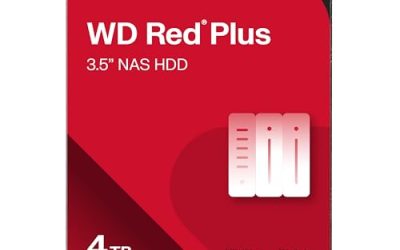
Western Digital WD Red Plus 4TB NAS Hard Drive (WD40EFPX)
- Best for: Small business and shared household QNAP setups where several users access files at once.
- 4TB capacity
- 5400 RPM spindle speed
- SATA 6 Gb/s interface, 3.5-inch form factor
- CMR recording, 256MB cache
Small business and shared household QNAP setups where several users access files at once.
The 5400 RPM spindle is slower than 7200 RPM drives, so very heavy multi-user workloads may feel less responsive.
The WD Red Plus 4TB is built for small offices and busy households where several people reach the same files. Its NASware 3.0 firmware tunes the drive for networked environments, improving compatibility with the enclosure and smoothing out pauses that appear during RAID rebuilds and heavy file sharing. The 5400 RPM spindle and CMR recording keep the drive cool during long working hours, and the eight-bay rating means it stays composed in a four-bay QNAP filled with matching drives. For archiving documents, sharing project files, and keeping a central backup target that the whole household or office can rely on, this is a steady and well-proven pick.
Watch out for: The 5400 RPM spindle is slower than 7200 RPM drives, so very heavy multi-user workloads may feel less responsive.
Toshiba N300 8TB NAS Hard Drive
- Best for: Large media libraries and QNAP owners who want maximum capacity per bay.
- 8TB capacity
- 7200 RPM spindle speed
- SATA 6 Gb/s interface, 3.5-inch form factor
- 512MB cache
Large media libraries and QNAP owners who want maximum capacity per bay.
Check the listing details and your QNAP compatibility list carefully before ordering, since this capacity is sold under more than one listing.
The Toshiba N300 8TB is the pick for QNAP owners whose libraries have outgrown smaller drives. Eight terabytes in a single bay means a two-bay mirrored setup still holds 8TB of usable space, and a four-bay array gains room without filling every slot. The 7200 RPM spindle gives quicker access than the 4TB picks above, which helps when several streams or file copies run at the same time. As the N300 range is aimed squarely at NAS use, it is built for continuous operation in multi-bay enclosures. For media collectors and anyone consolidating years of files into one QNAP, the extra capacity is the whole point.
Watch out for: Check the listing details and your QNAP compatibility list carefully before ordering, since this capacity is sold under more than one listing.
Which One Fits Your Situation
Filling a two-bay QNAP for family photos and backups
A mirrored two-bay setup protects against a single drive failure, but halves your usable capacity, so choose drives with room to spare. The Seagate IronWolf 4TB suits this role: it runs quietly, stays cool in a small enclosure, and its health monitoring pairs with QNAP systems to warn you if a drive starts to struggle. Buy both drives together so they match, set a regular backup schedule, and keep a copy of your most important files away from the NAS.
Running a four-bay QNAP as a home media server
A media server reads constantly and writes in bursts, so capacity and steady throughput matter more than raw speed. The Toshiba N300 8TB gives a four-bay array generous room for a growing collection, and its faster spindle helps when two or three streams run at once. Fill two bays first and leave the others free for expansion, so the library can grow without replacing drives you already own.
Sharing files across a small office
An office NAS serves several people at once, so firmware tuned for networked use and a solid bay rating matter more than headline capacity. The WD Red Plus 4TB fits here: NASware 3.0 is designed for shared environments, the eight-bay rating keeps it stable in a full enclosure, and CMR recording keeps rebuilds predictable. Set permissions carefully, keep firmware updated, and plan a backup routine that does not depend on the NAS alone.
Expanding an existing array with a larger drive
Adding a bigger drive to an array of smaller ones only helps once every drive matches the new size, so plan the upgrade as a set, not a single purchase. The Toshiba N300 8TB is a sensible target size for this kind of move, giving each bay twice the room of a 4TB. Replace drives one at a time, let each rebuild finish before starting the next, and confirm the new capacity is recognised before relying on it.
Common Mistakes
- Buying SMR drives for a RAID array, then discovering rebuilds crawl and the array stays degraded for far longer than expected.
- Filling every bay with the smallest cheap drive available, leaving no room to grow without replacing hardware that still works.
- Mixing drive capacities in one array and expecting the full capacity of the largest drive, when the array is limited by the smallest member.
- Skipping the QNAP compatibility list and assuming every 3.5-inch SATA drive behaves identically in every enclosure.
- Running a NAS with no backup at all, treating RAID as a substitute for a separate copy of irreplaceable files.
Frequently Asked Questions
Do QNAP NAS enclosures need NAS-rated hard drives?
QNAP enclosures work with ordinary desktop drives, but NAS-rated drives are built for the job in ways that matter over time. They carry vibration sensors for multi-bay use, firmware tuned for RAID rebuilds, and workload ratings that cover continuous operation. Desktop drives lack those features and tend to wear faster in an enclosure that never sleeps. For a box holding irreplaceable files, NAS-rated drives are the sensible baseline.
Can I mix different drive brands in one QNAP array?
Yes, QNAP arrays accept drives from different brands as long as the capacities and interfaces match. Mixing brands is sometimes used to reduce the chance that two drives from one production batch fail together. Keep the capacities identical within an array group, use CMR drives throughout, and confirm each model on the QNAP compatibility list. Matched pairs from one brand remain the simplest setup to manage.
Is CMR really necessary for a QNAP NAS?
For RAID arrays, CMR is strongly recommended. Shingled recording overlaps data tracks to squeeze in more capacity, which slows down the sustained writes that RAID rebuilds depend on. In a mirrored or parity array, that slowdown can stretch a rebuild from hours into days and leave your data exposed for longer. CMR drives avoid the problem entirely, which is why every drive in this guide uses CMR recording.
How much capacity should I buy for a QNAP NAS?
Add up the data you already own, then add what you expect to create over two years, and leave at least a quarter of the total free. Mirrored and parity setups reduce usable space, so a two-bay mirror needs drives twice the size of the data it holds. When in doubt, buy one capacity step larger than your estimate, since replacing drives later costs more than buying bigger once.
Related guides
More from Amazon
Programs that pair well with the guide above. Offers and eligibility are set by Amazon and may change.
A free business account with business pricing and bulk-buying tools for work, shop or home office.
Create a business accountFree shipping on eligible items, Prime Video and more. Eligible new members can start with a free trial.
Start a Prime free trialAudiobooks and podcasts to listen to on the go. Eligible new members can start with a free trial.
Try Audible freeAd-free music streaming. Eligible new subscribers can start with a free trial.
Try Music Unlimited freeAs an Amazon Associate we earn from qualifying purchases.