Our Short List of 3

- Best for: Showcase builders who want a two-tone case with a built-in touchscreen and room for a vertically mounted 4-slot graphics card.
- Color: White/Black per the listing’s Color field
- Form factor: dual chamber ATX mid tower
- Display: integrated 2.5K LCD touchscreen, 10-point multi-touch capacitive panel
- Graphics support: massive 4-slot vertical graphics support

- Best for: Builders who want the Y70 panoramic layout in the two-tone finish, with the riser cable already included for a vertical GPU.
- Color: Black/White per the listing’s Color field
- Model: CS-HYTE-Y70-BW
- Form factor: dual chamber ATX mid tower
- Glass: panoramic tempered glass

- Best for: Compact builds that want the two-tone finish plus factory RGB lighting and smart fan control in a smaller ATX footprint.
- Color: White/Black per the listing’s Color field
- Enclosure material: SGCC steel and tempered glass
- Form factor: compact ATX mid-tower
- Lighting: RGB LED with smart fan control per listing title
All 4 Picks at a Glance
| Product | Specs | Action |
|---|---|---|
| HYTE Y70 Touch Infinite (Panda) |
| Check price on Amazon |
| HYTE Y70 (Black/White) |
| Check price on Amazon |
| NZXT H510 Elite (White/Black) |
| Check price on Amazon |
 NZXT H510 (White/Black) |
| Check price on Amazon |
Choosing a black and white case is a decision about the colourway itself, not just the chassis. Most cases sell as separate all-black and all-white variants, so a builder who wants the two-tone panda look has to read the listing’s Color field carefully: the model name and even the title can point at the wrong variant. Chamber layout, glass coverage and vertical graphics support then decide which of the genuine two-tone listings fits the build on your desk.
Every case below was admitted only because its own Amazon listing states a black/white two-tone colourway in the Color field or title. The picks serve showcase builders, compact-desk setups and upgraders who want the mixed finish without repainting panels or mixing parts from two cases.
Our Top Picks
Top 3 picks at a glance
Quick Picks
As an Amazon Associate we earn from qualifying purchases.
| Product | Best for | Key spec from title |
|---|---|---|
| HYTE Y70 Touch Infinite (Panda) | Showcase builders who want a two-tone case with a built-in touchscreen and room for a vertically mounted 4-slot graphics card. | Color field: White/Black; integrated 2.5K LCD touchscreen |
| HYTE Y70 (Black/White) | Builders who want the Y70 panoramic layout in the two-tone finish, with the riser cable already included for a vertical GPU. | Color field: Black/White; PCIe 4.0 riser cable included |
| NZXT H510 Elite (White/Black) | Compact builds that want the two-tone finish plus factory RGB lighting and smart fan control in a smaller ATX footprint. | Color field: White/Black; RGB LED and smart fan control |
| NZXT H510 (White/Black) | Builders who want the two-tone finish in a plainer compact case with strong cable management and a front USB-C port. | Color field: White/Black; front-panel USB-C, cable management system |
How to Choose
Read the Color field, not the title
Case titles are written for search, and they routinely end with whichever colour word the seller leads with. The listings in this guide show why the Color field governs: one pick’s title trails off with the word White while its Color field and model suffix both describe the two-tone variant. Before ordering any black and white case, open the variant selector, confirm the Color field text, and check the model suffix against the colourway you actually want.
Decide how much glass the build can use
A panoramic three-piece glass layout shows every cable and component, which rewards tidy routing and punishes clutter. A single tempered glass side panel is more forgiving and usually lighter. The two-tone finish reads differently under each: glass-heavy cases show the contrast through the interior components, while steel-heavy cases carry the contrast on the exterior panels themselves. Pick the glass coverage that matches how much interior work you plan to do. Glass also shows dust and fingerprints sooner than steel, which is worth weighing honestly before the case joins a bright room.
Chamber layout and vertical GPU support
A dual chamber design moves the power supply and cable runs behind a partition, leaving the display side clean for a vertically mounted graphics card. That matters more as GPUs grow: one listing here supports 4-slot vertical cards, a size that rules out many older mid towers. If your card is a thick flagship model, check the stated slot support and whether a riser cable is included or sold separately before the case joins the cart.
Compact ATX versus full mid tower
The compact ATX cases in this group share a smaller desk footprint but give up radiator and fan positions compared with larger mid towers. A builder running a 240mm liquid loop or several storage drives should count mounting points in the listing fields, not assume them from the ATX label. Compact cases also concentrate heat, so the fan control and venting a listing states deserve a close read before pairing one with a high-wattage graphics card.
The 4 Best Options
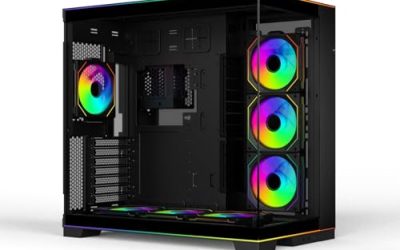
HYTE Y70 Touch Infinite (Panda)
- Best for: Showcase builders who want a two-tone case with a built-in touchscreen and room for a vertically mounted 4-slot graphics card.
- Color: White/Black per the listing’s Color field
- Form factor: dual chamber ATX mid tower
- Display: integrated 2.5K LCD touchscreen, 10-point multi-touch capacitive panel
- Graphics support: massive 4-slot vertical graphics support
Showcase builders who want a two-tone case with a built-in touchscreen and room for a vertically mounted 4-slot graphics card.
The Y70 line also sells in Snow White, Black Cherry and Pitch Black; confirm the live variant selector shows the Panda listing before ordering, since the colourways share near-identical titles.
The Y70 Touch Infinite in the Panda colourway is the showcase pick of this group. Its listing’s Color field reads White/Black, and the case wraps that finish around a dual chamber ATX mid tower with a 3-piece panoramic glass layout. An integrated 2.5K LCD panel with 10-point multi-touch sits in the corner pillar, turning the case itself into a system display. The design supports massive 4-slot vertical graphics cards, so the two-tone frame is built for large GPUs mounted on show rather than hidden behind a shroud.
Watch out for: The Y70 line also sells in Snow White, Black Cherry and Pitch Black; confirm the live variant selector shows the Panda listing before ordering, since the colourways share near-identical titles.
HYTE Y70 (Black/White)
- Best for: Builders who want the Y70 panoramic layout in the two-tone finish, with the riser cable already included for a vertical GPU.
- Color: Black/White per the listing’s Color field
- Model: CS-HYTE-Y70-BW
- Form factor: dual chamber ATX mid tower
- Glass: panoramic tempered glass
Builders who want the Y70 panoramic layout in the two-tone finish, with the riser cable already included for a vertical GPU.
Key the colour claim to the Color field: this listing’s title ends in the word White, but the Color field and the -BW model suffix govern, and they describe the Black/White two-tone variant, not Snow White.
This Y70 listing is the two-tone version of HYTE’s dual chamber panoramic case, and the proof sits in its fields rather than its title. The Color field states Black/White and the model number ends in -BW, which settles the colourway even though the title’s trailing word reads White. The case pairs panoramic tempered glass with a dual chamber layout that separates the power supply and cables from the display side, and a PCIe 4.0 riser cable is included in the box for vertical graphics mounting out of the gate.
Watch out for: Key the colour claim to the Color field: this listing’s title ends in the word White, but the Color field and the -BW model suffix govern, and they describe the Black/White two-tone variant, not Snow White.
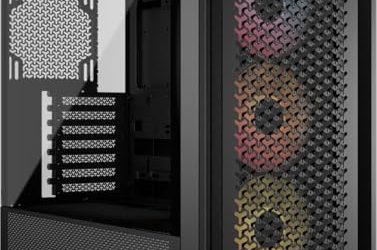
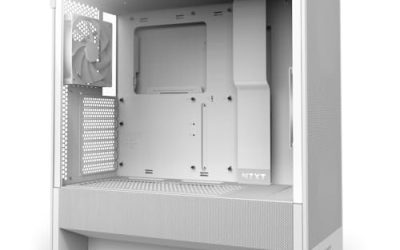
NZXT H510 Elite (White/Black)
- Best for: Compact builds that want the two-tone finish plus factory RGB lighting and smart fan control in a smaller ATX footprint.
- Color: White/Black per the listing’s Color field
- Enclosure material: SGCC steel and tempered glass
- Form factor: compact ATX mid-tower
- Lighting: RGB LED with smart fan control per listing title
Compact builds that want the two-tone finish plus factory RGB lighting and smart fan control in a smaller ATX footprint.
This is an older NZXT generation, so confirm a live offer on the page before ordering; marketplace-only availability at odd tiers is possible for discontinued case lines.
The H510 Elite is the compact two-tone option with lighting already wired in. Its listing’s Color field states White/Black, and the enclosure pairs SGCC steel with tempered glass in a compact ATX mid-tower footprint. NZXT’s title calls out RGB LED and smart fan control, so the case arrives with its lighting and fan behaviour managed rather than left to add-on controllers. For a smaller desk build that still wants the black and white contrast on display, this is the tidiest route in the group.
Watch out for: This is an older NZXT generation, so confirm a live offer on the page before ordering; marketplace-only availability at odd tiers is possible for discontinued case lines.
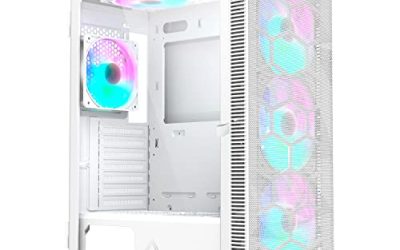
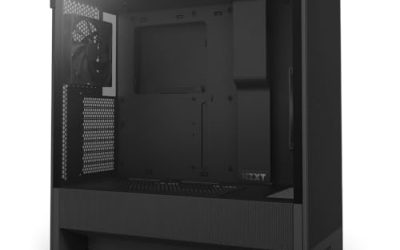
NZXT H510 (White/Black)
- Best for: Builders who want the two-tone finish in a plainer compact case with strong cable management and a front USB-C port.
- Color: White/Black per the listing’s Color field
- Material: SGCC steel and tempered glass
- Case code named in the description: CA-H510B-W1
- Cable management: patented cable management system per the listing description
Builders who want the two-tone finish in a plainer compact case with strong cable management and a front USB-C port.
The B inside the code CA-H510B-W1 is the H510 line code, not a colour code; the colourway rests on the Color field, which reads White/Black. As an older model, it also deserves a live-offer check.
The plain H510 in White/Black is the cable-discipline pick. The listing’s Color field states White/Black, and the description names the H-series features this generation is known for: a patented cable management system, removable fan and radiator mounting brackets, and drive trays that keep the interior orderly. The front panel carries USB-C (USB 3.1 Gen 2) alongside the usual ports. In SGCC steel and tempered glass, it delivers the two-tone look with a plainer, quieter presentation than its Elite sibling above.
Watch out for: The B inside the code CA-H510B-W1 is the H510 line code, not a colour code; the colourway rests on the Color field, which reads White/Black. As an older model, it also deserves a live-offer check.
Which One Fits Your Situation
A showcase build with a touchscreen in the pillar
Take the HYTE Y70 Touch Infinite in Panda: the integrated 2.5K multi-touch LCD, panoramic glass and 4-slot vertical GPU support are all stated in its listing. The Panda finish carries the two-tone contrast around the glass, and the listing states the touchscreen is a 2.5K 10-point multi-touch panel, so system stats and media can live on the case itself.
A two-tone build that needs the riser in the box
Take the HYTE Y70 Black/White listing: the PCIe 4.0 riser cable is included, and the Color field confirms the two-tone variant before you order. Its dual chamber layout hides the power supply and cable runs behind the partition, which keeps the panoramic glass side clean for the graphics card the riser mounts on display.
A smaller desk with lighting already sorted
Take the NZXT H510 Elite: compact ATX size, White/Black colour field and factory RGB with smart fan control cover a tidy small build. The listing’s item type name confirms the White/Black variant of the Elite line, and the compact footprint leaves desk room for monitors and speakers that a dual chamber tower would crowd out.
A plain, cable-tidy two-tone build
Take the NZXT H510: the patented cable management system, removable brackets and front USB-C suit a quiet build that hides its wiring. The removable fan and radiator brackets make the initial build and later cleaning simpler, and the drive trays keep storage hidden so the two-tone exterior stays the visual story.
Common Mistakes
- Ordering by the title’s colour word alone, when the variant selector and Color field describe a different colourway of the same case line.
- Assuming a case line’s black and white versions can be mixed and matched for a two-tone look, when panels and trims are sold as complete single-colour cases.
- Buying a compact ATX case for a 4-slot graphics card without checking the stated vertical slot support in the listing first.
- Treating a line code letter inside a model number as a colour code, when the listing’s Color field is the field that settles the finish.
- Skipping the live-offer check on older case generations, which can linger as marketplace-only listings long after the main offer ends.
Frequently Asked Questions
How can I be sure a case listing is really the two-tone version?
Check the Color field on the live listing and match it against the model number suffix. In this guide, every pick was admitted because its Color field states White/Black or Black/White; where a title’s trailing colour word conflicted, the Color field and model code were treated as governing.
Are these cases black and white, or separate black and white variants?
They are two-tone colourways on single listings. Each listing’s Color field names the mixed finish, which is different from a case line that merely offers an all-black version and an all-white version under separate listings and codes. That distinction is the whole point of the keyword, and it is why the Color field, not the marketing title, decides admission to this guide.
Does the HYTE Y70 listing include a riser cable?
Yes. The Black/White Y70 listing states a PCIe 4.0 riser cable is included, which is what makes its vertical graphics mounting work out of the box. The Touch Infinite listing instead leads with its integrated touchscreen and 4-slot vertical support.
Which case here is best for a small desk?
The two NZXT picks are compact ATX mid towers, smaller than the HYTE dual chamber designs. Between them, the H510 Elite adds RGB lighting and smart fan control, while the plain H510 concentrates on cable management and a front USB-C port.
Related guides
More from Amazon
Programs that pair well with the guide above. Offers and eligibility are set by Amazon and may change.
A free business account with business pricing and bulk-buying tools for work, shop or home office.
Create a business accountFree shipping on eligible items, Prime Video and more. Eligible new members can start with a free trial.
Start a Prime free trialAudiobooks and podcasts to listen to on the go. Eligible new members can start with a free trial.
Try Audible freeAd-free music streaming. Eligible new subscribers can start with a free trial.
Try Music Unlimited freeAs an Amazon Associate we earn from qualifying purchases.