Our Short List of 3

- Best for: A first gaming mouse for a younger Roblox player.
- 8,000 DPI gaming-grade optical sensor
- 6 programmable buttons
- LIGHTSYNC RGB lighting with millions of colours
- Wired USB connection

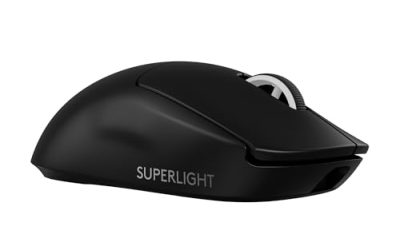
- Best for: Wireless play on a laptop or a shared computer with no cable in the way.
- HERO 12K sensor, up to 12,000 DPI
- LIGHTSPEED wireless with 1 ms report rate
- Up to 250 hours of battery life on one AA battery
- 99 g lightweight design with on-board memory

- Best for: A player who wants a proven comfortable shape for daily Roblox sessions.
- 6,400 DPI optical sensor
- 5 programmable buttons
- Mechanical switches rated for 10 million clicks
- Right-handed ergonomic shape with green lighting
All 4 Picks at a Glance
| Product | Specs | Action |
|---|---|---|
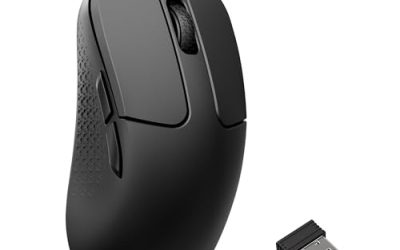
| Logitech G203 LIGHTSYNC |
| Check price on Amazon |
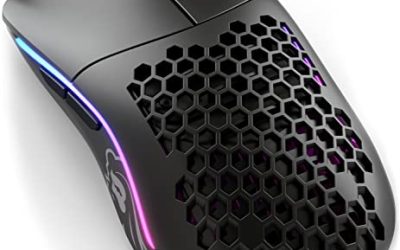
| Logitech G305 LIGHTSPEED |
| Check price on Amazon |
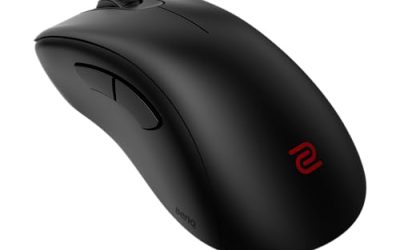
| Razer DeathAdder Essential |
| Check price on Amazon |
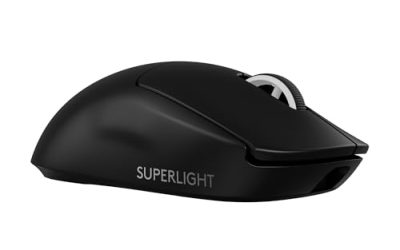
 HyperX Pulsefire Haste 2 |
| Check price on Amazon |
Roblox is not one game, and that is exactly why picking a mouse for it feels harder than it should. One minute you are jumping through an Obby course that punishes a single mistimed click, the next you are building a house in Bloxburg or fighting for a bed in BedWars, and each of those moments asks something different from your hand. A mouse that is too heavy tires your wrist during a long session, while one with too many buttons gets in the way when all you need is a clean click and a steady aim.
This guide is for Roblox players who want a mouse that stays comfortable through long sessions, from younger players using a family computer to adults who play with friends after work. Every mouse below is a gaming mouse with a light, simple design, chosen from names and specifications on its Amazon product page, and each one is still selling on Amazon US.
Our Top Picks
Top 3 picks at a glance
Quick Picks
As an Amazon Associate we earn from qualifying purchases
| Product | Best for | Key spec from title |
|---|---|---|
| Logitech G203 LIGHTSYNC | A first gaming mouse for a younger player | 8,000 DPI sensor, 6 programmable buttons |
| SteelSeries Rival 3 | Long sessions with a comfortable right-handed shape | TrueMove Core 8,500 CPI sensor |
| Logitech G305 LIGHTSPEED | Wireless play with no cable drag | HERO 12K sensor, 250-hour battery life |
| Razer DeathAdder Essential | A proven ergonomic shape for daily play | 6,400 DPI optical sensor, 5 buttons |
| HyperX Pulsefire Haste 2 | Fast, light movement in competitive modes | 53 g body, 8,000 Hz polling rate |
How to Choose
Weight and comfort for long sessions
Roblox sessions often stretch for hours, so the weight of the mouse matters more than it does for a quick match in another game. A mouse under 100 grams keeps your wrist fresher when you are jumping, building and clicking through a long evening, while a heavier mouse can start to drag by the second hour. Look for a shape that fills your palm without forcing your fingers to stretch, and check whether the sides have a texture that keeps the mouse steady when your hands get warm. If you play at a family computer, a shape that suits several hand sizes is a safer pick than one built for a single grip style.
Sensor and DPI for Obby, BedWars and building
Roblox does not demand a top-end sensor, but a weak one still shows up at the worst moments. A sensor that tracks cleanly at 8,000 DPI or above gives you room to set sensitivity low for building and higher for fast combat without the cursor skipping across the screen. Watch for a mouse that lets you switch DPI on the fly, so you can slow down for careful placement in Bloxburg and speed up again in BedWars without opening settings mid-game. A polling rate of 1,000 Hz or higher keeps movement smooth, and that matters most when a single jump in an Obby course depends on a precise flick.
Wired or wireless on a family computer
A wired mouse is the simplest choice for Roblox because it never needs charging and works the moment you plug it in, which suits a family computer where several people take turns. A wireless mouse removes cable drag and keeps the desk tidy, but it adds a battery or a charging routine to remember, and a dead battery in the middle of a round is an annoyance. If you go wireless, look for a model with a long battery life measured in hundreds of hours and a receiver that stores inside the body, so it does not get lost between sessions. Either way, check that the cable or receiver setup matches the ports on your computer before you buy.
Buttons, size and durability for younger players
Roblox mostly needs a left click, a right click and a scroll wheel, so a mouse with five or six buttons covers everything without adding clutter. Extra side buttons are handy for tools and shortcuts in games like BedWars, but a row of buttons you never press only adds weight and confusion for a younger player. Size matters too: a smaller mouse suits smaller hands and a laptop setup, while a larger ergonomic shape suits an adult hand during long sessions. Check the switch rating on the listing if you can, because a mouse rated for tens of millions of clicks survives far more enthusiastic clicking than a cheap office mouse.
The 5 Best Options
Logitech G203 LIGHTSYNC
- Best for: A first gaming mouse for a younger Roblox player.
- 8,000 DPI gaming-grade optical sensor
- 6 programmable buttons
- LIGHTSYNC RGB lighting with millions of colours
- Wired USB connection
A first gaming mouse for a younger Roblox player.
The cable is a fixed rubber cord, so check your desk layout if you prefer a tidy setup with no cable drag.
The G203 LIGHTSYNC is the simplest starting point in this list, and that is exactly why it works so well for Roblox. Its six-button layout covers everything the game asks for, from clicking through menus to placing blocks, without a row of extra buttons to learn. The LIGHTSYNC lighting lets a younger player match the mouse to a setup or a favourite colour, and the wired connection means it is ready the moment it is plugged in. The sensor tracks cleanly up to 8,000 DPI, which is more than enough for Obby jumps, BedWars fights and careful building.
Watch out for: The cable is a fixed rubber cord, so check your desk layout if you prefer a tidy setup with no cable drag.
SteelSeries Rival 3
The Rival 3 is a comfortable right-handed mouse that suits players who spend hours in Roblox without wanting to think about their gear. Its ergonomic shape fills the palm and keeps the hand relaxed during long building sessions, while the split trigger buttons give a firm, consistent click for combat games. The TrueMove Core sensor tracks cleanly up to 8,500 CPI, and the Prism RGB lighting adds a small touch of personality to a desk. Six programmable buttons cover shortcuts and tools, and the whole mouse feels built to survive daily use by an enthusiastic player.
Specs
- TrueMove Core optical sensor, 8,500 CPI
- 300 IPS tracking speed and 35g acceleration
- 6 programmable buttons with split trigger design
- Switches rated for 60 million clicks
- Brilliant Prism RGB lighting
Best for: Long building and combat sessions with a comfortable right-handed shape.
Watch out for: The shape is right-handed only, so left-handed players should pick a different mouse from this list.
Logitech G305 LIGHTSPEED
- Best for: Wireless play on a laptop or a shared computer with no cable in the way.
- HERO 12K sensor, up to 12,000 DPI
- LIGHTSPEED wireless with 1 ms report rate
- Up to 250 hours of battery life on one AA battery
- 99 g lightweight design with on-board memory
Wireless play on a laptop or a shared computer with no cable in the way.
It connects only through the included USB receiver, so it needs a free USB port and has no Bluetooth mode.
The G305 is the wireless pick for players who hate cable drag but do not want to charge a mouse every few days. Its LIGHTSPEED connection responds in a single millisecond, so clicks and movement feel instant in fast BedWars rounds, and the HERO sensor tracks cleanly up to 12,000 DPI. A single AA battery lasts up to 250 hours, which means months of regular play before a battery change. The compact ambidextrous shape suits smaller hands and laptop setups, and the receiver stores inside the body so it is easy to carry to a friend’s house.
Watch out for: It connects only through the included USB receiver, so it needs a free USB port and has no Bluetooth mode.
Razer DeathAdder Essential
- Best for: A player who wants a proven comfortable shape for daily Roblox sessions.
- 6,400 DPI optical sensor
- 5 programmable buttons
- Mechanical switches rated for 10 million clicks
- Right-handed ergonomic shape with green lighting
A player who wants a proven comfortable shape for daily Roblox sessions.
The right-handed shape does not suit left-handed players, and the cable is fixed, so route it to avoid drag on the desk edge.
The DeathAdder Essential is the classic ergonomic mouse in this list, with a right-handed shape that has stayed popular because it simply fits most hands. Its tall palm rest supports the hand during long sessions, and the textured side grips keep the mouse steady when play gets tense. The 6,400 DPI optical sensor is more than enough for Roblox, and five programmable buttons cover the shortcuts most players actually use. Mechanical switches rated for 10 million clicks give a crisp response, and the wired connection means there is nothing to charge and nothing to pair.
Watch out for: The right-handed shape does not suit left-handed players, and the cable is fixed, so route it to avoid drag on the desk edge.
HyperX Pulsefire Haste 2
- Best for: Fast competitive modes where a very light mouse makes quick turns easier.
- 53 g ultra-lightweight design
- Precision sensor up to 26,000 DPI
- 8,000 Hz polling rate
- 6 programmable buttons
Fast competitive modes where a very light mouse makes quick turns easier.
The very light body can feel unusual if you are used to a heavier mouse, so expect a short adjustment period.
The Pulsefire Haste 2 is the lightest mouse in this list, and that low weight shows up immediately in fast games. At 53 grams it flicks across the pad with very little effort, which helps in BedWars fights and in Obby courses where a quick turn saves a run. The sensor reaches up to 26,000 DPI with an 8,000 Hz polling rate, so movement stays smooth even during rapid turns. Six programmable buttons and a flexible HyperFlex 2 cable keep the wired setup out of the way, and the solid shell is easy to wipe clean after a long session.
Watch out for: The very light body can feel unusual if you are used to a heavier mouse, so expect a short adjustment period.
Which One Fits Your Situation
You play Roblox on a shared family computer
The G203 LIGHTSYNC is the pick here. It plugs in and works with no charging, no pairing and no software needed to start playing, so anyone in the family can sit down and use it. Its simple six-button layout suits different hand sizes, and the wired connection means it is always ready. If the family computer moves between rooms, the G305 is the wireless alternative, since its receiver stores inside the body.
You play BedWars and other fast competitive modes
The Pulsefire Haste 2 is built for this. Its 53-gram body and 8,000 Hz polling rate make quick turns and flicks feel effortless, which matters when a fight is decided in a second. The G305 is a strong second choice because its wireless connection removes cable drag entirely, and its HERO sensor tracks just as cleanly. Pick the Haste 2 for the lightest feel, or the G305 if you want wireless freedom.
You build for hours in Bloxburg and other creative games
The Rival 3 suits long creative sessions best. Its ergonomic right-handed shape supports the palm while you place blocks and arrange rooms for hours, and the split trigger buttons stay consistent through thousands of clicks. The DeathAdder Essential is a close alternative with a taller palm rest and the same comfortable idea. Either mouse keeps your hand relaxed, so pick the Rival 3 for its lighter feel or the DeathAdder Essential for its larger shape.
You want one mouse for Roblox and schoolwork
The G305 is the best all-rounder here. It works as a gaming mouse in the evening and a quiet, portable mouse for homework during the day, with a battery that lasts for months on a single AA cell. The DeathAdder Essential is the wired alternative if you prefer a larger ergonomic shape and never want to think about batteries. Both are simple enough for everyday use and capable enough for any Roblox game.
Common Mistakes
- Buying a mouse with too many side buttons for a game that mostly needs clicks and a scroll wheel.
- Choosing the heaviest mouse on the shelf and finding your wrist tired after an hour of play.
- Picking a wireless mouse with a short battery life and forgetting to charge it before a session.
- Setting DPI to the highest level and losing control during careful building work.
- Ignoring hand size and buying a large ergonomic mouse for a smaller hand, or the reverse.
Frequently Asked Questions
Do I need a high DPI mouse for Roblox?
No. Roblox plays well at modest sensitivity, and a mouse that reaches 6,400 or 8,000 DPI already gives you more range than the game needs. What matters more is a sensor that tracks cleanly without skipping, a comfortable shape and a polling rate of 1,000 Hz or higher. Spend your attention on weight and comfort rather than chasing the biggest DPI number on the box.
Is a wired or wireless mouse better for Roblox?
Both work well, and the choice comes down to your setup. A wired mouse never needs charging and is ready the moment you plug it in, which suits a shared computer. A wireless mouse removes cable drag and keeps the desk tidy, but you need to remember battery changes or charging. For younger players, a wired mouse is usually the simpler choice.
How heavy should a gaming mouse be for long Roblox sessions?
Aim for under 100 grams if you play for hours at a time. Lighter mice like the 53-gram Pulsefire Haste 2 or the 99-gram G305 keep your wrist fresher during long building and combat sessions. Heavier mice are not wrong, but they tire the hand faster, so a younger player or anyone with a smaller hand should lean toward the lighter end of the list.
Can I use these mice on a laptop or a Mac?
Yes, all five mice in this list work with Windows laptops and desktop computers, and the G305 and G203 also list Mac compatibility on their product pages. Check the listing for your exact model before buying, because some features such as button customisation need the maker’s software, which may only run on Windows. A standard USB port is all you need for the wired models.
Related guides
More from Amazon
Programs that pair well with the guide above. Offers and eligibility are set by Amazon and may change.
A free business account with business pricing and bulk-buying tools for work, shop or home office.
Create a business accountFree shipping on eligible items, Prime Video and more. Eligible new members can start with a free trial.
Start a Prime free trialAudiobooks and podcasts to listen to on the go. Eligible new members can start with a free trial.
Try Audible freeAd-free music streaming. Eligible new subscribers can start with a free trial.
Try Music Unlimited freeAs an Amazon Associate we earn from qualifying purchases.