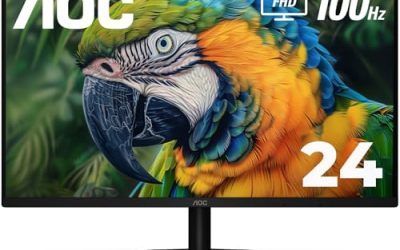
The best 4K multimedia monitor is a 27 to 32-inch IPS or OLED panel with 3840 x 2160 resolution, wide color coverage (about 95 to 99 percent DCI-P3), USB-C with power delivery, and a 60 to 144 Hz refresh rate. For most people, a 27-inch 4K IPS such as the Dell U2723QE or LG 27UP850 class is the best all-round choice, and a 32-inch QD-OLED model is the pick for movies and mixed gaming.
What “multimedia” means in a monitor
A multimedia monitor is one display that does several jobs: watching films, editing photos, working in documents, video calls and casual gaming. That mix changes what to look for. Pure gaming monitors chase refresh rate, while pure office monitors chase price. A multimedia display should balance color accuracy, contrast, brightness, connectivity and comfort.
- Resolution and size: 4K on a 27-inch screen gives about 163 pixels per inch, which looks very sharp; on 32 inches it is about 138 ppi, still crisp.
- Panel type: IPS gives wide viewing angles and strong color; OLED gives near-perfect contrast; VA gives good contrast for the price.
- Color coverage: look for 95 percent or more DCI-P3 for video and photos, and factory calibration if you edit.
- HDR: a real HDR experience needs high brightness (VESA DisplayHDR 600 or higher) or OLED; DisplayHDR 400 is mostly a label.
- Connectivity: USB-C with 65 to 90 W power delivery lets one cable carry video, data and charge to a laptop.
Quick comparison of the best picks
| Pick | Best for | Key specs | Typical price range |
|---|---|---|---|
| Dell UltraSharp U2723QE | Best overall for work and media | 27 in, 4K IPS Black, 60 Hz, USB-C 90 W, KVM | usually $450-$650 |
| LG UltraFine 27UP850 class | Best value USB-C 4K | 27 in, 4K IPS, around 95% DCI-P3, USB-C 96 W | usually $350-$480 |
| Gigabyte M32U class | Best 4K gaming and media | 32 in, 4K IPS, 144 Hz, HDMI 2.1, KVM | usually $450-$650 |
| Samsung Odyssey OLED G8 / Dell Alienware QD-OLED class | Best for movies and HDR | 32 in, 4K QD-OLED, 240 Hz class, near-infinite contrast | usually $900-$1,300 |
| BenQ PD2725U class | Best for photo and video editing | 27 in, 4K IPS, factory calibrated, Thunderbolt 3 | usually $800-$1,100 |
| Budget 27-inch 4K IPS | Cheapest sharp screen | 27 in, 4K IPS, 60 Hz, HDMI and DisplayPort | usually $250-$350 |
Models change quickly, so treat these as classes of products. Specifications follow the manufacturers’ spec sheets, and prices vary by region and retailer.
Best overall: Dell UltraSharp U2723QE class
This monitor uses an IPS Black panel with a higher contrast ratio (around 2000:1 according to the manufacturer) than standard IPS (around 1000:1). It includes USB-C hub features, a built-in KVM switch, and strong color coverage. It is a safe choice for people who work from a laptop and watch videos on the same screen.
Trade-off: 60 Hz is fine for media but not ideal for fast games.
Best value USB-C 4K: LG 27UP850 class
LG’s 27-inch 4K IPS monitors cost less than the premium brands and still deliver good color and USB-C power delivery. It has a height-adjustable stand and decent speakers for casual use.
Trade-off: brightness is around 400 nits, so HDR is only basic.
Best 4K gaming and media: Gigabyte M32U class
A 32-inch 4K IPS at 144 Hz with HDMI 2.1 is a flexible option. It suits a PC and a console on the same screen, and a 144 Hz panel makes the desktop feel smooth. A built-in KVM lets you share a keyboard and mouse between two computers.
Trade-off: to drive 4K at 144 Hz in games you need a powerful graphics card, and the HDR is limited by the IPS backlight.
Best for movies and HDR: 32-inch 4K QD-OLED
An OLED panel turns off individual pixels, so black is truly black and HDR highlights stand out. The response time is about 0.03 ms according to manufacturer specs, which makes motion very clean. This is the best choice for dark-room film watching and gaming.
Trade-off: higher price, risk of burn-in with static elements such as taskbars if you leave them on for many hours, and text clarity can be slightly different from IPS on some subpixel layouts.
Best for photo and video editing: calibrated 27-inch 4K
If color accuracy is your priority, choose a monitor with factory calibration reports (a Delta E below 2), 99 percent Adobe RGB or DCI-P3 coverage, and hardware calibration support. BenQ and Dell both offer such models. The trade-off is that these screens usually have 60 Hz and cost more than their consumer cousins.
Worked calculation: bandwidth and cable choice
4K at high refresh needs a lot of data. Uncompressed bandwidth is roughly width x height x refresh rate x bits per pixel. At 3840 x 2160, 60 Hz and 24 bits per pixel (8-bit color), that is about 11.9 Gbps of pixel data before overhead, and about 14 Gbps with blanking.
| Mode | Approx. data rate (uncompressed) | Needs at least |
|---|---|---|
| 4K 60 Hz, 8-bit | about 14 Gbps | HDMI 2.0 (18 Gbps) or DisplayPort 1.2 |
| 4K 120 Hz, 8-bit | about 28 Gbps | HDMI 2.1 (48 Gbps) or DisplayPort 1.4 with compression |
| 4K 144 Hz, 10-bit | about 40 Gbps | HDMI 2.1 or DisplayPort 1.4 with DSC |
| 4K 240 Hz, 10-bit | about 67 Gbps | DisplayPort 2.1 or HDMI 2.1 with DSC |
Display Stream Compression (DSC) makes higher modes possible over older links, with little visible loss. Always use the cable that came with the monitor, or a certified one, because a cheap cable can force the monitor into a lower refresh rate.
How to choose
| Your situation | Choose |
|---|---|
| Laptop for work and movies at night | 27-inch 4K IPS with USB-C power delivery |
| PC plus console gaming and media | 32-inch 4K 144 Hz IPS with HDMI 2.1 |
| Dark room, movie and HDR priority | 4K QD-OLED |
| Photo and video editing | Factory calibrated 27-inch 4K, wide gamut |
| Tight budget | 27-inch 4K IPS at 60 Hz |
Also think about desk depth: a 32-inch 4K monitor works best when you sit about 70 to 90 cm from the screen. If your desk is shallow, a 27-inch size is more comfortable. Windows scaling at 150 percent on 27 inches gives an effective 2560 x 1440 workspace with sharper text.
Frequently Asked Questions
Is 4K worth it on a 27-inch monitor?
Yes, for text, photos and video. At about 163 pixels per inch, text is much sharper than on a 1440p display of the same size. The cost is that games need a stronger graphics card to run at 4K.
Do I need HDR for multimedia?
Only if you want it for movies and games. Look for OLED or a monitor with local dimming and at least 600 nits peak brightness; entry-level HDR labels give little benefit.
What refresh rate do I need?
60 Hz is fine for films, documents and photo work. If you also play games, 120 to 144 Hz makes motion smoother, but you need a capable GPU and an HDMI 2.1 or DisplayPort 1.4 connection.
IPS, VA or OLED for mixed use?
IPS is the most balanced choice for mixed use, VA gives deeper blacks at a lower price with slower response, and OLED has the best contrast and motion but costs more and needs care against static images.
Can a 4K monitor work with a laptop?
Yes. Many laptops support 4K at 60 Hz over USB-C or HDMI. A monitor with USB-C power delivery can charge the laptop and carry video with one cable. Check that your laptop’s port supports DisplayPort Alt Mode.
Related guides
More from Amazon
Programs that pair well with the guide above. Offers and eligibility are set by Amazon and may change.
A free business account with business pricing and bulk-buying tools for work, shop or home office.
Create a business accountFree shipping on eligible items, Prime Video and more. Eligible new members can start with a free trial.
Start a Prime free trialAudiobooks and podcasts to listen to on the go. Eligible new members can start with a free trial.
Try Audible freeAd-free music streaming. Eligible new subscribers can start with a free trial.
Try Music Unlimited freeAs an Amazon Associate we earn from qualifying purchases.