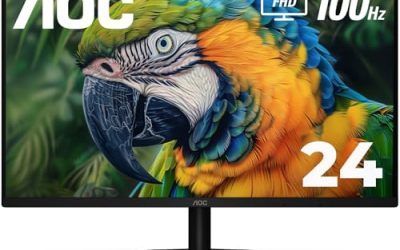
The best 4K Dell monitor for most people is the Dell UltraSharp U2723QE (27-inch, IPS Black) for work and mixed use, while the Dell G3223Q suits 4K console and PC gaming, and the Alienware AW3225QF is the premium pick for gamers who want QD-OLED. For budget buyers, the Dell S2725QS or S3225QS give 4K at 120 Hz at a lower price. The right choice depends on whether you value colour accuracy, refresh rate or price first.
Quick comparison of the best 4K Dell monitors
| Pick | Best for | Size / panel | Refresh rate | Key specs | Typical price |
|---|---|---|---|---|---|
| Dell UltraSharp U2723QE | Best overall for work | 27″ IPS Black | 60 Hz | 2000:1 contrast, USB-C hub with 90 W charging, KVM | $450-$650 |
| Dell G3223Q | Best gaming value | 32″ Fast IPS | 144 Hz | HDMI 2.1, 1 ms GtG, VESA DisplayHDR 600 | $450-$650 |
| Alienware AW3225QF | Best premium gaming | 32″ curved QD-OLED | 240 Hz | 0.03 ms GtG, DisplayPort 1.4, HDMI 2.1 | $800-$1,100 |
| Dell S2725QS | Best budget 4K | 27″ IPS | 120 Hz | 4K, built-in speakers, 100 percent sRGB | $250-$350 |
| Dell S3225QS | Best large, curved | 32″ curved VA | 120 Hz | 4K, 1500R curve, speakers | $350-$500 |
| Dell UltraSharp U3225QE | Best for creators | 32″ IPS Black | 120 Hz | USB-C hub, Thunderbolt hub options, wide gamut | $800-$1,100 |
Model lineups change often; confirm refresh rate, ports and panel type on Dell’s own spec sheet before buying, and treat the price ranges as general market guides.
Best overall: Dell UltraSharp U2723QE
This 27-inch 4K monitor uses an IPS Black panel with a typical contrast ratio near 2000:1, about twice that of ordinary IPS. It covers about 100 percent of sRGB and a wide share of DCI-P3, includes a USB-C port with up to 90 W power delivery for laptops, and has a built-in KVM switch for sharing one keyboard and mouse between two computers. Its trade-off is a 60 Hz refresh rate, so it is not a gaming monitor. It is ideal for office work, photo editing and general use.
Best gaming value: Dell G3223Q
The G3223Q is a 32-inch 4K Fast IPS panel at 144 Hz with HDMI 2.1, which makes it suitable for PlayStation 5 and Xbox Series X at 4K and 120 Hz. It also works well for PC gaming with a high-end graphics card. Its trade-offs are a modest local-dimming-free HDR implementation, so HDR is limited, and the monitor has fewer productivity ports than UltraSharp models.
Best premium gaming: Alienware AW3225QF
A 32-inch curved QD-OLED at 4K and 240 Hz delivers perfect blacks, wide colour and near-instant response. It is the best Dell option for single-player gaming in a dim room. The trade-offs are price, brightness that can dip in very bright rooms and the usual OLED burn-in considerations, which Alienware addresses with a multi-year warranty that covers it. Driving 4K at 240 Hz also needs a very powerful GPU.
Best budget: Dell S2725QS
If you want 4K sharpness at a low price, the S-series gives a 27-inch IPS panel with 120 Hz, which is smooth for desktop use and casual gaming. It lacks the USB-C power and ergonomic stand of UltraSharp, and colour accuracy is adequate rather than professional.
Best large curved option: Dell S3225QS
A 32-inch curved VA panel gives strong contrast and an immersive view for movies and games. VA panels usually have a higher contrast ratio than standard IPS, but viewing angles and motion smearing are slightly worse. It suits users who sit about 70-90 cm from the screen.
Best for creators: Dell UltraSharp U3225QE
This 32-inch IPS Black monitor offers a 120 Hz refresh rate and a wide gamut along with extensive USB-C connectivity. It suits photographers and video editors who also want a pleasant 120 Hz experience. The trade-off is its cost, which sits at the upper end of Dell’s mainstream monitors.
Worked calculation: can your computer drive 4K at high refresh?
Bandwidth needed equals pixels per frame x refresh rate x bits per pixel. At 3840 x 2160, there are 8.29 million pixels. At 120 Hz and 8-bit colour (24 bits per pixel), the raw data is 8.29 million x 120 x 24 = about 23.9 Gbps. At 144 Hz it is roughly 28.7 Gbps, and at 240 Hz about 47.8 Gbps, before overhead. HDMI 2.1 offers up to 48 Gbps, DisplayPort 1.4 offers 25.92 Gbps effective bandwidth (32.4 Gbps raw), and HDMI 2.0 offers 14.4 Gbps effective. That is why 4K at 120 Hz is usually only possible over HDMI 2.1 or with DisplayPort Display Stream Compression, and why an old HDMI 2.0 cable limits you to 4K at 60 Hz.
| Mode | Approx. data needed (8-bit) | Works over |
|---|---|---|
| 4K / 60 Hz | ~11.9 Gbps | HDMI 2.0, DP 1.4, USB-C |
| 4K / 120 Hz | ~23.9 Gbps | HDMI 2.1, DP 1.4 (with DSC) |
| 4K / 144 Hz | ~28.7 Gbps | HDMI 2.1, DP 1.4 with DSC |
| 4K / 240 Hz | ~47.8 Gbps | DP 1.4 with DSC, HDMI 2.1 with DSC |
GPU needs for 4K gaming
4K has four times the pixels of 1080p, so it demands a much stronger graphics card. As a general guide, a card with 16 GB of VRAM and performance around an RTX 5070 Ti or RX 9070 XT is a sensible minimum for 4K gaming at high settings with upscaling. Frame rates vary with settings, CPU and patch, but in published reviews cards in this class typically reach roughly 60-100 fps at 4K in modern games with upscaling enabled. If your GPU is weaker, consider a 1440p monitor instead, or use 4K mainly for desktop work.
How to choose a Dell 4K monitor
Decide on size and viewing distance
At 27 inches, 4K gives about 163 pixels per inch, which looks very sharp at a normal desk distance. At 32 inches, it gives about 138 ppi, which is still crisp but needs 70-90 cm of viewing distance for comfort.
Match refresh rate to use
60 Hz is fine for office work and photo editing. 120 Hz or higher makes mouse movement and scrolling smoother and is useful for gaming. Console players need HDMI 2.1 to reach 120 Hz.
Check the ports
A USB-C port with power delivery lets a laptop charge and send video through one cable. Gamers should look for HDMI 2.1 and DisplayPort 1.4 or later.
Think about panel type
| Panel | Strength | Weakness |
|---|---|---|
| IPS Black | Contrast around 2000:1, accurate colour | Higher price, usually 60-120 Hz |
| Fast IPS | Quick response, good viewing angles | Lower contrast (about 1000:1) |
| VA | High contrast (3000:1+) | Some motion smearing |
| QD-OLED | Perfect blacks, fastest response | Price, burn-in care, text fringing |
Recommended setup settings
- Set Windows display scaling to 125-150 percent on a 27-inch 4K monitor so text is readable.
- Enable the highest refresh rate in display settings; it often defaults to 60 Hz.
- Use a certified HDMI 2.1 or DisplayPort 1.4 cable; older cables silently limit bandwidth.
- Use the sRGB preset for web work and the DCI-P3 preset for video editing.
- Turn on HDR only for games and videos that support it, and calibrate brightness in the Windows HDR settings.
Frequently Asked Questions
Is Dell a good brand for 4K monitors?
Yes. Dell is known for reliable build quality, strong warranty and advance-exchange service, and the UltraSharp line is widely used by professionals. The Alienware and G-series cover gaming needs.
Is 4K worth it on a 27-inch monitor?
Yes, for sharper text and images. The pixel density is high enough that you will notice a difference compared with 1440p, especially for reading, photo work and video editing, although you will need to scale the interface.
Can a Dell 4K monitor connect to a PS5 or Xbox?
Yes, any model with HDMI 2.1 supports 4K at 120 Hz on current consoles. Check that you use the HDMI 2.1 port, since some monitors have both HDMI 2.1 and HDMI 2.0 ports.
UltraSharp or Alienware: which should I buy?
Choose UltraSharp if you do mostly work, photo or video editing and want accurate colour and USB-C docking. Choose Alienware if gaming is the priority and you want high refresh rates and fast response.
Do I need a powerful graphics card for a 4K monitor?
For gaming, yes. For desktop use, web browsing and video, almost any recent integrated or discrete GPU can drive 4K at 60 Hz without problems.
Related guides
More from Amazon
Programs that pair well with the guide above. Offers and eligibility are set by Amazon and may change.
A free business account with business pricing and bulk-buying tools for work, shop or home office.
Create a business accountFree shipping on eligible items, Prime Video and more. Eligible new members can start with a free trial.
Start a Prime free trialAudiobooks and podcasts to listen to on the go. Eligible new members can start with a free trial.
Try Audible freeAd-free music streaming. Eligible new subscribers can start with a free trial.
Try Music Unlimited freeAs an Amazon Associate we earn from qualifying purchases.