As an Amazon Associate we earn from qualifying purchases.
The real decision behind a search for the best PC for gaming is not which logo sits on the case. It is how much performance you need for the games you play, at the resolution and refresh rate your monitor can display, without paying for headroom you will never use. A machine built for competitive shooters at high frame rates and one built for open worlds at 4K follow different priorities, and the wrong balance wastes money in both directions.
This guide is written for first-time buyers who have never opened a PC case, for players moving from a laptop or console, for streamers who need one machine to play and encode at once, and for parents buying a first gaming PC for a teenager. Everything below is grounded in the specifications manufacturers publish on their product pages — graphics card model and memory, processor, memory size and speed, storage type and power supply — so you can hold any listing against the same checklist before you buy.
What “Best PC Ga E” Means Here
The phrase “best pc ga e” is a garbled search term, and there is no product category with that name. Read plainly, it is a request for the best PC for gaming, so this guide answers that question directly: what makes a good gaming PC, which parts decide how it performs, and how to pick a system that fits your games rather than someone else’s benchmark chart.
A gaming PC is a bundle of trade-offs, and the trade-offs are what make the choice hard. Every dollar spent on a faster graphics card is a dollar not spent on a better processor, more memory, faster storage or a quieter case. Manufacturers know this, which is why two machines with the same graphics card can feel completely different in daily use — one pairs it with a modern processor and fast solid-state storage, while the other cuts corners on memory speed, cooling and the power supply to hit a lower headline figure.
The useful way to think about it is in layers. The graphics card decides the ceiling on visual quality and frame rate. The processor decides whether that card is fed data fast enough, and whether the machine stays smooth when a game, a voice chat app and a browser are all running. Memory decides how much the system can juggle at once. Storage decides how quickly games load and how many you can keep installed. The power supply and cooling decide whether the whole thing stays stable and quiet over years of use. Get the balance right and even a modest machine feels fast; get it wrong and an expensive graphics card spends its life waiting on the rest of the system. Keep that checklist in mind as you read on, because every section below comes back to the same five layers.
How to Choose
Start With Your Monitor, Not the PC
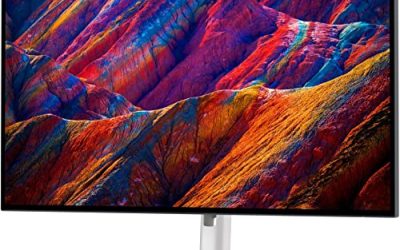
Your monitor sets the target everything else has to hit, so check its resolution and refresh rate before you look at a single PC listing. A 1080p monitor at 144Hz asks far less of a graphics card than a 1440p ultrawide at 165Hz, and a 4K display asks more again. Buying a card built for 4K when your screen tops out at 1080p spends money on frames you will never see, while pairing a modest card with a 4K monitor guarantees disappointment. If you plan to upgrade the monitor within a year, buy for the monitor you will own, not the one on your desk today, and write down both sets of numbers before you start comparing machines.
The Graphics Card Sets the Ceiling
The graphics card does more of the work in games than any other part, so it deserves the largest share of your budget. What matters is the exact model and how much video memory it carries, not the brand name on the cooler. An 8GB card can still be a sensible choice for 1080p, but it is already tight at 1440p in newer titles, where 12GB or 16GB gives textures room to breathe. Read the full model name on the listing, including the memory figure, because two cards that share a family name can differ by a whole tier. Ignore vague claims about “gaming performance” and compare the card against the resolution you actually play at.
Balance the CPU, Memory and Storage
A strong graphics card with a weak processor is a bottleneck waiting to happen, especially in simulation, strategy and open-world games that lean on the CPU. A current six- or eight-core processor is the right partner for most gaming cards, and it also keeps background tasks from stuttering your game. For memory, 16GB remains the floor, while 32GB is the comfortable pick for 2026, particularly if you keep a browser and chat apps open while playing. Storage should be a solid-state drive of at least 1TB — modern games are large, and a spinning hard drive as the main drive makes every load screen feel like a chore.
Power, Cooling and the Case You Live With
The parts nobody photographs are the ones that decide whether a PC stays reliable. A power supply from a known maker, rated with enough headroom above the graphics card’s requirement, protects every other component and leaves room for a future upgrade. Cooling matters just as much: a case with real airflow, mesh front panels and sensibly placed fans keeps temperatures down and fan noise bearable during long sessions. Check the case dimensions too, because a compact case can make later upgrades awkward. If a listing hides the power supply brand or the case layout, treat that silence as information and look elsewhere.
Prebuilt or Build It Yourself
Building your own PC gives you control over every part, and it is the best way to guarantee that nothing in the machine is a mystery component. You choose the power supply, the memory speed, the exact storage drive and the case, and you know where every cable goes when something needs replacing. The trade-off is time and responsibility: you research compatibility, assemble the parts, install the operating system and drivers, and troubleshoot anything that does not work on the first boot. For a first-timer that is a weekend project, not an evening one, and a single wrongly seated cable can cost hours of head-scratching.
A prebuilt machine trades that control for convenience. It arrives assembled, with the operating system installed, a single warranty covering the whole system, and support to call when something fails. The catch is that some builders cut costs exactly where buyers look least — the power supply brand, the memory configuration, the storage drive model — so a prebuilt demands the same careful reading of the specification list. A good prebuilt names every part; a poor one hides behind phrases like “high-performance graphics” without a model number.
Neither route is wrong, and the right answer depends on temperament more than budget. If you enjoy tinkering and want the machine to be exactly yours, build it. If you want to plug in and play, buy prebuilt from a builder that lists full specifications and offers a clear warranty. What matters in either case is the parts list, not the route you took to get it.
Which One Fits Your Situation
The First-Time Buyer on a Tight Budget
Spend where it shows up on screen: the graphics card first, then a solid-state drive and 16GB of memory. A current entry-level card with a modern six-core processor handles 1080p gaming comfortably, and you can add memory or storage later when funds allow. Skip flashy lighting and oversized cases, and put that money into a power supply with room to grow.
The Competitive Player Chasing Frame Rates
Frame rate is the priority, so the graphics card and a high-refresh monitor matter more than maximum visual settings. A fast card paired with a strong processor keeps frame times steady in shooters and battle royales, where a stutter costs a round. Choose 32GB of fast memory and a roomy solid-state drive, since competitive libraries grow quickly.
The Player Who Also Streams or Creates
Streaming and editing ask the processor and memory to work while the game runs, so this is where extra cores and 32GB of memory earn their keep. A card with a capable hardware encoder takes the streaming load off the processor, and a second solid-state drive keeps recordings from competing with game loading. Quiet cooling matters too, because fan noise ends up in the microphone.
The Buyer Who Wants a Machine That Lasts
Longevity comes from headroom: a graphics card with more video memory than today’s games need, a power supply rated well above the current draw, and a motherboard and case with space for the next upgrade. Buy the tier above what your current monitor demands, keep the parts list standard rather than proprietary, and the machine stays relevant years longer.
Common Mistakes
- Judging a PC by its graphics card alone. A fast card paired with slow memory, a weak processor or a spinning hard drive still stutters, because games lean on the whole system, not one part.
- Ignoring video memory. Two cards in the same family can carry different amounts of memory, and the smaller one ages faster as texture sizes grow, so always read the full model name.
- Buying for a monitor you do not own. A 4K-capable machine connected to a 1080p screen wastes its advantage, while a modest card driving a 4K display will always feel underpowered.
- Accepting a mystery power supply. Listings that hide the power supply brand are usually hiding a cheap one, and a failing power supply can take other parts with it.
- Forgetting the upgrade path. A proprietary motherboard, a cramped case or a power supply with no headroom turns a simple future upgrade into a full rebuild, so check the case and board before you buy.
Frequently Asked Questions
How much RAM does a gaming PC need in 2026?
For most players, 16GB is the minimum that still feels comfortable, and 32GB is the safer choice if you keep a browser, voice chat and streaming software open alongside a game. Memory speed matters too, so check that the listing names both the size and the speed. Adding memory later is one of the easiest upgrades, provided the motherboard has a free slot.
Is a prebuilt gaming PC worse than one you build yourself?
Not necessarily. A prebuilt from a builder that lists every part by model name can be just as good as a self-built machine, and it comes assembled with a single warranty. The risk is with builders that hide the power supply brand, memory speed or storage model. Read the full specification list, and a prebuilt is a perfectly sound choice.
What graphics card do I need for 1440p gaming?
At 1440p, a card with 12GB of video memory or more is the comfortable baseline for newer titles at high settings, while 8GB cards are better suited to 1080p or to older games. Pair the card with a current six- or eight-core processor and 32GB of memory so the rest of the system keeps up with it.
How long should a good gaming PC last?
A well-balanced machine typically stays satisfying for four to six years, with a graphics card upgrade around the halfway mark extending it further. The parts that age fastest are the graphics card and storage, while the processor, memory and case usually last longer. Buying a card with extra video memory and a power supply with headroom is what stretches that lifespan.
Related guides
More from Amazon
Programs that pair well with the guide above. Offers and eligibility are set by Amazon and may change.
A free business account with business pricing and bulk-buying tools for work, shop or home office.
Create a business accountFree shipping on eligible items, Prime Video and more. Eligible new members can start with a free trial.
Start a Prime free trialAudiobooks and podcasts to listen to on the go. Eligible new members can start with a free trial.
Try Audible freeAd-free music streaming. Eligible new subscribers can start with a free trial.
Try Music Unlimited freeAs an Amazon Associate we earn from qualifying purchases.