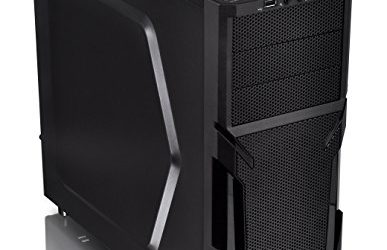
The PC cases that PC-building communities recommend most often in 2026 are airflow-first mid towers: the Lian Li Lancool 216 for overall value, the Fractal Design North for looks with good cooling, the Corsair 4000D Airflow for easy builds and the Lian Li O11 Dynamic EVO for showpiece builds. The right pick depends on your graphics card length, cooler height and how much noise you will tolerate, so check three numbers before anything else: GPU clearance, CPU cooler height and front-panel airflow.
The “reddit” in this search usually means “what do enthusiasts actually recommend”. This guide therefore ranks picks by the traits that come up repeatedly in build advice: mesh front panels, tool-free panels, good cable room and fair prices. Specs come from manufacturers’ published sheets; prices are general market ranges.
Quick comparison of recommended PC cases
| Pick | Best for | Key specs (per manufacturer) | Typical price range |
|---|---|---|---|
| Lian Li Lancool 216 | Best overall airflow value | ATX mid tower, two 160 mm front fans, mesh front, GPU up to about 392 mm | $90-$120 |
| Fractal Design North | Best looks and quiet builds | ATX mid tower, wood or steel front, mesh option, GPU up to about 355 mm | $130-$170 |
| Corsair 4000D Airflow | Best for easy first builds | ATX mid tower, perforated front, two 120 mm fans, GPU up to about 360 mm | $80-$110 |
| Lian Li O11 Dynamic EVO | Best for showpiece and liquid cooling | Dual-chamber glass, room for 360 mm radiators on side and top, GPU up to about 426 mm | $150-$200 |
| Montech Air 903 Max | Best budget airflow | Mesh front, pre-installed fans, tempered glass | $60-$90 |
| NZXT H5 Flow | Best compact simple build | Compact ATX mid tower, front intake fans, GPU up to about 365 mm | $90-$120 |
| Fractal Design Terra or Cooler Master NR200P class | Best small form factor | Mini-ITX, GPU limited by design, SFX power supply needed | $130-$200 |
Clearance figures differ between configurations, so verify the dimension you need on the manufacturer’s page before buying.
Best overall: Lian Li Lancool 216
The Lancool 216 pairs a full mesh front with two large 160 mm fans, an exhaust fan and enough room for tall coolers and long graphics cards. It is the case most often named when someone asks for one budget airflow recommendation. Cable management channels are generous, the glass side panel is easy to remove and the case supports 360 mm radiators in the top mount.
Trade-off: the mesh front lets more fan noise and dust through than a solid panel, and the large front fans can be loud at full speed. Use a fan curve to keep them below roughly 1,000 RPM until temperatures climb.
Best looks with quiet cooling: Fractal Design North
The North is popular because it looks like furniture rather than a gaming rig. The wooden front has a mesh panel behind it, and the case ships with two 140 mm fans. It suits people who want a clean desk setup and a low-noise PC for work and games. Trade-off: the airflow is good but not class-leading, and the GPU length limit is shorter than that of the largest cases, so check large cards before buying.
Best for easy first builds: Corsair 4000D Airflow
This case is a safe choice because its layout is simple and the interior is spacious. It has a perforated front panel, a cable bar in the right place and enough width for most air coolers. Trade-off: the pre-installed fans are modest, and the perforated panel restricts flow slightly compared with full mesh. An extra intake fan can improve GPU temperatures by a few degrees.
Best showpiece: Lian Li O11 Dynamic EVO
The O11 Dynamic EVO is a dual-chamber layout with glass on two sides, designed for liquid cooling and visible hardware. It fits long graphics cards, 360 mm radiators on more than one side and offers reversible layouts. Trade-off: price, more cable work and weaker out-of-the-box airflow for air-cooled builds, since glass blocks the front. It is a case for people who care about appearance and plan a custom or all-in-one liquid loop.
Best budget airflow: Montech Air 903 Max
Several brands offer inexpensive mesh-front cases with fans included. The Air 903 Max is a representative pick: it ships with multiple fans, supports tall graphics cards and costs less than many cases with no fans. Trade-off: thinner steel, less polished finishes and fewer cable-management details than the premium picks.
Best for small spaces: mini-ITX cases
Cases like the Cooler Master NR200P class or Fractal Design Terra fit a gaming PC in under 20 liters. They require an SFX power supply, a mini-ITX motherboard and careful component selection. A GPU over 300 mm may not fit, and low-profile coolers or 240 mm radiators limit CPU choices. Choose small form factor only if you value size over upgradeability.
Worked example: will your graphics card fit?
Graphics card length and thickness are the most common reasons a build fails. Use this procedure:
- Find the card’s length from the maker’s spec sheet. A reference-style 2-slot card can be near 300 mm; partner cards with large triple-fan coolers are often 330 to 360 mm and some exceed that.
- Find the case’s maximum GPU length. Subtract the thickness of a front radiator or fan if you plan to install one: a 25 mm fan on the front can reduce clearance by about 25 mm.
- Leave at least 10 to 15 mm of space for power connectors, especially angled 12V-2×6 or 12VHPWR cables that need a bend radius.
- Compare. A 350 mm card in a case with a 355 mm clearance and a front fan of 25 mm gives 330 mm effective room, so it will not fit without removing the fan.
Cooler height works the same way: if the case lists a 170 mm maximum CPU cooler height, a 165 mm air cooler fits, but a 180 mm one does not. Leave a couple of millimeters of slack for the side panel.
Airflow math: balancing intake and exhaust
Positive pressure (more intake than exhaust) keeps dust out through filters. As an example, three 140 mm intake fans at about 60 CFM each give about 180 CFM of intake, while one 140 mm exhaust plus one 120 mm exhaust at about 60 and 45 CFM give about 105 CFM. The case is then positive by roughly 75 CFM. That is a good state for dust control, but if the difference is very large you may be wasting fan noise. Real flow is lower than rated because filters and grills add resistance, so treat CFM as a relative guide.
| Setup | Intake | Exhaust | Result |
|---|---|---|---|
| Two front, one rear | 2 x 140 mm | 1 x 120 mm | Slightly positive; typical for 4000D and North class |
| Three front, one rear, one top | 3 x 120 mm | 2 x 120 mm | Balanced to positive; good for hot graphics cards |
| 360 mm top radiator as exhaust | 3 x 120 mm | 3 x 120 mm radiator + 1 rear | Negative or neutral; keep an eye on dust |
How to choose: a short decision guide
- Hot, powerful GPU and CPU (200 W or more combined): full mesh front, at least three intake fans.
- Quiet priority: a case with sound-damping foam or a solid front, with 140 mm fans at low RPM.
- Glass and lighting: dual-chamber or glass-front cases, but plan for more fans to compensate.
- Tight budget: a mesh-front case with fans included, rather than a bare shell you must stock.
- Future upgrades: choose a case with spare GPU length and radiator support beyond what you need today.
Also check the front I/O. USB-C on the front panel, a USB 3.0 header on your motherboard and enough cable length for the power button wires save frustration at build time.
Frequently Asked Questions
What is the best PC case for airflow?
Cases with a full mesh front panel and large intake fans, such as the Lian Li Lancool 216 or similar mesh-front designs, are generally the best for airflow. Open front surface area matters more than fan count. Solid glass fronts cut airflow unless they leave side gaps.
Is a bigger PC case better for cooling?
Not automatically. A larger case has more space but only cools well if it has good intake and exhaust paths. A compact mesh case with three well-placed fans can cool better than a large case with a solid front.
How many case fans do I need?
Two intake fans and one exhaust fan is the minimum for a mid-range gaming PC. High-power builds benefit from three front intake fans, a rear exhaust fan and optionally one top exhaust fan. More fans at low RPM are quieter than fewer fans at high RPM.
Does the PC case affect performance?
Indirectly. A case with poor airflow can raise component temperatures and cause the CPU or GPU to lower clock speeds. A good case keeps temperatures steady, which helps sustained frame rates and keeps fan noise down.
Are tempered glass side panels worth it?
They are worth it if you want to display your build. Glass has no meaningful cooling penalty on the side panel, since airflow enters through the front and leaves through the rear and top. Glass is heavier and can crack if mishandled.
What size case do I need for my motherboard?
ATX boards need an ATX mid tower, which can also hold micro-ATX and mini-ITX boards. Micro-ATX and mini-ITX cases are smaller but limit expansion slots and cooler size. Check the case spec sheet for supported motherboard sizes.
Related guides
More from Amazon
Programs that pair well with the guide above. Offers and eligibility are set by Amazon and may change.
A free business account with business pricing and bulk-buying tools for work, shop or home office.
Create a business accountFree shipping on eligible items, Prime Video and more. Eligible new members can start with a free trial.
Start a Prime free trialAudiobooks and podcasts to listen to on the go. Eligible new members can start with a free trial.
Try Audible freeAd-free music streaming. Eligible new subscribers can start with a free trial.
Try Music Unlimited freeAs an Amazon Associate we earn from qualifying purchases.