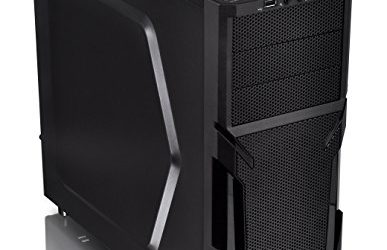
The best RGB PC case for most builders in 2026 is the Lian Li O11 Dynamic EVO for a showpiece build, or the NZXT H6 Flow RGB if you want strong airflow and pre-installed lighting without extra work. For a more budget-friendly option, the Lian Li Lancool 216 RGB and Phanteks Eclipse G360A offer addressable lighting plus mesh front panels. Choose by airflow first and lighting second, because a case that looks great but runs your GPU 10 degrees hotter is a poor trade.
Quick comparison of the best RGB cases
| Pick | Best for | Key specs | Price range |
|---|---|---|---|
| Lian Li O11 Dynamic EVO | Showpiece builds and custom loops | Dual-chamber, tempered glass front and side, up to 3 x 360 mm radiators, E-ATX support | Usually $150-$190 |
| NZXT H6 Flow RGB | Airflow plus RGB out of the box | Dual-chamber, angled glass panel, 3 RGB fans included | Usually $120-$150 |
| Hyte Y60 | Panoramic view of the GPU | Curved glass corner, vertical GPU mounting included, ATX | Usually $190-$220 |
| Lian Li Lancool 216 RGB | Value and cooling | Mesh front, two 160 mm front fans, room for 360 mm radiator | Usually $100-$130 |
| Phanteks Eclipse G360A | Budget airflow with lighting | Mesh front, 3 D-RGB fans, ATX | Usually $90-$110 |
| Corsair iCUE 5000X RGB | Corsair ecosystem and cable management | Mid tower, 3 RGB fans, tempered glass | Usually $170-$210 |
Best overall: Lian Li O11 Dynamic EVO
The O11 Dynamic EVO moves the power supply and cabling into a rear chamber and gives the front and side glass an unobstructed view of the components. It suits builders who want to show off a graphics card, an AIO or a custom loop. The trade-off is airflow: glass on two sides limits intake unless you fit fans on the side, bottom and top. Add three fans at the bottom and three at the side and it performs very well, but those fans are an added expense because the case ships without them.
Best out of the box: NZXT H6 Flow RGB
The H6 Flow RGB includes three RGB fans and a design that points a pair of intake fans directly at the GPU. It suits first-time builders who want a good-looking system without hunting for compatible fans and hubs. The trade-off is that you use NZXT’s own lighting software, and the included fans are decent rather than premium.
Best for the view: Hyte Y60
The Y60 uses a curved glass corner and a floating-style layout with a vertical GPU mount included. It looks striking but runs warm with a high-power graphics card, so plan for a good fan setup. It also requires a PCIe riser cable that must be compatible with your GPU’s generation. Check the case maker’s clearance numbers for GPU length before ordering.
Best value: Lian Li Lancool 216 RGB and Phanteks Eclipse G360A
Both cases use mesh front panels, so air reaches your components without the fan penalty seen in glass-front designs. The Lancool 216 stands out because its two large 160 mm front fans move a lot of air quietly. The G360A comes with three addressable RGB fans at a lower cost. Either is a sensible pick if you want lighting but also plan to spend most of your budget on the CPU and GPU.
How to choose: an RGB case decision matrix
| Your situation | Choose | Reason |
|---|---|---|
| High-power GPU (300 W or more), want cool temps | Mesh-front case such as Lancool 216 or G360A | Higher unrestricted intake area |
| Want a showcase with a custom loop | O11 Dynamic EVO | Supports three radiators and dual chambers |
| First build, minimal fuss | NZXT H6 Flow RGB | Fans and lighting included |
| Want vertical GPU display | Hyte Y60 or O11 with vertical kit | Shows the card’s face |
| Small desk, limited height | Mid tower around 45 cm tall | Most fit; avoid full towers |
Worked example: how many fans do you really need?
Suppose you build a system with a 125 W CPU and a 300 W GPU. Combined heat output under gaming load is around 425 W before the motherboard and drives are counted. Airflow rule of thumb: a typical 120 mm fan moves 50-70 CFM at full speed, while a 140 mm model moves 70-90 CFM. Three intake fans at 60 CFM each give 180 CFM in; two exhaust fans at 60 CFM remove 120 CFM. That leaves positive pressure, which helps keep dust out if intakes are filtered, and it is enough for most gaming builds. If your case cuts the intake in half with a glass panel, you will need either extra side fans or faster fan curves, and temperatures typically rise by 5-10 degrees Celsius on the GPU.
Lighting ecosystems and wiring
- Addressable RGB (ARGB, 5 V, 3-pin): each LED can have its own color. Most modern cases use this and it connects to a motherboard header labeled ARGB or D_LED.
- Standard RGB (12 V, 4-pin): one color across the strip. Do not plug it into an ARGB header, because the voltage difference can damage the LEDs.
- Proprietary hubs: NZXT, Corsair and Lian Li each use their own controller and software. Mixing brands can mean extra hubs and software, so stick to one ecosystem when you can.
- Motherboard sync: Asus Aura Sync, MSI Mystic Light and Gigabyte RGB Fusion can control ARGB headers, which removes the need for a separate controller.
Check these before buying
- GPU length clearance, as modern cards are often 300-350 mm long.
- CPU cooler height, usually 155-170 mm in mid towers.
- Radiator support for the size you plan to use, such as 240, 280 or 360 mm.
- Number of ARGB headers on your motherboard, typically one to three.
- Dust filters on the front, top and bottom intakes.
Glass versus mesh trade-offs
Tempered glass panels look good and are easy to clean, but they trap heat unless the case has generous vents elsewhere. Mesh front panels typically lower GPU and CPU temperatures by several degrees compared with solid glass fronts, according to the kind of results published by hardware reviewers, though the exact gap varies by case and components. If you want both, look for hybrid designs that pair a glass side with a mesh intake, such as the Lancool 216 and Eclipse G360A.
Building tips for a clean RGB look
Cable management shows more in a glass case than in a solid one. Route the 24-pin and GPU cables through the rear chamber, use velcro straps rather than zip ties so you can rework them later, and choose braided or sleeved extension cables only if the color matches your lighting theme. Limit the palette to two or three colors so the build looks deliberate. Set fan curves so lighting-heavy fans are not forced to spin at full speed: most modern fans keep a quiet 800-1,000 RPM at idle and ramp to 1,500 RPM or more under load, which keeps noise near 30-35 dBA at normal use. Finally, clean the dust filters every month or two, because blocked intakes cost more temperature than any panel choice.
Frequently Asked Questions
Does RGB lighting affect performance?
The LEDs themselves have no effect on gaming performance. Lighting software can add small background CPU load, so use a single tool and disable others you do not need.
Is a glass-front case bad for cooling?
It can be, since the glass blocks direct intake. Cases with side or bottom fans and good ventilation make up for it, but a mesh front is simpler for hot components.
Can I add RGB to a case without lights?
Yes. Buy ARGB fans or strips, then connect them to your motherboard’s ARGB header or a controller hub. Make sure the connectors match, with 5 V 3-pin for addressable lighting.
How many fans should an RGB case have?
Most mid towers perform well with two or three intake fans and one rear exhaust. Add top exhaust fans if you use a powerful GPU or an air cooler.
What case size do I need for a modern GPU?
Choose a mid tower with at least 340 mm of GPU clearance for most high-end cards. Check your card’s length in the manufacturer’s spec sheet before purchasing.
Related guides
More from Amazon
Programs that pair well with the guide above. Offers and eligibility are set by Amazon and may change.
A free business account with business pricing and bulk-buying tools for work, shop or home office.
Create a business accountFree shipping on eligible items, Prime Video and more. Eligible new members can start with a free trial.
Start a Prime free trialAudiobooks and podcasts to listen to on the go. Eligible new members can start with a free trial.
Try Audible freeAd-free music streaming. Eligible new subscribers can start with a free trial.
Try Music Unlimited freeAs an Amazon Associate we earn from qualifying purchases.