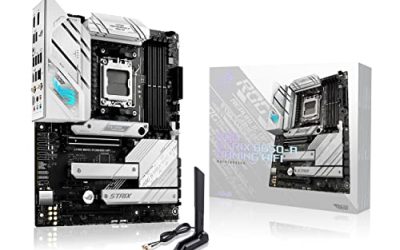
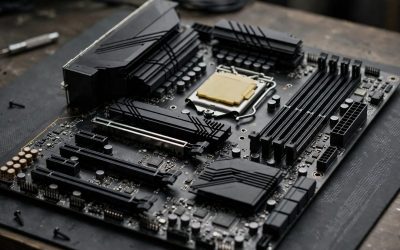
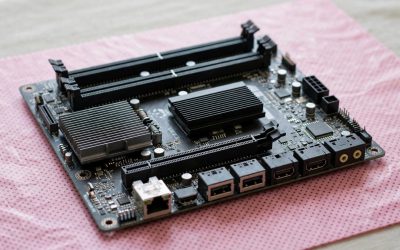
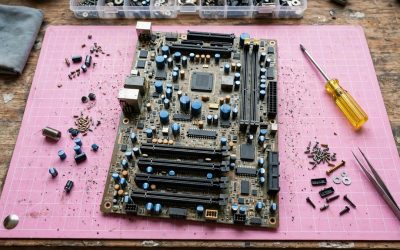
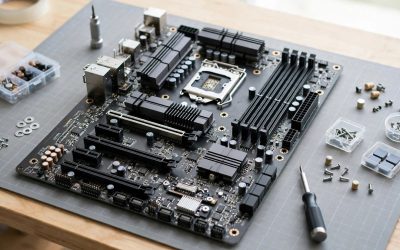
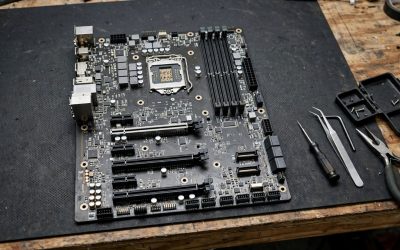
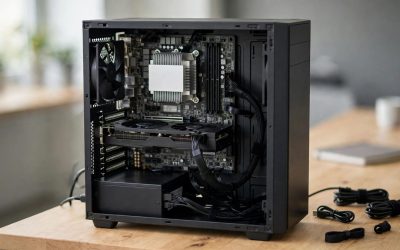
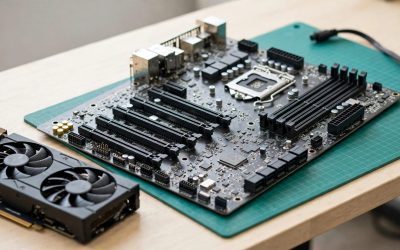
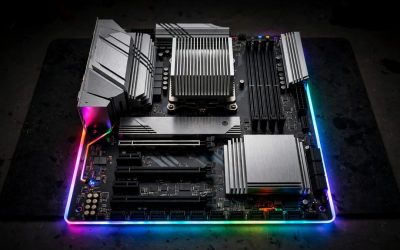
The best B550 mini-ITX motherboards are the Gigabyte B550I Aorus Pro AX, the ASUS ROG Strix B550-I Gaming and the MSI MPG B550I Gaming Edge WiFi, with the ASRock B550 Phantom Gaming-ITX/ax as the value alternative. All four use the AM4 socket, support Ryzen 3000 through 5000 series processors (including the Ryzen 7 5800X3D and 5700X3D), and include Wi-Fi, 2.5 GbE or similar networking and PCIe 4.0 for the GPU and an M.2 drive. Because AM4 is now a mature platform, the choice comes down to VRM quality, M.2 layout and I/O in a very small board.
Quick comparison of the main B550 ITX boards
| Pick | Best for | Key specs | Price range |
|---|---|---|---|
| Gigabyte B550I Aorus Pro AX | Best overall | Wi-Fi 6, 2.5 GbE, 2 DIMM slots, 2 M.2 slots, VRM with heatsink | $140 – $200 |
| ASUS ROG Strix B550-I Gaming | Best VRM and features | Wi-Fi 6, 2.5 GbE, 2 M.2 slots, strong power delivery, front USB-C | $170 – $230 |
| MSI MPG B550I Gaming Edge WiFi | Best balance of price and layout | Wi-Fi 6, 2.5 GbE, 2 M.2 slots, Extended heatsink | $130 – $190 |
| ASRock B550 Phantom Gaming-ITX/ax | Best value | Wi-Fi 6, 2.5 GbE, 1-2 M.2 slots, Thunderbolt header options on some SKUs | $120 – $170 |
Prices are general market ranges for new or lightly used stock, because B550 ITX boards are no longer in heavy production and availability varies by region. Confirm exact spec details on the manufacturer’s page, since small revisions change M.2 count and BIOS needs.
Best overall: Gigabyte B550I Aorus Pro AX
This board is the usual first recommendation because it balances cost, features and thermal design. It carries a full-coverage VRM heatsink, a rear I/O with Wi-Fi antennas, USB 3.2 Gen 2 ports and 2.5 GbE per the manufacturer’s spec sheet, plus two M.2 slots (one on the back). It handles a Ryzen 5 5600 through a Ryzen 7 5800X3D without trouble. Trade-off: only two RAM slots, a trait common to all ITX boards, so choose your capacity upfront (32 GB as 2 x 16 GB is the common target).
Best VRM and features: ASUS ROG Strix B550-I Gaming
ASUS tends to put more power stages and cooling on its ITX boards, which helps when running a Ryzen 9 5900X or 5950X in a small case. It also provides a front-panel USB-C header, an audio daughtercard layout and a robust BIOS. The trade-off is price, as it sits near the top of the B550 ITX range, and BIOS updates may be needed for the latest AM4 CPUs.
Best balance: MSI MPG B550I Gaming Edge WiFi
MSI offers a clean layout, an extended heatsink and a competitive price. It suits builds based on a Ryzen 5 5600X or 5700X, where extreme VRM capability is not needed. Check that the board’s BIOS is recent enough for a Ryzen 5000 chip, since older stock may need a BIOS flash with a supported CPU or flashback feature.
Best value: ASRock B550 Phantom Gaming-ITX/ax
If budget matters more than extras, ASRock’s ITX board provides what most gamers need: PCIe 4.0 x16, Wi-Fi 6, and a decent VRM for six- or eight-core chips. Trade-offs include simpler heatsinks and a less polished I/O panel.
Worked example: does the VRM matter for your CPU?
A mini-ITX VRM has limited space, so match it to the CPU’s real power draw. A Ryzen 7 5800X has a 105 W TDP, but its package power limit (PPT) is 142 W. With a VRM efficiency of about 90 percent, the board must deliver 142 / 0.9 = 158 W of input power into the VRM, which dissipates around 16 W as heat. A Ryzen 5 5600 has a 65 W TDP and 88 W PPT, so it dissipates only about 10 W in the VRM. That 6 W difference is why a Ryzen 9 5950X (142 W PPT too, but sustained all-core loads) needs a board with better heatsinks or case airflow. The practical rule: for 65 W CPUs any of the four boards is fine; for 105 W CPUs, prefer ASUS or Gigabyte and add a case fan pointed at the VRM.
How to choose a B550 ITX board
- Check CPU support and BIOS version. If you plan to use a Ryzen 5000 processor, the board needs BIOS support for it. Many sellers list the BIOS version, and some boards support flashing without a CPU.
- Count your M.2 slots. Two slots allow a boot drive plus storage. A 4 TB total from two 2 TB drives is common in small builds.
- Look at the rear I/O. You need enough USB ports for peripherals; ITX boards often have only 4-6. A USB hub or front-panel header can help.
- Plan cooling. ITX cases have limited CPU cooler height, usually 47-72 mm for SFF cases. Choose a low-profile cooler or an AIO that fits.
- Match RAM speed. DDR4-3600 CL16 is the sweet spot for Ryzen 5000, because the Infinity Fabric typically runs 1:1 at 1800 MHz.
Compatibility matrix: what to pair with a B550 ITX board
| Component | Compatible choice | Notes |
|---|---|---|
| CPU | Ryzen 3000-5000, 5700X3D, 5800X3D | BIOS update may be required for 5000 series |
| RAM | DDR4-3200 to 3800, 2 x 8-16 GB | Only 2 slots; 64 GB max on most boards |
| GPU | Any PCIe x16 card that fits your case | Length and thickness depend on the case, not the board |
| Storage | M.2 NVMe PCIe 4.0 or 3.0, SATA | Only the primary M.2 slot runs at PCIe 4.0 on some boards |
| PSU | SFX or SFX-L 600-750 W | Pick based on GPU draw |
Common pitfalls with small AM4 builds
- Old BIOS with new CPU: boards that shipped before 2020 may not boot a Ryzen 5000 chip until updated.
- Single vs dual-rank RAM: dual-rank kits can improve performance but are harder to overclock on two-slot boards.
- Heat around M.2: a drive behind a large GPU can reach 70 C or more; use a drive with a heatsink and check its temperature under a long file copy.
- Buying a platform at its end of life: AM4 will not get new CPU generations, so consider whether a B650 ITX board and AM5 suit a longer-term build.
Frequently Asked Questions
Is B550 ITX still worth buying in 2026?
Yes if you already own an AM4 CPU or want a cheap build using DDR4 memory. For a new build with a long upgrade path, an AM5 B650 ITX board is the better long-term choice.
Does a B550 ITX board support the Ryzen 7 5800X3D?
Yes, all the boards above support it with the right BIOS. The 5800X3D has a 105 W TDP and runs fine on the better VRMs, though it cannot be overclocked in the usual way.
Do B550 ITX boards have PCIe 4.0?
Yes, for the main x16 slot and at least one M.2 slot when paired with a Ryzen 3000 (limited), 5000 or compatible CPU. Check each board’s manual for which M.2 slot gets PCIe 4.0 lanes.
How much RAM can I install?
Two DIMM slots allow up to 64 GB on most boards using 2 x 32 GB modules, and 32 GB via 2 x 16 GB is the practical gaming choice.
Can I use a B550 ITX board with an AIO cooler?
Yes, provided the case supports it. Check the radiator size the case allows (often 120 or 240 mm) and make sure the pump header on the board is available.
Related guides
More from Amazon
Programs that pair well with the guide above. Offers and eligibility are set by Amazon and may change.
A free business account with business pricing and bulk-buying tools for work, shop or home office.
Create a business accountFree shipping on eligible items, Prime Video and more. Eligible new members can start with a free trial.
Start a Prime free trialAudiobooks and podcasts to listen to on the go. Eligible new members can start with a free trial.
Try Audible freeAd-free music streaming. Eligible new subscribers can start with a free trial.
Try Music Unlimited freeAs an Amazon Associate we earn from qualifying purchases.