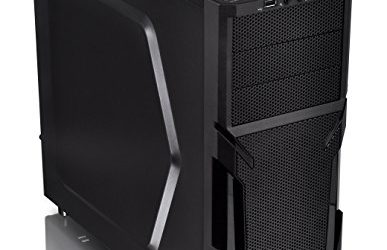
If you want a case that matches the NZXT H700i, the best modern equivalents are the NZXT H7 Flow, the Fractal Design North, and the Lian Li Lancool 216 for airflow-first builds. The H700i itself is an older mid-tower with a tempered glass side panel and a built-in smart fan controller, so the real question is which of its traits you want to keep: clean cable management, a roomy interior, or a quiet look.
Quick comparison of H700i alternatives
| Pick | Best for | Key specs | Price range |
|---|---|---|---|
| NZXT H7 Flow | Closest direct successor | Mid-tower, perforated front, up to 360 mm front radiator, tempered glass | Usually $120-$150 |
| Fractal Design North | Style and quiet builds | Mid-tower, wood or metal front, mesh variant, up to 360 mm top radiator | Usually $130-$180 |
| Lian Li Lancool 216 | Best airflow per dollar | Two 160 mm front fans, up to 420 mm front radiator support, mesh front | Usually $90-$120 |
| Corsair 4000D Airflow | Budget and simple builds | Mid-tower, mesh front, two 120 mm fans included, 360 mm front radiator | Usually $85-$110 |
| Phanteks Eclipse G360A | Value with included fans | Mesh front, three 120 mm ARGB fans, 360 mm radiator support | Usually $90-$120 |
| Lian Li O11 Dynamic EVO | Showpiece and custom cooling | Dual-chamber, wraparound glass, many radiator positions | Usually $150-$200 |
What made the H700i popular
The H700i was a mid-tower at roughly 494 x 230 x 516 mm per the manufacturer’s spec sheet, with a steel body, a tempered glass left panel, a hidden cable-routing channel and a PSU shroud that hid the power supply and cable clutter. It shipped with a Smart Device that controlled fans and RGB lighting. Those features defined the look many builders still want: a closed front, a glass window and tidy cabling.
The weakness was airflow. A solid front panel with narrow side intakes starves a modern high-wattage GPU. That is why newer cases from the same maker moved to perforated fronts, and why most of the picks below use mesh.
Best overall: NZXT H7 Flow
The H7 Flow keeps the H700i layout, with the glass panel, shroud and cable channels, but replaces the restrictive front with a perforated panel and includes front intake fans. It supports ATX, micro-ATX and mini-ITX boards, and graphics cards of roughly 400 mm in length per the manufacturer’s spec sheet. It suits anyone upgrading from an H700i who wants familiar building steps with cooler parts.
Trade-off: it is still a fairly tall case, and the price sits above basic mesh cases that offer similar thermals.
Best for style and low noise: Fractal Design North
The North uses a wood-accent or metal front with a mesh panel behind it, and it has a clean interior with straightforward cable routing. It is the pick if the H700i appealed to you because it looked restrained rather than loud. Mesh-front versions cool well, while the quiet look makes it good for living-room desks.
Trade-off: the wood front costs more and the case offers fewer included fans than value cases from other brands.
Best airflow for the money: Lian Li Lancool 216
Two large 160 mm front fans move more air at lower noise than comparable 120 mm fans, and the front mesh is wide open. Radiator support is generous, including a 360 mm top mount and large front radiators. This is the case to choose if your GPU runs hot or you plan an overclocked CPU on a 280 mm or 360 mm cooler.
Trade-off: cable management is good but not as hidden-channel neat as the H-series design, and the interior is less minimalist.
Best budget: Corsair 4000D Airflow
A long-running favorite for simple builds. It has a mesh front, two 120 mm fans, front radiator room for 360 mm, and decent cable routing for the price. It is a sensible pick when most of your money should go to the graphics card.
Trade-off: only two fans are included, so many builders add a rear or top fan, and the plain look is less distinctive than the H700i.
Best for a showpiece build: Lian Li O11 Dynamic EVO
The dual-chamber layout places the motherboard in a glass-fronted chamber and the power supply and drives in a separate one. It suits custom loops and vertical GPU mounting. Airflow depends on fan placement: you need to add side or bottom intake fans to get full performance.
Trade-off: it costs more, needs extra fans, and is wider than a typical mid-tower.
How to choose: a worked airflow check
Use a simple heat budget. A midrange gaming PC might draw 150 W from the GPU and 90 W from the CPU under gaming load, plus 40 W for the rest, a total near 280 W of heat. A high-end build can reach 450 W or more from a 300 W GPU, a 125 W CPU and about 40 W from other parts. Each 120 mm fan moves roughly 40-70 CFM depending on speed and design per manufacturer ratings, and mesh fronts lose little of it, while solid or narrow-slit fronts can cut intake substantially.
| Build heat load | Minimum fan setup | Suggested front panel |
|---|---|---|
| Up to 250 W | 2 intake + 1 exhaust (120 mm) | Perforated or mesh |
| 250-400 W | 3 intake + 1-2 exhaust | Full mesh |
| 400 W and above | 3 intake + 2 exhaust, plus top radiator | Full mesh, large fans |
Aim for slightly more intake than exhaust so the case stays in positive pressure, which cuts dust buildup through gaps because air leaves through filtered mesh instead.
Check these dimensions before you buy
- GPU length: modern 3-fan cards run 300-350 mm; confirm the case’s maximum GPU length with the front radiator installed.
- CPU cooler height: tower air coolers such as dual-tower designs can reach 160-165 mm, so check the case’s stated clearance.
- Radiator thickness: a 360 mm radiator plus fans can be 52-60 mm thick; allow that against motherboard heatsinks and RAM.
- Power supply length: a shroud layout limits long modular supplies, particularly with cable bundles.
- Front USB-C: if you want a front Type-C port, confirm the case includes the header cable and your board has the matching header.
Glass, mesh and noise trade-offs
Tempered glass looks good but reflects fan noise into the room, while mesh panels let noise out but also let more air in. If you want both, choose a mesh front with a glass side panel, which is how most picks above are built. Dust filters on the front and bottom are worth confirming because mesh without a filter simply feeds dust into the case.
Frequently Asked Questions
Is the NZXT H700i still worth buying?
Only if you find one at a clear discount and your parts run cool. Its restrictive front limits airflow with powerful GPUs, so most buyers will be better served by the H7 Flow or a mesh-front alternative.
What replaced the NZXT H700i?
The H7 series, particularly the H7 Flow, is the natural successor, keeping the mid-tower layout with improved intake airflow and updated cable routing.
Can I fit a 360 mm radiator in these cases?
Yes, all the picks in the table list 360 mm radiator support in at least one position. Always check whether it fits in the front or top, and whether memory and VRM heatsinks block the radiator mounting area.
Do I need a case with a built-in fan controller?
No. Most modern motherboards control fans through PWM headers and software, so a built-in hub is a convenience rather than a requirement. A fan hub or splitter cable covers cases that lack one.
Is a bigger case always cooler?
Not automatically. Intake area, fan size and the amount of free air path matter more than interior volume, so a compact mesh case can beat a larger case with a closed front.
Related guides
More from Amazon
Programs that pair well with the guide above. Offers and eligibility are set by Amazon and may change.
A free business account with business pricing and bulk-buying tools for work, shop or home office.
Create a business accountFree shipping on eligible items, Prime Video and more. Eligible new members can start with a free trial.
Start a Prime free trialAudiobooks and podcasts to listen to on the go. Eligible new members can start with a free trial.
Try Audible freeAd-free music streaming. Eligible new subscribers can start with a free trial.
Try Music Unlimited freeAs an Amazon Associate we earn from qualifying purchases.