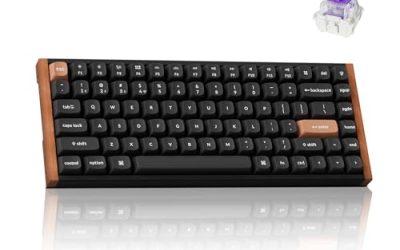
The best affordable home keyboard for most people is the Logitech Signature K650 if you type a lot, the Logitech K380 family if you switch between a laptop, tablet and phone, and the Logitech K120 if you only need something cheap, quiet and wired. For anyone who wants a better typing feel than a membrane board offers, a budget wired mechanical such as the Keychron C3 Pro is the next step up. The right choice depends on how much you type, how many devices you use and how much desk space you have, so the sections below start with the picks and then give numbers for deciding.
Quick comparison of the picks
| Pick | Best for | Key specs (per manufacturer) | Budget tier |
|---|---|---|---|
| Logitech K120 | Cheapest reliable full-size board | Wired USB, full-size with numpad, membrane, spill-resistant design | Lowest |
| Logitech MK270 | Keyboard plus mouse in one purchase | 2.4 GHz wireless with USB receiver, full-size, mouse included | Low |
| Logitech K380 / Pebble Keys 2 K380s | Multi-device desks and couches | Bluetooth, up to 3 paired devices, compact, AAA battery | Low to mid-range |
| Logitech Signature K650 | All-day typing and home office | Full-size, built-in wrist rest, Bluetooth or Logi Bolt, long battery life | Mid-range |
| Keychron C3 Pro | Budget mechanical feel and gaming | Wired, tenkeyless layout, mechanical switches, QMK/VIA remapping | Mid-range |
| Logitech Wave Keys | Wrist comfort on a budget | Curved ergonomic layout, Bluetooth or Logi Bolt, wrist rest | Mid-range |
Best overall: Logitech Signature K650
The K650 suits people who type for hours at a home desk. It has a full-size layout with a number pad, a cushioned wrist rest built into the frame, and quiet, soft-landing keys. It can connect over Bluetooth or through Logitech’s Logi Bolt receiver, and Logitech rates the battery in years rather than months. The trade-off is that it is a membrane-style board, so it has no hot-swap or custom keycap appeal, and it costs noticeably more than the basic K120.
Best cheapest option: Logitech K120
The K120 is a plain wired full-size keyboard that works on Windows, Linux, ChromeOS and most other systems without software or pairing. It suits a shared family PC, a spare room or a child’s desk, and it has no battery to replace and no pairing to lose. The trade-off is that it has no backlight, no wireless option, a flat profile that is not great for long sessions, and a basic feel that you will not enjoy for hours of typing.
Best keyboard and mouse combo: Logitech MK270
The MK270 covers the whole setup in one box, with a full-size keyboard and a small wireless mouse sharing a single USB receiver. That makes it good for a first home desktop or a media PC. The trade-off is that the receiver occupies a USB port, the mouse is basic, and neither piece will connect to a tablet or phone over Bluetooth.
Best for several devices: Logitech K380 or Pebble Keys 2 K380s
These compact Bluetooth keyboards pair with up to three devices and switch between them with one key. Per Logitech, the battery lasts roughly two years on the original K380, and the newer Pebble Keys 2 K380s is rated for longer. They are a good fit if you move between a laptop, a tablet and a phone on the same desk. The trade-offs are that the layout has no dedicated number pad, the keys are rounded and shallow, and you should check whether you want the newer or the original model, since they differ in battery type and key style.
Best budget mechanical: Keychron C3 Pro
The C3 Pro is a wired tenkeyless board that uses mechanical switches and supports QMK/VIA remapping, according to Keychron’s spec sheet. That makes it a better fit for gaming and for typists who want clearer key feedback than membrane gives. It is wired, so there is no battery to worry about and no input lag to think about. The trade-offs are that mechanical switches are louder than membrane, which matters in shared rooms, and that tenkeyless means no number pad. If you want a cheaper mechanical with a similar idea, the Redragon K552 Kumara is a long-standing budget tenkeyless option.
Best for wrist comfort: Logitech Wave Keys
The Wave Keys uses a curved, sloped layout and a built-in cushioned palm rest to keep your wrists in a more neutral posture. It is a sensible pick if you type a lot and have felt wrist or forearm strain on a flat board. The trade-offs are that the curved layout takes a few days to get used to, and it costs more than the standard compact boards.
How to choose: the numbers that matter
Estimate your keyboard’s lifespan
Budget membrane keyboards are typically rated by their makers in the low millions of keystrokes per key, and budget mechanical switches are often rated at around 50 million. Those ratings apply to each individual key, so the busiest keys, the space bar and the letter E, wear out first. A worked example, assuming about 6 characters per word including spaces and that the space bar takes roughly 16 percent of all keystrokes:
| Typing habit | Words per day | Total keystrokes per day | Space bar presses per day | Years to reach 5 million presses |
|---|---|---|---|---|
| Light (email, browsing) | 500 | 3,000 | about 480 | about 28 |
| Moderate (home office) | 2,000 | 12,000 | about 1,900 | about 7 |
| Heavy (writer, student) | 6,000 | 36,000 | about 5,800 | about 2.4 |
These figures are rough and real keyboards often outlast their ratings, but they show why a heavy typist should not pick the cheapest board and why a light user does not need to pay extra for durability. At 50 million presses, even the heavy typist in this example would take more than 20 years to reach the rating.
Match the keyboard to your situation
| Your situation | Choose | Why |
|---|---|---|
| Shared family PC, light use | Logitech K120 | Wired, no setup, tolerates spills |
| New desktop, nothing yet | Logitech MK270 | Keyboard and mouse together |
| Laptop plus tablet plus phone | K380 / Pebble Keys 2 K380s | Three Bluetooth slots, small footprint |
| Typing for several hours daily | Logitech Signature K650 | Wrist rest, quiet keys, full-size layout |
| Gaming and typing on one PC | Keychron C3 Pro | Wired, mechanical feedback, remappable keys |
| Wrist discomfort | Logitech Wave Keys | Curved layout and palm rest |
| Small desk, mouse close to the keyboard | Any tenkeyless or compact board | Gains roughly the width of the number pad for the mouse arm |
Layout and size
A full-size keyboard is about 17 to 18 inches wide, a tenkeyless board is roughly 14 to 15 inches, and compact boards such as the K380 are around 11 to 12 inches. If you enter a lot of numbers or use spreadsheets, keep the number pad. If you use a mouse a lot, the extra 3 to 4 inches on the right of a tenkeyless board lets your mouse hand sit closer to your body, which reduces reaching.
Wired or wireless
Wired keyboards never need batteries and have no pairing problems, which is why they suit a fixed desktop. Bluetooth boards suit people who share a keyboard across devices. A 2.4 GHz receiver, as on the MK270 and with Logi Bolt, is usually the more reliable wireless choice for a desktop, because Bluetooth can drop out or wake slowly from sleep. Battery claims such as 24 months assume light daily use, so treat the manufacturer’s figure as a ceiling, not a guarantee.
Switch type
Membrane keyboards are quiet and cheap, and they suit shared rooms. Mechanical keyboards give clearer feedback and last longer, but they are louder and cost more. If you share a room, look for linear or tactile switches described as quiet and avoid clicky ones.
Frequently Asked Questions
Is a mechanical keyboard worth it for home use?
It is worth it if you type for hours daily or also play games, because the clearer key feedback and longer switch ratings help. For occasional use at a shared desk, a quiet membrane board is cheaper and less disruptive. Think of it as a comfort and durability upgrade, not a requirement.
Do I need a wireless keyboard?
Not for a fixed desktop, where a wired board is cheaper and has no battery to replace. Wireless is useful if you switch between a laptop, a tablet and a TV, or want a cleaner desk. For a desktop, a 2.4 GHz receiver is usually more reliable than Bluetooth.
Should I get a full-size or compact keyboard?
Get full-size if you type numbers often or use accounting and spreadsheet software. Choose a tenkeyless or compact layout if desk space is limited or you want your mouse closer. Most people who do not use the number pad regularly are happy with a tenkeyless board after a short adjustment.
How long should a cheap keyboard last?
For a moderate typist, a budget membrane board should last several years, since the per-key rating is far higher than the number of presses the busiest keys get. Heavy typists will wear out the busiest keys sooner, in the range of a few years. Liquid damage and worn batteries are more common causes of failure than switch wear.
Do cheap keyboards work with Mac, Windows and Linux?
Most do, especially wired USB boards and Bluetooth boards that follow standard profiles. The difference is usually the key labels and modifier keys, such as Command and Option on a Mac, so check whether a model has a Mac layout or lets you swap modes. Boards with Mac and Windows toggles, such as the K380, make this easy.
Is a wrist rest necessary?
It is not strictly necessary, but a keyboard with a low profile and a padded rest is more comfortable for long sessions. The key is to keep your wrists straight and rest the palms between bursts of typing, not while typing. If you feel discomfort, a curved board like the Wave Keys or a separate wrist rest can help.
Related guides
More from Amazon
Programs that pair well with the guide above. Offers and eligibility are set by Amazon and may change.
A free business account with business pricing and bulk-buying tools for work, shop or home office.
Create a business accountFree shipping on eligible items, Prime Video and more. Eligible new members can start with a free trial.
Start a Prime free trialAudiobooks and podcasts to listen to on the go. Eligible new members can start with a free trial.
Try Audible freeAd-free music streaming. Eligible new subscribers can start with a free trial.
Try Music Unlimited freeAs an Amazon Associate we earn from qualifying purchases.