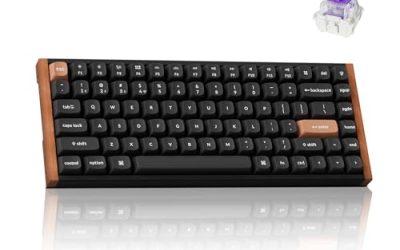
For most 10.5-inch tablets, the best keyboard is a slim Bluetooth model such as the Logitech Keys-To-Go 2, because it works with any tablet, survives a tablet upgrade, and weighs far less than a case. If you want a keyboard that clips on and doubles as protection, buy one made for your exact tablet model, since “10.5-inch” covers several different chassis. Bluetooth keyboards fit more tablets, and model-specific cases fit one tablet better.
The 10.5-inch class is mostly the iPad Air (3rd generation), the older iPad Pro 10.5, the Samsung Galaxy Tab A8 (10.5-inch) and the Galaxy Tab S4. Many shoppers also include 10.4-inch tablets like the Galaxy Tab S6 Lite, which are close but not identical. Everything below is organized by decision criteria, not by brand.
Quick comparison of the picks
| Pick | Best for | Key specs | Typical price |
|---|---|---|---|
| Logitech Keys-To-Go 2 | Best overall, travel | Bluetooth, rechargeable, ultra-thin, fabric-like keys, multi-OS layouts | $60–$90 |
| Logitech MX Keys Mini | Best typing feel | Bluetooth or Logi Bolt, rechargeable, backlit, about 296 mm wide, per Logitech | $80–$110 |
| Logitech K380 / Pebble Keys 2 K380s | Best budget | Bluetooth, 3 paired devices, AAA or AA batteries, about 27–28 cm wide | $30–$45 |
| Tablet-specific keyboard case (spec class) | Best all-in-one for one model | Pogo-pin or Bluetooth, built-in stand, cover protection, model-matched cutouts | $40–$150 |
| Detachable Bluetooth case with trackpad (spec class) | Best for laptop-style use | Trackpad, backlight, magnetic or clamshell hinge, adds roughly 400–600 g | $40–$120 |
Best overall: Logitech Keys-To-Go 2
This is the pick for people who treat the tablet as a portable work device. It is thin enough to slip into a sleeve beside the tablet, charges over USB-C, and pairs with iPadOS, Android and Windows. Per Logitech’s spec sheet it is a low-profile design with a fabric-style finish, so key travel is short.
Trade-off: there is no stand, so you need a case with a kickstand or a separate stand. Typing on shallow keys also takes a day or two to adjust to if you normally use a full desktop board.
Best typing feel: Logitech MX Keys Mini
If you write long documents on the tablet, this compact board has deeper, more laptop-like keys and a backlight. At roughly 296 mm wide, it is a little wider than a 10.5-inch tablet in landscape, so it works best on a desk or table, not on your lap.
Trade-off: it is heavier and thicker than a travel keyboard, and the backlight shortens battery life compared with running it unlit.
Best budget: Logitech K380 family
The K380 and its newer Pebble Keys 2 K380s successor remain the default cheap multi-device option. You can pair three devices and switch with the Easy-Switch keys, which is handy if the tablet shares the keyboard with a phone and a laptop. The round keys are quiet and the layout is roomy for the size.
Trade-off: it has no backlight and no stand, and the plastic body is not as sturdy as the MX line.
Best all-in-one: a tablet-specific keyboard case
A case designed for your exact tablet has the correct camera and button cutouts, holds the tablet at a fixed angle, and protects the screen. For the iPad Air 3 and iPad Pro 10.5, look for Smart Connector designs (no pairing, no charging), though these are largely legacy stock now. For Samsung tablets, look for the model name in the product listing, since a Tab A8 case will not fit a Tab S4. I am not naming a specific case here because availability for these older tablets changes often. Check your model number, found in Settings, against the compatibility line before buying.
Trade-off: it is tied to one tablet. When you upgrade, the keyboard becomes scrap.
Best for laptop-style use: detachable case with trackpad
A clamshell or magnetic-hinge case with a built-in trackpad turns an iPad Air 3 or a Galaxy Tab S4 into a small laptop. This matters most on iPadOS and Samsung DeX, where cursor support saves a lot of touchscreen reaching. Expect the total package to weigh more than the tablet itself.
Trade-off: many cheap versions have a stiff trackpad and a hinge that holds only one or two angles.
Check the fit before you buy: tablet dimensions
The 10.5-inch figure is the screen diagonal, so body sizes differ. These are approximate manufacturer-listed dimensions:
| Tablet | Width x height (mm) | Thickness | Weight (Wi-Fi) |
|---|---|---|---|
| iPad Air (3rd gen) / iPad Pro 10.5 | about 251 x 174 | about 6 mm | about 456–469 g |
| Galaxy Tab A8 (10.5) | about 247 x 162 | about 7 mm | about 508 g |
| Galaxy Tab S4 (10.5) | about 249 x 164 | about 7 mm | about 483 g |
Because the iPad is about 12 mm taller than the Samsung tablets, a case for one will not close properly on the other, even though the widths match within 4 mm. Bluetooth keyboards avoid this problem entirely.
Worked example: does the setup fit on your lap or tray table?
A common frustration is a setup that tips over. Here is a simple check using a tablet in a stand, a K380-size keyboard and a tray table:
- K380 depth: about 124 mm. Tablet stand footprint: about 100–130 mm deep. Total: about 224–254 mm.
- Add a 30–40 mm gap in front of the keyboard for your wrists: about 255–295 mm of required depth.
- A typical airline tray table is roughly 230–280 mm deep, so a case-style stand plus a full-width board may overhang, while a Keys-To-Go 2 with a slim kickstand case usually fits.
The same logic applies to your knees: a keyboard case that hinges at the tablet’s base pivots the weight onto your lap, but a separate keyboard and stand needs a flat surface. If you mainly type on a couch, buy the clamshell case.
Battery math: how long will it really last?
Manufacturers quote best-case battery life, so run your own numbers. As an illustration, a rechargeable keyboard with a 1,500 mAh cell, no backlight, drawing an average of about 0.5 mA while typing and idling, lasts roughly 3,000 hours of use. At 2 hours a day, that is about 1,500 days in theory, but real firmware standby drain pushes it down to months. With a backlight drawing an extra 20 mA at 50% brightness, runtime drops to about 70 hours (1,500 ÷ 21), which is roughly 5 weeks at 2 hours a day. The takeaway is that the backlight dominates the power budget, so turn it off or down for tablet use.
How to choose: decision matrix
| Your situation | Best choice | Why |
|---|---|---|
| Share one keyboard between tablet, phone and laptop | K380 family or Keys-To-Go 2 | Multi-device Bluetooth pairing |
| Write for hours at a desk | MX Keys Mini | Deeper keys, backlight, sturdy body |
| Tablet is your travel laptop replacement | Keys-To-Go 2 plus a kickstand case | Lightest total package |
| Need protection and no pairing hassle | Model-specific case (Smart Connector on iPad) | Fixed fit and instant connection |
| Plan to upgrade tablets within a year | Any standalone Bluetooth board | Carries over to the next tablet |
| Use Samsung DeX or iPadOS pointer heavily | Case with trackpad | Reduces touchscreen reach |
What to look for in the spec sheet
- Connection: Bluetooth 5.x works with every tablet here. Smart Connector works only with the iPad models that have it.
- Layout: iPadOS and Android both use Cmd/Ctrl and Alt/Option differently. Pick a board with a switchable or multi-OS legend.
- Fn row: Media keys, brightness and home shortcuts save screen taps. Cheap boards often skip them.
- Stand: A built-in slot or kickstand matters if you do not already own one.
- Weight: Anything over about 600 g defeats the point of a 450–510 g tablet.
Frequently Asked Questions
Will any Bluetooth keyboard work with a 10.5-inch tablet?
Yes, any standard Bluetooth keyboard pairs with iPadOS, Android and most other tablet systems. What differs is fit and comfort: you will need your own stand, and some function keys may not map correctly until you pick the right OS layout.
Is a 10.5-inch iPad keyboard the same as a 10.2-inch one?
No. Cases and Smart Connector keyboards are sized to the body and the connector position, so a 10.2-inch iPad keyboard will not fit a 10.5-inch iPad. Standalone Bluetooth keyboards do not have this restriction.
Are keyboards for the Galaxy Tab S6 Lite compatible with 10.5-inch tablets?
Bluetooth keyboards are, but cases are not. The Tab S6 Lite is a 10.4-inch tablet with a different body and camera layout, so model-specific cases rarely cross over to the Tab A8 or Tab S4.
Is a keyboard case or a separate keyboard better?
A case is better if you want one product that protects the tablet and sets the viewing angle. A separate keyboard is better if you want a nicer typing feel, plan to change tablets, or already own a good stand.
Does a keyboard drain the tablet battery?
A Bluetooth keyboard uses its own battery, and the tablet’s Bluetooth radio draws only a small amount of power. Smart Connector keyboards on iPad are powered through the tablet, but the draw is minor.
Can I use a trackpad on a 10.5-inch tablet?
Cursor support depends on the operating system version. iPadOS has supported mice and trackpads since 13.4, which covers the iPad Air 3, and Samsung tablets support a mouse cursor through Android. A trackpad case therefore works, but the quality of the trackpad varies a lot between cheap models.
Related guides
More from Amazon
Programs that pair well with the guide above. Offers and eligibility are set by Amazon and may change.
A free business account with business pricing and bulk-buying tools for work, shop or home office.
Create a business accountFree shipping on eligible items, Prime Video and more. Eligible new members can start with a free trial.
Start a Prime free trialAudiobooks and podcasts to listen to on the go. Eligible new members can start with a free trial.
Try Audible freeAd-free music streaming. Eligible new subscribers can start with a free trial.
Try Music Unlimited freeAs an Amazon Associate we earn from qualifying purchases.