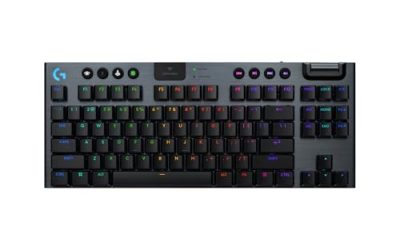
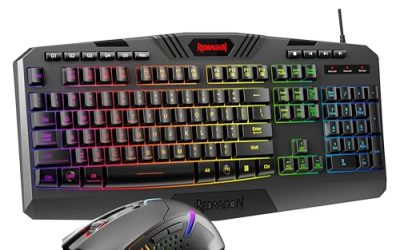
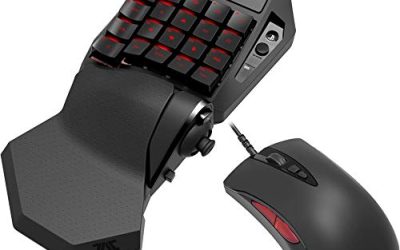
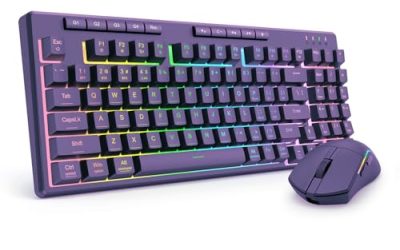
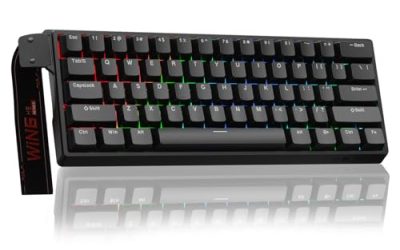
The best affordable gaming keyboard for most players in 2026 is a wired, tactile or linear mechanical board in a tenkeyless (TKL) or 75% layout, such as the Redragon K552 Kumara or Keychron V1 if you want hot-swappable switches. Budget keyboards now share the features that matter for games: full anti-ghosting, 1000 Hz polling and durable switches. What separates them is layout, switch feel, software and build, so the right pick depends on your desk space and how you play.
Quick comparison of affordable gaming keyboards
| Pick | Best for | Key specs (per manufacturer listings) | Price tier |
|---|---|---|---|
| Redragon K552 Kumara | Best overall value | TKL, mechanical switches, wired, backlit, metal-plate look | Budget |
| Redragon K617 Fizz | Best compact (60%) | 61 keys, mechanical, wired, RGB | Budget |
| Keychron V1 | Best for customization | 75% layout, hot-swappable, QMK/VIA support, wired | Budget to mid-range |
| Logitech G413 TKL SE | Best tactile feel and brand support | TKL, tactile mechanical switches, wired, white backlight | Budget to mid-range |
| SteelSeries Apex 3 | Best for spills and quiet play | Full-size, quiet membrane-style switches, IP32 water resistance, 10-zone RGB | Budget to mid-range |
| Razer Cynosa V2 | Best budget per-key RGB | Full-size membrane, per-key RGB, wired | Budget |
| Corsair K70 Core | Best step-up pick | Full-size, pre-lubricated linear mechanical switches, wired | Mid-range |
Prices move with sales and region, so treat the tiers as relative rather than fixed. Model specs here come from the manufacturers’ product pages; check the exact listing before buying, since vendors sometimes sell variants with different switches.
Best overall: Redragon K552 Kumara
The Kumara is a long-running TKL mechanical board that covers the basics: a compact layout, clicky-or-linear Outemu-style switches depending on the variant, and a sturdy frame for the money. It suits first-time mechanical buyers who want more mouse room without losing the arrow and navigation keys.
Trade-off: the stock keycaps and stabilizers feel rattly next to pricier boards, and the software is basic.
Best compact: Redragon K617 Fizz
A 60% board with 61 keys frees the most desk space, which helps with low-sensitivity mouse swipes in FPS games. It suits players with small desks or who travel to LANs.
Trade-off: there are no dedicated arrow or function rows, so you will use Fn layers for them. If you play MMOs or sims that need many binds, a 60% layout will frustrate you.
Best for customization: Keychron V1
The V1 is a 75% layout that keeps arrows and a function row in a compact footprint. Its hot-swappable sockets let you change switches without soldering, and QMK/VIA support lets you remap keys. It suits anyone who expects to tweak the keyboard over time.
Trade-off: it costs more than the cheapest boards, and you may want to buy switches separately to get the feel you prefer.
Best tactile feel: Logitech G413 TKL SE
This TKL board uses tactile mechanical switches, which have a bump you can feel at actuation. That bump reduces accidental presses for people who rest fingers on keys. Logitech’s G HUB software handles lighting and macros.
Trade-off: the backlight is single-color white, and the tactile bump is not ideal if you want the lightest possible repeated tapping.
Best for spills and quiet play: SteelSeries Apex 3
The Apex 3 carries an IP32 water-resistance rating per SteelSeries, which covers minor spills, and its switches are quiet. It suits shared rooms, desks with drinks nearby and streamers who do not want a loud keyboard on the mic.
Trade-off: it is not a true mechanical board, so the feel is softer and less crisp, and you cannot swap switches.
Best budget RGB: Razer Cynosa V2
This is a membrane board with per-key RGB and Razer Synapse support, so it works for players who care about lighting and a full-size layout with a numpad.
Trade-off: membrane switches are mushier than mechanical ones and typically less durable in the long term.
Best step-up: Corsair K70 Core
If you can stretch to a mid-range budget, the K70 Core gives you a full-size mechanical board with pre-lubricated linear switches, a more solid chassis and Corsair’s iCUE software. It suits players who want a keyboard to last several years without modding.
Trade-off: it costs noticeably more than the budget boards above, and you pay mainly for build and polish rather than faster response.
How to choose: the numbers that matter
Switch lifespan in real play
Most budget mechanical switches are rated for roughly 50 million keystrokes by their makers. A heavy gaming day of about 30,000 key presses means 50,000,000 ÷ 30,000 ≈ 1,667 days, or about 4.6 years of daily heavy use. Your WASD keys will wear faster than the average, but the rating is not a worry for most buyers. Membrane boards are often rated lower, so they tend to degrade sooner.
Polling rate and latency
A 1000 Hz polling rate means the keyboard reports to the PC every 1 ms. At 125 Hz the interval is 8 ms. That gap is small, but it is free to avoid, so check that a wired board lists 1000 Hz. Avoid cheap wireless boards for competitive play unless they offer a 2.4 GHz dongle, since Bluetooth adds variable delay.
Layout and desk space
A full-size keyboard is about 440 mm wide, a TKL about 360 mm, and a 60% about 295 mm (typical figures; exact sizes vary by model). Moving from full-size to TKL frees roughly 80 mm for your mouse arm. At a low mouse sensitivity that needs a 30 cm swipe, this extra room is noticeable.
Decision matrix: match your situation to a pick
| Your situation | Choose | Why |
|---|---|---|
| FPS player, low sensitivity, small desk | Redragon K617 Fizz or Keychron V1 | Compact layout, more mouse room |
| First mechanical keyboard, tight budget | Redragon K552 Kumara | Lowest cost for mechanical feel |
| Want to change switches later | Keychron V1 | Hot-swap sockets, remap via VIA |
| Shared room or drinks at the desk | SteelSeries Apex 3 | Quiet and splash-resistant |
| MMO, spreadsheets and games on one board | Razer Cynosa V2 or Corsair K70 Core | Full-size with numpad |
| Want it to last for years | Corsair K70 Core | Sturdier build, better switches |
Switch types in plain terms
- Linear: smooth press with no bump; good for fast double-taps and FPS games.
- Tactile: a bump at actuation; fewer accidental presses and good for mixed typing and gaming.
- Clicky: a bump plus an audible click; loud, so a poor fit for shared rooms or voice chat.
- Membrane: soft, quiet and cheap; fine for casual play but less precise.
What to skip at this price
Avoid boards that advertise only “mechanical feel” without naming the switch type, as this often means a membrane design. Skip models that lack full N-key rollover or anti-ghosting if you play games with many simultaneous keys. Also be cautious of unbranded wireless boards with no stated polling rate, because input delay can vary.
Frequently Asked Questions
Are cheap mechanical keyboards good enough for gaming?
Yes. Budget mechanical keyboards register inputs at the same 1000 Hz rate as expensive ones and offer anti-ghosting. The differences are in build quality, keycap material, stabilizers and software, not in your ability to win fights.
Is a membrane or mechanical keyboard better on a budget?
Mechanical is usually better if you can afford it, since it feels crisper and generally lasts longer. Membrane boards still make sense if you want quiet operation or spill resistance, as with the SteelSeries Apex 3.
Should I buy a 60%, 75% or TKL layout?
Choose TKL if you want to keep the arrow keys and navigation cluster without a numpad. A 75% board keeps a function row in less space, while a 60% layout saves the most room but needs Fn layers for arrows and function keys.
Do I need a wireless gaming keyboard?
Not for budget play. A wired connection is cheaper, never needs charging and avoids wireless latency concerns. Wireless is worth it only if cable clutter bothers you and the board uses a 2.4 GHz dongle rather than Bluetooth alone.
Is RGB lighting worth paying for?
It does not change performance, so pay for it only if you like the look. If you want to save money, a single-color backlight such as the Logitech G413 TKL SE still keeps keys readable in the dark.
Related guides
More from Amazon
Programs that pair well with the guide above. Offers and eligibility are set by Amazon and may change.
A free business account with business pricing and bulk-buying tools for work, shop or home office.
Create a business accountFree shipping on eligible items, Prime Video and more. Eligible new members can start with a free trial.
Start a Prime free trialAudiobooks and podcasts to listen to on the go. Eligible new members can start with a free trial.
Try Audible freeAd-free music streaming. Eligible new subscribers can start with a free trial.
Try Music Unlimited freeAs an Amazon Associate we earn from qualifying purchases.