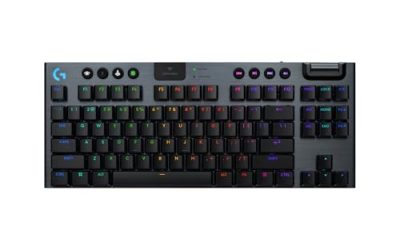
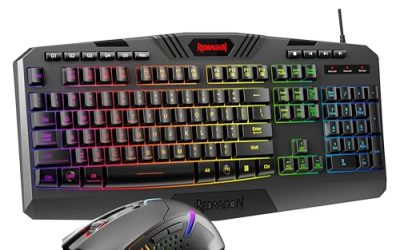
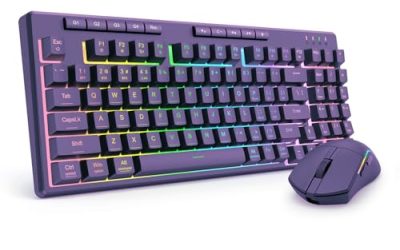
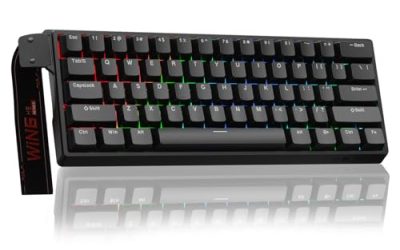
The best analog PC keyboard for most gamers is the Wooting 60HE+ for compact setups or the Wooting 80HE if you want function keys and a knob. Both give you adjustable actuation, rapid trigger and 8000 Hz polling in a well-supported software package. The Razer Huntsman V3 Pro line is the strongest alternative if you want a full-size or tenkeyless layout. Budget Hall effect boards from DrunkDeer and Madlions cover people who want rapid trigger without a premium price.
What “analog” means on a keyboard
An analog keyboard measures how far each key is pressed instead of sending a simple on/off signal. Most use Hall effect (magnetic) sensors, and Razer and SteelSeries use analog optical designs. The firmware can then set actuation anywhere along the roughly 4.0 mm of travel. It can also run rapid trigger, which resets the key the moment it moves upward, and it can report partial presses as gamepad-style axis values.
Quick comparison of the picks
| Pick | Best for | Key specs (per manufacturer) | Price range |
|---|---|---|---|
| Wooting 60HE+ | Best overall, FPS and rhythm | 60% layout, Hall effect, 0.1–4.0 mm actuation, 8000 Hz polling | Premium |
| Wooting 80HE | Best 80% with function keys | Tenkeyless-style 80%, Hall effect, 0.1–4.0 mm, 8000 Hz, rotary knob | Premium |
| Razer Huntsman V3 Pro (TKL / full-size / Mini) | Best for layout choice | Analog optical, 0.1–4.0 mm, rapid trigger, up to 8000 Hz | Premium |
| SteelSeries Apex Pro TKL Gen 3 | Best for OLED and everyday typing | OmniPoint 3.0 adjustable switches, 0.1–4.0 mm, OLED display | Premium |
| Keychron Q1 HE | Best for typing feel and customization | 75% aluminum body, Hall effect, wired and wireless | Upper mid-range |
| DrunkDeer A75 / A75 Pro | Best value 75% | 75% layout, Hall effect, adjustable actuation, rapid trigger | Budget to mid-range |
| Madlions MAD60HE class | Cheapest way into rapid trigger | 60% layout, magnetic switches, high polling rate | Budget |
Specs and firmware features change between revisions, so check the current product page before you buy.
Best overall: Wooting 60HE+
Wooting built the category’s reference design, and the 60HE+ is the one most reviewers measure other boards against. It has a 60% layout, adjustable actuation in 0.1 mm steps, rapid trigger, and 8000 Hz polling. The Wooting software is also more mature than most rivals, with analog profiles, gamepad emulation and per-key tuning.
Who it suits: competitive FPS players, osu! and rhythm players, and anyone who wants to learn analog input properly.
Trade-off: a 60% board has no arrow cluster or function row without layers, and it costs more than the budget Hall effect boards.
Best with function keys: Wooting 80HE
The 80HE keeps the same sensing approach in a tenkeyless-style 80% layout. You get a dedicated F-row, arrows and a rotary knob, which makes it easier to live with for work and gaming on one desk. It suits people who find 60% too limiting but don’t need a number pad.
Trade-off: it is bigger than a 60%, and it sits at the top of the price scale.
Best for layout choice: Razer Huntsman V3 Pro
Razer sells this line in Mini, Tenkeyless and full-size versions, so it is the easiest route to an analog board with a number pad. Per Razer’s spec sheet, it offers adjustable actuation from 0.1 to 4.0 mm, rapid trigger, and high polling rates. Razer Synapse handles configuration, and some games with Razer-specific integrations can use it directly.
Trade-off: Synapse is heavier software than Wooting’s, and the analog gamepad features are less central to the product.
Best for everyday typing and an OLED: SteelSeries Apex Pro TKL Gen 3
SteelSeries was one of the first major brands to ship adjustable-actuation boards. The Gen 3 Apex Pro TKL adds rapid trigger and a small OLED for profile and settings feedback. It suits players who want a familiar tenkeyless layout and a polished retail product.
Trade-off: it is premium-priced, and its analog output suits gaming better than deep customization.
Best for typing feel and customization: Keychron Q1 HE
The Q1 HE puts Hall effect switches into a heavy aluminum 75% body with a more enthusiast-style typing sound. It is a good choice if the keyboard is also your daily work board and you care about the sound as much as the speed. It is also the pick for people who want wireless options.
Trade-off: it is heavy, and the analog and gamepad software is less polished than Wooting’s.
Best value: DrunkDeer A75 and A75 Pro
DrunkDeer helped make rapid trigger affordable. The A75 is a 75% board with adjustable actuation, and the A75 Pro is the newer revision with updated hardware. It suits players who want the core analog features without paying premium rates.
Trade-off: software polish and long-term firmware support are weaker than on Wooting or Razer, and the web-based configuration is basic.
Cheapest way in: Madlions-class 60% boards
Brands like Madlions sell 60% magnetic boards at the lowest prices in the category. They do rapid trigger and adjustable actuation, so they are a sensible first analog board. Treat them as a trial: build quality and software vary more, and you should check the firmware update process before you commit.
How rapid trigger changes your timing: a worked example
Take an assumed finger speed of 100 mm/s on a key tap. That is a conservative figure for a quick press, and real speeds vary by player and switch.
- Standard mechanical actuation at 2.0 mm: the key registers after 2.0 mm ÷ 100 mm/s = 20 ms of travel.
- Analog actuation at 1.0 mm: 1.0 ÷ 100 = 10 ms. That saves about 10 ms per press.
- Analog actuation at 0.4 mm: 4 ms, which saves about 16 ms against 2.0 mm.
- Rapid trigger reset: a mechanical switch typically resets about 0.5 mm or more above the actuation point. At 100 mm/s that is 5 ms. A rapid trigger setting of 0.1 mm resets in 1 ms, saving roughly 4 ms on every release.
Polling rate adds a smaller gain. At 1000 Hz the keyboard reports every 1.0 ms, and at 8000 Hz every 0.125 ms. That is a worst-case wait of about 0.9 ms less, and your mouse, game and display latency usually matter more. The practical lesson is that actuation and reset settings change timing more than polling rate does, and a very low setting also raises the risk of accidental presses.
Settings that work as starting points
| Situation | Actuation | Rapid trigger | Reason |
|---|---|---|---|
| Competitive FPS movement keys (WASD) | 0.8–1.5 mm | On, about 0.1–0.3 mm sensitivity | Fast counter-strafing without accidental inputs |
| Ability and reload keys | 1.5–2.0 mm | Off or higher sensitivity | Fewer misfires when resting fingers |
| Rhythm games (osu!, etc.) | 0.6–1.2 mm | On, low sensitivity | Quick resets for repeated taps |
| Typing and office work | 1.8–2.2 mm | Off | Closer to a normal mechanical feel |
| Racing and flight sims (analog axis) | 0.1–0.3 mm start, full travel mapped | Off | Uses the whole 4.0 mm for throttle or steering |
Start in the middle of each range and lower the number only if you don’t get accidental presses. Treat these as starting points rather than universal values.
How to choose: decision matrix
| Your situation | Choose | Why |
|---|---|---|
| Competitive FPS, tight desk | Wooting 60HE+ | Small footprint leaves mouse room, with the best-supported software |
| Need F-keys and arrows | Wooting 80HE or Razer Huntsman V3 Pro TKL | Full tenkeyless-style layout without losing analog features |
| Need a number pad | Razer Huntsman V3 Pro full-size | One of the few mainstream analog boards with a full layout |
| Work and gaming on one board, you like a deep sound | Keychron Q1 HE | Enthusiast build and wireless options |
| Limited budget | DrunkDeer A75 or Madlions-class 60% | Core analog features at lower cost |
| Racing or flight sims with a controller-style axis | Wooting boards | Strongest analog gamepad emulation support |
What else to check before you buy
- Software and platform: confirm whether settings are stored on the keyboard or require an app, and whether the app runs on your OS.
- Tournament rules: some events restrict features that resolve opposite inputs (SOCD handling, often marketed as snap-tap-style modes). Check the rules of any league you play in.
- Switch life and feel: Hall effect switches avoid contact wear, but spring weight and stabilizers differ between brands.
- Game support: real analog axis input only works in games that read gamepad-style input, so you need the software to map keys to a virtual controller for the rest.
- Wireless: most top analog boards are wired because of power draw and latency. If you want wireless, check the polling rate in that mode.
Frequently Asked Questions
Are analog keyboards worth it for gaming?
They are worth it if you play fast, movement-heavy games such as competitive shooters or rhythm games. Rapid trigger and a short actuation distance cut input time by a few milliseconds per press. If you mostly play slower games, the benefit is small, though the adjustable actuation still helps with accidental presses.
Is an analog keyboard the same as a Hall effect keyboard?
Not exactly. Most analog keyboards use Hall effect sensors, which read magnet position, but some, such as Razer’s analog optical switches, read position with light. Both measure how far a key is pressed, so the features you get are very similar.
Can I use an analog keyboard as a gamepad?
Yes, on keyboards whose software supports gamepad emulation, such as Wooting’s. You map keys to a joystick axis or trigger and the amount you press controls the output. It works best in racing, flight and third-person action games that already support controllers.
Will an analog keyboard be banned in competitive play?
The hardware is not banned, but some tournaments restrict specific features, especially modes that resolve opposite directional inputs automatically. Always check the rulebook for the specific league or event. Plain rapid trigger and adjustable actuation are widely used.
What actuation point should I set first?
Start around 1.5 mm on movement keys with rapid trigger on at a low sensitivity, then lower it in small steps. If you notice accidental inputs when resting your fingers, raise the value by 0.2 mm. A typing or office profile can stay near 2.0 mm.
Do I need 8000 Hz polling?
No, but it does no harm. The latency gain over 1000 Hz is under a millisecond in the worst case. It can use more CPU in some setups, so lower it if you see stutter.
Related guides
More from Amazon
Programs that pair well with the guide above. Offers and eligibility are set by Amazon and may change.
A free business account with business pricing and bulk-buying tools for work, shop or home office.
Create a business accountFree shipping on eligible items, Prime Video and more. Eligible new members can start with a free trial.
Start a Prime free trialAudiobooks and podcasts to listen to on the go. Eligible new members can start with a free trial.
Try Audible freeAd-free music streaming. Eligible new subscribers can start with a free trial.
Try Music Unlimited freeAs an Amazon Associate we earn from qualifying purchases.