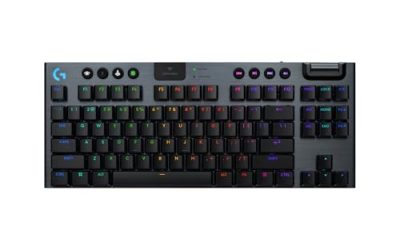
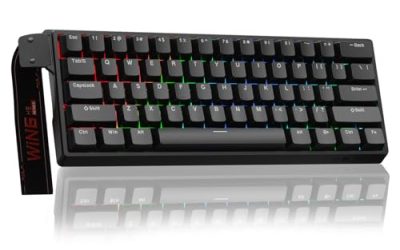
The best aluminum mechanical keyboard for most people in 2026 is the Keychron Q1 Max (75% layout). It has a CNC-machined aluminum body, a gasket-mounted plate, hot-swappable switches, QMK/VIA remapping and wired, Bluetooth and 2.4 GHz wireless. If you want the same build in a different size, the Q3 Max (TKL) and Q6 Max (full-size) share that platform. For competitive FPS play, a Hall-effect aluminum board such as the Keychron Q1 HE is the better fit.
“Aluminum” is not one thing, so this guide sorts picks by what the metal does for you: sound, weight, rigidity and looks. Specs are from manufacturer spec sheets and change between revisions and regions, so confirm the details on the product page before buying.
As an Amazon Associate we earn from qualifying purchases at no extra cost to you.


Top 3 picks at a glance
Quick comparison of the picks
| Pick | Best for | Key specs | Price range |
|---|---|---|---|
| Keychron Q1 Max | Best overall | 75% (about 82 keys), CNC aluminum, gasket mount, hot-swap, QMK/VIA, 2.4 GHz/Bluetooth/USB-C | Mid-range to upper mid-range |
| Keychron Q1 HE | Best for gaming | 75%, aluminum body, Hall-effect magnetic switches with adjustable actuation, wired, high polling rate | Upper mid-range |
| Keychron Q3 Max | Best TKL | 87 keys, aluminum, gasket mount, wireless, QMK/VIA | Mid-range to upper mid-range |
| Keychron Q6 Max | Best full-size | Full-size with numpad, aluminum, wireless, QMK/VIA | Upper mid-range |
| Lemokey L3 | Best for tinkering and value | Full aluminum body, hot-swap, wireless options, QMK/VIA family | Mid-range |
| MonsGeek M1 series | Best value aluminum | 75%-class aluminum, gasket-style build, hot-swap; revisions vary | Budget to mid-range |
| Mode Designs Sonnet | Best premium enthusiast | 75%, machined aluminum, gasket mount, enthusiast sound tuning | Premium |
Best overall: Keychron Q1 Max
The Q1 Max is the safe recommendation because it removes the usual compromises of aluminum boards. Wireless is built in, the layout is compact enough for a normal desk, and QMK/VIA lets you remap keys and macros without proprietary software. It is also heavy, so it stays put during hard use. The gasket mount gives a softer, lower-pitched typing feel than the rigid tray mounts on older metal boards.
Trade-off: weight and size. Keychron’s spec sheet puts boards in this class at well over a kilogram, so it is a desk keyboard, not a bag keyboard. Stock switches and keycaps are good but not endgame, so budget for a switch swap if you are picky.
Best for gaming: Keychron Q1 HE
Hall-effect boards read key travel with magnets instead of a metal contact. That allows adjustable actuation points and rapid-trigger behavior, which shortens the time a key takes to reset in games like Valorant and CS2. The Q1 HE puts that in an aluminum 75% body. If your games are mostly strafe-heavy shooters, this is the pick that changes your play. If you mostly type or play slower games, a standard switch Q1 Max is the better buy.
Trade-off: magnetic switches limit your choice of replacement switches, and wired use is the main mode for lowest latency. Check that the switch type you want is supported in the hot-swap sockets.
Best TKL and best full-size: Keychron Q3 Max and Q6 Max
If you use the arrow cluster and the navigation block, the Q3 Max keeps the 87-key layout with the same aluminum-and-gasket recipe as the Q1 Max. If you do spreadsheets, CAD or MMOs with numpad binds, the Q6 Max adds the numpad. Both are wide, which matters for mouse space (see the sizing section below).
Trade-off: more width means more weight and a longer mouse reach. Full-size boards are the least ergonomic for low-sensitivity mouse players.
Best for tinkering and value: Lemokey L3
Lemokey is Keychron’s sister brand, and the L-series offers a full aluminum body, hot-swap sockets and a QMK/VIA-style workflow, often with a slightly more gaming-leaning feature set. It suits buyers who want to learn how to swap switches, add foam and tune stabilizers without paying premium prices.
Trade-off: the model line has multiple sizes and revisions, so check the exact layout, wireless support and battery capacity on the product page.
Best value aluminum: MonsGeek M1 series
The MonsGeek M1 line is a long-running way into a 75% aluminum board without a premium price. The family has had several revisions, including wired-only and wireless versions, so compare listings carefully. It is a good first custom-style board.
Trade-off: stock keycaps, switches and software polish trail the Keychron boards. Expect to spend time on lubing or a switch swap to get the best sound.
Best premium enthusiast: Mode Designs Sonnet
The Sonnet is for the buyer who cares about sound and feel above features: a machined aluminum case, a gasket-mounted 75% layout and a tuning-first approach. It is not the best gaming board, and it is priced accordingly.
Trade-off: premium price and limited availability. Only choose it if you already know you like the 75% layout.
What aluminum actually changes
An aluminum case is stiffer and heavier than ABS plastic. That gives you three practical effects:
- Sound: less hollow case resonance, so a deeper, cleaner “thock”. The sound depends as much on the plate, foam and switches as on the metal.
- Stability: weight keeps the board from sliding. Rubber feet matter, but mass helps.
- Durability: better resistance to flex and dents. Anodized finishes can still scratch, so check the finish type.
It also has downsides. Heavier boards are harder to move, aluminum cases can transmit more high-frequency “ping” if the stabilizers are poor, and metal near the antenna can weaken wireless range in badly designed boards. Wired-only or well-engineered wireless designs avoid this.
Decision matrix: match your situation to a pick
| Your situation | Choose | Why |
|---|---|---|
| Competitive FPS, low mouse sensitivity, small desk | Keychron Q1 HE (75%) | Rapid-trigger switches, and the compact layout leaves mouse room |
| Work and play on one board, wireless desk | Keychron Q1 Max | Three connection modes and a compact layout |
| Need arrows and a nav cluster but not a numpad | Keychron Q3 Max | 87 keys, less desk space than full-size |
| Spreadsheets, accounting, CAD, MMO binds | Keychron Q6 Max | Numpad plus aluminum build |
| First mod project, limited budget | MonsGeek M1 or Lemokey L3 | Hot-swap sockets, easy to experiment |
| Sound-first enthusiast | Mode Designs Sonnet | Tuned for typing feel and acoustics |
How to choose: numbers that matter
1. Layout and mouse room
A 75% board has about 82 keys and is roughly 32 cm wide in this class, while a full-size board is about 43 cm wide. That 11 cm difference gives the mouse arm more space. At 800 DPI and 1.2 in-game sensitivity, a player may need a 35–45 cm swipe for a 180-degree turn, so a wide board on a narrow desk will clip your mouse movement. Measure your desk before picking a full-size board. These widths are typical class values; check the exact dimensions on the product page.
2. Weight and where it lives
Aluminum boards in this class typically weigh around 1.5–2.2 kg including switches and keycaps. If you move the keyboard more than once a week, aim for the lighter end or a 65–75% layout. If it lives on one desk, weight is a benefit.
3. Battery runtime (worked example)
Runtime is roughly battery capacity divided by average current draw. A board with a 4,000 mAh battery drawing an average of 40 mA with backlight on in 2.4 GHz mode lasts about 100 hours (4000 ÷ 40). At 10 mA with the backlight off, that stretches to about 400 hours. At 8 hours of use per day, that is about 12 days with lighting versus about 50 days without. Real draw varies with brightness, wireless mode and firmware, so treat these as planning numbers, not manufacturer claims. Turning RGB down is the cheapest way to extend runtime.
4. Polling rate and latency
Polling rate sets the maximum wait between a keypress and the report reaching the PC. At 1,000 Hz, that is 1 ms; at 8,000 Hz, it is 0.125 ms. For most players the 1 ms gap is below human perception, so do not pay extra for 8 kHz unless you play very high-level FPS titles. Rapid trigger matters more than polling rate for strafing. Wired mode is usually the lowest-latency mode, and 2.4 GHz wireless is usually close behind. Bluetooth is better for casual use.
5. Mount style and feel
- Gasket mount: softer and more cushioned; best for typing comfort.
- Top mount or tray mount: firmer feel; some players prefer it for gaming.
- Hot-swap: lets you change switches without soldering. Most boards listed here support it, but check the supported switch type.
6. Software and firmware
QMK/VIA support is the main reason to buy Keychron or Lemokey over generic imports. It lets you remap, create layers and update firmware without a vendor lock-in. If you do not want to tinker, any of them still works fine out of the box.
Common mistakes
- Buying aluminum for sound alone. Foam, plate material and stabilizers matter at least as much.
- Ignoring the weight. A heavy board is tiring to carry between desk and laptop bag.
- Assuming all wireless is equal. Use 2.4 GHz for gaming and Bluetooth for office use.
- Overspending on a premium case when the switch is the problem. A cheap swap and some lube often fix a board that sounds wrong.
Frequently Asked Questions
Are aluminum mechanical keyboards better than plastic ones?
They are not automatically better, but they are stiffer, heavier and usually feel more premium. A well-built plastic board with good foam can sound as good as a poorly built aluminum one. Choose aluminum if you want stability, durability and a metal finish.
Do aluminum keyboards hurt wireless performance?
They can if the antenna is poorly placed, because metal blocks radio signals. Well-designed wireless aluminum boards route the antenna to avoid this. If you need maximum reliability, use the 2.4 GHz dongle close to the board or plug in with USB-C.
Is an aluminum keyboard good for gaming?
Yes. The weight stops the board from sliding during intense play, and many aluminum boards offer 1,000 Hz polling or higher. For competitive shooters, pick a Hall-effect model with rapid trigger. The case material matters less than the switch type.
Why are aluminum keyboards so heavy?
A solid CNC-machined case uses a large block of metal, and it often includes a metal plate and internal weight. Boards in this class commonly weigh around 1.5–2.2 kg, according to manufacturer spec sheets. If weight is a concern, look at 65% or 75% layouts.
Which layout should I choose?
Pick 75% if you want a compact board with function keys and arrows, TKL if you use the navigation cluster, and full-size if you use the numpad often. For low-sensitivity mouse players, a smaller layout is usually the better choice because it leaves more room for mouse movement.
Do I need to mod an aluminum keyboard?
No. The boards above are fine out of the box. Modding, such as lubing switches, adding foam or changing stabilizers, is optional and can improve sound, but the default setup on a Keychron Q Max board is already good for most users.
Related guides
More from Amazon
Programs that pair well with the guide above. Offers and eligibility are set by Amazon and may change.
A free business account with business pricing and bulk-buying tools for work, shop or home office.
Create a business accountFree shipping on eligible items, Prime Video and more. Eligible new members can start with a free trial.
Start a Prime free trialAudiobooks and podcasts to listen to on the go. Eligible new members can start with a free trial.
Try Audible freeAd-free music streaming. Eligible new subscribers can start with a free trial.
Try Music Unlimited freeAs an Amazon Associate we earn from qualifying purchases.