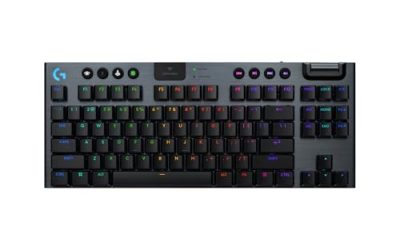
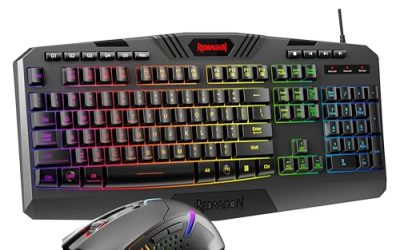
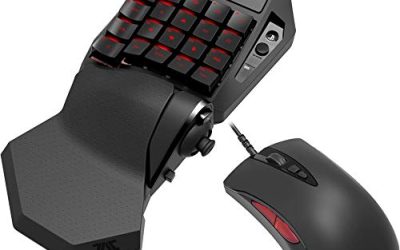
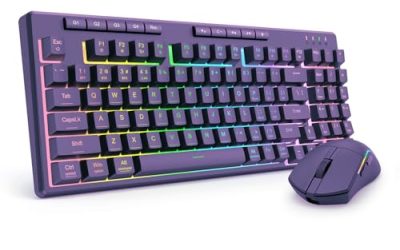
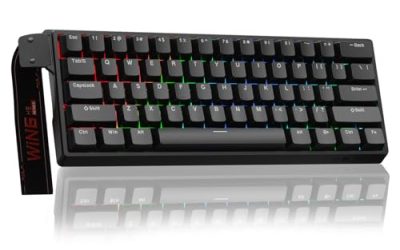
The best affordable backlit keyboard for most people is a wired tenkeyless (TKL) mechanical board such as the Redragon K552 Kumara, which pairs real mechanical switches with a bright backlight at a budget price. If you want quieter typing, a membrane board like the Razer Cynosa V2 is the cheaper route. If you need wireless or a small desk footprint, look at a 60% board such as the Royal Kludge RK61. Choose by switch type, layout and backlight style first, because those three decide how the keyboard feels and how long it lasts.
Quick comparison of the picks
| Pick | Best for | Key specs | Price tier |
|---|---|---|---|
| Redragon K552 Kumara | Best overall | TKL (87 keys), mechanical, wired, RGB or single-color versions | Budget |
| Razer Cynosa V2 | Quiet, per-key RGB | Full-size (104 keys), membrane, wired, per-key RGB | Budget to low mid-range |
| Redragon K617 Fizz | Smallest desk footprint | 60% (61 keys), mechanical, wired, RGB | Budget |
| Royal Kludge RK61 | Wireless on a budget | 60% (61 keys), mechanical, Bluetooth plus 2.4 GHz plus USB-C, RGB | Budget |
| Logitech G413 TKL SE | Clean white backlight, brand support | TKL, mechanical tactile switches, wired, white LEDs | Budget to low mid-range |
| Keychron C3 Pro | Upgradable budget board | TKL, hot-swappable, QMK/VIA support, backlit | Low mid-range |
Specs and variants change between production runs, so check the exact listing for switch type and backlight color before you buy.
Best overall: Redragon K552 Kumara
The K552 is a compact 87-key mechanical board with a metal-look top plate and a wired USB connection. It comes in single-color and RGB versions, and the RGB version has onboard lighting modes, so you do not need software to change effects. It suits first-time mechanical buyers who want a gaming-ready layout and a decent backlight without paying for wireless or hot-swap sockets. Trade-off: the switches are not hot-swappable, and the stock keycaps are basic ABS plastic that will shine with wear.
Best quiet pick: Razer Cynosa V2
This is a full-size membrane board with per-key RGB lighting, which is unusual at this level. Membrane switches are quieter than mechanical ones, so it suits shared rooms, dorms and late-night sessions. It also has a numpad and media keys if you use spreadsheets as well as games. Trade-off: membrane switches feel softer and less precise than mechanical ones, and the full-size layout takes more desk space. The SteelSeries Apex 3 and Corsair K55 RGB Pro are comparable membrane alternatives with zoned lighting and some spill resistance, according to their manufacturers.
Best compact: Redragon K617 Fizz
A 60% layout drops the function row, navigation cluster and numpad, which frees mouse space. That helps low-sensitivity FPS players who sweep their mouse wide. The Fizz is wired and RGB-backlit, and it is among the cheapest ways to try 60%. Trade-off: arrow keys and F-keys sit behind a Fn layer, which is annoying for office work and some strategy games.
Best wireless: Royal Kludge RK61
The RK61 offers Bluetooth, a 2.4 GHz dongle and a wired USB-C connection in a 60% body with RGB backlighting. That combination is rare at a budget price. It suits a laptop-plus-desktop setup where you switch between devices. Trade-off: a backlit wireless board drains its battery quickly (see the runtime calculation below), and its software and quality control are less polished than the big brands’.
Best white backlight: Logitech G413 TKL SE
If you prefer a single clean white backlight over a rainbow of effects, this TKL mechanical board has tactile switches and a sturdy top plate. Logitech’s software support and warranty back-up are a real advantage over no-name boards. Trade-off: it is not hot-swappable, and its lighting is simpler than on RGB-focused boards.
Best step-up: Keychron C3 Pro
The C3 Pro is a budget TKL with hot-swappable switch sockets and QMK/VIA support, per the manufacturer. That means you can remap keys and change switches later without soldering. It suits buyers who want a board they can modify and keep for years. Trade-off: it costs a little more than the cheapest picks, and the stock backlight is less flashy than on RGB-first boards.
How to choose: decision criteria that matter
1. Backlight type
- Single color (white or red): cheapest and most readable, with the lowest power draw.
- Zoned RGB: usually 3 to 10 zones. It looks good but cannot highlight individual keys.
- Per-key RGB: needed for per-game profiles such as highlighting WASD. It adds cost and power draw.
2. Switch type
Mechanical switches are commonly rated for tens of millions of keystrokes by their manufacturers, and membrane boards usually have lower ratings. Linear switches suit fast gaming, tactile ones suit mixed typing and gaming, and clicky ones are loud. Budget “blue” switches are clicky, so avoid them in shared rooms.
3. Layout
Full-size has 104 keys, TKL has 87 and 60% has 61. Each step down can free several centimeters of mouse space. Pick the smallest layout whose missing keys you can live without.
4. Keycap legends and LED position
Cheap boards often use shine-through legends on thin ABS caps. These look great at first, but the paint and plastic wear glossy. If a board is sold with a spare keycap set or doubleshot caps, that is a real quality signal at this price.
Decision matrix: match your situation to a pick
| Your situation | Layout | Switch | Backlight | Best match |
|---|---|---|---|---|
| First gaming keyboard, wired desktop | TKL | Mechanical (linear or tactile) | RGB or single color | Redragon K552 Kumara |
| Shared room or late-night play | Full-size or TKL | Membrane | Per-key or zoned RGB | Razer Cynosa V2 |
| Tight desk, low mouse sensitivity | 60% | Mechanical | RGB | Redragon K617 Fizz |
| Switching between laptop and PC | 60% | Mechanical | RGB (dimmed) | Royal Kludge RK61 |
| Want a clean look and brand support | TKL | Tactile mechanical | White | Logitech G413 TKL SE |
| Plan to mod switches and remap keys | TKL | Hot-swappable | White or RGB | Keychron C3 Pro |
Worked example: what the backlight costs a wireless keyboard
Backlighting is the biggest battery drain on a wireless keyboard. The figures below are illustrative assumptions, not manufacturer numbers, but the method applies to any board. Assume a 4,000 mAh battery, a 3 mA average draw with the backlight off, and an extra 35 mA at full-brightness RGB.
| Backlight setting | Assumed total draw | Runtime (battery mAh ÷ draw) |
|---|---|---|
| Off | 3 mA | 4,000 ÷ 3 ≈ 1,333 hours |
| 40% brightness (about 14 mA extra) | 17 mA | 4,000 ÷ 17 ≈ 235 hours |
| 100% brightness | 38 mA | 4,000 ÷ 38 ≈ 105 hours |
At 4 hours of use a day, full brightness gives about 26 days between charges and 40% gives about 59 days. That is why a wireless board with only a modest backlight setting is usually the better buy. Real runtimes also depend on the wireless mode, since 2.4 GHz and Bluetooth draw differently, and on the lighting effect. Treat the manufacturer’s quoted runtime as a best case.
For wired boards, power is not a concern. A USB 2.0 port supplies up to 500 mA at 5 V, which is well above what a budget backlit keyboard draws. Plug into a motherboard port rather than an unpowered hub if you see flickering.
Settings that make a budget backlight look and last better
- Brightness around 40-60%: full brightness washes out legends against a dark room and adds heat and power draw with little gain in readability.
- Static or breathing effects for work: rainbow waves distract and look odd in a dim room. Save them for show.
- Idle timeout of 30-60 seconds: it extends battery life on wireless boards and keeps the board from lighting your room overnight.
- Save a profile to onboard memory: if the board supports it, you will not need background software running.
Frequently Asked Questions
Is a backlit keyboard worth it on a budget?
Yes, if you use your PC in a dim room or touch-type with the lights low. Backlights now come on nearly every budget gaming keyboard, so you rarely pay extra for one. Spend your money on switch quality and layout instead of lighting complexity.
Mechanical or membrane for an affordable backlit keyboard?
Mechanical is generally better for gaming because of the more consistent actuation and longer rated lifespan. Membrane suits quiet environments and light typists. Both are available with good backlighting at budget prices.
Does RGB add much to the price?
Single-color backlighting is slightly cheaper, but the gap is often small at budget level. Per-key RGB tends to add the most cost, and zoned RGB sits between. If you do not use per-game lighting profiles, single color or zoned lighting is enough.
Will a backlit keyboard drain my laptop or PC?
No, not noticeably. A wired backlit board draws a small fraction of the 500 mA a USB 2.0 port can supply. Wireless boards are the ones where backlight brightness affects battery life, as the example above shows.
Can I turn the backlight off?
Almost always. Most boards have a Fn shortcut to cycle brightness down to off, and many remember the last setting. Check the manual for the exact key combination, as it differs between brands.
Are no-name backlit keyboards safe to buy?
Generally, but quality control varies. Stick to brands that offer warranty support and clear switch information, and check that the board has a proper USB-C or USB-A cable and no software that requires strange permissions. If a listing hides the switch type or layout, move on.
Related guides
More from Amazon
Programs that pair well with the guide above. Offers and eligibility are set by Amazon and may change.
A free business account with business pricing and bulk-buying tools for work, shop or home office.
Create a business accountFree shipping on eligible items, Prime Video and more. Eligible new members can start with a free trial.
Start a Prime free trialAudiobooks and podcasts to listen to on the go. Eligible new members can start with a free trial.
Try Audible freeAd-free music streaming. Eligible new subscribers can start with a free trial.
Try Music Unlimited freeAs an Amazon Associate we earn from qualifying purchases.