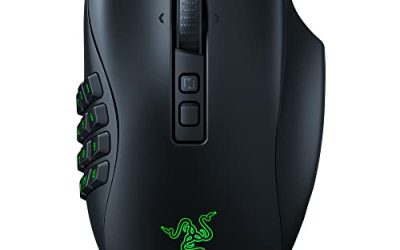
The best ambidextrous gaming mouse for most players is the Razer Viper V3 Pro, because it pairs a symmetrical shape with side buttons on both sides and a very low weight of about 54 g. If you want the same idea for far less money, the wired Razer Viper 8KHz is the value pick. Be careful with the word “ambidextrous”: many mice with a symmetrical shell only have thumb buttons on the left, which is a problem if you are left-handed.
Quick comparison of the best ambidextrous gaming mice
| Pick | Best for | Key specs (per manufacturer) | Side buttons | Typical price |
|---|---|---|---|---|
| Razer Viper V3 Pro | Best overall, left- or right-handed | About 54 g, wireless, Focus Pro 35K sensor, up to 8000 Hz polling with the right dongle | Both sides | $150–$180 |
| Razer Viper V2 Pro | Cheaper wireless step-down | About 58 g, wireless, Focus Pro 30K sensor | Both sides | $100–$150 |
| Razer Viper 8KHz | Best budget, wired | About 71 g, wired, 20,000 DPI sensor, 8000 Hz polling | Both sides | $50–$80 |
| Logitech G Pro X Superlight 2 | Right-handers who want a symmetrical shell | About 60 g, wireless, 32,000 DPI sensor, up to 2000 Hz polling | Left side only | $140–$160 |
| Glorious Model O 2 Wireless | Value wireless, symmetrical shell | Roughly 65 g, wireless, long rated battery life | Left side only | $80–$110 |
Specs and prices change with revisions, bundles and sales, so check the current manufacturer spec sheet before buying. Treat the price ranges as general market guidance.
Two kinds of “ambidextrous” (and why it matters)
Ambidextrous mice fall into two groups, and the difference decides whether a left-hander can use one comfortably.
- Shape-symmetrical: the shell is mirrored, so it fits either hand, but the thumb buttons sit on one side only, usually the left. A right-hander gets full function. A left-hander has a comfortable shell but loses back/forward on the thumb.
- Fully ambidextrous: the shell is mirrored and there are buttons on both sides. Left-handers get working thumb buttons, and right-handers can ignore the unused pair.
If you are left-handed, or you switch hands to rest a sore wrist, only the second group works well. If you are right-handed and simply prefer a flat, symmetrical shape, the first group is fine and often cheaper.
Best overall: Razer Viper V3 Pro
The Viper V3 Pro is the easiest recommendation because it solves the button problem and is also very light. Razer lists it at about 54 g in black, with a Focus Pro 35K optical sensor and optical switches. Battery life is rated at up to roughly 95 hours at 1000 Hz polling, per Razer. Higher polling rates cut that figure, and the 4000–8000 Hz modes depend on the dongle you have, so check what is in the box.
Who it suits: competitive FPS players, left-handers, and anyone who wants one mouse that works in either hand.
Trade-off: the flat, low-profile shell is a poor match for large hands in a palm grip, and it costs more than most mice on this list.
Best step-down wireless: Razer Viper V2 Pro
The Viper V2 Pro uses the same fully ambidextrous layout at about 58 g. It has an older sensor and a slightly lower feature ceiling, but for 1000 Hz play the differences are small. It is often cheaper than the V3 Pro, particularly during sales.
Who it suits: players who want both-sided buttons and wireless without paying for the newest generation.
Trade-off: it is heavier and has a lower maximum polling rate than the V3 Pro.
Best budget: Razer Viper 8KHz
This is a wired fully ambidextrous mouse with buttons on both sides, a 20,000 DPI sensor and polling up to 8000 Hz per Razer. At about 71 g it is heavier than the wireless picks, but you never charge it and it is usually the cheapest way to get a true two-sided layout.
Who it suits: left-handers on a budget, and desktop players who do not mind a cable.
Trade-off: a cable that is not flexible enough will drag, so consider a mouse bungee. The shell is also on the narrow side.
Best for right-handers who want a symmetrical shell: Logitech G Pro X Superlight 2
The Superlight 2 is about 60 g, has a 32,000 DPI sensor and supports polling up to 2000 Hz over Lightspeed, per Logitech. Its shell is symmetrical, but the side buttons are on the left only. That makes it a fine choice for right-handers who like a plain, mirrored shape, and a poor one for left-handers who want thumb buttons.
Trade-off: the price is high for what is effectively a right-hand-only button layout, and the shell is medium-low, so it suits claw and fingertip grips better than palm.
Best value wireless with a symmetrical shell: Glorious Model O 2 Wireless
The Model O 2 Wireless is a lightweight, symmetrical wireless mouse, usually cheaper than the Razer and Logitech flagships. Like the Superlight 2, it has side buttons on the left only, so it is best for right-handers or for left-handers who never use thumb buttons.
Trade-off: the software and polling options are more basic than Razer’s.
How to choose: sizing with actual numbers
Symmetrical mice tend to be shaped for claw and fingertip grips, so size matters more than usual. Here is a rule of thumb: measure your hand from the wrist crease to the tip of your middle finger, then multiply.
- Fingertip or claw grip: mouse length about 0.60–0.65 × hand length
- Palm grip: mouse length about 0.65–0.72 × hand length
Worked example: an 18.5 cm hand gives a claw-grip target of about 11.1–12.0 cm and a palm-grip target of about 12.0–13.3 cm. The Viper-style shells are roughly 127 mm (12.7 cm) long per the manufacturers, which is a good fit for a claw grip on that hand and acceptable for palm. On a 16 cm hand, the claw target is 9.6–10.4 cm, so a 127 mm mouse will feel long. This is a rule of thumb, not a guarantee, and grip style and finger length also matter.
Polling rate in plain numbers
Polling rate sets the maximum gap between position reports: 1000 Hz is 1 ms, 2000 Hz is 0.5 ms, 4000 Hz is 0.25 ms and 8000 Hz is 0.125 ms. Going from 1000 to 8000 Hz saves at most 0.875 ms of reporting delay, which is well below what most players can perceive. Higher rates cost battery life and CPU load, so 1000–2000 Hz is a sensible default for wireless mice.
Decision matrix: your situation to a choice
| Your situation | Choose | Why |
|---|---|---|
| Left-handed, wireless, money no object | Razer Viper V3 Pro | Buttons on both sides, lowest weight here |
| Left-handed, tight budget | Razer Viper 8KHz | Both-sided buttons at the lowest price, but wired |
| Left-handed, want wireless for less | Razer Viper V2 Pro | Same layout, often discounted |
| Right-handed, want a symmetrical shape | Logitech G Pro X Superlight 2 or Glorious Model O 2 Wireless | Left-side thumb buttons are enough for you |
| Switch hands to rest your wrist | Any Viper | Thumb buttons work on both sides |
| Large hands (over 20 cm) with palm grip | A larger symmetrical mouse, about 125 mm or longer and 40 mm or taller | Low, flat shells can feel cramped |
Setup tips for a two-sided mouse
- Disable the unused side pair in the manufacturer’s software so a resting thumb does not trigger back/forward mid-game.
- Keep your eDPI when you switch mice. For example, 800 DPI × 0.35 in-game sensitivity gives an eDPI of 280. Reuse that number and fine-tune from there.
- Check the hand-swap behavior. Primary click mapping in Windows is separate from the mouse’s own button assignment, so set both if you change hands.
Frequently Asked Questions
Is an ambidextrous mouse good for left-handed gamers?
Yes, if it has buttons on both sides. A symmetrical shell with thumb buttons only on the left leaves a left-hander without back/forward buttons under the thumb. The Razer Viper line is the clearest example of the fully ambidextrous layout.
Are ambidextrous mice worse than ergonomic ones?
Not necessarily, but they are a different trade-off. Symmetrical shells give up the thumb rest and hand contour of a right-handed ergonomic mouse. Many esports players prefer that flat, light shape, while players who want full palm support often prefer an ergonomic design.
Does a symmetrical mouse have to be lightweight?
No. Most symmetrical gaming mice are light because they target competitive F
Related guides
More from Amazon
Programs that pair well with the guide above. Offers and eligibility are set by Amazon and may change.
A free business account with business pricing and bulk-buying tools for work, shop or home office.
Create a business accountFree shipping on eligible items, Prime Video and more. Eligible new members can start with a free trial.
Start a Prime free trialAudiobooks and podcasts to listen to on the go. Eligible new members can start with a free trial.
Try Audible freeAd-free music streaming. Eligible new subscribers can start with a free trial.
Try Music Unlimited freeAs an Amazon Associate we earn from qualifying purchases.