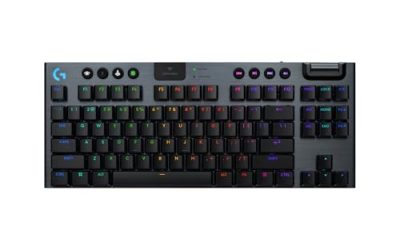
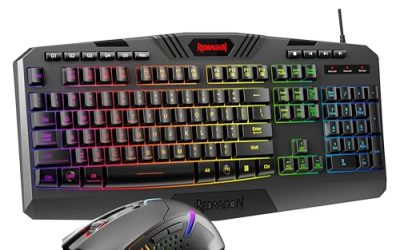
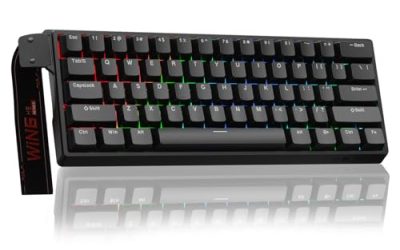
The best tenkeyless (TKL) mechanical keyboard for most gamers in 2026 is a Hall-effect model such as the Wooting 80HE. It pairs rapid trigger and adjustable actuation with a layout that frees about 75 mm of desk space for mouse movement. If you want a wireless, typing-friendly board instead, the Keychron Q3 Max is the better fit. For a cheap first TKL, a wired Redragon K552 does the job.
“Tenkeyless” means a full-size layout with the 10-key numpad removed, leaving about 87 keys. This guide covers the main picks, a decision matrix by situation, and the numbers behind the choice.
As an Amazon Associate we earn from qualifying purchases at no extra cost to you.


Top 3 picks at a glance
Quick comparison of the best tenkeyless picks
| Pick | Best for | Key specs | Typical price |
|---|---|---|---|
| Wooting 80HE | Best overall for competitive play | Hall-effect switches, rapid trigger, adjustable actuation, up to 8000 Hz polling, wired | $200–$230 |
| Razer Huntsman V3 Pro Tenkeyless | Esports with brand ecosystem | Analog optical switches, adjustable actuation (about 0.1–4.0 mm), rapid trigger, 8000 Hz polling, wired | $200–$250 |
| SteelSeries Apex Pro TKL (Gen 3) | Adjustable actuation with an OLED display | Magnetic switches, per-key actuation, OLED screen, wired | $180–$250 |
| Logitech G Pro X TKL Lightspeed | Best wireless gaming TKL | 2.4 GHz Lightspeed, Bluetooth, swappable switch options, compact frame | $150–$220 |
| Keychron Q3 Max | Best for typing and customization | Gasket-style mount, hot-swappable, QMK/VIA, 2.4 GHz and Bluetooth, metal body | $180–$250 |
| Ducky One 3 TKL | Best mid-range wired build quality | Hot-swap sockets, PBT keycaps, wired, 1000 Hz | $110–$140 |
| Redragon K552 | Best budget | 87 keys, wired, linear or clicky options, compact plastic or metal-plate body | $30–$45 |
Prices are general market ranges and shift with sales and region. Specs come from each manufacturer’s published spec sheet, so check the exact SKU and switch type before buying.
Best overall: Wooting 80HE
The Wooting 80HE is built around Hall-effect magnetic switches, which measure how far a key is pressed instead of using a fixed contact point. That allows rapid trigger, where a key resets the moment you start releasing it, and actuation points you can set in small increments. Per the manufacturer’s spec sheet, it supports 8000 Hz polling over USB.
Who it suits: FPS players who counter-strafe, and anyone who wants per-key tuning. Trade-off: it is wired only and costs several times more than a basic TKL. Availability and shipping times have also varied by region, since Wooting is a smaller company.
Best for esports brands and ecosystems: Razer Huntsman V3 Pro Tenkeyless
Razer’s analog optical switches offer adjustable actuation, rapid trigger and high polling, similar in concept to the Wooting. The software integrates with Razer’s other peripherals, and the board is sold widely in retail stores, which makes returns easier.
Trade-off: the price is high, and the software suite is heavier than Wooting’s. Tournament organizers have also set rules on rapid-trigger boards in some events, so check your league’s rules.
Best with an OLED display: SteelSeries Apex Pro TKL (Gen 3)
SteelSeries uses magnetic switches with adjustable actuation across the board, plus a small OLED screen for profile switching and settings. That is handy if you switch between games with different sensitivity needs, such as a shooter at shallow actuation and typing at deeper actuation.
Trade-off: it is wired, and the plastic-and-aluminum build feels less premium than the Keychron.
Best wireless: Logitech G Pro X TKL Lightspeed
This is the pick if you want no cable on a clean desk without giving up a gaming-grade wireless link. It uses Logitech’s 2.4 GHz Lightspeed dongle for gaming and Bluetooth for other devices, and the compact frame is easy to move around.
Trade-off: it uses standard mechanical switches, so there is no rapid trigger. It also costs more than comparable wired boards.
Best for typing and customization: Keychron Q3 Max
The Q3 Max is a gasket-mounted, hot-swappable board with a heavy metal case and QMK/VIA firmware, so you can remap keys and change switches without soldering. It supports both 2.4 GHz and Bluetooth. It is a good fit if you type a lot and game casually.
Trade-off: it is heavy and thick for a TKL, and mechanical switches mean no rapid trigger. Competitive shooter players may prefer a magnetic board.
Best mid-range wired: Ducky One 3 TKL
Ducky focuses on build quality: PBT keycaps, a solid case and hot-swap sockets. It offers a good balance for players who want a durable wired board without paying for magnetic switches or wireless.
Trade-off: there are no gaming extras like rapid trigger, and software support is basic.
Best budget: Redragon K552
The K552 has been a standard cheap TKL for years. It is wired, has 87 keys and comes in several switch types. It is fine for a first mechanical board or a second PC.
Trade-off: stabilizers and keycaps feel cheaper, switches are not guaranteed to be hot-swappable, and firmware options are limited.
Which tenkeyless keyboard fits your situation?
| Your situation | Choose | Why |
|---|---|---|
| Competitive FPS (Valorant, CS2) | Wooting 80HE, Huntsman V3 Pro TKL or Apex Pro TKL | Rapid trigger and adjustable actuation reduce the time a key stays “active” after release |
| Clean desk, one keyboard for work and play | Logitech G Pro X TKL Lightspeed or Keychron Q3 Max | Wireless with Bluetooth multi-device pairing |
| Types a lot, wants a deeper sound | Keychron Q3 Max | Gasket mount and a heavy case dampen sound |
| Under $50 | Redragon K552 | Cheapest route to a real mechanical TKL |
| Wants to swap switches later | Keychron Q3 Max or Ducky One 3 TKL | Hot-swap sockets, no soldering |
| Small desk, low-sensitivity mouse | Any TKL, ideally 75% if space is extremely tight | Frees horizontal room for mouse swings |
How to choose: the numbers that matter
Desk space: what you actually save
A full-size keyboard is typically about 435–445 mm wide. A TKL is usually about 355–365 mm. The difference comes to roughly 75–80 mm, which is about the width of four standard 19.05 mm keys plus the gap before the numpad.
A worked example: if you sit with the keyboard centered on your body and the mouse to its right, a full-size board pushes the mouse about 80 mm farther from your body’s center line. At low sensitivity, say 40 cm per 360 degrees, a 180-degree turn needs about 20 cm of mouse travel. That extra 80 mm is 40% of that swing. Removing the numpad gives your arm more room before the mouse hits the keyboard.
Polling rate and latency
Polling rate sets how often the keyboard reports to the PC. At 1000 Hz, the interval is 1 ms. At 8000 Hz, it is 0.125 ms. The gain is at most under 1 ms in the polling interval, which only matters for very fast players on a system that can handle the extra CPU load. Many reviews note that 8000 Hz uses more CPU interrupts than 1000 Hz, so low-end CPUs may see tiny frame-time effects. Treat 1000 Hz as the baseline and 8000 Hz as a bonus.
Actuation distance
Standard mechanical switches actuate at about 2 mm, with a travel of about 4 mm. Adjustable magnetic boards let you set the point as shallow as roughly 0.1–0.5 mm. A shallow setting registers faster but raises the risk of accidental presses. A practical starting point is 1.5 mm for typing and 0.8–1.0 mm for gaming, with rapid trigger sensitivity around 0.3–0.5 mm. Then adjust by feel.
Wireless battery estimate
Runtime is battery capacity divided by average current draw. An illustrative example: a 4,000 mAh battery drawing 5 mA with backlighting off lasts about 800 hours. At 40 mA with bright RGB, it lasts about 100 hours. That is why wireless boards often quote very different runtimes with the lights on and off. Real figures vary by model, so check the manufacturer’s stated numbers.
Switch type
- Linear: smooth, quiet and common for gaming.
- Tactile: a bump at actuation, good for typing.
- Clicky: loud, so avoid it in shared rooms or on voice chat.
- Magnetic (Hall effect): adjustable actuation and rapid trigger, usually linear in feel.
Frequently Asked Questions
Is a tenkeyless keyboard better than full-size for gaming?
For most gamers, yes, mainly for the extra mouse room. If you use a numpad for spreadsheets, flight sim controls or macros, full-size is more practical. The switches and electronics are the same.
What is the difference between TKL and 75%?
A TKL keeps the full row of function keys, navigation cluster and arrow keys, with about 87 keys. A 75% layout shrinks the spacing and typically puts the navigation keys in a column beside the main block. A 75% is shorter and narrower, but its layout takes some getting used to.
Do I need a Hall-effect keyboard?
No. Hall-effect boards offer rapid trigger and adjustable actuation, which help in fast shooters. For casual play, MOBAs or typing, a standard mechanical switch is sufficient, and cheaper.
Is wireless fast enough for competitive play?
Good 2.4 GHz wireless links from major brands are widely regarded as suitable for competitive play. Bluetooth is generally slower and less consistent, so use the dongle mode for gaming. Wired still avoids battery charging and interference.
Are hot-swappable keyboards worth it?
If you want to try different switches or replace a failed one, yes. Hot-swap sockets let you pull switches out without soldering. Check which switch pin types the board supports, because not every switch fits every socket.
How much should I spend on a TKL?
Budget boards cost about $30–$60, mid-range wired boards $100–$150, and premium magnetic or wireless boards $180–$250. Spend more only on the features you will use, like rapid trigger for shooters or wireless for desk tidiness.
Related guides
More from Amazon
Programs that pair well with the guide above. Offers and eligibility are set by Amazon and may change.
A free business account with business pricing and bulk-buying tools for work, shop or home office.
Create a business accountFree shipping on eligible items, Prime Video and more. Eligible new members can start with a free trial.
Start a Prime free trialAudiobooks and podcasts to listen to on the go. Eligible new members can start with a free trial.
Try Audible freeAd-free music streaming. Eligible new subscribers can start with a free trial.
Try Music Unlimited freeAs an Amazon Associate we earn from qualifying purchases.