
You want 32 GB of memory, and you can get there with two 16 GB sticks or four 8 GB sticks. They cost about the same and give the same capacity, so it seems like a coin flip. It is not. The number of sticks affects stability, achievable speed, and your upgrade path, and on modern DDR5 platforms the difference is bigger than most builders realize.
As an Amazon Associate we earn from qualifying purchases at no extra cost to you.



Our Top Picks



Top 3 picks at a glance
Why Stick Count Matters
Every stick you add loads the memory controller more heavily. Populating all four slots increases electrical strain and generally lowers the maximum stable speed the platform can run. Two sticks in the correct slots keep the signal clean and let the kit hit its rated XMP or EXPO speed more reliably.
| Config | Slots used | Typical outcome |
|---|---|---|
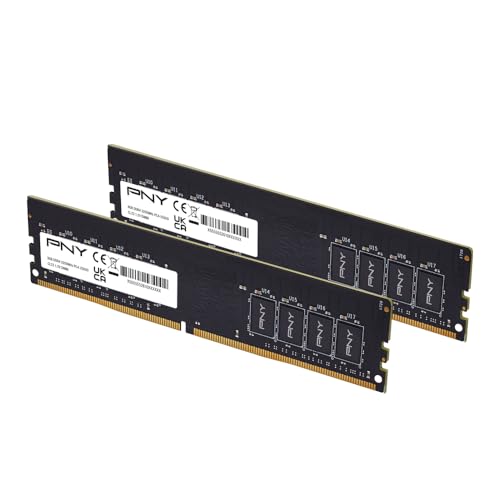
| 2x16GB | 2 of 4 | Easier high speeds, free slots for upgrade |
| 4x8GB | 4 of 4 | Harder to hit top speed, no upgrade room |
The DDR5 Reality
DDR5 is especially sensitive to loading four slots. A kit rated for a high speed with two sticks may need to drop several speed grades to stay stable with four sticks on the same board. If you value hitting your rated speed, two sticks is the safer path on DDR5. DDR4 tolerates four sticks better but still prefers two for the highest clocks.
Does Four Sticks Ever Win?
There is one nuance: dual-rank memory. Two 16 GB sticks are often dual-rank, and four 8 GB sticks add rank interleaving too. More ranks can give a small bandwidth bump in some workloads. But this advantage is modest and easily erased if the four-stick setup forces you to run a lower speed. In practice, well-chosen dual-rank 2x16GB kits already capture most of the rank benefit without the stability penalty.
Upgrade Path
Two sticks leave two slots empty. Later you can add another matched 2x16GB kit to reach 64 GB, though mixing kits is not guaranteed to run at full speed. Four sticks leave you no room; upgrading means replacing everything. For a build you plan to grow, two sticks is the flexible choice.
What About Air Cooler Clearance?
Four sticks fill all slots, and tall heat spreaders can collide with large air coolers. Two sticks give you more freedom to position modules and choose low-profile kits. If you run a big tower cooler, fewer, shorter sticks make the build easier.
What About Mixing Kits Later?
A common mistake is buying a single 16 GB stick now and planning to add another later, or combining two separate 2x16GB kits to reach 64 GB. Memory is validated and binned as a matched set, so two sticks from the same kit are guaranteed to run together at the rated profile. Mixing sticks bought at different times, even the same model, can lead to a system that refuses to post at the advertised speed and needs manual tuning or a speed drop to stay stable. If you think you will want 64 GB eventually, the cleanest route is to buy a 2x32GB kit from the start, keeping two slots free and every stick matched. Failing that, buy the full amount you want as one kit rather than stacking mismatched pairs.
FAQ
Will 4x8GB give me better performance than 2x16GB?
Usually not meaningfully. Any small rank-interleaving gain is offset by the lower stable speed four DDR5 sticks often force. For most gamers, 2x16GB at full rated speed performs as well or better and is easier to run.
Is 2x16GB dual channel?
Yes. Two sticks placed in the correct slots, typically slots 2 and 4 per your manual, run in dual channel and give you the full memory bandwidth. You do not need four sticks to get dual channel; two matched sticks are all it takes.
Bottom Line
For a 32 GB build, 2x16GB is the better default: it hits rated speeds more easily, especially on DDR5, leaves slots open for a future upgrade, and plays nicer with big coolers. Four 8 GB sticks only make sense if you already own them, and even then they may force a slower speed. Buy a matched dual-channel pair, enable the profile, and enjoy the headroom.








