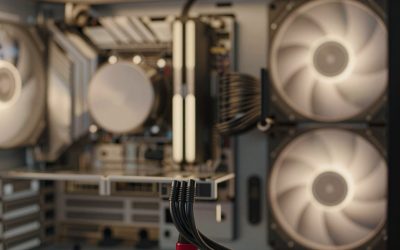
For a desktop gaming PC, the G.SKILL Flare X5 64GB (2x32GB) DDR5-6000 CL36 kit is the best 64GB pick in this group: it carries both AMD EXPO and Intel XMP 3.0 profiles, runs at 1.35V, and sits in a 33 mm low-profile body that clears most CPU coolers. A 64GB kit means two 32GB modules giving a lot more memory than games need, so it suits people who also edit video, run virtual machines or keep many apps open. Two of the six listings are laptop SO-DIMM kits and do not fit desktop boards.
Our Top Picks
 Corsair Vengeance RGB RS DDR5 64GB64GB (2 x 32GB)5.43 x 0.27 x 1.77 Inches0.11 poundsCheck on Amazon


Top 3 picks at a glance
Quick List
- G.SKILL Flare X5 64GB DDR5-6000 CL36 – best for AMD AM5 builds and compact cases
- G.SKILL Ripjaws S5 64GB DDR5-6000 CL36 – best for low-profile Intel or AMD builds that want a plain look
- G.SKILL Trident Z5 Neo RGB 64GB DDR5-6000 CL36 – best for open-case builds that want lighting
- Corsair Vengeance RGB RS 64GB DDR5-6000 – best for RGB lighting with software control
- A-Tech 64GB DDR5-5600 SO-DIMM – best for upgrading a compatible laptop or mini PC
- G.SKILL Ripjaws DDR5-4800 SO-DIMM 64GB – best for older or low-power laptop upgrades
Which One Is Right for You?
| If you… | Choose |
|---|---|
| run a Ryzen AM5 desktop and want EXPO | G.SKILL Flare X5 64GB |
| have a big air cooler or a small case | G.SKILL Ripjaws S5 64GB |
| want RGB and have height to spare | G.SKILL Trident Z5 Neo RGB 64GB |
| already use iCUE software for lighting | Corsair Vengeance RGB RS 64GB |
| need to upgrade a laptop that takes DDR5-5600 SO-DIMMs | A-Tech 64GB SO-DIMM |
| upgrade a laptop limited to DDR5-4800 | G.SKILL Ripjaws SO-DIMM 64GB |
Start by deciding whether you are buying for a desktop or a laptop, because the connector is different and the modules cannot be swapped between the two. For desktops, the four 6000 MT/s kits are close in speed, so physical height, lighting and platform tuning matter more than the headline number. For laptops, confirm the exact memory generation and speed your system supports before ordering.
All 6 Picks in Detail
1. G.SKILL Flare X5 64GB DDR5-6000 – Best for AMD AM5 Builds
As an Amazon Associate we earn from qualifying purchases at no extra cost to you.

The Flare X5 is a plain, low-profile desktop kit designed with AMD platforms in mind. The listing states 64GB as 2x32GB at up to 6000 MT/s with CL36-36-36-96 timings at 1.35V, and it includes both AMD EXPO and Intel XMP 3.0 profiles. G.SKILL describes the series as 33 mm tall, which keeps it out of the way of large tower coolers.
For an AM5 Ryzen build, DDR5-6000 is widely treated as the practical sweet spot, and a 2x32GB kit lets you reach 64GB with only two modules, which is the easier configuration for stable memory settings. You enable the EXPO profile once in the BIOS and the kit should run at its rated speed on a compatible board.
- 64GB (2x32GB) desktop U-DIMM kit
- Up to 6000 MT/s, CL36-36-36-96, 1.35V
- AMD EXPO and Intel XMP 3.0 profiles
- Low-profile heat spreader, 33 mm tall per the maker
- Rank configuration: confirm on listing
Pros
- Low height clears large air coolers
- Both EXPO and XMP profiles in one kit
Cons
- No lighting for people who want it
- CL36 is looser than the tightest 6000 kits sold
It is the closest sibling to the Ripjaws S5 in this list, and the main difference is the platform the maker targets. It suits anyone building a small or airflow-focused case, a Ryzen gamer who also handles large projects, and builders who prefer a clean, unlit interior. Nothing about it needs special handling, which makes it a low-fuss first choice for a new build.
2. G.SKILL Ripjaws S5 64GB DDR5-6000 – Best Low-Profile Alternate

The Ripjaws S5 kit matches the Flare X5 on paper: 64GB as 2x32GB, up to 6000 MT/s, CL36-36-36-96 at 1.35V, with Intel XMP 3.0 and AMD EXPO listed in the title. It uses the same slim aluminum heat spreader style and is aimed at builders who want a quiet, unlit look and maximum clearance under a cooler.
Choose it when the Flare X5 is out of stock or when you prefer the Ripjaws styling. Because both kits are so similar, the practical decision is availability and whether your motherboard vendor lists one of them on its qualified memory list. Check that list if you plan to run the kit at its full speed.
- 64GB (2x32GB) desktop U-DIMM kit
- Up to 6000 MT/s, CL36-36-36-96, 1.35V
- Intel XMP 3.0 and AMD EXPO profiles, per the listing
- Low-profile heat spreader; confirm the exact height on the listing
- Plain heat spreader with no RGB lighting
Pros
- Slim design suits small cases and big coolers
- Same timings as the Flare X5 with a familiar look
Cons
- No lighting
- Offers no performance advantage over the Flare X5
Treat it as interchangeable with the Flare X5 and pick whichever you can get with a compatible profile for your board. If you plan to pair it with a large dual-tower air cooler, the low profile is the reason to prefer this kit over any of the lit options below.
3. Corsair Vengeance RGB RS 64GB DDR5 – Best for iCUE RGB Builds

The Vengeance RGB RS is Corsair’s lit, slimmer take on its familiar DDR5 line. The listing describes a 64GB kit made of two 32GB modules rated up to 6000 MHz for AMD and Intel systems. The name does not state the CAS latency, and Corsair sells related 64GB 6000 kits with different timing grades, so check the exact timings and profile type on the product page before buying.
It makes the most sense in a build with other Corsair lighting gear, where one software package can control everything, and in an open case where the lighting is visible. Because the module height is not stated in the listing, measure the space beneath your cooler first.
- 64GB (2x32GB) desktop kit
- Up to 6000 MHz; CAS latency: confirm on listing
- Works with AMD and Intel platforms; profile type confirm on listing
- RGB lighting built into the heat spreader
- Module height: confirm on listing
Pros
- Lighting integrates with Corsair software
- Same 6000 speed class as the G.SKILL kits
Cons
- Timings and height are not stated in the listing
- Lit modules cost the visual simplicity of the plain kits
Compared with the Trident Z5 Neo RGB, it is the choice if you prefer Corsair’s software ecosystem. Because the listing leaves out the timings, treat the exact CAS grade as unconfirmed and read the product page closely, since a looser grade would change how it compares with the CL36 G.SKILL kits.
4. G.SKILL Trident Z5 Neo RGB 64GB DDR5-6000 – Best for Showpiece Builds

The Trident Z5 Neo RGB kit is the lit, taller option from G.SKILL. The listing gives 64GB as 2x32GB at up to 6000 MT/s with CL36-36-36-96 and 1.35V, along with AMD EXPO and Intel XMP 3.0 profiles. The Neo name signals a design tuned for AMD platforms, and the kit uses a larger heat spreader with a light bar on top.
That bigger heat spreader is the tradeoff. A related Trident Z5 Neo RGB kit has been listed at roughly 42 mm tall, but the exact figure for this CL36 kit is not stated, so confirm it on the product page and check your cooler clearance. In an open case with a liquid cooler, height rarely matters and the lighting can be the main reason to buy.
- 64GB (2x32GB) desktop U-DIMM kit
- Up to 6000 MT/s, CL36-36-36-96, 1.35V
- AMD EXPO and Intel XMP 3.0 profiles
- RGB lighting; software control through the maker’s utilities
- Taller heat spreader; confirm exact height on the listing
Pros
- Visual impact with the same timings as the plain kits
- Dual-platform profiles
Cons
- May clash with large air coolers
- No speed advantage over the cheaper-looking siblings
It shares specs with the Flare X5 and Ripjaws S5, so the choice reduces to height versus lighting. Builders with a 360 mm liquid cooler and a glass side panel get the most from it, while anyone using a tall air cooler should measure first and consider the Flare X5 instead.
5. A-Tech 64GB DDR5-5600 SO-DIMM – Runner-Up, Laptops Only

This kit is a laptop and mini PC memory upgrade, not a desktop kit. The listing describes 64GB as 2x32GB of DDR5-5600 (PC5-44800) SO-DIMM, CL46, 1.1V, non-ECC unbuffered and dual rank (2Rx8) in the 262-pin format. It will not fit a standard desktop DIMM slot, and it is not meant for a gaming desktop.
It belongs on this list only because it is a true 64GB DDR5 kit. Choose it if your laptop supports DDR5-5600 and up to 64GB. Always check your system manual or the manufacturer’s memory support page, because many laptops cap memory below 64GB or use a different speed. This kit has no heat spreader and no overclocking profile, so it runs at standard laptop settings.
- 64GB (2x32GB) DDR5 SO-DIMM, 262-pin
- 5600 MT/s (PC5-44800), CL46, 1.1V
- Non-ECC, unbuffered, dual rank 2Rx8 per the listing
- For laptops and compact PCs that use SO-DIMMs
- No XMP or EXPO profile stated
Pros
- Brings a supported laptop up to 64GB
- Low 1.1V draw suits portable systems
Cons
- Does not fit desktop slots
- Looser timing than desktop gaming kits
Next to the G.SKILL SO-DIMM kit, it offers a faster speed class if your laptop supports it. Installation takes only a minute on most machines, but some thin laptops solder part of their memory, so check that you have two user-accessible slots before ordering.
6. G.SKILL Ripjaws DDR5 SO-DIMM 64GB – Runner-Up, Laptops Only

The second laptop kit is G.SKILL’s Ripjaws DDR5 SO-DIMM, listed as 64GB (2x32GB) at up to 4800 MT/s with CL40-39-39-76 timings at 1.10V, unbuffered and non-ECC. Like the A-Tech kit it is meant for notebooks and small-form-factor machines, not desktops, so it is a runner-up for anyone building a gaming tower.
It is the right fit for an older DDR5 laptop whose platform tops out at 4800 MT/s, where faster modules would simply run down at the system’s limit. If your laptop supports 5600, the A-Tech kit gives more bandwidth. As always, confirm that your system accepts 32GB modules before buying. Because the modules run at a low 1.10V with no heat spreader, they add almost nothing to a laptop’s heat load, and they also suit a quiet small-form-factor workstation where capacity matters more than speed.
- 64GB (2x32GB) DDR5 SO-DIMM kit
- Up to 4800 MT/s, CL40-39-39-76, 1.10V
- Unbuffered, non-ECC, notebook format
- Name-brand module design from a known memory maker
- Rank configuration: confirm on listing
Pros
- Suits platforms limited to DDR5-4800
- Low voltage keeps power and heat down
Cons
- Laptop format only
- Lowest speed rating in this list
It is the slowest kit here, and the A-Tech SO-DIMM is the better choice whenever your laptop can run 5600. If you are unsure which speed your laptop supports, the system maker’s memory page or the laptop’s service manual will list the supported DDR5 speed and maximum capacity.
Specs Compared
| Kit | Capacity | Format | Speed | Timings | Voltage | Profiles |
|---|---|---|---|---|---|---|
| G.SKILL Flare X5 | 64GB (2x32GB) | Desktop U-DIMM | Up to 6000 MT/s | CL36-36-36-96 | 1.35V | EXPO and XMP 3.0 |
| G.SKILL Ripjaws S5 | 64GB (2x32GB) | Desktop U-DIMM | Up to 6000 MT/s | CL36-36-36-96 | 1.35V | XMP 3.0 and EXPO |
| Corsair Vengeance RGB RS | 64GB (2x32GB) | Desktop | Up to 6000 MHz | Confirm on listing | Confirm on listing | AMD and Intel; confirm on listing |
| G.SKILL Trident Z5 Neo RGB | 64GB (2x32GB) | Desktop U-DIMM | Up to 6000 MT/s | CL36-36-36-96 | 1.35V | EXPO and XMP 3.0 |
| A-Tech SO-DIMM | 64GB (2x32GB) | Laptop SO-DIMM | 5600 MT/s | CL46 | 1.1V | None stated |
| G.SKILL Ripjaws SO-DIMM | 64GB (2x32GB) | Laptop SO-DIMM | Up to 4800 MT/s | CL40-39-39-76 | 1.10V | None stated |
How We Chose These
We compiled this list from the listings in the current catalog and compared the stated figures with manufacturer specification pages. Our criteria were capacity layout, memory format, rated speed, CAS timings, voltage, supported profiles, and heat spreader size. We could not verify module height or rank for every kit, so those cells say to confirm on the listing. We did not run our own performance trials, and the only numbers used are ratings or arithmetic from those ratings. Desktop kits were placed ahead of laptop kits because the topic is gaming memory, and the two SO-DIMM kits are marked as runner-ups for a different use.
What to Look For
Capacity layout: two modules, not four
A 64GB kit made of two 32GB modules is the easiest way to reach 64GB. Four 16GB modules put more load on the memory controller and often force the board to lower the speed. On AMD AM5 systems, official speed limits drop sharply with four modules, and on many Intel boards the maximum stable speed also falls. Buy a single 2x32GB kit rather than combining two older kits, because matched modules are validated together. Mixing kits, even from the same brand, can cause boot problems or lower speeds.
Speed and timings: reading the numbers
DDR5 speed is given in MT/s, so 6000 MT/s means 6,000 million transfers per second. CAS latency, or CL, is the number of clock cycles the memory waits before responding. To compare kits, convert to real time. First-word latency in nanoseconds equals CL multiplied by 2000 and divided by the MT/s rating. For the CL36 kits at 6000 MT/s that gives 36 x 2000 / 6000 = 12 ns. The A-Tech SO-DIMM at 5600 MT/s with CL46 works out to 46 x 2000 / 5600, about 16.4 ns, and the G.SKILL SO-DIMM at 4800 MT/s with CL40 comes to about 16.7 ns. Lower is better, and the desktop kits are clearly quicker on this measure.
EXPO, XMP and the BIOS
A new DDR5 module starts at a standard JEDEC speed, often 4800 MT/s, until you enable a profile. AMD EXPO and Intel XMP 3.0 are stored profiles that tell the board the faster speed, timings and voltage. Open the BIOS, enable the profile, and save. If a profile is not listed for your platform, the kit will still run, but at the lower base speed. For AM5, DDR5-6000 is commonly treated as a balanced target, and many boards need a recent BIOS to train 64GB kits reliably, so update the BIOS before you install.
Height, rank and laptop fit
Heat spreader height decides whether memory collides with a tower cooler. Low-profile kits near 33 mm are safest, while lit kits may be much taller. Many 32GB modules are dual rank, which can add a small amount of memory interleaving benefit and sometimes a slightly lower maximum speed than single-rank modules. For laptops, check whether your machine uses DDR5 SO-DIMMs at all, what speed it supports, and whether it accepts 32GB modules, since some models cap memory lower than the chipset allows.
A worked example: when 64GB makes sense
Imagine a Ryzen desktop used for gaming in the evening and 4K video editing during the day. A game may use 12 to 16 GB, the editing suite 20 GB or more, and a browser with many tabs several more. Together that can pass 32GB and push the system into paging to disk, which slows everything down. A 2x32GB kit removes that ceiling. If you only game, the same money is often better spent on a faster graphics card, so match capacity to the heaviest thing you actually do.
Troubleshooting a new kit
If a new 64GB kit does not boot at its rated speed, update the BIOS first, because memory training improves with new releases. Then re-seat the modules in the slots your manual recommends for two modules, usually the second and fourth from the CPU. Enable the EXPO or XMP profile, and if the system is unstable, try a slightly lower speed such as 5600 MT/s before changing voltages. Avoid manual voltage changes unless you understand them, because the profile already sets the voltage the kit needs.
Questions
Is 64GB of RAM worth it for gaming?
For gaming alone, 32GB is usually enough, and 64GB is a convenience rather than a need. It becomes worthwhile when you stream, edit video, run virtual machines or keep many heavy applications open while playing.
Should I get CL30 or CL36 at 6000 MT/s?
CL30 kits have lower first-word latency, about 10 ns against 12 ns for CL36, but the real-world gain in games is small. The kits in this list are CL36, which is fine for most builds, and kit availability and cooler clearance matter more.
Will these desktop kits work on both AMD and Intel?
The G.SKILL desktop kits listed here include both EXPO and XMP 3.0 profiles, so they can run at rated speed on either platform, subject to motherboard support. Check your board’s memory support list and update the BIOS first.
Can I use laptop SO-DIMMs in a desktop?
No. SO-DIMMs have a different size and connector than desktop DIMMs and will not fit a desktop slot. Use them only in notebooks and mini PCs designed for them.
Do I need RGB memory?
No. Lighting has no effect on speed or stability. Pick the plain kits if you want maximum clearance and a simpler build, and pick the lit kits only if the memory will be visible.
Is two 32GB sticks better than four 16GB sticks?
Generally yes. Two modules place less strain on the memory controller and usually reach higher stable speeds. Four modules often force lower speeds on both AMD and Intel platforms.
Update History
- October 14, 2026 – Initial publication; product set drawn from current catalog listings.
- Check the product page for current specifications and availability before buying.
Sources
- Manufacturer product and specification pages for G.SKILL and Corsair
- Retailer listing titles and specification fields
- JEDEC memory standard terminology for DDR5 speed and timing definitions