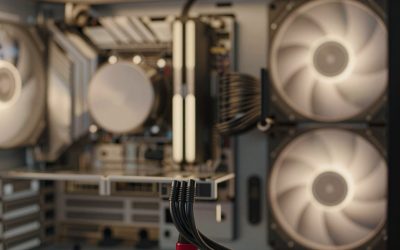
The Corsair Vengeance RGB 32GB (2 x 16GB) kit with a listed CL30-36-36-76 profile at 1.40V is the clearest all-round choice here: the listing states the full timing set, supports both AMD EXPO and Intel XMP, and gives you the 6000 MT/s, CL30 combination that most current desktop platforms handle well. “DDR5-6000 CL30” means the memory transfers 6,000 million times per second with a 30-cycle column access delay, which works out to about 10 nanoseconds of first-word latency. Two kits here name CL30 outright; three others do not state it, and one is a slower CL36 option.
Our Top Picks
 CORSAIR Vengeance RGB DDR5 RAM 32GB32GB (2 x 16GB)5.43 x 0.27 x 1.77 inches0.11 PoundsCheck on Amazon




Top 3 picks at a glance

Quick List
- Corsair Vengeance DDR5 32GB (gray) – best for buyers who want a plain, low-profile kit with dual AMD and Intel profiles (confirm the CL on the listing)
- Patriot Viper Venom 32GB – best for a CL30 kit with a stated 30-40-40-76 timing set and a lifetime warranty
- Corsair Vengeance RGB 32GB CMH32GX5M2B6000Z30K – best overall for stated CL30-36-36-76 timings, 1.40V and dual platform profiles
- G.SKILL Flare X5 32GB – best for a lower 1.35V kit when you accept CL36 instead of CL30
- Corsair Vengeance RS 32GB – best for RGB-lit builds that want Corsair hand-sorted chips (confirm the CL on the listing)
- Corsair Vengeance RGB 32GB (white) – best for light-colored builds that want ten-zone RGB lighting (confirm the CL on the listing)
Which One Is Right for You?
| If you… | Choose |
|---|---|
| want a guaranteed CL30 kit with timings written in the listing | Corsair Vengeance RGB CMH32GX5M2B6000Z30K or Patriot Viper Venom |
| prefer a lifetime warranty and a simple heat spreader | Patriot Viper Venom |
| do not want RGB lighting at all | Corsair Vengeance (gray) after you confirm its CL on the listing |
| run a white or silver build with lighting | Corsair Vengeance RGB (white) |
| want a slightly lower-voltage kit and can live with CL36 | G.SKILL Flare X5 |
| like Corsair’s hand-sorted chip approach with lighting | Corsair Vengeance RS |
If CL30 is a hard requirement, only two of the six listings let you verify it from the title or bullet points. The other Corsair kits may well be CL30, but their listing text only says “up to 6000MHz”, so check the part number on the product page before you buy. The G.SKILL kit is a good memory kit that does not match this particular facet.
All 6 Picks in Detail
1. Corsair Vengeance DDR5 32GB (gray) – Best for a plain dual-profile kit
As an Amazon Associate we earn from qualifying purchases at no extra cost to you.
This is a 32GB (2 x 16GB) Vengeance kit with no lighting. The listing says it is compatible with AMD EXPO and Intel XMP 3.0 through dual memory profiles, and it mentions onboard voltage regulation that lets iCUE software adjust overclocking settings. The wording says “up to 6000MHz” and does not give a CAS latency, so it cannot be confirmed as CL30 from the listing alone. If you want a low-key look and CL30 specifically, verify the full part number on the product page.
- 32GB (2 x 16GB) DDR5 kit
- Up to 6000MHz, with a note that top speed needs a BIOS profile or overclock
- AMD EXPO and Intel XMP 3.0 dual profiles
- Onboard voltage regulation, adjustable through iCUE
- Screened memory chips
- No RGB; gray heat spreader
Pros
- Dual profiles suit either an AMD or Intel platform
- Clean look without lighting
Cons
- CAS latency is not stated in the listing
- The listing says it is compatible with EXPO and XMP 3.0 only, so it assumes a motherboard that supports them
Compared with the RGB version of the same family, it trades lighting for a simpler look, but it also gives you less information about timings on the page. If you are shopping on the lighting-free look alone, this is the kit to start with; just verify the CAS value before it goes in the cart.
2. Patriot Viper Venom 32GB – Best for a lifetime-warranty CL30 kit

The Viper Venom is the one non-Corsair, non-G.SKILL kit in the group, and its title leaves no ambiguity: 32GB (2 x 16GB), 6000MHz, CL30. The bullet points list timings of 30-40-40-76, XMP 3.0 and EXPO support, testing across current DDR5 platforms, and a limited lifetime warranty. The tertiary timings are a little looser than on the Corsair CL30 kit, which is typical for value-oriented bins.
- 32GB (2 x 16GB) DDR5 desktop kit
- 6000 MT/s at CL30
- Timings listed as 30-40-40-76
- XMP 3.0 and EXPO profiles
- Limited lifetime warranty
- Lighting details are not stated; confirm on the product page
Pros
- CL30 stated plainly in the title
- Lifetime warranty is listed
Cons
- Second and third timing values are higher than the Corsair CL30 kit
- Voltage is not stated in the listing
Against the Corsair Vengeance RGB CMH32GX5M2B6000Z30K, it is the better pick on warranty, while the Corsair kit is the better pick on documented timings and voltage. Many builders will find either one perfectly adequate for a 6000 CL30 target, so the deciding factor is usually looks and the warranty terms you prefer.
3. Corsair Vengeance RGB 32GB CMH32GX5M2B6000Z30K – Best overall for CL30

This is the most completely documented kit in the list. The title gives the part number CMH32GX5M2B6000Z30K and the complete profile: 32GB (2 x 16GB), up to 6000MHz, CL30-36-36-76 at 1.40V, AMD EXPO and Intel XMP support. The listing adds ten individually addressable RGB LEDs per module, and onboard voltage regulation that works with iCUE. Parts databases that track this part number also list it as a DDR5-6000 CL30 kit, which agrees with the listing.
- 32GB (2 x 16GB) DDR5 kit
- CL30-36-36-76 at 1.40V
- Up to 6000MHz; AMD EXPO and Intel XMP compatible
- Ten-zone RGB lighting per module
- Onboard voltage regulation via iCUE
- Gray heat spreader
Pros
- Full timing set and voltage are stated
- Works on AMD and Intel platforms
Cons
- RGB adds height and, for some, unneeded lighting
- The listing notes that maximum speed requires BIOS adjustments
It edges out the Viper Venom through tighter listed secondary timings, though the Patriot kit is the pick if you want lifetime warranty coverage.
4. G.SKILL Flare X5 32GB – Runner-up that is CL36, not CL30

The Flare X5 does not match this facet. Its listing states CL36-36-36-96 at 1.35V for a 6000 MT/s kit, which works out to 12 nanoseconds of first-word latency instead of 10. It is still a perfectly good kit, with a JEDEC default profile plus EXPO and XMP 3.0 overclock profiles, and a low-profile design. But if you want CL30 specifically, treat this as a runner-up and look at the Patriot or Corsair CL30 options first.
- 32GB (2 x 16GB) DDR5 U-DIMM, non-ECC, 288-pin
- 6000 MT/s at CL36-36-36-96
- 1.35V
- JEDEC default profile plus AMD EXPO and Intel XMP 3.0
- Matte black, low-profile heat spreader
- Model number F5-6000J3636F16GX2-FX5
Pros
- Lower stated voltage than the Corsair CL30 kit
- Low-profile look suits tight CPU cooler clearances
Cons
- Not CL30; higher latency than the CL30 kits
- Do not mix with other kits
Next to the Corsair Vengeance RGB CL30 kit it gives up latency in exchange for voltage and profile.
5. Corsair Vengeance RS 32GB – Best for lit builds with sorted chips

The Vengeance RS is a 32GB (2 x 16GB) kit with hand-sorted, tightly screened chips, and the listing mentions aggressive timing options. Like the plain gray kit, it states dual AMD EXPO and Intel XMP 3.0 profiles and “up to 6000MHz”, but the listing does not name a CAS latency. We could not verify an exact CL30 part number for the RS name, so treat CL30 as unconfirmed and read the specification field on the product page first.
- 32GB (2 x 16GB) DDR5 kit
- Up to 6000MHz; maximum speed depends on BIOS settings
- AMD EXPO and Intel XMP 3.0 profiles
- Hand-sorted, tightly screened memory chips
- Onboard voltage regulation through iCUE
- Gray finish; lighting details are not stated in the listing
Pros
- Sorted chips are aimed at consistent high-frequency operation
- Dual profiles work on both platforms
Cons
- CAS latency is not stated; CL30 unconfirmed
- Voltage is not stated
It sits between the plain Vengeance and the RGB model in features, and its lack of printed timings keeps it behind the CMH32GX5M2B6000Z30K for this particular facet.
6. Corsair Vengeance RGB 32GB (white) – Best for white builds with lighting

This is the white-colored Vengeance RGB kit. The listing calls out ten-zone lighting with individually addressable LEDs, a panoramic light bar, onboard voltage regulation, and dual EXPO and XMP 3.0 profiles. It states “up to 6000MHz” but no CAS value, so CL30 is not confirmed from the listing text. Choose it if you want matching lighting in a white case and have checked the exact part number.
- 32GB (2 x 16GB) DDR5 kit
- Up to 6000MHz
- AMD EXPO and Intel XMP 3.0 profiles
- Ten individually addressable RGB LEDs per module
- Onboard voltage regulation via iCUE
- White finish
Pros
- Color-matched for white builds
- Detailed lighting control through iCUE
Cons
- CAS latency not stated in the listing
- RGB adds a little height, so check cooler clearance
Choose it over the gray CMH32GX5M2B6000Z30K only if color matters more than a confirmed CL30 timing set.
Specs Compared
| Kit | Capacity | Speed | CAS latency / timings | Voltage | Profiles | Lighting |
|---|---|---|---|---|---|---|
| Corsair Vengeance (gray) | 32GB (2 x 16GB) | Up to 6000MHz | Confirm on listing | Confirm on listing | EXPO and XMP 3.0 | No |
| Patriot Viper Venom | 32GB (2 x 16GB) | 6000 MT/s | CL30, 30-40-40-76 | Confirm on listing | XMP 3.0 and EXPO | Confirm on listing |
| Corsair Vengeance RGB CMH32GX5M2B6000Z30K | 32GB (2 x 16GB) | Up to 6000MHz | CL30-36-36-76 | 1.40V | EXPO and XMP | Ten-zone RGB |
| G.SKILL Flare X5 | 32GB (2 x 16GB) | Up to 6000 MT/s | CL36-36-36-96 | 1.35V | JEDEC, EXPO, XMP 3.0 | No |
| Corsair Vengeance RS | 32GB (2 x 16GB) | Up to 6000MHz | Confirm on listing | Confirm on listing | EXPO and XMP 3.0 | Confirm on listing |
| Corsair Vengeance RGB (white) | 32GB (2 x 16GB) | Up to 6000MHz | Confirm on listing | Confirm on listing | EXPO and XMP 3.0 | Ten-zone RGB |
How We Chose These
This list comes from desk research on current catalog listings, not from our own hardware measurements. We kept 32GB (2 x 16GB) DDR5 desktop kits advertising 6000MHz and checked each listing title, bullet points and specification fields for a stated CAS latency, voltage, profile type and warranty. Kits that state CL30 clearly ranked ahead of kits that only say “up to 6000MHz”. We cross-checked the Corsair CMH32GX5M2B6000Z30K part number against public parts databases and retailer pages. Where a listing does not state a value, the table says to confirm it on the listing. We do not claim measured speeds, overclocking headroom or stability results.
What to Look For
What “6000 CL30” really means
The first number is the data rate in megatransfers per second, and the second is the CAS latency in clock cycles. To compare kits fairly, convert to nanoseconds: latency in ns equals CAS latency multiplied by 2000 and divided by the data rate. A 6000 MT/s kit at CL30 gives 10 ns, while CL36 gives 12 ns and CL40 gives about 13.3 ns. Lower is better, but the real-world difference between a CL30 and a CL36 kit at the same speed is modest in most games, so do not chase a small timing gap. What matters more is whether the kit reliably runs at its rated profile on your board.
EXPO, XMP and compatibility
DDR5 kits ship with a safe default speed set by the JEDEC standard, and a performance profile stored on the module, which you enable in the motherboard BIOS. AMD EXPO profiles are tuned for Ryzen platforms and Intel XMP 3.0 profiles for Intel boards; kits with both profiles work on either. Some kits only list one, so check that your platform matches. After installing, enter the BIOS, select the profile, and allow the first boot to take a minute or two because the board retrains memory. Updating the BIOS first is a good habit, since many boards add support for new kits through firmware.
Why 6000 is the usual target
On recent AMD platforms, 6000 MT/s is widely treated as the sweet spot because the memory clock of 3000 MHz can run in step with the controller and fabric clocks, which avoids extra latency. Faster kits can raise bandwidth but may force a different ratio or demand a lot of tuning. Intel boards often run higher speeds, but 6000 CL30 remains an easy, well-supported target. Theoretical dual-channel bandwidth at 6000 MT/s is 96 GB/s (6000 million transfers times 16 bytes across two channels).
Capacity, kit layout and stability
For gaming, 32GB in two modules is the common choice today, leaving room for background apps. Two modules in a matched kit is easier on the memory controller than four, so avoid filling all four slots unless you need 64GB or more. Never mix different kits: the G.SKILL listing explicitly warns that doing so can cause instability or system failure. As a rule of thumb, buy the full capacity you need in one kit rather than adding modules later.
Height, lighting and cooler fit
RGB heat spreaders are taller than low-profile ones. If you use a large air cooler, measure the clearance between the CPU socket and the first fan or heatsink, and compare it to the module height on the manufacturer page. Lighting software such as iCUE adds a background application, which some builders avoid. A non-RGB kit like the gray Vengeance sidesteps both concerns.
A quick checklist before you buy
Because several listings here state only “up to 6000MHz”, it pays to run through a short checklist. First, open the specification field and look for the full timing string, such as 30-36-36-76. Second, confirm the voltage: kits at 1.35V and 1.40V are both common, and either is within the range DDR5 boards expect. Third, confirm the module count and capacity, which should read 2 x 16GB for a 32GB kit. Fourth, confirm the profile type, EXPO, XMP 3.0 or both. Finally, check the warranty wording on the manufacturer page. Memory makers generally advertise limited lifetime coverage, but the terms differ by region and by retailer.
Here is a worked example. Suppose you are comparing a 6000 MT/s CL30 kit with a 6000 MT/s CL36 kit for a Ryzen build. Both convert to the same 3000 MHz memory clock, so bandwidth is identical at 96 GB/s in dual channel. The CL30 kit responds in 10 ns and the CL36 kit in 12 ns, a gap of 2 ns. That difference is real but small, which is why a documented CL30 kit is a good target while a CL36 kit with a lower voltage can still be a sensible fallback when the BIOS refuses to train the tighter profile.
Questions
Is DDR5-6000 CL30 worth it over DDR5-5600?
Usually yes, because 6000 CL30 has lower latency and more bandwidth than most 5600 kits. Gains in games are real but modest, and they matter more with fast graphics cards. Confirm that your board and CPU support the profile.
Will these kits work on both AMD and Intel?
Kits listing both EXPO and XMP 3.0 are designed to work on either platform, with the BIOS reading the matching profile. Always check the listing for the profile list, since a few kits support only one. Enable the profile in the BIOS after installation.
Why does my RAM run slower than 6000 after install?
DDR5 starts at its default JEDEC speed until you enable EXPO or XMP in the BIOS. If the profile is enabled and the speed is still lower, update the BIOS, reseat the modules in the recommended slots, and check the motherboard’s supported memory list.
Is 16GB enough for gaming?
Many games still run on 16GB, but 32GB is a safer target for newer titles, streaming and multitasking. All six kits here are 32GB.
Does RGB affect performance?
Lighting does not change memory timings or speed. It adds height and requires software if you want custom effects, so skip it if you want a simpler build.
Can I add another kit later?
You can, but it is not recommended to mix kits, because timings and chips may differ and lead to instability. If you need more capacity, buy a single larger kit.
Update History
- October 14, 2026 – Initial publication; product set drawn from current catalog listings.
- Check the product page for current specifications and availability before buying.
Sources
- Retailer listing titles, bullet points and specification fields for all six kits
- Manufacturer part-number data for Corsair, Patriot and G.SKILL memory kits as shown on retailer and parts-database pages
- Published explainers on DDR5 CAS latency, EXPO and XMP profiles