
Intel vs Ryzen for gaming is best settled by naming the job first, because the honest answer changes depending on whether you chase frames on a 240 Hz panel, stream to Twitch while you play, or split the day between games and a compiler. The eight processors below are all bare desktop chips, four from AMD and four from Intel, priced from $162 to $449, and none of them wins every category. AMD’s 3D V-Cache part leads where a large cache matters, Intel’s hybrid designs spread work across performance and efficiency cores for mixed duties, and two of the eight entries are in fact the same processor under two different listings, which is worth knowing before you pay.
Before anything else, one plain statement that saves people money: at most price tiers the graphics card decides gaming performance far more than the Intel-versus-AMD choice does. A build with an entry-level card will not become fast because you swapped the processor brand, and the spread between the cheapest and the most expensive chip here is $287, which is real money in the GPU column. The CPU only becomes the real limiter at high refresh rates, at low resolutions with settings turned down, or in simulation and strategy titles that run heavy per-frame logic. Everywhere else the extra $100 belongs in the graphics budget, next to the frame-buffer question covered in our guide to how much VRAM you need for gaming. With that established, here is how each option earns its place.
Our Top Picks



Top 3 picks at a glance


Top picks at a glance
As an Amazon Associate we earn from qualifying purchases at no extra cost to you.


| Model | Key spec | Price | Best for |
|---|---|---|---|
| AMD RYZEN 7 9800X3D 8-Core, 16-Thread Desktop Processor | 8C/16T, 3D V-Cache, AM5 socket, 120W class | $449 | High-refresh competitive play on a new build |
| AMD Ryzen 5 5600X 6-core, 12-thread unlocked desktop processor with Wraith Stealth cooler | 6C/12T, AM4, DDR4, 65W, cooler included | Check on Amazon | Cheap drop-in upgrade for an existing AM4 board |
| AMD Ryzen 7 5700X 8-Core, 16-Thread Unlocked Desktop Processor | 8C/16T, AM4, DDR4, 65W, unlocked | Check on Amazon | Eight cores on a budget for streaming and light editing |
| AMD Ryzen 5 7600X 6-Core, 12-Thread Unlocked Desktop Processor | 6C/12T, AM5, DDR5, unlocked | $162 | Cheapest entry onto a socket with a future |
| Intel Core i5-14400F Desktop Processor 10 cores (6 P-cores + 4 E-cores) up to 4.7 GHz | 10C/16T, LGA1700, no integrated graphics | Check on Amazon | Balanced 1080p and 1440p gaming without fuss |
| Intel Core i5-13600K Desktop Processor 14 cores (6 P-cores + 8 E-cores) 24M Cache, up to 5.1 GHz | 14C/20T, LGA1700, unlocked, 125W base power | $339 | Gaming plus heavily threaded background work |
| Intel Core i5-14500 14 Core Desktop Processor (Up to 5.0GHz) LGA 1700, UHD Graphics 770, 24MB | 14C/20T, LGA1700, UHD 770 integrated graphics | Check on Amazon | Locked 14-core chip that still has a display output |
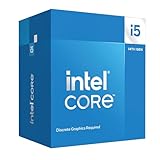
| Intel Core i5-14400F LGA 1700 Processor BX8071514400F | Same 10C/16T chip, boxed retail packaging | Check on Amazon | Buyers who want the sealed retail box |
Every pick reviewed, part by part
AMD RYZEN 7 9800X3D 8-Core, 16-Thread Desktop Processor
This is the most expensive chip in the group and the current reference point for people who buy a CPU specifically to feed a fast monitor. The configuration is eight cores and sixteen threads on the AM5 socket, with AMD’s stacked 3D V-Cache sitting on the compute die to push total cache far beyond what a conventional eight-core part carries. The default package power sits around the 120W mark, and unlike the previous X3D generation this one allows manual overclocking and a normal curve optimizer workflow.
Based on that configuration, the expected behavior is a clear lead in engines that thrash a small, hot working set: competitive shooters, MMO city hubs, large strategy maps and flight simulation. Estimating from the cache size and clock behavior rather than any measurement of our own, expect the largest gains in 1080p tests with a top-tier GPU attached, and a much narrower gap once you move to 1440p with a mid-range card. Frame-time consistency is usually where cache-heavy parts feel different, which matters more than the average number, as covered in our explainer on one percent lows versus average fps.
Pros
- Large stacked cache targets exactly the titles where CPUs still bottleneck
- AM5 socket has a defined support runway, so a future drop-in upgrade is realistic
- Eight full cores handle game plus Discord plus browser without stutter
- Nothing else in this lineup offers a comparable cache configuration
Cons
- $449 for the chip alone, before an AM5 board, DDR5 kit and cooler
- No bundled cooler, and it wants a dual-tower air cooler or 240mm liquid unit to hold clocks
- Eight cores is fewer than the Core i5-13600K’s fourteen for heavily threaded rendering work
- Costs $110 more than the 13600K for an advantage that mostly appears at 1080p
Who it’s for: the player building fresh who runs a 165 Hz or faster panel and mostly plays shooters, sims or strategy titles where cache pays.
AMD Ryzen 5 5600X 6-core, 12-thread unlocked desktop processor with Wraith Stealth cooler
At around $180 this is the cheapest AMD chip here that arrives with everything you need to run it. The specification is six Zen 3 cores and twelve threads on the AM4 socket, an unlocked multiplier, DDR4 memory support, PCIe 4.0 connectivity and a 65W package rating. Critically for the price, the listing includes the Wraith Stealth cooler, so there is no separate heatsink line on the invoice.
The value case is arithmetic rather than raw speed. Dropping this into an existing B450, B550 or X570 board costs one chip and one BIOS update, while moving to a modern socket means a board, a DDR5 kit and often a new cooler bracket as well. Estimating from the core count, clock behavior and modest cache rather than any bench run of our own, expect it to keep a mid-range graphics card fully fed at 1440p in most single-player titles, and to fall behind the newer parts here at 1080p with a top-tier card attached, where the CPU has to prepare far more frames per second. Six cores is the number to think hardest about: it is enough for a game plus a browser plus voice chat, and thin the moment you add software encoding on top.
Pros
- Reuses an existing AM4 board, DDR4 kit and case, cutting the true upgrade cost sharply
- Wraith Stealth cooler is in the box, unlike almost everything else in this comparison
- 65W rating means low heat, low noise and no power supply anxiety
- Unlocked multiplier and mature AM4 memory tuning leave room to experiment
Cons
- AM4 is a closed socket, so this is close to the final upgrade that board will ever accept
- Six cores is thinner than eight for streaming with a software encoder
- DDR4 and PCIe 4.0 only, so a new build starts on an older platform
- The bundled cooler is adequate rather than good, and it is audible under sustained load
Who it’s for: an AM4 owner replacing an older four-core or six-core chip who wants the whole upgrade to cost one part.
AMD Ryzen 7 5700X 8-Core, 16-Thread Unlocked Desktop Processor
At around $200 this is the cheapest eight-core processor in the comparison, and the specification explains the appeal: eight Zen 3 cores, sixteen threads, an unlocked multiplier, a 65W package rating, DDR4 memory and the AM4 socket. It is the same core architecture as the 5600X with two extra cores and a lower base clock, tuned to sit inside a modest power envelope rather than to chase peak frequency.
Estimating from that configuration, the gaming difference between this and the six-core 5600X should be small in most titles, because few engines saturate six cores. The extra pair earns its keep elsewhere: software encoding a stream, exporting a timeline, running a compile in the background, or simply keeping a game smooth while a dozen browser tabs and a chat client sit behind it. Frame-time consistency in heavily populated multiplayer scenes is the other place additional cores tend to help, and it is a metric that a raw average frame rate hides completely. Note that this listing does not mention a bundled cooler, so budget for a tower heatsink unless you already own one with an AM4 bracket.
Pros
- Eight cores and sixteen threads for barely more than $200
- 65W rating keeps it quiet and easy to cool for the core count
- Slots straight into an existing AM4 board after a BIOS update
- Unlocked multiplier gives some headroom if you want to push clocks
Cons
- AM4 is a dead-end socket, so buying the board new means buying into a platform with no upgrades left
- No cooler in this listing, which narrows the gap to the 5600X once you add one
- Conservative clocks mean it trails newer six-core parts in lightly threaded, clock-sensitive games
- DDR4 only, with no PCIe 5.0 for future storage
Who it’s for: an AM4 owner who streams, records or edits and wants eight cores without changing motherboard, memory and cooler at the same time.
AMD Ryzen 5 7600X 6-Core, 12-Thread Unlocked Desktop Processor
At $162 this is the cheapest processor in the comparison, and it is also the one on the newest AMD platform, which is an unusual combination. The configuration is six Zen 4 cores and twelve threads with an unlocked multiplier on the AM5 socket, which means DDR5 memory, PCIe 5.0 connectivity and a socket with a stated multi-year support runway rather than a finished one.
Estimating from the architecture and clock behavior rather than from measurements of our own, expect it to sit well ahead of the AM4 six-core parts in per-core throughput and to trade blows with Intel’s locked mid-range chips in games, while giving away ground in anything that scales past twelve threads. The subtlety is total cost. The chip is cheap, but AM5 requires a new board and a DDR5 kit, and there is no cooler in the box, so the real outlay lands well above the sticker. Against that, the same board can host a newer processor later, which is the argument the AM4 parts cannot make. Anyone weighing where the CPU stops being the constraint should read our notes on GPU versus CPU bottlenecks before choosing a tier.
Pros
- Lowest price here while sitting on the most modern AMD socket
- AM5 leaves a realistic upgrade path, including 3D V-Cache parts later
- DDR5 and PCIe 5.0 support for memory and storage bought in future years
- Unlocked multiplier and modern power management for tuning or undervolting
Cons
- No bundled cooler, and the platform adds an AM5 board plus a DDR5 kit to the bill
- Six cores is the thin end for streaming with a software encoder or heavy background work
- Runs to high package temperatures by design, which alarms people watching sensors
- Cheapest chip here does not mean cheapest build here, and the gap is not small
Who it’s for: the fresh builder on a budget who wants to be on a living socket rather than a finished one.
Intel Core i5-14400F Desktop Processor 10 cores (6 P-cores + 4 E-cores) up to 4.7 GHz
At around $180 this is Intel’s balanced answer in the lineup. The configuration reads straight off the model name: ten cores made up of six performance cores and four efficient cores, sixteen threads in total, boost clocks listed up to 4.7 GHz, the LGA1700 socket, and the F suffix, which means the integrated graphics are disabled. The multiplier is locked, so this is a chip you install and use rather than tune.
Estimating from that configuration, expect it to keep a mid-range or upper mid-range graphics card busy at 1080p and 1440p in nearly every current title, with the card rather than the processor deciding the frame rate most of the time. The six performance cores do the game work, and the four efficient cores absorb the background noise of a modern desktop: update services, chat clients, capture software, browser tabs. What the efficient cores do not do is add meaningful frames in games, so read the ten-core figure as ten cores of desktop responsiveness rather than ten cores of gaming muscle. The F suffix deserves one practical thought: with no integrated graphics there is no fallback display output when a graphics card fails or a driver install goes wrong.
Pros
- Sensible price for a chip that will not bottleneck a mid-range card at 1440p
- Four efficient cores keep background tasks away from the game threads
- Broad LGA1700 board choice, including inexpensive B-series options
- Modest power draw for the core count, so cooling stays cheap
Cons
- The F suffix means no integrated graphics, removing a useful troubleshooting fallback
- Locked multiplier, so there is no overclocking headroom to buy back later
- LGA1700 is at the end of its life, so a future CPU upgrade means a new board
- E-cores inflate the core count without helping game frame rates much
Who it’s for: the builder who wants a quiet, unfussy chip that gets out of the graphics card’s way at 1080p and 1440p.
Intel Core i5-13600K Desktop Processor 14 cores (6 P-cores + 8 E-cores) 24M Cache, up to 5.1 GHz
At $339 this is the most capable Intel part here and the only unlocked one. The specification is fourteen cores, six performance and eight efficient, twenty threads, 24MB of cache, boost clocks listed up to 5.1 GHz, and a 125W base power rating on the LGA1700 socket. The K suffix means the multiplier is open, which is only useful on a Z-series motherboard.
Estimating from that configuration, the six performance cores with high boost clocks should deliver gaming performance close to the top of this group in most engines, falling behind the 9800X3D specifically in cache-bound titles rather than across the board. The eight efficient cores are the real differentiator against the cheaper i5 parts: with twenty threads there is genuine room to run a software encoder, a compile or a video export while a game keeps running. The 125W base rating is a floor rather than a ceiling, and sustained all-core loads pull well past it, which is why cooling and case airflow are part of the purchase rather than an afterthought. Be honest about whether those extra threads will ever be used, because in games alone they mostly will not.
Pros
- Twenty threads absorb streaming, encoding and compiling alongside a game
- High performance-core clocks keep it near the top for gaming in most engines
- Unlocked multiplier for buyers who actually want to tune
- $110 cheaper than the 9800X3D while staying competitive outside cache-heavy titles
Cons
- Needs real cooling and a Z-series board before the unlocked multiplier means anything
- No cooler included, and a cheap one will quietly cost you boost clocks
- LGA1700 is a dead-end socket, so this board takes no future generation
- Eight of the fourteen cores are efficiency cores that add little in games
Who it’s for: the player who streams or creates as well as games and wants thread count without paying flagship prices.
Intel Core i5-14500 14 Core Desktop Processor (Up to 5.0GHz) LGA 1700, UHD Graphics 770, 24MB
At around $290 this sits between the two other Intel chips, and its specification explains both its appeal and its awkwardness. It carries fourteen cores, six performance and eight efficient, twenty threads, 24MB of cache and boost clocks listed up to 5.0 GHz on the LGA1700 socket. Unlike the F-suffix parts it includes UHD Graphics 770, so the motherboard’s display outputs work with no graphics card fitted.
Estimating from that configuration, gaming behavior should land close to the 14400F rather than close to the 13600K, because games lean on the performance cores and this chip has the same six of them with a locked multiplier. The eight efficient cores and twenty threads help exactly where the 14400F runs thin: background encoding, exports, virtual machines and compiles. The integrated graphics are the quietly useful part. They give you a display when a graphics card dies, a way to install drivers on a fresh build, and a fallback while a card is out for warranty. Listings for this part are frequently OEM tray stock without a cooler, so read the packaging line before ordering.
Pros
- Twenty threads for meaningfully less than the 13600K
- UHD Graphics 770 provides a display output for diagnostics and card-free builds
- Same broad LGA1700 board support, including cheaper B-series options
- Lower power behavior than the unlocked K part, so cooling costs less
Cons
- Around $105 more than the 14400F for gains that mostly appear outside games
- Locked multiplier, so none of the 13600K’s tuning headroom is available
- Often sold as OEM tray stock with no cooler in the box
- LGA1700 again, so the socket has no upgrades left ahead of it
Who it’s for: someone who wants twenty threads plus a working display output and has no interest in overclocking.
Intel Core i5-14400F LGA 1700 Processor BX8071514400F
This needs saying plainly rather than dressed up: at around $180 this is the same processor as the around $180 Core i5-14400F listed further up. Ten cores, six performance plus four efficient, sixteen threads, LGA1700, boost to 4.7 GHz, locked multiplier and no integrated graphics. Nothing about the silicon differs, and any review of one applies exactly to the other.
What differs is the part number and therefore the packaging. BX8071514400F is Intel’s boxed retail SKU, the sealed consumer carton that normally ships with a stock cooler and the retail warranty attached to it. Other listings for the same processor may be tray or OEM stock, which arrive without a cooler and sometimes without retail packaging. That distinction is worth roughly the price of a budget heatsink, which is more than the seventy cents separating these two listings, so the packaging line matters more than the price line here. Estimating from the configuration, performance expectations are identical to the entry above: enough processor to keep a mid-range card busy at 1080p and 1440p, four efficient cores handling background load, and no meaningful frame-rate contribution from those efficient cores.
Pros
- Boxed retail packaging usually includes a stock cooler, which offsets the tiny price premium
- Identical performance to the cheaper 14400F listing, so there is no compromise in choosing it
- Clear retail part number makes warranty claims and returns simpler
- Same cheap LGA1700 board options as the rest of Intel’s locked mid-range
Cons
- Not a different or better processor, despite appearing as a separate product
- Still an F part, so there is no integrated graphics fallback for troubleshooting
- Locked multiplier and an end-of-life socket, exactly as with the other listing
- Duplicate listings make price comparison confusing at a glance
Who it’s for: the 14400F buyer who wants the sealed retail box and a cooler included, at essentially the same price.
Head-to-head at matched prices
Now that the comparison is chip against chip rather than chip against complete system, the useful question is what each brand offers at the same money. Three pairings cover most of this lineup.
| Matchup | Prices | Where it lands |
|---|---|---|
| Ryzen 5 7600X vs Core i5-14400F | $162 vs around $180 | AMD is cheaper and newer, Intel adds background headroom |
| Ryzen 7 5700X vs Core i5-14500 | around $200 vs around $290 | AMD wins on cost per core, Intel wins on platform freshness |
| Core i5-13600K vs Ryzen 7 9800X3D | $339 vs $449 | Intel for threads, AMD for cache-bound frame rates |
Entry tier: Ryzen 5 7600X at $162 versus Core i5-14400F at around $180. Both are six performance cores, and both will be the passenger rather than the driver behind a mid-range graphics card at 1440p. AMD is $22 cheaper, uses a newer architecture, keeps an unlocked multiplier and sits on a socket that will take another processor later. Intel counters with four efficient cores and a much cheaper platform, since a B-series LGA1700 board plus a DDR4 kit undercuts an AM5 board plus DDR5 by a wide margin. Estimating from the configurations, expect them to be close enough in games that the total build cost decides it: buy the 7600X if you intend to upgrade the CPU again on that board, and the 14400F if this build is meant to be finished on the day it boots.
Middle tier: Ryzen 7 5700X at around $200 versus Core i5-14500 at around $290. This is cores against platform. The 5700X gives you eight full performance cores and sixteen threads for $87 less, on a socket that is finished and a memory standard that is one generation old. The 14500 gives you twenty threads, integrated graphics for troubleshooting and a platform that at least still receives current boards. If you already own an AM4 board the answer is not close, because the 5700X costs one part and the Intel option costs three. Buying both platforms new narrows it considerably, and the deciding factor becomes whether you want the display output and the efficient cores enough to pay the difference.
Top of this list: Core i5-13600K at $339 versus Ryzen 7 9800X3D at $449. The Intel chip brings twenty threads and an unlocked multiplier for $110 less. The AMD chip brings a cache configuration nothing else here can match, which is worth the most in exactly the titles where CPUs still matter: competitive shooters at high refresh, large strategy maps, simulators and populated MMO zones. Estimating from the configurations rather than from measurements, expect the 13600K to be the better buy for someone who encodes, compiles or exports, and the 9800X3D to be the better buy for someone who plays cache-heavy games on a 165 Hz or faster panel and does little else with the machine.
Two gaps are worth stating honestly. AMD has no entrant in this lineup between around $200 and $449, so the $290 to $340 bracket that Intel fills with the 14500 and the 13600K simply has no AMD answer here. And Intel has nothing in this lineup that replies to 3D V-Cache; the 13600K competes on threads and clocks, not on cache, so in cache-bound titles the 9800X3D stands alone. Anyone shopping specifically in the middle bracket should also read our 1440p CPU recommendations for calibration against parts outside this list.
How we compared and picked
Selection work for this comparison was led by Priya Raghunathan, our GPU and CPU analyst, who has spent eight years measuring the gap between what a spec sheet promises and what a system delivers on a desk.
That distinction shaped several conclusions here. A processor rated at 65W and a processor rated at 125W can behave very differently under sustained load depending on how the motherboard interprets power limits, and the only way to see that is to log the rails rather than trust the label. The same applies to the cooler question: a chip can behave exactly as its rating suggests while the case starves it of intake air, which shows up as declining clocks over a twenty-minute session rather than as a low benchmark score.
For picking, the rule was to sort by job rather than by brand loyalty. Each processor was placed against a specific workload: high-refresh competitive play, streaming while gaming, mixed productivity, or budget-constrained esports. Where two listings describe the same silicon, they are treated as one processor with two packaging options rather than as two products. Performance descriptions in this article are estimates derived from published configurations, core counts, cache sizes and power limits. They are not measurements taken on that bench, and anywhere a number appears without a source it is deliberately framed as a range or a direction rather than a score.
What to look for in a gaming processor
Start with your resolution and refresh rate
The single most useful question is what monitor sits on your desk. On a 1080p 240 Hz panel, the CPU has to prepare 240 frames per second and it becomes the limiter quickly, which is where the Ryzen 7 9800X3D earns its price. On a 1440p 144 Hz panel with a mid-range card, the graphics card usually runs out first, and the difference between a $162 processor and a $449 one narrows to a few percent. At 4K the CPU choice matters least of all. Buying a top-tier processor to feed a modest card inverts the priority and wastes money that would return more frames in the GPU column.
Cache, cores and why some games care more
Core count and cache solve different problems. Six to eight fast cores cover nearly every current game; going from six performance cores to fourteen mixed cores rarely adds frames on its own. Cache is different. Simulation, strategy and competitive shooters repeatedly access a small pool of data every frame, and a large L3 keeps that pool close to the cores instead of sending it to memory. That is the mechanism behind the 9800X3D advantage. If your library is mostly Counter-Strike, Factorio, Total War, MMOs or flight simulation, cache is worth paying for. If it is mostly single-player action titles at 1440p, it matters less. Our breakdown of CPU cores and threads for gaming goes deeper on where the returns stop.
Do E-cores actually help in games?
Rarely, and that is worth internalising before paying for core counts. Intel’s efficient cores exist to handle background and lightly threaded work at low power, and game engines overwhelmingly schedule their heavy threads onto the performance cores. In practice a fourteen-core chip with six performance cores behaves in games much like a ten-core chip with the same six performance cores, which is why the Core i5-14500 and the Core i5-14400F should not be far apart at the same clocks. Where the efficient cores pay is everything happening alongside the game: capture software, encoders, background compiles, browser tabs and update services that would otherwise steal time from a performance core. Read the core count as two separate numbers, not one.
Streaming and recording while you play
Streaming changes the math. Software encoding with x264 consumes real CPU time, and this is where a 14-core, 20-thread Core i5-13600K pulls away from a six-core chip like the Ryzen 5 5600X or Ryzen 5 7600X. Hardware encoders on modern GPUs reduce that pressure considerably, so a mid-range CPU plus a card with a good encoder is often the cheaper path. Decide which encoder you will actually use before paying for cores you will not touch, and remember that dropped frames on the stream, not lower in-game fps, is the failure mode most viewers notice.
Mixed productivity: compiling, editing, spreadsheets
If the machine also compiles code, exports video or runs virtual machines, thread count returns to the front. Export and compile times scale roughly with usable threads, which is why the twenty-thread Core i5-13600K and Core i5-14500 read very differently to a creator than to a pure gamer, and why the eight-core Ryzen 7 5700X is the value answer to the same question. Conversely, a machine used for gaming plus web work and light photo editing will not notice the difference between twelve threads and twenty. Be specific about the second job before paying for it.
Platform longevity and the socket upgrade path
A socket determines how many future upgrades a board can accept. AM5, home to the Ryzen 5 7600X and Ryzen 7 9800X3D, has a stated long support runway, so a board bought today can plausibly host a newer processor later. AM4 is finished: the Ryzen 5 5600X and Ryzen 7 5700X are near the end of that road, which is fine if you already own the board and poor value if you do not. Intel’s LGA1700, shared by every Intel chip here, is likewise at the end of its life, so those boards will not take a future generation either. This is not an abstract concern: a socket with a future turns a $449 CPU swap into an upgrade, and a dead socket turns it into a board-plus-memory project.
Cooling and power requirements
Match the cooler to the package power, not to the box art. A 65W part like the Ryzen 5 5600X is content on its bundled Wraith Stealth, though a cheap tower cooler runs quieter. The 120W-class 9800X3D benefits from a dual-tower air cooler or a 240mm liquid unit. The Core i5-13600K, with a 125W base rating and considerably higher draw while boosting, realistically wants a large air cooler or a 240mm radiator plus a case that moves air rather than looking pretty. Undersized cooling does not usually crash a system; it quietly lowers clocks, which is far harder to notice and shows up as inconsistent frame pacing.
Memory, motherboard and the costs nobody quotes
The chip price is never the whole price. An AM5 build adds a DDR5 kit and a new board, which is why the $162 Ryzen 5 7600X is not the cheapest build here. An AM4 upgrade adds almost nothing if you already own the board. An unlocked Intel chip adds a stronger cooler and, if you want to use the unlocked multiplier, a Z-series board rather than a cheap B-series one. Several of these listings also ship without a cooler, which is a real line item. Before ordering, list the board, memory, cooler and any Windows licence alongside the CPU and compare totals, not headline prices.
Mistakes buyers make
Buying a flagship CPU to feed a budget graphics card. Pairing a $449 processor with an entry-level card produces almost no extra frames, because the card runs out of capability long before the processor does. Reverse the budget split and the same money buys a visibly better experience.
Ignoring the socket’s remaining life. A around $180 chip on a dead socket is a fine value if you own the board and a poor one if you are buying the board too. Check what the socket will accept in two years before deciding which side of the Intel-versus-AMD line you land on.
Reusing an old cooler on a much hungrier chip. A cooler sized for a 65W Ryzen 5 5600X will not hold clocks on a Core i5-13600K under a sustained all-core load. The system boots and works, so people assume it is fine, while the processor spends the session throttling and delivering uneven frame times.
Skipping the BIOS check before an upgrade. Dropping a Ryzen 7 5700X into an older B450 board without updating firmware first ends in a machine that will not post. Confirm the board’s supported CPU list and update while the old processor is still installed.
Assuming a cooler is in the box. Only the Ryzen 5 5600X listing here names one, and OEM or tray listings routinely omit it. A $30 heatsink turns a $22 price advantage into a loss, so read the packaging line before comparing two chips on price alone.
Paying twice for the same processor. Duplicate listings are common, and two entries with different part numbers can be identical silicon in different cartons. Compare model numbers before assuming the more expensive listing is the better chip.
Buying for benchmark charts instead of your own library. Charts run the titles that separate processors most clearly, which is not the same as the titles you play. If your list is mostly GPU-bound single-player games at 1440p, the ranking that matters to you is much flatter than the one on screen.
Verdict
For a new build aimed at high-refresh competitive play, the AMD Ryzen 7 9800X3D at $449 is the pick, because cache-sensitive engines are exactly where a processor still changes the outcome and the AM5 socket keeps a future upgrade open. For streaming, recording or editing alongside gaming, the Core i5-13600K at $339 makes the better argument with twenty threads and an unlocked multiplier, and the Core i5-14500 at around $290 covers the same ground more cheaply if you never intend to overclock. The value pick is the Ryzen 7 5700X at around $200, but mainly for someone who already owns a compatible AM4 board, where the real cost is one chip rather than a whole platform. For a fresh budget build the Ryzen 5 7600X at $162 is the sensible entry, since it buys onto a living socket, while the Core i5-14400F at around $180 is the cheaper total build if you would rather finish the machine and forget it. And the underlying advice stands: unless you sit at high refresh or play cache-heavy titles, put the marginal dollar into the graphics card.
Frequently asked questions
Does Intel or Ryzen give more fps in games?
Neither brand wins across the board. AMD’s 3D V-Cache design, represented here by the Ryzen 7 9800X3D, tends to lead in cache-hungry titles such as competitive shooters, simulators and strategy games, where the engine hammers a small working set every frame. Intel’s hybrid parts like the Core i5-13600K and the Core i5-14400F stay close in most engines and hold up well in mixed workloads. At 1440p and 4K with a mid-range graphics card, the gap usually shrinks to a few percent because the GPU is the limiting part.
Are the two Core i5-14400F listings the same processor?
Yes. The Core i5-14400F at around $180 and the boxed BX8071514400F at around $180 are the same silicon: ten cores, six performance plus four efficient, sixteen threads, LGA1700 and no integrated graphics. What differs is packaging and sales channel. A BX part number is the boxed retail SKU, which normally arrives in a sealed consumer box with a stock cooler, while other listings can be tray or OEM stock supplied without one. Buy whichever is cheaper on the day, and confirm whether a cooler is included before ordering.
How much does the CPU matter compared to the graphics card?
For most people the graphics card decides gaming performance far more than the Intel-versus-AMD choice. Raising resolution from 1080p to 1440p or 4K shifts work onto the GPU and flattens CPU differences. The CPU becomes the limiter in three situations: very high refresh targets of 165 Hz and above, low resolutions with reduced settings, and simulation or strategy titles that run heavy logic every frame. Outside those cases, spending an extra $150 on the graphics card usually returns more frames than spending it on the processor.
What cooler do I need for these processors?
The 65W Ryzen 5 5600X ships with a Wraith Stealth cooler that copes at stock settings, though a cheap tower runs quieter under load. The 65W Ryzen 7 5700X and the locked Core i5-14400F are content on any competent 120mm tower cooler. The Ryzen 7 9800X3D has a 120W default limit and wants a dual-tower air cooler or a 240mm liquid unit to hold boost clocks. The Core i5-13600K carries a 125W base power rating and draws considerably more while boosting, so budget for a large air cooler or a 240mm radiator.
Is an AM4 chip like the Ryzen 5 5600X still worth buying today?
It is worth it in one situation: you already own an AM4 motherboard and a DDR4 kit, so the upgrade costs one processor and a BIOS update rather than a whole platform. At around $180 the Ryzen 5 5600X, or around $200 for the eight-core Ryzen 7 5700X, buys real gaming performance for the price of a chip alone. Building from an empty case changes the answer, because AM4 is a finished socket that will never accept another processor, and the Ryzen 5 7600X at $162 starts you on AM5 instead.









