Your graphics card‘s PSU requirement is the manufacturer’s recommended system wattage plus a comfortable buffer, and it depends on both the card’s own power draw and the specific connector it needs — a mismatch on either point causes instability even when the total wattage looks sufficient.
Our Top Picks



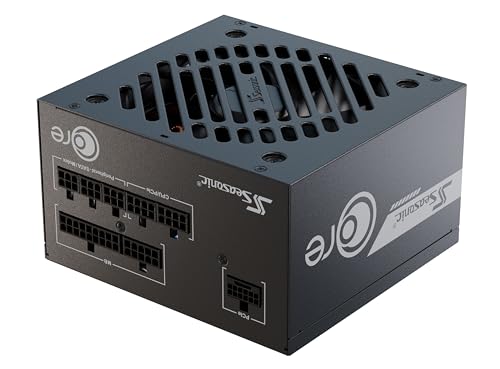
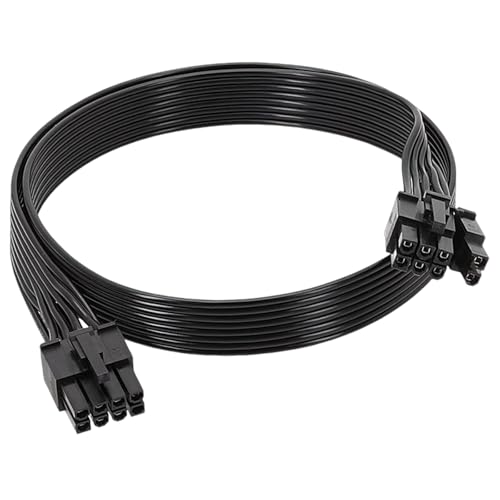

Top 3 picks at a glance
Why GPUs are the biggest power draw in a gaming PC
A graphics card typically accounts for 40-60 percent of total system power draw under gaming load, far more than any other single component, which is why GPU choice is the dominant factor in PSU sizing decisions compared to CPU, storage, or RAM selection.
As an Amazon Associate we earn from qualifying purchases at no extra cost to you.






This concentration of power draw comes from the sheer number of processing cores a modern GPU packs onto a single chip — thousands of shader cores, dedicated ray tracing cores, and tensor cores for AI upscaling all draw power simultaneously under full load, compared to a CPU’s much smaller core count running at generally lower per-core power.
Power draw also isn’t constant during gameplay; it fluctuates with scene complexity, spiking during demanding moments like explosions or dense particle effects and dropping during simpler scenes like empty hallways or loading screens. These transient spikes can briefly exceed a card’s average rated power draw by a meaningful margin, which is part of why headroom matters beyond the simple average figure.
Higher-tier cards within the same generation don’t scale power draw linearly with performance — a card delivering roughly 40 percent more performance than a lower tier might draw 60-70 percent more power, since manufacturers often push higher-tier chips further along the efficiency curve to extract maximum performance, trading some efficiency for the performance ceiling.
Understanding this concentration of power draw in the GPU is the reason PSU shopping should start from your graphics card choice specifically, working outward to the rest of your build’s total requirement, rather than picking a PSU wattage first and hoping a chosen card fits.
How to read manufacturer wattage recommendations
Every graphics card manufacturer publishes a “recommended system wattage” figure, typically found on the product page or specification sheet, and this number already includes headroom for a typical CPU, motherboard, RAM and storage configuration paired with that card, not just the GPU’s own draw.
This recommended figure assumes a reasonably standard build — a mainstream CPU rather than an extreme high-end model, one or two storage drives, and typical RAM capacity. Builds with an unusually power-hungry CPU, multiple additional drives, or extensive RGB lighting and fan setups should add extra headroom beyond the base recommendation.
The card’s own typical board power (TBP), a separate figure often listed alongside the system recommendation, represents just the GPU’s own draw under typical gaming load, excluding the rest of the system. This number is useful for understanding the GPU’s specific contribution but shouldn’t be used alone to size a PSU, since it excludes everything else in the system.
Peak or transient power draw, occasionally listed separately from typical board power, can briefly exceed TBP by 20-30 percent during sudden load spikes. PSUs with poor transient response can trip their overcurrent protection during these brief spikes even when average draw is well within the PSU’s rated capacity, which is a real-world cause of unexplained shutdowns during gaming specifically, rather than during less demanding tasks.
When comparing a card’s recommendation against your existing PSU, use the manufacturer’s system wattage figure as the baseline and add 50-100W of additional buffer on top for comfort and longevity, rather than treating the manufacturer number as an exact ceiling to size against precisely.
Understanding PCIe power connectors
Modern graphics cards use one of several connector standards, and getting this wrong is as common a problem as getting wattage wrong. The 6-pin PCIe connector, largely phased out on current cards, delivers up to 75W; the 8-pin PCIe connector delivers up to 150W and remains standard on entry and mid-tier cards, often used in pairs on higher-draw models.
The newer 12VHPWR connector (and its revised 12V-2×6 version addressing some early reliability concerns) consolidates power delivery into a single, smaller connector capable of delivering up to 600W, used on high-end current-generation cards from the RTX 4080 Super upward. This connector requires either a native cable from a compatible PSU or an adapter converting from multiple 8-pin connectors.
Using an adapter is standard practice and works reliably when done correctly: the adapter typically converts two or three separate 8-pin PCIe cables (not a single cable with multiple connectors) into the single 12VHPWR plug, and each of those 8-pin cables must come from an independent PSU cable rather than a shared cable with multiple connectors on one wire run.
Full seating of the 12VHPWR connector specifically matters more than with older standards, since this connector has been associated with well-documented melting incidents when not fully inserted, caused by uneven current distribution across the connector’s pins under a partial connection. Push firmly until you feel a distinct click, and consider a periodic visual check for discoloration during the card’s first weeks of use.
Native 12VHPWR cables, included with many newer PSUs, are generally considered more reliable than adapters for cards drawing near the connector’s upper capacity, since they avoid the extra connection point an adapter introduces, though a properly seated adapter from a reputable PSU is still a safe, widely used configuration for the vast majority of builds.
Calculating your total system wattage
Start with your GPU’s manufacturer-recommended system wattage as the baseline figure, since it’s designed to already cover a typical full system rather than requiring you to add every component’s individual draw manually.
Add extra headroom for above-average components: a high-end CPU like an Intel Core i7-14700K under full load can draw 100-150W more than a mainstream CPU like a Ryzen 5 7600, which the GPU’s baseline recommendation may not fully anticipate if it was calculated against a more modest reference CPU.
Account for additional drives and peripherals modestly — each extra NVMe SSD adds roughly 5-8W, each additional case fan a few watts, and RGB lighting controllers a small but non-zero draw that adds up across a heavily lit build with a dozen or more addressable LED fans and strips.
Add a general comfort buffer of 15-20 percent above your calculated total rather than sizing to the exact minimum, both to accommodate transient power spikes during gaming and to keep the PSU running in a more efficient load range, since most PSUs achieve peak efficiency around 40-60 percent of their rated capacity rather than near maximum load.
For a concrete example: an RTX 4070 Super (recommended 650W) paired with a Ryzen 7 7800X3D, one NVMe drive, and moderate fan and lighting setup comfortably fits a well-built 750W unit, leaving reasonable headroom for future upgrades without needing to replace the PSU at the same time as a future GPU swap.
Recommended wattage by GPU tier
| GPU example | Typical board power | Recommended system PSU |
|---|---|---|
| RTX 4060 / RX 7600 | 115-165W | 550W |
| RTX 4060 Ti / RX 7700 XT | 160-245W | 600-650W |
| RTX 4070 Super / RX 7800 XT | 220-263W | 650-750W |
| RTX 4070 Ti Super | 285W | 700-750W |
| RTX 4080 Super / RX 7900 XTX | 320-355W | 750-850W |
| RTX 4090 | 450W | 850-1000W |
These figures reflect manufacturer-published reference specs; specific board-partner models with factory overclocks can draw somewhat more than the reference figure, so checking the exact model’s own specification sheet is worth the extra minute rather than relying on the general card family figure alone.
Notice the jump in recommended PSU wattage isn’t perfectly linear with board power — the recommendation also reflects headroom philosophy from each manufacturer, and Nvidia and AMD’s stated recommendations for cards with similar board power sometimes differ by 50-100W, reflecting each company’s own testing methodology and buffer assumptions rather than a strict, universal formula.
PSU quality factors beyond wattage
Two PSUs with identical wattage ratings aren’t interchangeable in real-world reliability, since build quality, component grade, and transient response differ significantly between budget and premium units even at the same headline wattage figure.
The 80 Plus efficiency certification (White, Bronze, Silver, Gold, Platinum, Titanium, in ascending order) measures how efficiently a PSU converts wall AC power to usable DC power, with higher tiers wasting less power as heat. A Gold-rated 750W unit and a Bronze-rated 750W unit both deliver the same 750W to your components, but the Gold unit runs cooler and slightly cheaper on your electricity bill over time.
Single-rail versus multi-rail 12V design affects how a PSU distributes power across multiple connectors — a single-rail design gives the full rated 12V capacity to any connector, which suits GPUs drawing heavily on the 12V rail, while overly conservative multi-rail designs occasionally trip protection circuits under legitimate high transient loads that don’t actually exceed total capacity.
Warranty length is a reasonable proxy for manufacturer confidence in component quality: budget PSUs often carry 2-3 year warranties while premium units from established manufacturers, like Corsair’s RM750e or Seasonic’s Focus GX-750, typically carry 7-10 year warranties, reflecting higher-grade capacitors and more rigorous quality control.
Modular or semi-modular cable design doesn’t affect power delivery but does affect build quality of life, letting you use only the cables your specific build needs rather than routing and hiding unused cables from a fixed-cable unit, which matters more for airflow and cable management than for raw power delivery.
GPU power draw at idle versus full load
Modern graphics cards vary their power draw dramatically between idle desktop use and full gaming load, often by a factor of ten or more, which is why a card’s rated board power tells you almost nothing about how much electricity it draws while you’re browsing or writing an email rather than gaming.
At idle, most current cards draw between 10W and 25W, regardless of tier, since GPU manufacturers have invested heavily in idle power states over recent generations, meaning even a flagship RTX 4090 draws only modestly more at idle than a budget RTX 4060, despite an enormous gap in gaming power draw between the two.
Video playback and light multitasking sit in an intermediate zone, typically 20-40W, as the card’s video decode engine activates without engaging the full shader array. Multi-monitor setups, particularly with mismatched refresh rates between displays, can push idle-adjacent power draw higher than a single-monitor setup, since the card has to keep memory clocks elevated to maintain sync across displays.
Full gaming load is where the board power figure discussed earlier becomes relevant, and this is also where transient spikes above the average happen, briefly pushing instantaneous draw well above the sustained average during particularly demanding frames.
Understanding this idle-to-load swing matters for PSU sizing in one specific way: don’t assume a PSU is oversized just because a wattage monitor shows low draw during normal desktop use — that low reading says nothing about whether the PSU has enough headroom for the card’s actual peak gaming draw, which only shows up under real load.
When to upgrade your PSU alongside a GPU
Upgrade your PSU alongside a new GPU whenever the new card’s recommended system wattage exceeds your current PSU’s rating, even by a modest margin, rather than assuming a close call will work out fine in practice under real gaming loads with transient spikes.
Upgrade even if the wattage technically covers the new card, when your current PSU is more than five to six years old, since capacitor aging gradually reduces a PSU’s real deliverable power below its printed rating, and an older unit that was adequate when new may no longer have the headroom its label suggests.
Upgrade when moving to a card requiring the 12VHPWR connector if your current PSU has no native cable option and you’d rather avoid using an adapter, particularly for cards drawing near the top of that connector’s rated capacity, where a dedicated native cable offers a small additional reliability margin.
Consider upgrading proactively if you’re planning a GPU upgrade again within two to three years, sizing the new PSU for your next anticipated card tier rather than just your current purchase, since a well-chosen PSU often outlasts two or more GPU generations and buying appropriately sized headroom now avoids a second PSU purchase later.
Skip the PSU upgrade only when your current unit is from a reputable manufacturer, is under five years old, carries meaningfully more rated wattage than the new card’s recommendation, and already has the correct connector type available — all four conditions should hold, not just one or two of them.
Signs your current PSU is inadequate
Random system shutdowns or reboots specifically during demanding gaming moments, rather than during idle or light use, are the clearest symptom of insufficient PSU capacity, since these are exactly the moments of peak transient power draw that expose a marginal power supply.
A system that won’t power on at all after installing a new GPU, with no fans spinning and no display output, sometimes indicates the PSU’s overcurrent or overpower protection is tripping immediately on startup, particularly with cards requiring connectors the PSU doesn’t natively support well even via adapter.
Coil whine that gets noticeably louder under gaming load, while not exclusively a PSU symptom, can indicate a PSU working harder than comfortable near its capacity limit, especially if the whine wasn’t present with a previous, less power-hungry GPU in the same system.
Burning smells or visible discoloration around power connectors are serious warning signs requiring immediate shutdown and inspection, most commonly associated with an incompletely seated 12VHPWR connector rather than a wattage shortfall specifically, but worth checking regardless of the suspected cause.
Performance that’s inconsistent between runs of the same benchmark or game scene — one run hitting expected frame rates, another run showing unexplained dips in the same section — can indicate the GPU briefly throttling itself in response to power delivery instability, a subtler symptom than an outright shutdown but still tied to inadequate PSU headroom.
Troubleshooting: instability after a GPU or PSU change
If the system shuts down only during gaming and not during other tasks, confirm both PCIe power connectors are fully seated with a firm click, try a different PCIe cable if your PSU is modular, and check whether the shutdowns correlate with specific graphically intense scenes rather than happening randomly, which points more clearly toward a transient power spike issue.
If the system won’t boot at all with the new configuration, disconnect any recently added drives or peripherals temporarily to reduce total load, and confirm you’re using the PSU’s dedicated GPU power cables rather than a cable intended for a different connector type that happens to physically fit.
If you suspect the PSU itself has failed rather than a connection issue, testing with a different known-good PSU, if available, is the most reliable diagnostic — swapping components one at a time isolates the actual fault far more reliably than guessing based on symptoms alone.
If coil whine or unusual noise appears specifically after a GPU upgrade, first confirm it’s coming from the PSU and not the GPU’s own inductors, which also produce coil whine under load and are frequently misattributed to the power supply; isolating the noise source by ear at close range, with appropriate caution around a powered system, usually resolves the confusion.
Related guides
- Cpu Cores And Threads For Gaming Explained
- How Much Vram Do You Need For Gaming
- How To Check Gpu Temperature Safely
Frequently asked questions
How do I know what wattage PSU my graphics card needs?
Check the manufacturer’s recommended system wattage, listed on the product page and in the box, rather than just the card’s own power draw figure. This recommendation already accounts for a typical CPU, motherboard, storage and RAM alongside the GPU, so it’s the number to compare against your PSU’s rating directly, not a figure you need to add other components to.
Can I use an adapter to connect an older PSU to a newer GPU?
Yes, for the 12VHPWR connector specifically, most current cards ship with an adapter converting two or three 8-pin PCIe connectors into the new standard. This works fine electrically as long as your PSU has enough separate 8-pin cables and sufficient total wattage, but it doesn’t fix an underpowered PSU — the adapter only solves the connector shape mismatch.
What happens if my PSU wattage is too low for my GPU?
Symptoms range from random shutdowns and reboots under gaming load to a system that won’t power on at all with the new card installed. Modern PSUs generally shut down safely under an overload condition rather than causing hardware damage, but the instability makes the system unusable for gaming until the PSU is upgraded or the GPU downgraded.
Do I need a higher-wattage PSU for ray tracing?
Ray tracing increases GPU power draw meaningfully, sometimes by 15-25 percent over standard rendering on the same card, since it uses additional dedicated cores under load. If your PSU is already near its rated capacity with standard gaming, enabling ray tracing regularly can push it into an unstable zone, making a wattage buffer worth having.
Is PSU efficiency rating (80 Plus) related to wattage requirements?
They’re related but distinct: wattage is how much power the PSU can deliver, while the 80 Plus rating (Bronze, Gold, Platinum, Titanium) measures how efficiently it converts wall power into usable DC power. A higher efficiency rating reduces wasted heat and electricity cost but doesn’t substitute for insufficient rated wattage.